


Written by Mo Kahn on
December 11, 2025


The Luma AI app has taken over creative spaces fast. With its Dream Machine video AI models, you can create videos from text, images, or simple ideas, without needing cameras, lighting, or fancy capture equipment. Imagine the future possibilities as Luma AI continues to advance—envision even more powerful mobile 3D capture and rendering capabilities that will unlock new creative potential. The app is not only powerful but also interesting and engaging, making it fun for users to explore and create lifelike 3D scenes with AI.
Unlike traditional video creation, you don’t need an entire production setup. You open the app, upload an image or write a prompt, and AI generates cinematic footage with smooth motion, consistent characters, and realistic environment behavior.
This is video generation rewritten.
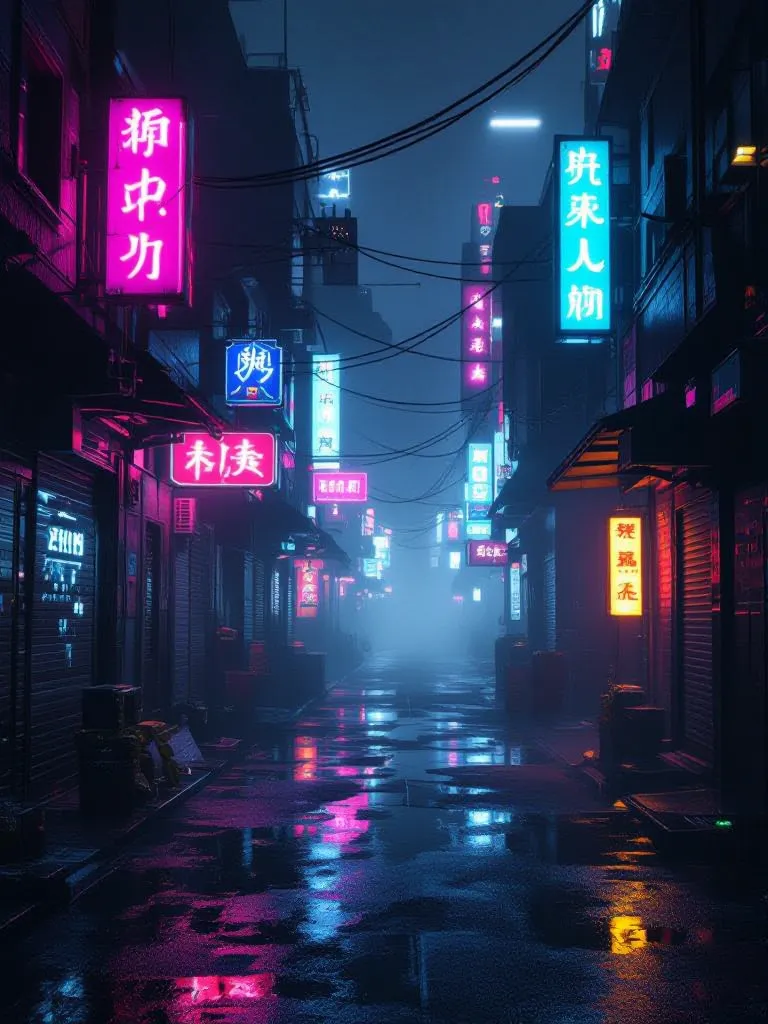
Luma AI lets users:
• Create videos with text prompts
• Generate scenes with consistent characters
• Upload images and transform them into motion
• Add realistic movement, reflections, and physics
• Capture real life objects and export lifelike NeRFs
• Capture products in 3D for use in digital platforms like websites, game engines, or virtual scenes
• Generate creative product showcase videos
• Enhance profile pictures into cinematic styles
Note: Users can export generated 3D models in USDZ, GLTF, and OBJ formats for compatibility with popular software and engines.
The Luma AI app is available on a freemium basis, offering credits to test core features and subscription plans for advanced options.
Businesses can utilize Luma AI to create interactive 3D product showcases, enhancing customer engagement and sales.
Luma AI offers API access for developers to integrate its video and 3D generation capabilities into applications.
Users can create lifelike 3D content using just their phone or iPhone.
Everything is handled through machine learning models trained on visual data, motion patterns, and realistic movement behavior. You get unmatched quality video output even from a single frame.
The Dream Machine model is where the magic happens. It brings ideas to life with motion that feels natural, fluid, sometimes surreal, and always visually impressive.

Luma isn’t just a video generator. It is also a powerful 3D capture tool.
Using your phone camera, you can record real-world objects and Luma will reconstruct them into lifelike NeRFs (Neural Radiance Fields). That means:
• 3D product capture
• Detailed textures and edges
• Realistic lighting + reflections
• Accurate depth and structure
These scans can be exported, animated, placed into scenes, or used in creative projects. Designers love it because it speeds up workflow. Developers love it because it saves time building CGI assets.
(simple workflow)
Note: Video generation currently supports specific formats and may have limitations on video length or resolution.
After completing these steps, you can use the Video-to-Video AI feature to modify existing footage based on text instructions, such as changing camera angles or styles. The 'Modify Video' function in Dream Machine allows you to alter the style or environment of your footage using prompts. You can also generate video clips by providing text prompts that describe your desired scene, producing dynamic videos of about 5 seconds. Additionally, Luma AI lets you animate static images, adding motion to create engaging visual content.
You can also tag styles such as cinematic, surreal animation, realistic, vaporwave, or nature documentary. The app responds well to descriptive prompting.
Example prompts:
“Studio-lit slow-motion shot of a silver robot walking through neon fog” “Golden retriever wearing sunglasses riding a bicycle through New York” “Minimal white product showcase with soft shadows and glossy highlights”
The more detailed the vision, the more controlled the output.

✔ Concept videos
✔ Short cinematic clips
✔ Product visuals + marketing
✔ Character exploration
✔ Creative storyboards
✔ Motion tests for film + animation
✔ AI-driven worldbuilding
✔ Educators can convert physical models into interactive 3D aids, improving learning outcomes.
✔ Digital artists can quickly prototype ideas and create professional-grade visual effects without extensive skills.
✔ Interactive 3D models can be turned into embeddable web experiences, including flythrough videos for virtual tours.
✔ Intelligent video model excels at storytelling, enabling users to create and explore stories with advanced features like physics, consistency, and draft modes for enhanced narrative quality.
The app is fast, intuitive, and creative without requiring editing experience. Even beginners generate professional-looking footage in minutes.

Luma AI isn’t just about creating lifelike videos and powerful images—it’s also built for collaboration and sharing. As a brand new AI medium, Luma makes it easy for creators to bring people together, share their vision, and showcase their work to the world.
With Luma AI, you can instantly export lifelike NeRFs and Gaussian Splats, making your 3D captures and videos compatible with other supported tools and popular 3D engines. This seamless integration means you can take your creative process further, whether you’re refining intricate details for a product showcase or adding realistic reflections and lighting to your scenes.
Collaboration thrives in the Luma community. By joining Luma’s Discord, you can connect with other creators, share your stunning visuals, and get real-time feedback on your projects. The support team is always available to help—just contact support through the app or visit the website for guidance, resources, and updates from the developer team.
Sharing your creations is simple. Upload your images, generate videos with Dream Machine, and share them directly on the web or with your team. Whether you’re crafting a unique profile picture, a cinematic background, or a character-driven story, Luma AI gives you full creative control. Choose from a variety of styles and prompts, refine your output, and manage your projects with ease.
Luma AI’s unmatched quality and intuitive features make it the perfect tool for anyone looking to upgrade their creative workflow. From capturing products with intricate details to generating spectacular videos, Luma empowers you to transform ideas into reality—and share them with the world.
Ready to get started? Download the Luma AI app, create an account, and join the community. Visit the website or Discord to find Luma, connect with other creators, and discover new ways to bring your ideas to life. With Luma AI, collaboration and sharing are just as fun and powerful as creation itself.
If your goal is ai image creation as well as video, starryai is a strong companion tool.
While Luma excels in video generation and 3D-aware motion, starryai shines in image generation, art design, and prompt-based illustration.
Why creators use starryai alongside Luma:
• Better for still images and concept visuals
• Strong edit tool for modifying uploaded pictures
• Great for ideation before generating full video sequences
• Can produce variation boards for scenes + characters
A common workflow:
Images become videos. Ideas become scenes.
Luma AI represents a shift in visual storytelling.
No cameras, no equipment, no 3D software expertise required.
Just an idea, a prompt, and a few seconds of generation time.
🟢 Videos made from imagination
🟢 Objects scanned into digital life
🟢 Creativity without friction
And if you pair it with tools like starryai, you get a full pipeline:
image creation → character design → cinematic video output.
The future of storytelling is not coming.
It’s already generating.








.svg)