


Written by Mo Kahn on
March 12, 2026


Your complete, beginner-friendly guide to creating stunning AI art from text prompts. No drawing skills required. Welcome to the new era of digital creativity. Learning how to make AI images is no longer a niche skill reserved for tech enthusiasts or professional graphic designers. In 2026, it is as accessible as typing a text message. Whether you want to generate breathtaking fantasy landscapes, photorealistic portraits, or surreal abstract designs, the barrier to entry has vanished. If you have ever stared at a blank digital canvas feeling overwhelmed by the sheer number of brushes, layers, and techniques required to produce a single illustration, you are not alone. AI image generation has completely flipped the script. Now, your imagination is the only limit, and your words are the brushstrokes. In this comprehensive guide, we will break down exactly how to make AI images, explain what is happening behind the scenes, help you choose the right tool for the job, and walk you through a simple 5-step workflow using starryai. We will also cover prompt writing basics, explore common styles, troubleshoot weird glitches (like extra fingers), share advanced tips, and answer the most frequently asked questions. Let us dive right in and unlock your creative potential.

Before we get to the practical steps, it helps to understand what we are actually creating. When people ask how to make AI images, they are often curious about how a computer can "paint" something that looks entirely new and original. AI images are visual artworks generated by artificial intelligence models, specifically deep learning algorithms known as diffusion models. These models are not simply searching Google Images and combining existing photos like a collage. Instead, they have been trained on billions of image-text pairs to understand the fundamental concepts of visual elements. They know what a dog looks like, what sunlight looks like, and what the painting style of Vincent van Gogh looks like. When you provide a text description (known as a "prompt"), the AI starts with a canvas full of random visual noise (static). Over a series of steps, it gradually removes that noise, predicting and arranging pixels until an image emerges that matches your description. This process is called diffusion. The beauty of this technology in 2026 is its sheer speed and accessibility. A process that would have taken a human artist days or weeks to sketch, color, and refine can now be completed in seconds. More importantly, AI image generation democratizes art. You do not need steady hands, expensive software, or years of anatomy study. You only need an idea and the vocabulary to describe it.
When you start researching how to make AI images, you will quickly notice a flood of available platforms. Some are highly technical and require you to install complex software on a powerful local machine. Others hide their best features behind steep monthly paywalls. For beginners and experts alike, finding a tool that balances power, ease of use, and affordability is crucial. This is where starryai shines. First and foremost, starryai offers a generous free tier. Learning how to make AI images requires experimentation, and experimentation means generating dozens of images that you might ultimately discard. If you are paying a premium for every single generation, the creative process becomes stressful. With starryai, you receive daily free credits, allowing you to practice writing prompts, test different styles, and refine your ideas without pulling out a credit card. Beyond being free to start, starryai is incredibly accessible. You can use it directly in your web browser or download the mobile app to create art on the go. The interface is clean, intuitive, and designed to get out of your way. You do not need to learn complex coding or navigate confusing node-based systems. You simply type your prompt, choose a style, and generate. Furthermore, starryai gives you full ownership of the images you create, meaning you can use them for personal projects, social media, or even commercial endeavors without worrying about hidden licensing fees.

The secret to learning how to make AI images effectively lies in mastering the art of the prompt. A prompt is the set of instructions you give the AI. A vague prompt will yield a vague, unpredictable image. A detailed, well-structured prompt will give you exactly what you envisioned. Think of prompting like giving instructions to an incredibly talented but literal-minded artist. If you say "a cat," they might paint a cartoon cat, a realistic cat, a purple cat, or a cat in space. You have to be specific. Here is a foolproof formula for structuring your AI image prompts:
1. The Subject
What is the main focus of your image? Be as specific as possible.
2. The Medium
How should the image look? Is it a photograph, an oil painting, a 3D render, or a pencil sketch?
3. The Environment and Background
Where is the subject located? The background sets the mood and context.
4. Lighting and Atmosphere
Lighting dramatically changes the emotional impact of an image.
5. Details and Modifiers
These are the extra keywords that push the image quality higher or add specific stylistic flair.
Putting It All Together
Let us combine these elements into a single, powerful prompt: "Cinematic photography of an elderly bearded wizard holding a glowing blue staff, standing in a dense mossy forest, soft morning sunlight filtering through the trees, highly detailed, 8k resolution, photorealistic." When you provide a prompt like this, you are leaving nothing to chance. You are directing the AI exactly where to go.
Now that you understand what AI images are and how to write a basic prompt, let us walk through the actual process. Here is your step-by-step guide on how to make AI images using starryai.
Step 1: Open the App or Website
To get started, navigate to the starryai website on your computer or download the mobile app from the iOS App Store or Google Play Store. Create a free account to claim your daily credits. \
Step 2: Enter Your Prompt
Locate the text box labeled "Prompt" or "Create." This is where you will type the description we discussed in the previous section. If you are feeling stuck, starryai often features a prompt builder or suggestion tool to help spark your imagination. Type in your detailed description, ensuring you cover the subject, medium, environment, and lighting. \
Step 3: Choose Your Style and Model
starryai offers a variety of base models and styles to choose from. A model is the underlying AI brain trained on specific types of imagery. For example, if you want a realistic photo, you would choose a photography-focused model. If you want a stylized drawing, you would choose an art or anime model. Browse through the available styles (like Fantasy, Cyberpunk, Portrait, or Anime) and select the one that best matches your vision. This step saves you from having to type out complex stylistic keywords in your prompt, as the engine applies the aesthetic automatically. \
Step 4: Adjust Settings and Generate
Before hitting the generate button, take a look at the settings. You can often adjust the aspect ratio (whether you want a square image for Instagram, a widescreen image for a desktop background, or a tall image for a phone wallpaper). You might also be able to adjust the number of images generated at once. Once everything looks correct, click the "Generate" button. The AI will take a few moments to process your request and diffusion will begin. \
Step 5: Upscale, Refine, and Download
When the generation is complete, you will be presented with your new AI artwork. If you love the result, you can immediately download it to your device. If it is almost perfect but slightly low resolution, use starryai's built-in upscale feature to enhance the details and make it crisp and clear. If the image is not what you wanted, do not get discouraged. Tweak your prompt, try a different style, and generate again. Remember, your daily free credits are there for exactly this reason. \
One of the most exciting aspects of learning how to make AI images is exploring the vast array of available visual styles. You are not limited to your own physical artistic abilities. Here are some of the most popular and reliable styles you can explore in starryai:
Photorealism
If you want to create images that look like they were captured with a high-end DSLR camera, focus on photorealism. Use prompt keywords like "photorealistic," "macro photography," "portrait photography," "85mm lens," and "sharp focus." This style is perfect for character portraits, food photography, and landscape scenes.
Anime and Manga
AI image generators are incredibly adept at replicating Japanese animation styles. By selecting an anime-specific model in starryai or using keywords like "anime style," "Studio Ghibli," or "manga illustration," you can generate beautiful, vibrant 2D characters and environments.
Cyberpunk and Sci-Fi
For lovers of futuristic aesthetics, cyberpunk is a go-to style. Focus on keywords like "neon lights," "futuristic city," "cybernetics," "holograms," and "dystopian." This style usually features high contrast and vibrant neon colors against dark backgrounds.
Watercolor and Traditional Media
You can instruct the AI to mimic traditional physical art mediums perfectly. Try prompts that include "watercolor painting," "oil on canvas," "charcoal sketch," or "acrylic." The AI will accurately replicate the texture of the canvas and the bleeding of the colors.
3D Render and Claymation
If you want your images to look like modern Pixar movies or stop-motion animations, use keywords like "3D render," "Octane Render," "Unreal Engine 5," or "claymation style." These prompts produce images with incredibly realistic lighting and material textures.
Even the most advanced AI models in 2026 occasionally make mistakes. When you are learning how to make AI images, you will inevitably encounter some strange visual glitches. Here is how to troubleshoot the most common problems.
The Problem: Extra Fingers or Warped Limbs
AI models sometimes struggle with the complex geometry of human hands and limbs. You might generate a beautiful portrait, only to realize the subject has six fingers. The Fix: Be extremely specific in your prompt if hands are visible. Instead of just "hands," try "perfectly formed hands, resting on a table." If the issue persists, try generating the image so the hands are hidden (e.g., "hands in pockets" or "cropped above the waist"). Alternatively, use starryai's inpainting or variation tools to regenerate just the problematic area.
The Problem: Weird Eyes or Distorted Faces
Faces that are far away from the camera or not the main focus of the image can sometimes render as blurry or distorted. The Fix: Add keywords like "detailed face," "symmetrical eyes," and "sharp focus." If the subject is meant to be the focal point, ensure your prompt describes their facial features clearly. Many AI tools also have specific face-restoration features you can apply after generation.
The Problem: Ignored Prompt Elements
You asked for a red car, a blue sky, and a dog, but the AI gave you a blue car, a red sky, and no dog. This happens when a prompt is too complex or the concepts are confusingly ordered. The Fix: Reorder your prompt to put the most important elements at the very beginning. The AI gives the most weight to the first few words. Keep your descriptions concise and avoid contradictory statements.
The Problem: The Image is Too Cluttered
Sometimes the AI tries to cram too much detail into one image, resulting in a chaotic mess. The Fix: Add keywords like "minimalist," "clean background," "simple composition," or "negative space." Remove unnecessary adjectives from your prompt to give the AI a clearer, simpler focus.
Once you have mastered the basics of how to make AI images, you can start exploring advanced techniques to gain even more control over your creations.
Master Negative Prompts
A negative prompt is exactly what it sounds like: a list of things you do not want in your image. While a regular prompt tells the AI what to draw, a negative prompt tells it what to avoid. In starryai, you can often enter negative keywords like "blurry, deformed, watermark, text, bad anatomy, low resolution." This acts as a filter, drastically improving the overall quality of your generations.
Leverage Image-to-Image
Most beginners start with Text-to-Image, where you rely entirely on words. Image-to-Image allows you to upload an existing photo or sketch to serve as a base, and the AI will generate a new image based on both your prompt and the uploaded visual reference. This is incredibly powerful for maintaining specific compositions or turning a rough doodle into a finished masterpiece.
Understand Aspect Ratios
Do not just generate square images. The aspect ratio (the width versus the height) drastically changes the composition and feel of an artwork. A wide 16:9 ratio feels cinematic and epic, perfect for landscapes. A tall 9:16 ratio is intimate and vertical, perfect for portraits or social media stories. Always choose the ratio that best fits your subject matter.
Use Seed Numbers for Consistency
Every AI image is generated using a random "seed" number. If you generate an image you absolutely love and want to create slight variations of it without changing the entire composition, you can reuse that specific seed number. This locks in the foundational noise pattern, allowing you to change small details in your prompt while keeping the overall structure identical.
When people discover how to make AI images, they usually have a lot of questions. Here are the eight most common questions we hear, answered clearly. 1. Is it actually free to make AI images? Yes. While many platforms charge subscription fees, starryai provides daily free credits. This allows you to generate new images every single day without spending any money, making it the perfect tool for beginners to learn and experiment. 2. Who owns the copyright to the images I generate? With starryai, you own the creations you generate. You are free to use them for personal projects, share them on social media, or use them commercially. However, copyright laws regarding AI art are still evolving globally, so it is always wise to stay informed about the specific laws in your country. 3. Do I need a powerful computer to generate AI art? Not at all. Because the heavy lifting is done on cloud servers, you do not need an expensive graphics card or a high-end PC. You can learn how to make AI images using nothing but a standard web browser on a basic laptop or even your smartphone via the starryai app. 4. Why do my AI images look blurry or low quality? This usually happens if your prompt lacks detail or if you are generating at a very low resolution. To fix this, add keywords like "highly detailed," "sharp focus," and "4k resolution" to your prompt. Additionally, use the upscale feature in starryai to enhance the final output. 5. Can I use AI to edit my existing personal photos? Yes. Using Image-to-Image features, you can upload a personal photo and use a text prompt to alter it. You can change the background, apply an artistic filter (like turning a photo into an oil painting), or add new elements to the scene. 6. How long does it take to learn how to make AI images? You can generate your very first image in less than five minutes. However, mastering the art of prompt writing and understanding how different models interpret your words can take a few weeks of practice. The learning curve is gentle, but the ceiling for mastery is high. 7. Is AI art considered real art? This is a philosophical debate, but practically speaking, AI is a tool just like a paintbrush or a camera. It requires human intent, direction, and curation. The AI does not decide to create an image on its own; it requires your prompt and your creative vision to produce a result. 8. Can I make money selling AI generated images? Yes, many people monetize their AI creations. You can sell them as stock photos, print them on merchandise like t-shirts and mugs, use them as illustrations for books, or offer custom prompt generation services. Since starryai grants you ownership of your generations, commercial use is fully permitted.
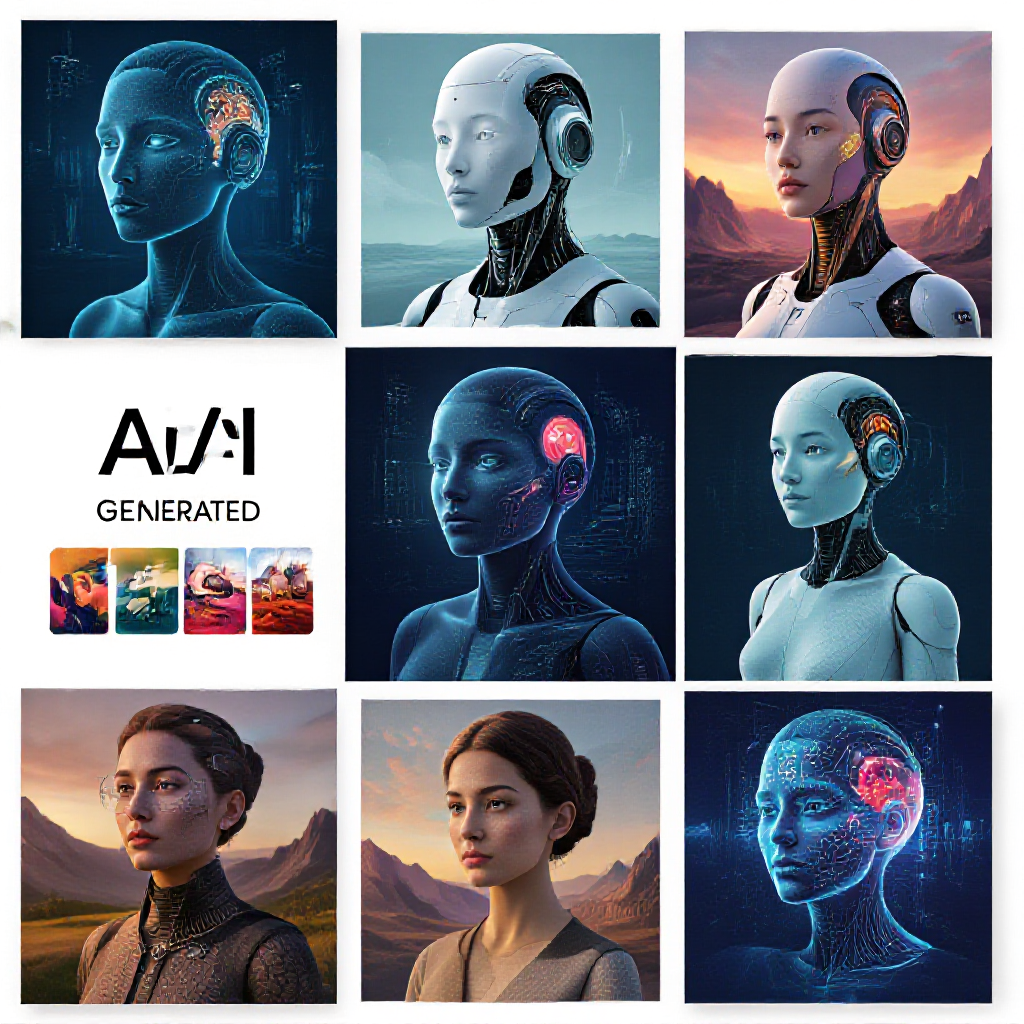
Learning how to make AI images is one of the most exciting creative journeys you can embark on in 2026. The technology has evolved to a point where the barrier between your imagination and a finished visual masterpiece is almost entirely gone. You no longer need to worry about lacking drawing skills or not being able to afford expensive software. By understanding the basics of diffusion models, choosing an accessible platform, mastering the art of the prompt, and experimenting with different styles, you can create breathtaking artwork in seconds. Remember to be specific with your subjects, environment, and lighting. Do not be afraid to use negative prompts to filter out bad results, and always take advantage of tools like upscaling and image-to-image generation to refine your work. The most important step is simply to begin. Do not wait for the perfect idea or worry about getting it right on the first try. The beauty of AI image generation is that mistakes cost nothing, and every generation is a learning opportunity. Are you ready to turn your ideas into reality? Open your browser or download the app, claim your daily free credits, and start experimenting. Your digital canvas is waiting. \[CTA: Click here to start generating AI images for free with starryai today!\]








.svg)