

Written by Mo Kahn on
December 11, 2025


Refined, consistent image generation using reference input
The Nano Banana style of prompting has grown popular among AI artists for one reason, consistency. It helps generate high resolution results, maintain natural skin texture, and keep character identity stable across multiple images. Pair it with the Nano Banana Pro structure, and you get even better control over lighting, angles, facial features, color grading, and overall style.
The term 'nano banana' is the internal codename for Google DeepMind's AI image generation model, officially known as Gemini 2.5 Flash Image and its successor Gemini 3 Pro Image.
If you struggle with common AI issues like distorted faces or mismatched lighting, this format fixes most of it. Nano Banana Pro also supports complex edits and seamless integration, making it ideal for advanced, professional-grade image generation tasks.
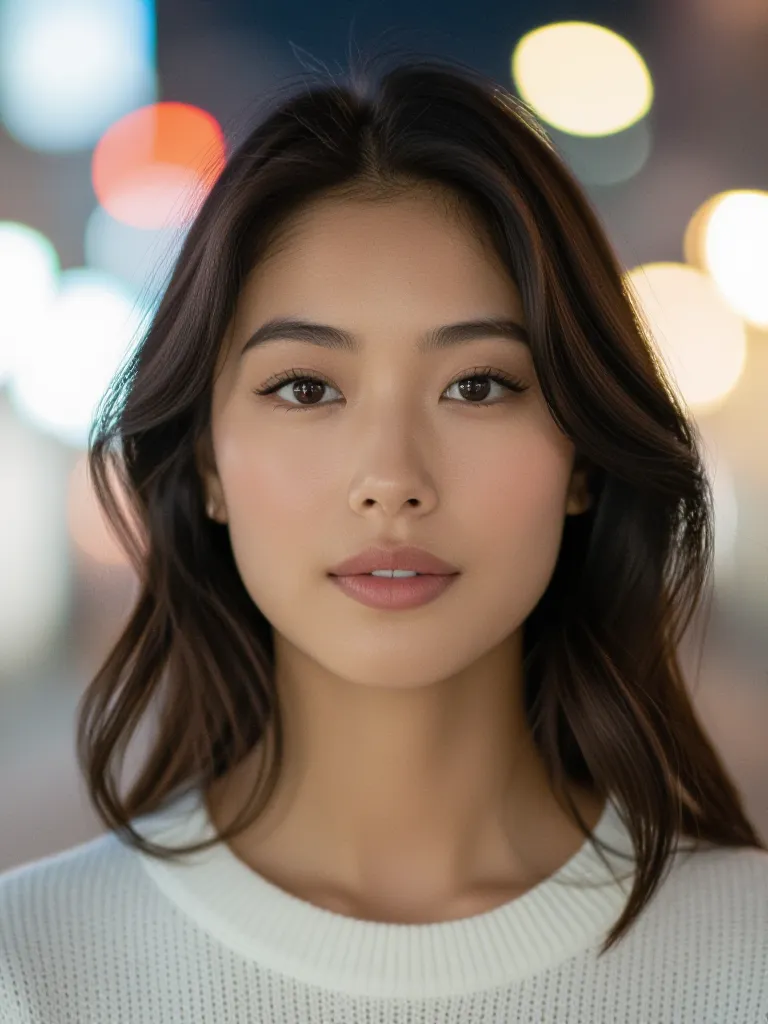
Nano Banana Pro prompts are the secret sauce behind some of the most visually striking results in modern image generation. By leveraging the unique capabilities of the nano banana pro model, users can craft images that are not only high in resolution but also rich in detail and style. The key to success with nano banana pro prompts lies in their structure: clear, concise instructions that specify exactly what you want, from lighting and color palette to aspect ratio and background environment. Whether you’re aiming for a minimalist design or a complex, multi-layered composition, well-crafted nano banana pro prompts give you the control needed to achieve your vision. This foundation is essential for anyone looking to unlock the full creative potential of nano banana and produce images that stand out for their clarity, consistency, and overall impact.
✔ Detailed portrait output with realistic lighting
✔ Clean reproduction from reference / uploaded images
✔ Character consistency across multiple renders
✔ Controllable color palette, angle, and aesthetic style
✔ Works well for high resolution close-ups and full body shots
✔ Ability to generate high-quality close up shots and capture subjects from different angles for comprehensive perspectives
This format gives the model structure, which leads to smoother, sharper images.
Nano Banana Pro can also generate high-quality, consistent outputs for e-commerce product listings, ensuring product images remain accurate and visually coherent.
A well-crafted image prompt is essential for guiding the AI model to generate accurate and visually appealing results.
reference image of [subject],
high resolution, natural skin texture,
realistic lighting, soft shadows,
clear facial features, clean details,
[background], [camera angle], [style]
Clear body text in prompt instructions ensures that both users and the AI model understand the desired output, making the process more effective and accessible.
reference photo of [subject] as input, skin texture preserved, subtle reflections, shallow depth, cinematic lighting, studio lighting options, high resolution, clean lines, color grading applied, specify color scheme for desired mood, background: [white / grey / coffee shop / city streets], aspect ratio [1:1 / 16:9 / 9:16], style theme: [watercolor / film still / line art / polaroid], visually striking, consistent details, natural light falloff, extend or modify original image borders, work with uploaded image for advanced editing
Use when you want high detail + consistent faces + natural lighting.
With Nano Banana Pro, you can generate infographics for education or marketing, create detailed storyboards from uploaded images, design product packaging localized for different markets, and produce technical diagrams for documentation.
reference upload of the same person, ensuring the same individual’s identity is preserved across multiple images for consistent results, soft cinematic lighting, high detail facial features, skin texture visible, subtle reflections in the eyes, white background, crisp edges, high resolution output, Polaroid camera effect for a nostalgic, vintage portrait style
reference image upload,
urban background, modern buildings, shallow depth,
natural lighting, soft shadows, clean color palette,
computer screen displaying the digital modeling process,
accurate screen content maintained for brand consistency,
product's shape preserved for true-to-life representation
reference consistency maintained,
watercolor painting, soft gradients, muted tones,
gentle brush texture, hand-painted aesthetic,
highly detailed illustration for rich, textured results,
use Google AI tools to enhance or generate watercolor illustration prompts for added creativity
reference object, clean white studio background, soft reflections, realistic lighting, high resolution, technical shape preserved with clear details, seamless integration of product elements and backgrounds for a natural, cohesive look

Below is a curated list of 50 prompts that follow clean structure, stable identity rules, and Nano Banana Pro best practices. These cover portraits, products, fashion, illustration, cinematic shots, and stylistic experiments.
Use with a reference upload whenever possible for the best consistency.
When it comes to character design, nano banana pro prompts truly shine. The model’s ability to maintain character consistency across multiple images makes it ideal for projects where facial features, skin texture, and overall aesthetic must remain stable—think comic books, video games, or product photography. By using a reference image and specifying key elements like facial expression, clothing, and background environment, you can guide the nano banana pro image generation process to create characters that are both unique and cohesive. Whether your goal is a hyper-realistic portrait or a stylized cartoon, detailed nano banana pro prompts allow you to define every aspect of your character’s appearance and setting. This level of control ensures that your characters not only look stunning but also fit seamlessly into any scenario or artistic style you choose.
• Use a reference input image for best consistency
• Mention lighting clearly: cinematic vs natural vs studio
• Aspect ratio matters more than people think
• Descriptions short, direct, visual > poetic wording
The Gemini App takes nano banana pro image generation to the next level by offering a seamless, user-friendly interface packed with advanced features. With Gemini, you can easily upload reference images, fine-tune your nano banana pro prompts, and experiment with options like multi image fusion, style transfer, and text rendering. The app’s intuitive controls let you adjust camera angle, lighting details, and overall style with just a few clicks, making it simple to achieve the exact look you want. Whether you’re working on a group photo, a product render, or a film scene, the Gemini App ensures that your nano banana pro images are consistent, high-quality, and visually compelling. Its robust toolkit empowers both beginners and professionals to push the boundaries of what’s possible with nano banana image generation.
You can run Nano Banana or Nano Banana Pro prompts on most diffusion tools, but starryai handles reference image consistency better than most. Uploading a reference photo and pasting these prompts often produces cleaner skin texture, lighting accuracy, and identity match with less trial-and-error. When you use an uploaded image, Nano Banana Pro can automatically generate visuals or storyboards based on your user-provided content, showcasing its ability to analyze and create visual stories from your images.
Try this prompt on starryai to see the difference:
reference image upload,
high resolution portrait, natural lighting,
skin texture maintained, soft cinematic detail
Nano Banana Pro can also create visual timelines by generating images of the same person across different time periods.
You can generate multiple versions, fuse them, or adapt the style with just a few tweaks in the prompt.

The nano banana pro community is a thriving hub for anyone interested in image generation, from hobbyists to professional artists. Here, you’ll find a wealth of resources to help you get the most out of nano banana pro prompts, including detailed tutorials, prompt libraries, and style guides. Community members regularly share their own reference images, original artwork, and technical tips, making it easy to learn new techniques and stay inspired. Whether you’re looking for advice on achieving realistic lighting, maintaining character consistency, or experimenting with new color schemes, the community is always ready to help. By tapping into these resources and engaging with fellow users, you can accelerate your learning curve and consistently produce stunning images with nano banana pro.








.svg)