
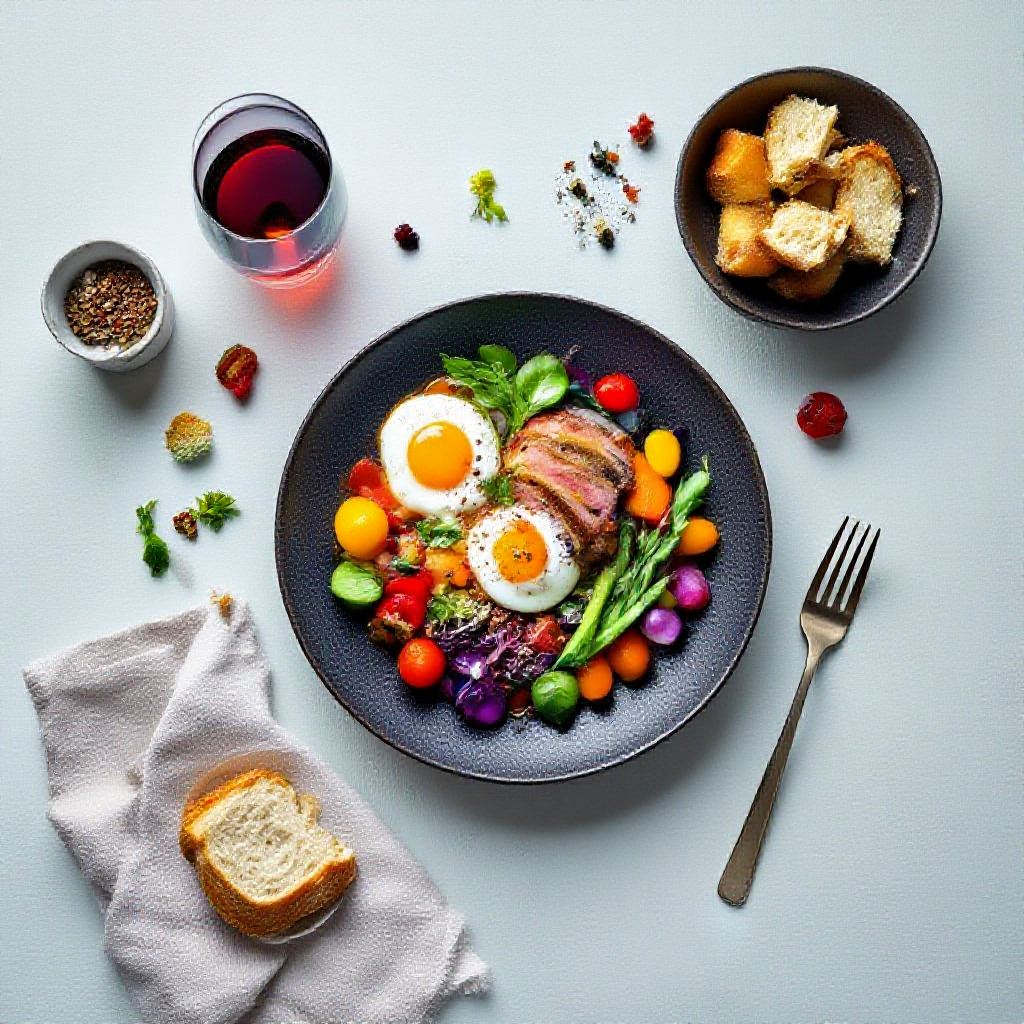

Written by Mo Kahn on
March 12, 2026


Welcome to the ultimate guide on AI food photography tips in 2026. The culinary world has evolved, and the demand for mouth watering, high quality visuals has never been higher. Whether you are managing a bustling restaurant, curating a digital menu for delivery apps, or building a brand as a content creator, captivating food photography is your most powerful tool. In the past, achieving professional food photography required expensive camera gear, elaborate lighting setups, and hours of styling. Today, artificial intelligence has completely transformed this landscape. With tools like starryai, you can generate stunning, photorealistic food images for free, right from your device. This comprehensive guide will walk you through the most effective AI food photography tips to help you create visuals that drive engagement and sales. We will cover everything from crafting the perfect prompt to executing a flawless step by step workflow using starryai. You will learn how to leverage these tools for various use cases, avoid common pitfalls, and discover advanced techniques to make your food images truly stand out in 2026. \[IMAGE: A vibrant, hyper realistic spread of artisanal pizzas with fresh basil and melted mozzarella, dramatic overhead lighting\]
Food photography is essentially about evoking a sensory response. A great image should make the viewer hungry. Historically, food stylists used tricks like motor oil for syrup or glue for milk to achieve the perfect shot. In 2026, AI food photography eliminates the need for these deceptive practices while delivering flawless results. By utilizing starryai, you can generate images of perfectly seared steaks, dripping ice cream, or steaming bowls of ramen without ever stepping into a kitchen. The technology has advanced to a point where AI generated food is indistinguishable from traditional photography. This shift democratizes high quality visual content, allowing independent cafes and local restaurants to compete visually with massive global franchises. You do not need a studio; you just need a clear vision and an understanding of how to communicate that vision to starryai.
Why Choose starryai for Your Food Visuals?
starryai offers an intuitive, accessible, and incredibly powerful platform for generating food imagery. It provides a seamless experience for both beginners and seasoned designers. The platform's free access model means you can start experimenting immediately without upfront costs. Furthermore, starryai is designed to understand complex descriptive language, allowing you to specify textures, lighting, and plating styles with remarkable precision. \[IMAGE: A sleek smartphone displaying the starryai interface with a generated image of a gourmet burger\]
Mastering AI food photography requires a systematic approach. It is not just about typing a few words and hoping for the best. To achieve consistent, professional results in 2026, you must follow a structured workflow. Here is the exact step by step process to create stunning food images using starryai.
Step 1: Conceptualization and Prompt Engineering
The foundation of any great AI image is the prompt. Before you open starryai, take a moment to conceptualize your dish. What is the mood? What are the key ingredients? What is the setting? A vague prompt like "a picture of a cake" will yield generic results. Instead, you need to be highly specific. An effective prompt for food photography should include:
Example prompt: "Macro close up of a gourmet Wagyu beef burger, melting cheddar cheese, crispy bacon, fresh brioche bun, sesame seeds, soft studio lighting, dark slate background, highly detailed, photorealistic food photography, 8k."
Step 2: Generating the Base Image
Once your prompt is ready, input it into starryai. Select a realistic or photographic style preset if available to ensure the output mimics a real camera lens. Generate a batch of images to give yourself options. starryai processes your descriptive text and synthesizes a completely unique image based on its vast training data. Review the initial generations carefully. Look at the textures of the food, the accuracy of the lighting, and the overall composition. It is rare to get the absolute perfect image on the first try. Select the variation that comes closest to your vision. This will serve as your base image for the refinement phase. \[IMAGE: A side by side comparison of a basic text prompt generation versus a highly detailed prompt generation showing a bowl of pasta\]
Step 3: Refining Through starryai Edits
Even a great base image might need some tweaking. Perhaps the garnish looks a little strange, or there is an unwanted object in the background. This is where the editing capabilities of starryai become invaluable. Use the editing tools within starryai to refine specific areas of your base image. You can use an eraser or masking tool to remove anomalies (often referred to as artifacts). If you want to change a specific element, such as swapping a lemon wedge for a lime wedge, you can mask that area and provide a new, specific prompt just for that section. This iterative editing process is crucial for achieving the polished, professional look required for commercial use in 2026.
Step 4: Adding Overlays and Final Touches
The final step in the starryai workflow involves adding elements that enhance the realism and atmosphere of the image. This could involve generating additional overlays or using external design tools, but starryai's advanced features can handle much of this. You might want to add atmospheric effects like rising steam from a cup of coffee, condensation on a cold glass of lemonade, or falling powdered sugar over a pastry. These dynamic elements trick the eye into perceiving the image as a captured moment in time rather than a static digital creation. You can achieve this by adding phrases like "wisps of hot steam" or "droplets of condensation" to your refined prompts during the editing phase. Once you are satisfied with the composition, lighting, and details, download your final high resolution image. Your culinary masterpiece is now ready to be deployed across your marketing channels. \[IMAGE: A three part sequence showing the base generated image, the edited image, and the final image with steam overlays of a cup of coffee\]
To truly excel in AI food photography, you need to go beyond the basic workflow. These advanced tips will help you elevate your starryai creations from good to breathtaking.
1. Master the Vocabulary of Food Styling
AI models understand language. The richer your vocabulary, the better your results. Learn the terminology used by professional food stylists and photographers. Instead of saying "cooked meat," use terms like "charred edges," "perfect medium rare," "glistening juices," or "Maillard reaction." Instead of "bright light," specify "diffused natural sunlight," "rim lighting," or "softbox illumination."
2. Control the Camera Perspective
The angle of the shot completely changes the narrative of the food. Specify the exact perspective in your starryai prompt.
3. Focus on Texture and Imperfections
Perfectly smooth, plastic looking food is unappetizing. Real food has imperfections. It has crumbs, drips, uneven browning, and varied textures. Explicitly ask starryai to include these details. Prompts that include "scattered crumbs," "a slight drip of syrup," or "rustic, uneven crust" will result in much more convincing and appealing imagery.
4. Utilize Color Theory
Color plays a massive role in appetite appeal. Warm colors like red, orange, and yellow generally stimulate hunger, while blues and purples can sometimes act as appetite suppressants (with exceptions like berries). Use your starryai prompts to dictate the color palette. Specify the colors of the props, the background, and the garnishes to create a cohesive and appetizing visual scheme. "Warm, inviting tones," "vibrant, saturated colors," or "moody, dark, and rich palette" are excellent modifiers.
5. Negative Prompting is Your Friend
Just as important as telling starryai what you want is telling it what you do not want. Use negative prompts to exclude undesirable elements. Common negative prompts for food photography include: "plastic," "fake," "illustration," "painting," "floating objects," "extra cutlery," "blurry," "out of focus," and "watermark." This helps keep the output strictly photorealistic. \[IMAGE: A collage of four different food images demonstrating different camera angles: macro, flat lay, 45 degree, and eye level\]
The applications for high quality food imagery generated by starryai are vast. Here is how different sectors are leveraging this technology in 2026.
1. Restaurants and Cafes
For local eateries, keeping a menu visually updated can be a costly logistical nightmare. Whenever a menu changes, new photos are traditionally required. With starryai, restaurant owners can generate beautiful images of new dishes instantly, for free. This allows for dynamic digital menus, vibrant social media feeds, and targeted promotional materials without the overhead of hiring a professional photographer.
2. Digital Creators and Food Bloggers
Content creators need a constant stream of high quality visuals to keep their audiences engaged. AI food photography allows bloggers and influencers to illustrate recipes, create eye catching thumbnails, and design engaging Pinterest pins at an unprecedented scale. It frees up their time to focus on writing content and developing recipes rather than spending hours behind a camera.
3. Food Delivery Apps (UberEats, DoorDash, Deliveroo)
Data shows that menu items with high quality photos sell significantly better on delivery platforms than those without. However, many small restaurants struggle to provide these images. AI generated photos can bridge this gap. By creating accurate, appetizing representations of their dishes using starryai, vendors can dramatically increase their conversion rates and overall sales on platforms like UberEats and DoorDash.
4. Digital and Print Menus
Whether it is a beautifully designed PDF menu accessible via a QR code or a physical printed menu, high resolution imagery is crucial. starryai can generate consistent, stylized images that fit perfectly with a restaurant's branding. Because the lighting and style can be tightly controlled via prompts, every image on the menu will look cohesive, enhancing the overall dining experience.
5. Marketing Campaigns and Advertisements
From email newsletters to Instagram ads, captivating visuals are the key to grabbing attention. Marketers can use starryai to rapidly prototype different visual concepts, A/B test various food presentations, and launch campaigns much faster than traditional production cycles would allow. \[IMAGE: A mockup of a smartphone displaying a food delivery app interface featuring vibrant, AI generated photos of sushi rolls\]
While starryai is incredibly powerful, there are common pitfalls that can ruin the illusion of your food imagery. Avoid these mistakes to ensure your photos look professional and appetizing.
1. The Floating Food Phenomenon
One of the most frequent errors in AI generation is food that appears to be floating in mid air or resting on an undefined surface. Always specify a setting or a surface in your prompt. "Resting on a rustic wooden table," "placed on a white marble countertop," or "served on a dark ceramic plate" grounds the image and provides necessary context.
2. Ignoring Scale and Proportion
AI models can sometimes struggle with the relative size of objects. You might get a strawberry that is larger than a melon or a fork that is comically small. Carefully review your generated images for these proportional errors. If you spot them, adjust your prompt to be more specific or use starryai's editing tools to correct the scale.
3. Overcomplicating the Prompt
While detail is important, cramming too many contradictory instructions into a single prompt will confuse the AI, resulting in a messy, incoherent image. Start with a clear, focused prompt and iteratively add details rather than trying to describe every single molecule of the scene on the first try.
4. Forgetting the Context and Background
The background is just as important as the food itself. A beautiful steak placed in a sterile, white void looks unappealing. Use the background to tell a story. Is it a cozy Italian trattoria? A modern minimalist kitchen? A bustling street food market? Describe the background in your prompt to create a complete, immersive scene.
5. Accepting the First Generation
AI art is an iterative process. The first image starryai generates will rarely be the best one. Generate multiple variations, tweak your prompt, use the editing tools, and refine the image until it meets your standards. Patience and experimentation are key to achieving photorealism. \[IMAGE: A graphic showing a 'do' and 'don't' comparison: the 'don't' shows floating food without context, the 'do' shows the same food beautifully styled on a table\]
One of the most compelling aspects of using starryai in 2026 is the ability to generate stunning, commercial grade food photography entirely for free. This completely levels the playing field for small businesses, independent creators, and startups. You do not need a massive marketing budget to have mouth watering visuals. By dedicating time to learning prompt engineering and mastering the starryai workflow, you can produce a limitless portfolio of food imagery without spending a dime. This "free angle" empowers you to experiment fearlessly. You can try wild, avant garde plating concepts or test dozens of different lighting setups without worrying about the cost of studio time or wasted ingredients. Embrace the freedom that starryai provides to push the boundaries of culinary visual art.
Here are some of the most common questions about using AI for food photography in 2026.
1. Is AI Generated Food Photography Deceiving to Customers?
This is a common ethical concern. The goal of AI food photography should be to create an appetizing and accurate representation of the dish you actually serve. If you use starryai to generate an image of a massive, gourmet burger, but you serve a small, sad looking patty, customers will be disappointed. Use AI to showcase your food in the best possible light, but ensure the final product resembles the generated image in terms of ingredients, portion size, and overall vibe.
2. How Do I Make the Food Look Less "Plastic" or Artificial?
The key to avoiding the plastic look is prompting for texture and imperfections. Use keywords like "matte finish," "natural lighting," "visible crumbs," "uneven browning," and "macro detail." Additionally, adding a subtle amount of film grain or noise in post processing can help break up the artificial smoothness and make the image look more like a traditional photograph.
3. Can I Use My Own Photos as a Starting Point in starryai?
Yes, starryai often allows you to use an initial image as a reference point. You can take a basic, poorly lit photo of your actual dish with your smartphone, upload it to starryai, and use a prompt to enhance the lighting, background, and styling while retaining the core shape and ingredients of your original photo. This is an excellent way to maintain authenticity.
4. What Are the Best Keywords for Lighting in Food Prompts?
Lighting makes or breaks food photography. Some of the best keywords include: "soft natural window light," "golden hour lighting," "cinematic lighting," "chiaroscuro," "rim lighting," "diffused studio light," and "dramatic shadows." Avoid terms like "flash photography" unless you are intentionally going for a specific retro aesthetic.
5. How Do I Get Steam or Smoke to Look Realistic?
Adding atmospheric effects requires specific prompting. Use phrases like "wisps of translucent steam," "soft rising vapor," or "subtle heat waves." If the initial generation does not include it, use the starryai editing tools to isolate the area above the hot food and add the steam via a refined prompt.
6. Do I Own the Rights to the Food Images I Generate with starryai?
Generally, images generated using starryai for commercial purposes can be used freely by the creator, but it is crucial to review the specific terms of service of the platform in 2026. In most cases, you can use these images on your website, menus, and social media without worrying about royalty fees or copyright infringement claims from traditional photographers.
7. How Long Does It Take to Learn Prompt Engineering for Food?
Like any skill, prompt engineering takes practice. You can learn the basics in an afternoon, but mastering the nuances of lighting, texture, and composition will take time. By studying reference images, experimenting with different keywords, and utilizing guides like this one, you can become highly proficient within a few weeks of consistent practice.
8. Will AI Replace Human Food Photographers Entirely?
While AI is an incredibly powerful tool that will handle a significant portion of commercial food photography, it is unlikely to entirely replace human photographers. High end editorial shoots, complex conceptual campaigns, and situations requiring physical styling of specific, proprietary products will still require the nuanced eye and hands on expertise of a professional human photographer. However, AI will undoubtedly be an indispensable tool in their workflow.
The landscape of culinary visual marketing has been permanently altered. In 2026, creating mouth watering, photorealistic food imagery is no longer restricted by budget or technical photography skills. By harnessing the power of starryai, anyone from a local cafe owner to a global food blogger can generate stunning visuals for free. Remember to focus on detailed prompt engineering, utilize the step by step workflow of generating, editing, and adding overlays, and always strive for authenticity and texture. Avoid common mistakes like floating food and poor scaling. By applying the comprehensive AI food photography tips outlined in this guide, you will be well on your way to creating captivating images that stop the scroll, drive engagement, and make your audience hungry for more. Start experimenting with starryai today and watch your culinary visuals transform.









.svg)