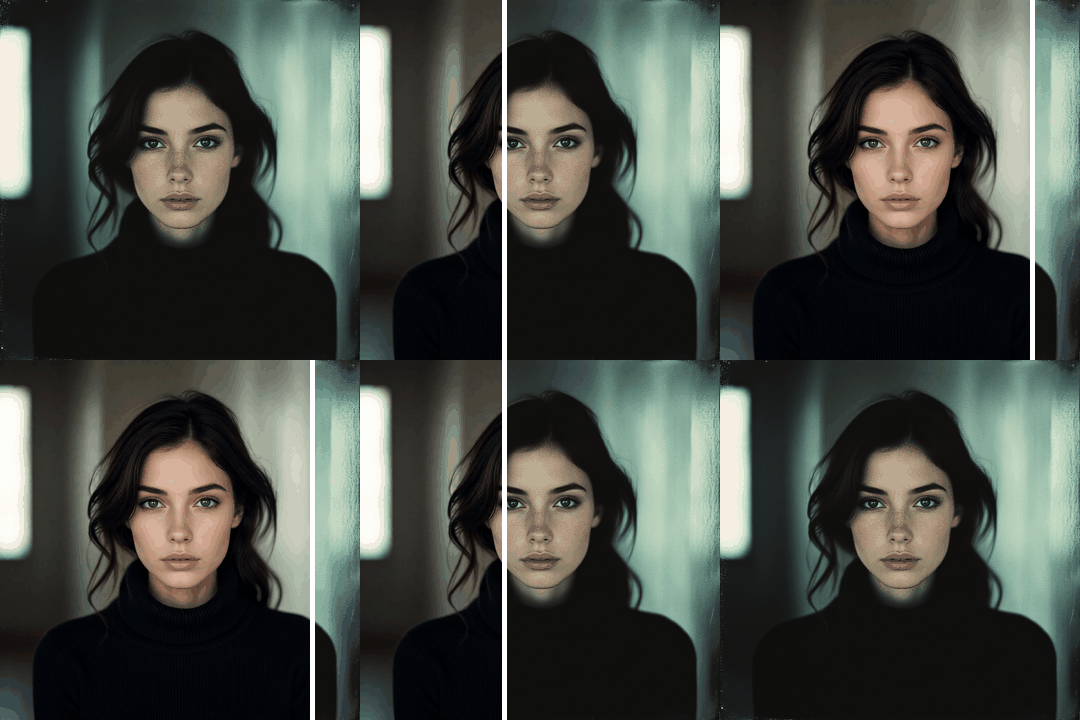

Remove Grain and Noise from Any Photo - Instantly and for Free

Reduce noise in your photos with starryai's AI noise reduction tool. Clean up grainy, low-light, or high-ISO images using starryai's Edit tool with a simple text prompt. No editing experience required — just upload, describe, and download a cleaner photo.

Free HD Download
No Watermark
upload or drag image here
Trusted by 30 million users
205,650 Reviews
Available on iPhone & Android

How to Remove Noise from Photos with starryai

Step 1

Upload Your Grainy Photo

Open starryai and select the Edit tool. Upload the noisy or grainy image you want to clean up.

Step 2

Prompt the AI

Type a prompt like "remove grain," "reduce noise," or "clean up this photo." The AI analyzes and denoises your image while preserving detail.

Step 3

Download the Clean Result

Preview your denoised photo and download it in high resolution. The difference is immediate.

Before
After

Intelligent Photo Noise Detection

starryai's Edit tool identifies noise patterns — luminance grain, color noise, and compression artifacts — and removes them without blurring important details.

Intelligent Photo Noise Detection

starryai's Edit tool identifies noise patterns — luminance grain, color noise, and compression artifacts — and removes them without blurring important details.

Before
After
Before
After

Noise Reduction That Preserves Sharpness

Unlike basic noise filters that soften everything, starryai's AI keeps edges, textures, and fine details crisp while eliminating grain.

Noise Reduction That Preserves Sharpness

Unlike basic noise filters that soften everything, starryai's AI keeps edges, textures, and fine details crisp while eliminating grain.

Before
After
Before
After

Fix Grainy Low-Light and Night Photos

Photos taken in dim lighting or with high ISO settings come out grainy. starryai cleans them up to look like they were shot in perfect conditions.

Fix Grainy Low-Light and Night Photos

Photos taken in dim lighting or with high ISO settings come out grainy. starryai cleans them up to look like they were shot in perfect conditions.

Before
After
Before
After

AI Noise Removal for Old and Scanned Photos

Scanned prints and old digital photos often have visible noise. The AI smooths these imperfections while maintaining the original character.

AI Noise Removal for Old and Scanned Photos

Scanned prints and old digital photos often have visible noise. The AI smooths these imperfections while maintaining the original character.

Before
After
Before
After

Free Photo Denoising Tool

Clean up noisy photos for free using starryai's daily credits. Professional-quality noise reduction without the price tag.

Free Photo Denoising Tool

Clean up noisy photos for free using starryai's daily credits. Professional-quality noise reduction without the price tag.

Before
After

Frequently Asked Questions

Answers to all your pressing questions about starryai
How do I reduce noise in a photo for free?

Upload your grainy photo to starryai's Edit tool and prompt "reduce noise." You get free daily credits to denoise as many photos as you need.

Can AI remove grain from low-light photos?

Yes. starryai's AI specifically excels at cleaning up low-light and high-ISO photos, removing grain while keeping details sharp.

Does AI noise reduction blur my photos?

No. starryai's intelligent denoising preserves edges and textures. It removes noise selectively, not with a blanket blur.

Can I fix grainy old photos with AI noise reduction?

Absolutely. Upload scanned or old digital photos to starryai and prompt the AI to reduce noise. It restores clarity while respecting the original image.

What types of photo noise can AI remove?

starryai's AI handles luminance grain, color noise, and JPEG compression artifacts — the most common types of noise in digital photos.

Background Texture

starryai is loved by millions

See what our users are saying about starryai
Almost don’t wanna give it a review so It doesn’t get more attention, but it is deserved. Great range of art styles and every one looks so cool I love it.
saltybigboi
App Store User
Very intuitive and has a great community! This app just keeps getting better with each update! The UI is a lot smoother and quicker, and there are always more features being added, expanding your options...Such a fun app!
Blenston Shandor
App Store User
This is actually a very nice ai text to image app. I use it quite a bit when I'm mobile and can't access my home Stable Diffusion setup.
ɘlbe spurling
App Store User
Background Texture

Go further with starryai

Want to unlock even more features to make your photos shine? With starryai Pro, you get more generations, faster results, higher quality outputs, and priority access to advanced creation settings.

Explore more

