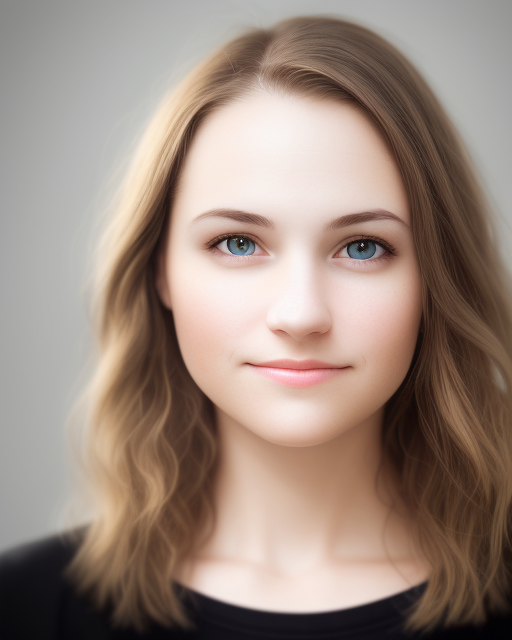
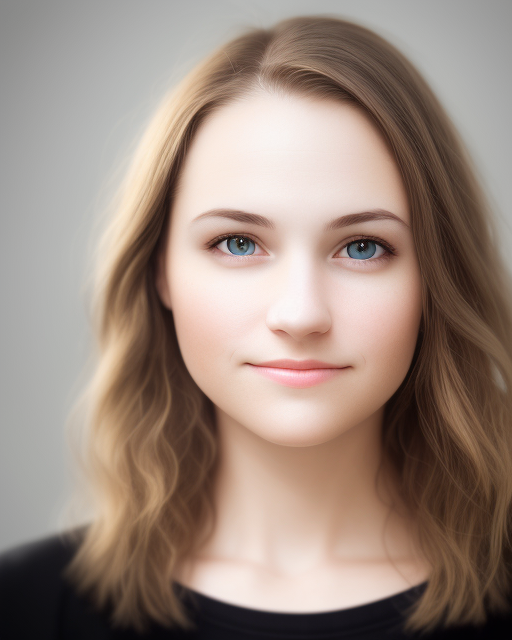
Add glasses to any photo with AI

Use starryai to add glasses, sunglasses, and eyewear to any photo using the Edit tool. Upload a portrait, describe the style you want, and download a realistic result in seconds.

Free HD Download
No Watermark
upload or drag image here
Trusted by 30 million users
205,650 Reviews
Available on iPhone & Android

How to Add Glasses to a Photo

Step 1

Upload your photo

Upload a selfie, portrait, or group photo to the Edit tool. The tool supports JPG, PNG, WebP, and other common image formats from any device.

Step 2

Describe the glasses you want

Prompt the Edit tool with the type of glasses you want added. For example, round glasses, aviator sunglasses, cat-eye frames, rimless spectacles, or bold designer frames. The AI detects facial features and places them naturally.

Step 3

Download the result

Download your photo with glasses instantly. Natural placement, consistent lighting, and clean edges — ready for social media, virtual try-on previews, or creative projects.

Before
After

Add any style of glasses to photos

starryai works as an AI glasses photo editor through its Edit tool. You can add reading glasses, sunglasses, goggles, aviators, cat-eye frames, round spectacles, and more to any face photo — all through a simple text prompt.

Add any style of glasses to photos

starryai works as an AI glasses photo editor through its Edit tool. You can add reading glasses, sunglasses, goggles, aviators, cat-eye frames, round spectacles, and more to any face photo — all through a simple text prompt.

Before
After
Before
After

Realistic AI placement with facial detection

The Edit tool detects facial landmarks and applies glasses with accurate positioning, scale, and angle. Glasses blend naturally with the face, matching shadows, lighting, and perspective for a realistic look without manual adjustments.

Realistic AI placement with facial detection

The Edit tool detects facial landmarks and applies glasses with accurate positioning, scale, and angle. Glasses blend naturally with the face, matching shadows, lighting, and perspective for a realistic look without manual adjustments.

Before
After
Before
After

Virtual glasses try-on without leaving your browser

Preview how different glasses styles look on your face before buying. Try on dozens of frame styles, colors, and shapes instantly — a fast, free alternative to in-store virtual try-on tools.

Virtual glasses try-on without leaving your browser

Preview how different glasses styles look on your face before buying. Try on dozens of frame styles, colors, and shapes instantly — a fast, free alternative to in-store virtual try-on tools.

Before
After
Before
After

Experiment with multiple styles quickly

Easily try different glasses on the same photo by updating your prompt and regenerating results. Compare aviators vs round frames, tinted vs clear lenses, or bold vs minimal styles — all without re-uploading or starting over.

Experiment with multiple styles quickly

Easily try different glasses on the same photo by updating your prompt and regenerating results. Compare aviators vs round frames, tinted vs clear lenses, or bold vs minimal styles — all without re-uploading or starting over.

Before
After
Before
After

Works on browser, iOS, and Android

You can add glasses to photos directly in your browser or use starryai on iOS and Android. Start an edit on one device and continue across platforms without changing your workflow.

Works on browser, iOS, and Android

You can add glasses to photos directly in your browser or use starryai on iOS and Android. Start an edit on one device and continue across platforms without changing your workflow.

Before
After

Frequently Asked Questions

Answers to all your pressing questions about starryai
Can I add glasses to any photo?

Yes. The Edit tool works on selfies, portraits, group photos, and professional headshots. The AI detects faces and places glasses accordingly.

What types of glasses can I add?

You can add any style — round glasses, aviators, cat-eye frames, sunglasses, rimless spectacles, vintage frames, sport goggles, and more. Just describe the style in your prompt.

Does it work as a virtual try-on?

Yes. You can use starryai to preview how different glasses look on your face, making it useful for trying styles before purchasing.

Can I add sunglasses to a photo?

Yes. Adding sunglasses works the same way — describe the style and tint you want, and the AI places them realistically on the face.

Does adding glasses affect image quality?

The tool preserves image quality, detail, and lighting while adding glasses, though results may vary depending on the image and complexity.

Background Texture

starryai is loved by millions

See what our users are saying about starryai
Almost don’t wanna give it a review so It doesn’t get more attention, but it is deserved. Great range of art styles and every one looks so cool I love it.
saltybigboi
App Store User
Very intuitive and has a great community! This app just keeps getting better with each update! The UI is a lot smoother and quicker, and there are always more features being added, expanding your options...Such a fun app!
Blenston Shandor
App Store User
This is actually a very nice ai text to image app. I use it quite a bit when I'm mobile and can't access my home Stable Diffusion setup.
ɘlbe spurling
App Store User
Background Texture

Go further with starryai

Want to unlock even more features to make your photos shine? With starryai Pro, you get more generations, faster results, higher quality outputs, and priority access to advanced creation settings.

Explore more

