

Written by Mo Kahn on
July 22, 2026


You've got a character in your head already. Maybe it's a scarred ranger for your tabletop campaign, a neon-lit hacker for a short story, or a warrior princess you want on a book cover. The hard part isn't the idea. It's turning that blurry mental image into something you can see, share, and use.
That's where a video game character creator becomes more than a game feature. It becomes a bridge between imagination and image. For a long time, that bridge was uneven. In-game creators were fun but limited, while professional pipelines were powerful but expensive. The cost to create a single high-detail 3D character manually can range from $8,000 to $25,000, with a full pipeline including concept, modeling, and rigging costing upwards of $35,000 according to Juego Studio's breakdown of video game character design costs. For independent creators, that kind of budget is not realistic.
What's changed is access. You no longer need to be a studio artist or a technical 3D specialist to develop strong character art. Today's tools let writers, gamers, Etsy sellers, and social media creators move from rough concept to polished visual much faster, with less friction and less guesswork.
A video game character creator used to mean one thing. You opened a game, picked a hairstyle, adjusted a nose slider, changed armor colors, and hit confirm. That version still matters, but the idea has grown. A modern character creator can now help you build art for a novel mockup, a TTRPG portrait, a social profile, or a visual pitch for your next creative project.
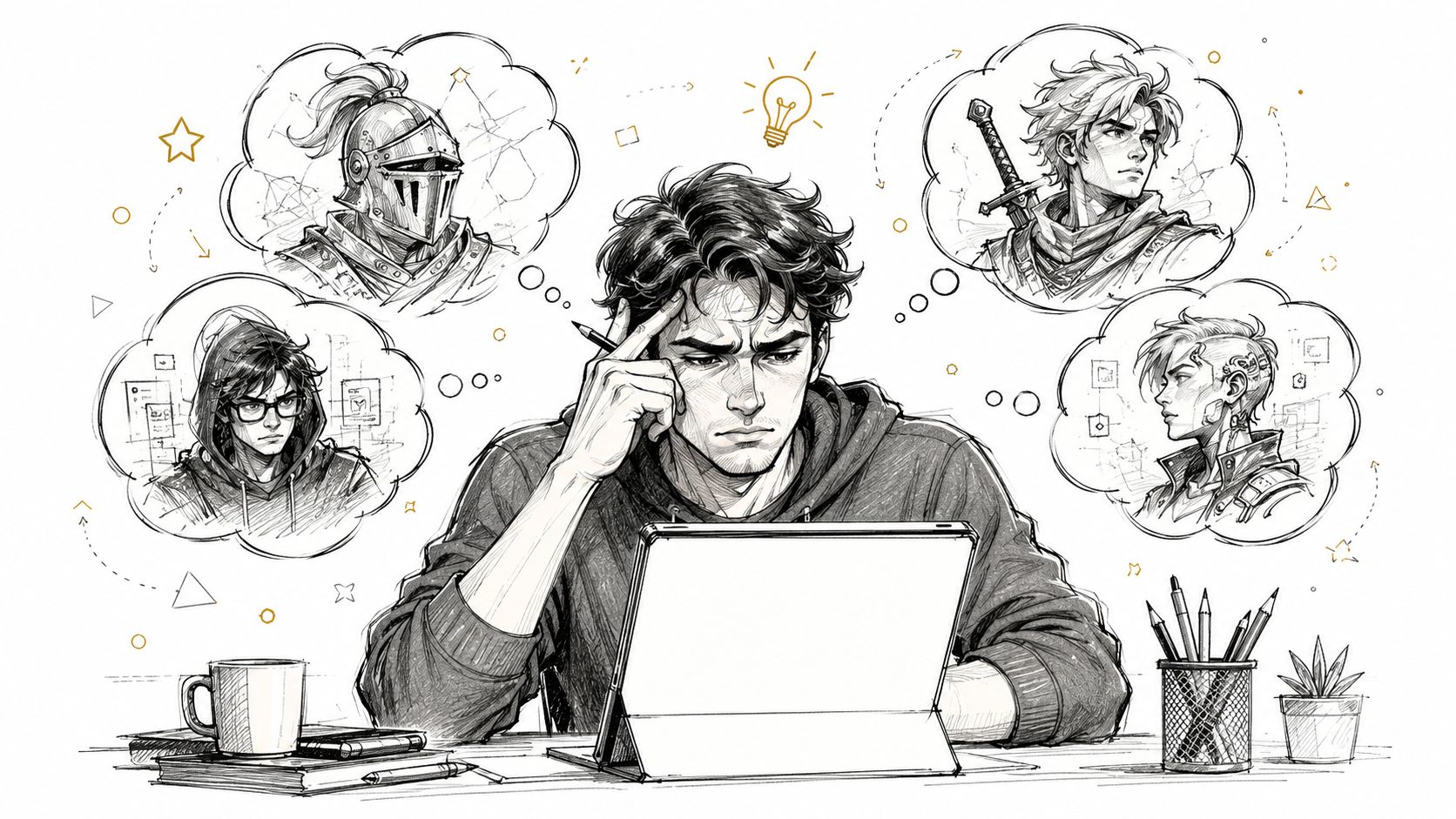
Your idea is the actor. The creator tool is wardrobe, makeup, casting, and lighting all at once. It helps you answer practical questions. What age does this character look? Do they feel noble, dangerous, funny, exhausted, elegant? Are they built for battle, mystery, or charm?
Beginners often get stuck because they try to solve everything at once. They want the face, outfit, personality, backstory, and mood to appear fully formed in a single session. That rarely works.
A better approach is to separate the job into layers:
Practical rule: Don't design a “cool character.” Design a character that solves a visual problem. A book hero needs readability. A TTRPG portrait needs personality. A social post needs instant impact.
That shift matters because different tools are good at different jobs. Some are built for playable avatars. Others are better for polished concept art. The most helpful creators for beginners are the ones that let you explore without needing years of drawing practice or a studio-level budget.
Character creation isn't just for people making games. It's for people making worlds. If you write fiction, run campaigns, sell prints, build online personas, or make visual content, character art gives your ideas a face. Once that face exists, the rest of the project often gets easier. Dialogue sharpens. Costume choices make sense. Story tone becomes visible.
The easiest way to understand the range is to picture a spectrum. On one end, you have a simple digital costume box. On the other, you have an advanced artist's toolkit.
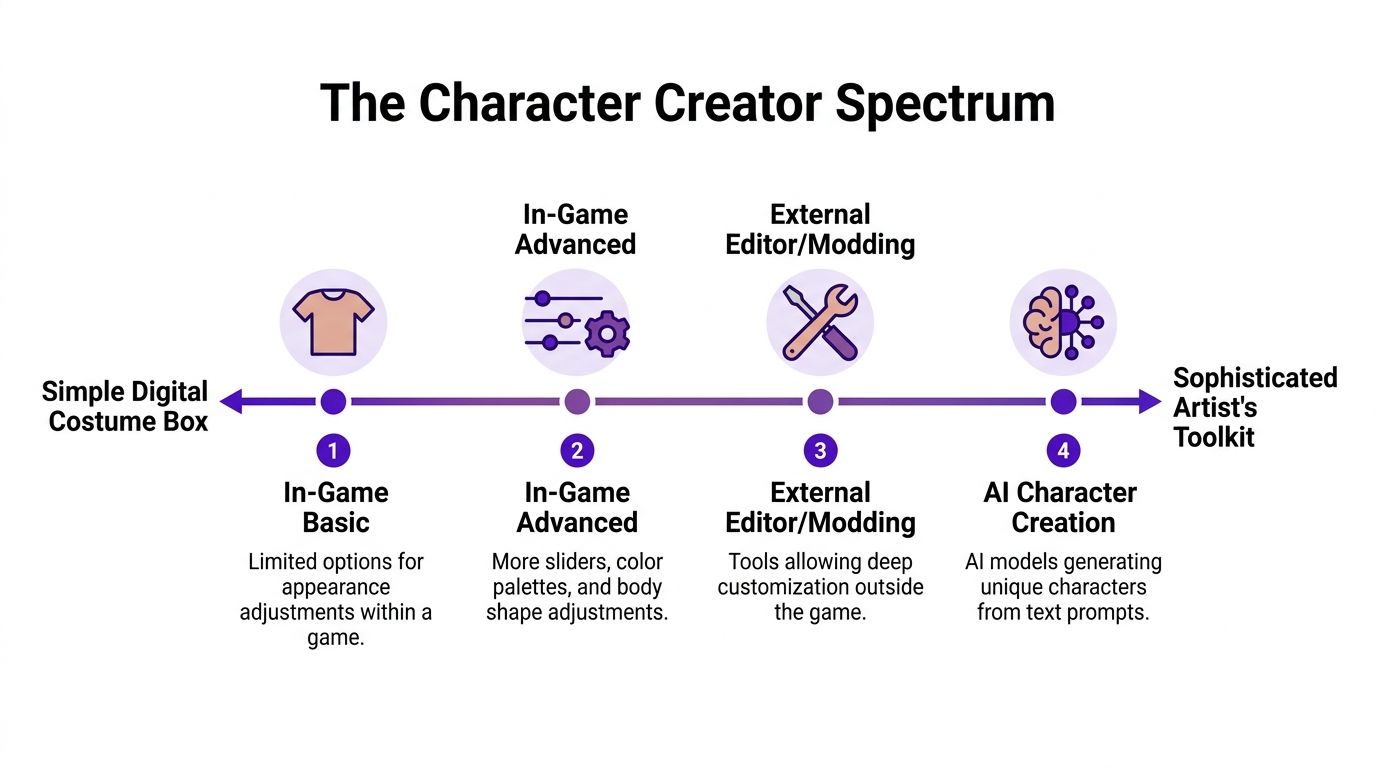
In-game creators exist to help you enter a world quickly. You choose from preset faces, body options, hairstyles, outfits, and color palettes. The goal isn't unlimited control. The goal is smooth play, visual identity, and enough customization to feel ownership over your avatar.
These systems are usually intuitive, which is why people love them. But they also have boundaries. If the game doesn't include the exact jawline, age, ethnicity cue, fashion style, or fantasy detail you imagine, you're forced to compromise.
Standalone tools sit outside the game. Some are advanced 3D programs used by professionals. Others are editing or concept-generation tools aimed at faster visual ideation. This category is where many non-artists used to hit a wall. The tools were either too technical, too expensive, or both.
That gap has been real for a long time. A report discussed by Game Developer found that 68% of casual players find precise face customization difficult, while only 12% of character creators offer AI-assisted features like text-to-face generation, which points to a major usability gap for non-professional users in Game Developer's discussion of face customization barriers.
When a tool gives you fifty face sliders but no easy way to say “kind eyes, tired smile, street-mage energy,” it's asking you to think like a technician instead of a storyteller.
AI character creation sits in the middle of accessibility and output quality. It doesn't replace every other kind of creator. It solves a different problem. It helps people who know what they want emotionally, but can't model it manually.
Here's a simple comparison:
| Tool type | Best for | Main limitation |
|---|---|---|
| In-game creator | Playable avatars and immersion | Limited to the game's options |
| Pro 3D pipeline | Production-ready assets | Steep learning curve and high cost |
| AI character generator | Fast concept art and visual exploration | Needs good prompting and iteration |
That's why AI matters in this space. It gives non-artists a way to move from “I can describe my character” to “I can see my character.”
A strong creator doesn't just let you adjust features. It helps you communicate personality. That's the part many beginners miss. They focus on whether the nose is higher or the chin is sharper, but the bigger question is what those choices say.
One survey found that 73% of gamers believe a character's appearance must reflect their personality traits, yet many tutorials stay stuck on technical controls rather than storytelling in Innovecs' guide to effective character design. That's why the best character tools aren't just flexible. They're expressive.
A slider is not just a control. It's a design brush. Raising cheekbones, softening eyelids, narrowing eyes, or changing posture can all change how a character feels before they say a word.
Think of common features this way:
Designers often use shape language to create emotional shorthand. Sharp angles can feel dangerous, disciplined, or cold. Rounded forms can feel safe, youthful, or comic. Long vertical lines can feel elegant or severe. Broad horizontal shapes can feel stable or imposing.
If you're building a mysterious alchemist, soft curves and foggy colors may work better than spiked armor. If you're designing a rebel pilot, asymmetry and practical clothing may say more than perfect beauty.
A useful test is this. Blur the character in your mind. If the silhouette and colors still suggest a personality, the design is doing its job.
Presets are good starting points because they reduce blank-page panic. The mistake is treating them as the finish line. Start with a preset, then ask what needs to change so the character becomes yours.
A practical way to do that is to write three words before touching the controls. For example: “loyal, exhausted, stubborn.” Then make every visual choice answer those words.
If you want more inspiration on building believable visual detail, this realistic character creator guide is useful for studying how realism choices affect the final look.
A lot of people search for a video game character creator when what they really need is character art. Not a playable avatar. A portrait they can put somewhere. That shift opens up far more uses than most guides talk about.
A novelist may have spent months writing a lead character without ever seeing them clearly. Once that character gets a visual concept, practical decisions get easier. Cover mood, typography, costume details, even scene descriptions start to lock into place.
A rough portrait can also help with consistency. If the protagonist always wears a weather-beaten coat, carries a ceremonial dagger, and has a guarded expression, the writing gains visual anchors.
A tabletop player often wants a portrait that captures class, temperament, and backstory at once. “Elf ranger” isn't enough. They want “forest scout with a half-broken oath, practical gear, tired eyes, and the last noble ring of a fallen house.”
That's where accessible character art becomes a storytelling tool. It helps players roleplay better because the image gives them something specific to inhabit.
An Etsy seller, streamer, or maker might use character art as themed merchandise, seasonal content, or a recurring brand mascot. A witch librarian, retro mech girl, celestial knight, or cozy tavern keeper can become the visual center of a whole micro-brand.
If you're thinking about the resale or collectible side of visual work, Coiner Blog offers useful insights for digital art investors that can help you think more clearly about presentation, audience appeal, and digital art value.
Short-form creators and social media managers often need fast visual identities. A custom character can become a recurring persona for posts, moodboards, reactions, or campaign themes. It's easier to stand out when your visuals feel authored rather than pulled from generic stock art.
Here's the key idea. Character creation has moved beyond gameplay. It now supports publishing, branding, community building, and visual storytelling for people who may never open a game engine in their lives.
The easiest way to get good results is to stop treating AI as a mind reader. It works better when you give it the same kind of direction you'd give a costume designer or illustrator. Clear role, clear mood, clear visual clues.
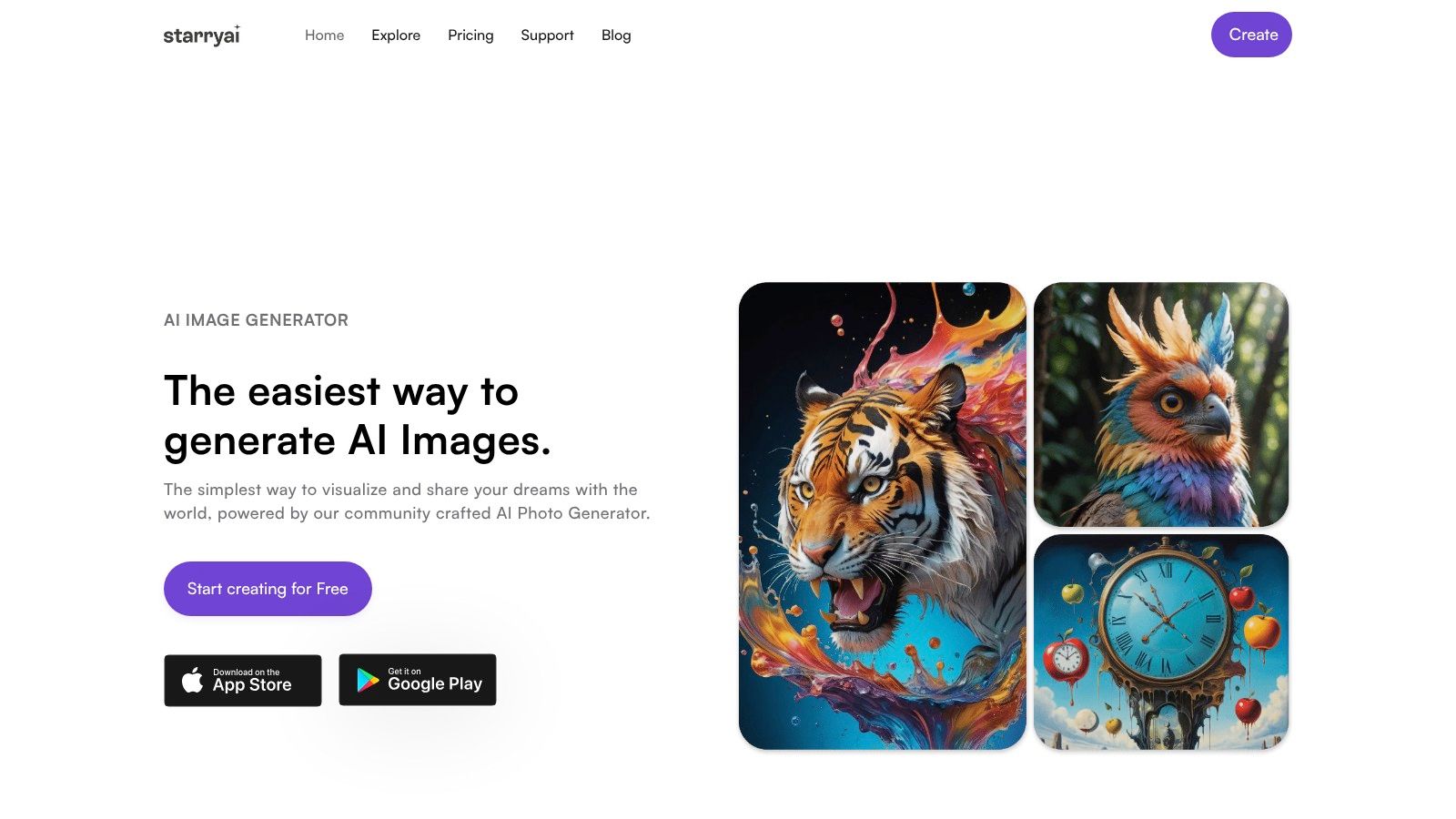
One reason this workflow is approachable is that starryai offers over 1,000 style presets such as cyberpunk, watercolor, anime, and fantasy, and each standard generation costs 1 credit, with credits users can earn through simple tasks, as described in this overview of starryai's style presets and credit model.
Before writing any prompt, write a short brief in plain language. Keep it simple. You're not writing lore yet. You're identifying the visual spine of the character.
Use four lines:
This step prevents mushy prompts. If your idea is vague, the result usually looks generic.
Starting point: Pick one dominant trait and one contradiction. “Gentle but battle-worn” is more visual than “interesting fantasy hero.”
A useful prompt has layers. Start with the subject, then appearance, then outfit, then mood, then art style or scene cues.
For example:
young fantasy ranger, freckled face, short copper hair, weathered leather cloak, determined expression, misty forest background, painterly detail, muted green and brown palette
Or:
cyberpunk courier, shaved head, luminous visor, patched street jacket, athletic build, anxious but defiant expression, neon alley, cinematic lighting, vivid magenta and blue accents
If your first result looks off, don't rewrite everything. Diagnose the problem. Is the face too polished? Is the outfit too generic? Is the mood wrong? Edit the relevant layer only.
A helpful companion for prompt-building is this guide on how to design a character using AI, especially if you want a clearer sense of how descriptive choices affect output.
Many beginners obsess over facial precision too early. Style often matters first. A watercolor portrait, anime rendering, fantasy painting, or graphic illustration can completely change how your concept reads.
Pick a style based on use:
Once the style feels right, then fine-tune details like accessories, expression, or age.
A short demo can help make the process feel less abstract:
Good character creation is iterative. Treat each image as a draft, not a verdict. Save the versions that get one thing right. Maybe image one nails the coat, image two gets the expression, and image three captures the right lighting. Those observations tell you what to request next.
Try this mini review after each round:
That process keeps you from spiraling into endless random generations. You're not hunting for luck. You're art directing.
Creating the image is only half the job. If you want your character art to be useful, you need to handle export choices, usage rights, and revision habits with the same care you gave the concept itself.

Not every file should do every job. If you're posting on social media, a standard image file may be enough. If you're placing character art into a print layout, you'll want a cleaner, higher-quality export and a careful eye on background handling.
Use this simple rule set:
A lot of frustration comes from editing the only copy. Save the original first, then make working versions for each platform.
People often skip licensing because it feels boring. It isn't optional if you plan to use character art on a cover, storefront, product listing, or client-facing post. Personal use and commercial use are not the same thing, and creators need to check the terms of the tool they used before publishing.
If the image is going anywhere public or paid, read the usage terms before you build a project around it.
That habit protects your work and your time. It also helps you plan responsibly if a design grows from “just for fun” into something you want to sell or print.
One beautiful image doesn't solve the whole problem if you need the same character again next week. Consistency matters when your character appears in multiple scenes, chapters, campaign handouts, or product listings.
Build a simple character sheet with the repeating essentials:
If you plan to take a 2D concept further into dimensional design later, this AI image to 3D model article is a useful next-step reference for thinking about how flat visuals may translate into more structured assets.
The short version is simple. Export carefully, understand your rights, and document your character so you can keep building instead of starting over.
The modern video game character creator is no longer a niche tool hidden inside role-playing games. It has become a creative entry point for writers, players, side-hustlers, visual storytellers, and people who want to see their ideas take shape.
What matters most isn't whether you can sculpt a perfect 3D mesh by hand. What matters is whether you can make clear creative choices. Mood. silhouette. clothing. color. expression. Once you learn to think in those terms, character creation becomes far less intimidating.
That change is bigger than convenience. It means visual development is no longer locked behind elite budgets, advanced technical training, or studio pipelines. More people can prototype characters, test identities, and build worlds with speed and confidence.
If your goal grows beyond a single image, that same character can become the seed of a larger project. A campaign setting, a self-published book, a creator brand, even a crowdfunded release. When you reach that stage, resources on how to fund and manage your campaign can help you think through the practical side of taking a creative concept public.
Start small. Pick one character. Give them a role, a mood, and three memorable visual details. Then build from there. You don't need perfect drawing skills to create something memorable. You need direction, curiosity, and a willingness to refine.
If you're ready to turn a rough character idea into polished visual art, try starryai. It's a simple way to experiment with styles, test prompts, and create character images for stories, tabletop games, social posts, and more.


.svg)