

Written by Mo Kahn on
September 7, 2026


You're scrolling through TikTok when the pattern becomes impossible to miss. A portrait looks brighter than the original, skin appears unusually even, colors feel almost electric, and every detail seems sharpened for the screen. Then you see the same visual language on a travel snapshot, a plate of food, and a product photo. You want the look, but not an hour of nudging sliders until the image feels artificial.
The TikTok photo editing trend succeeds because it turns a recognizable editing recipe into a shared visual language. The fastest creators don't copy a filter blindly. They understand which changes create the impact, when the polished look starts to feel dated, and how AI can compress a repetitive workflow into a few deliberate choices.
You open TikTok during a quick scroll and stop on a familiar image. The face looks luminous, colors feel energized, shadows stay defined, and the photo appears more immediate than an unedited camera-roll shot. It is polished enough to catch attention, yet personal enough to look created on a phone rather than in a studio.
That balance explains why the TikTok photo editing trend travels so well. TikTok's Creative Effect ecosystem turned visual formats into repeatable trends, while Effect House launched in April 2022, giving creators a way to build augmented-reality effects. TikTok presents this development as a creator-led cycle of imitation, remixing, and visual transformation, rather than a simple collection of filters. TikTok's history of effects and visual trends shows how quickly a visual style can spread when creators can reproduce and adapt it.
The Bold Glamour filter made that behavior especially visible. Released in March 2023, it generated over 18 million videos in its first week, showing how quickly one beauty aesthetic could become a shared platform reference. The behavior started earlier. By 2021, users were building elaborate workflows outside TikTok to recreate popular effects before official worldwide releases. They wanted control over the transformation, not just access to a preset.
The useful goal is not identical photos. Identify the signals that communicate energy, confidence, and immediacy, then choose only those that fit the subject. A selfie may benefit from controlled skin smoothing and catchlights. A scenic image may need clearer color separation and definition. A food photo may need brightness and texture, without applying facial-style retouching.
AI tools such as starryai can shorten that decision-making workflow by handling repetitive edits while you direct the result. Instead of rebuilding the same look from scratch, start with the image's subject, select the visual outcome, and refine only what feels excessive.
For wider creative context, art design trends offers a way to compare TikTok's fast-moving aesthetic with broader changes in visual culture. A viral edit can work technically and still become familiar quickly, so distinct subject choices matter as much as the treatment.
The trend isn't one magic filter. It's a recipe, and each ingredient changes how the viewer reads the image.
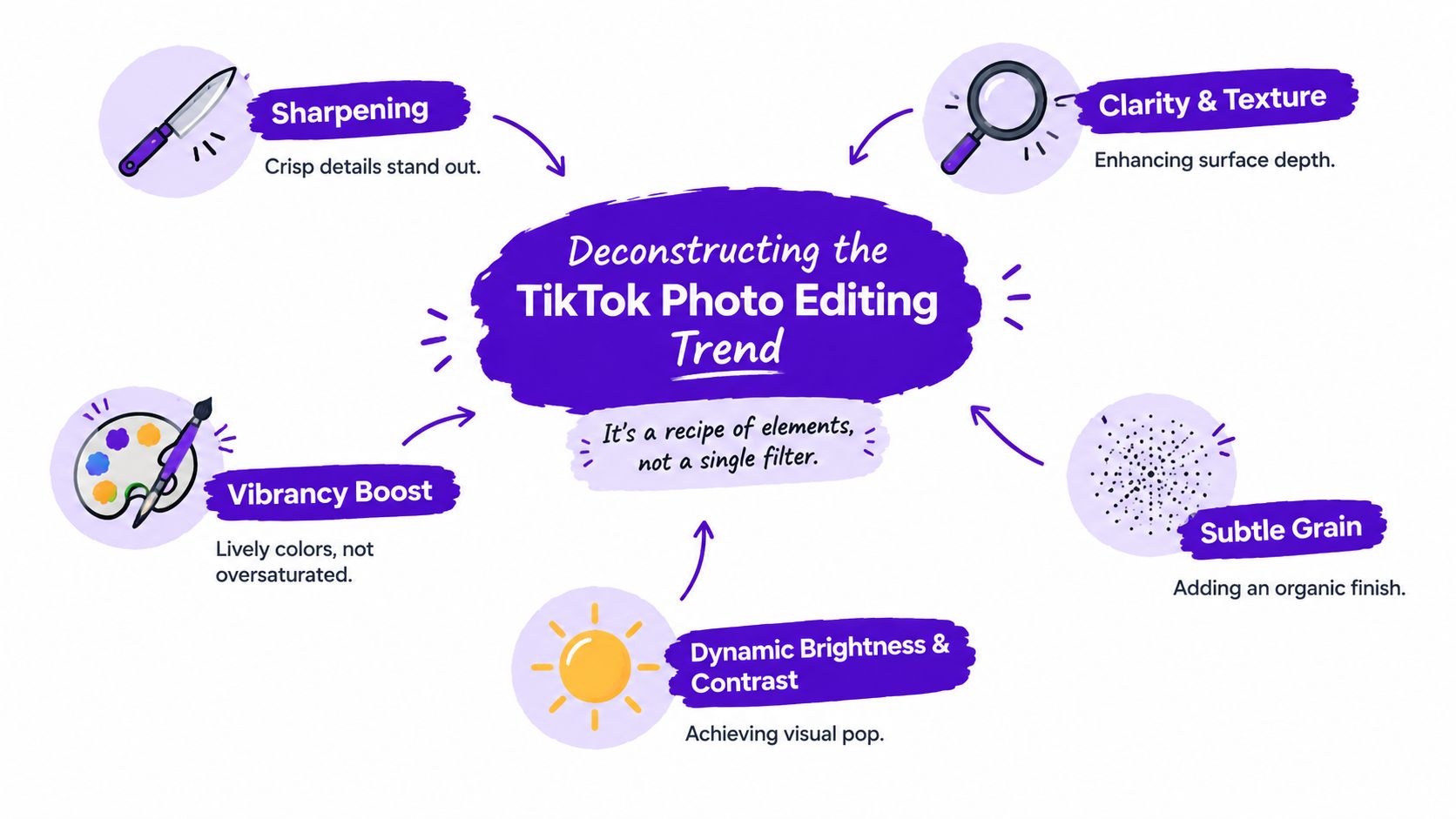
Exposure or brightness gives the photo its open, attention-grabbing quality. Think of it as drawing the curtains in a dim room. Raise it enough to reveal the face, clothing, or subject, but stop before pale skin and bright backgrounds lose all detail.
Contrast creates the visual snap. Darker shadows and brighter highlights make the image feel more dimensional, especially on a small phone screen. Too much contrast can make hair, fabric, and skin look harsh, so the useful range is usually controlled rather than extreme.
Vibrance is often more forgiving than saturation. It lifts muted colors while preserving a sense of balance, whereas a heavy saturation increase can turn skin orange and backgrounds fluorescent. The target is lively color, not a neon wash.
Sharpness makes edges feel crisp. It can bring out eyelashes, jewelry, clothing seams, and architectural lines, but excessive sharpening creates halos and emphasizes noise. Apply it as a finishing touch, not as a substitute for a clear original photo.
Clarity and texture add surface depth. On a travel image, they can give stone, clouds, or foliage more presence. On a close portrait, they can work against the desired softness by making pores and small skin variations too prominent.
A small amount of grain can counterbalance the synthetic feel of intense digital editing. It adds an organic finish, particularly when the image has become too clean after brightness and sharpening adjustments. Grain should support the photograph's mood, not announce itself as a special effect.
Practical rule: If viewers notice the settings before they notice the subject, the edit has gone too far.
The native iPhone editing sliders often inspire this style because they're familiar and fast. A creator can make a visible transformation without building a complicated layer stack. That low-friction behavior is central to the trend's appeal, and it explains why the aesthetic remains easy to imitate across portraits, products, and everyday snapshots.
A bright, high-contrast edit does more than improve visibility. It creates a slightly intensified version of ordinary life. The room looks warmer, the face appears more composed, and the moment feels important enough to share. That combination gives the image a polished surface while preserving the creator's personal identity.
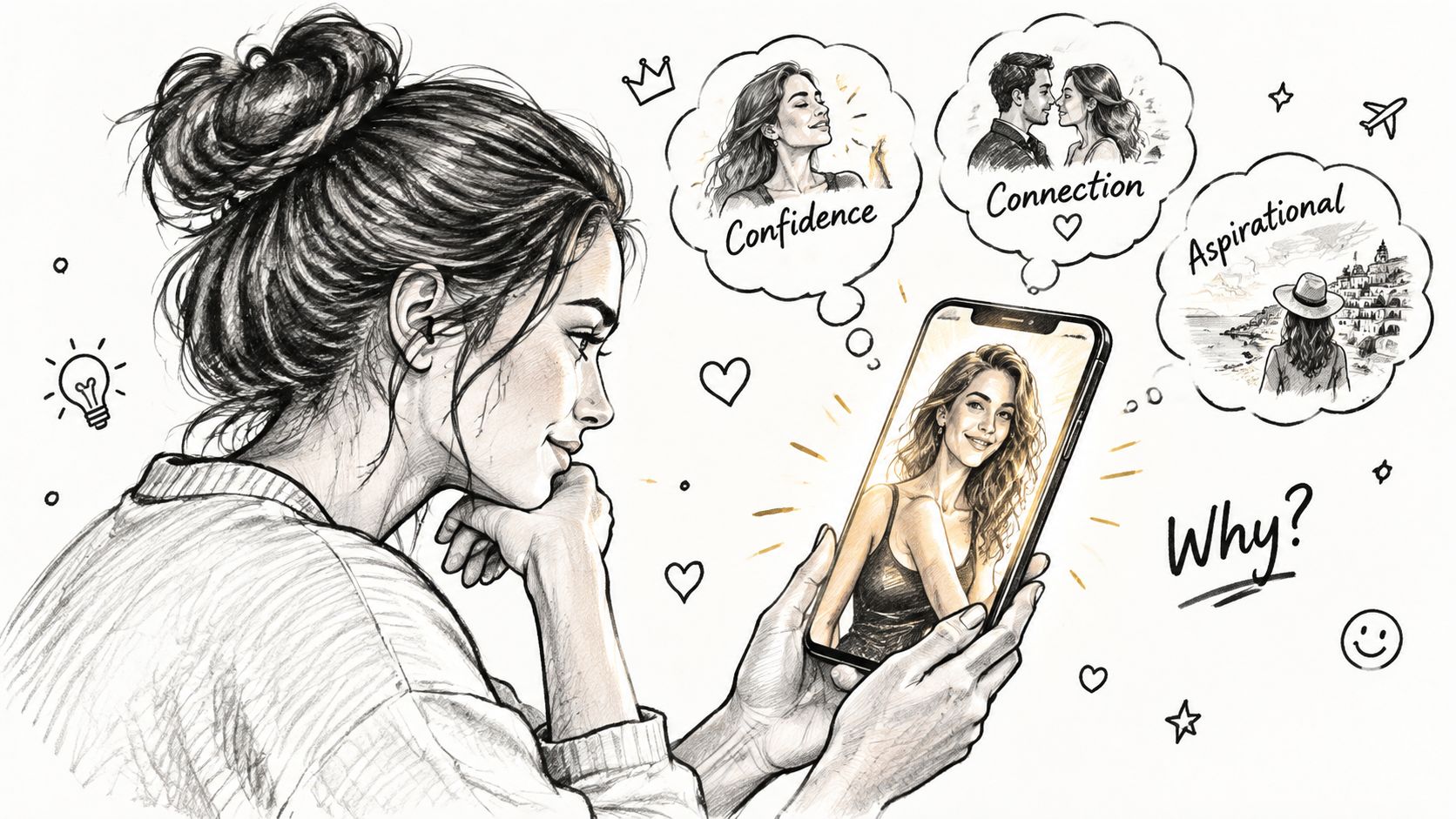
Research connects the psychological appeal of these trends to cosmetic enhancement goals and social comparison, rather than to generic post-production alone. Edits that increase perceived symmetry, skin smoothness, and lighting consistency produce the most measurable response, according to the review of appearance-focused photo editing. The finding helps explain why face-focused filters often feel more compelling than playful overlays.
TikTok is a rapid viewing environment. An edit needs to communicate its effect before the viewer studies the image. Brightness separates the subject from the background. Contrast creates a recognizable silhouette. Skin correction and eye enhancement make the face readable at a glance.
Platform editing research supports that mechanism. A 2021 analysis found that automatic editing, image filters, image effects, and especially beauty functions scored highest for satisfaction, immersion, and intention to continue using the platform, while captions, sound, and stickers scored lower. The analysis of TikTok's editing functions points to a practical distinction: transformations applied directly to the image can feel more valuable than elements layered on top.
That doesn't mean every image should become hyper-real. It means the visible change needs to be fast to understand. A creator who preserves recognizable facial structure and natural light can borrow the attention mechanics without making the result feel disconnected from reality.
The aesthetic also works because people recognize it as a format. They can see what the creator changed, compare the result with other versions, and try the same approach on their own image. TikTok's culture of fast imitation turns editing into participation, which is why a style can move from a single effect to a broad creator behavior.
The trade-off is fatigue. A look built on maximum brightness, maximum smoothing, and maximum contrast can quickly read as overprocessed. Use the aesthetic as a vocabulary, not a uniform. Keep one or two natural anchors, such as authentic skin texture, believable shadows, or the original background color.
A portrait is the clearest test. Start with a well-lit face, lift the exposure until the eyes and skin are visible, then use contrast to separate the subject from the background. A restrained smoothing pass can even out distracting lighting, but preserving facial proportions and a few natural details keeps the image recognizable.
A travel photo needs a different balance. Apply vibrance to bring out the blue in water or warmth in stone, then add clarity to architecture and texture to surfaces. Avoid pushing every color equally. The strongest travel edits create a focal point, such as a person within a scenic setting or a building against the sky, instead of making the whole frame compete for attention.
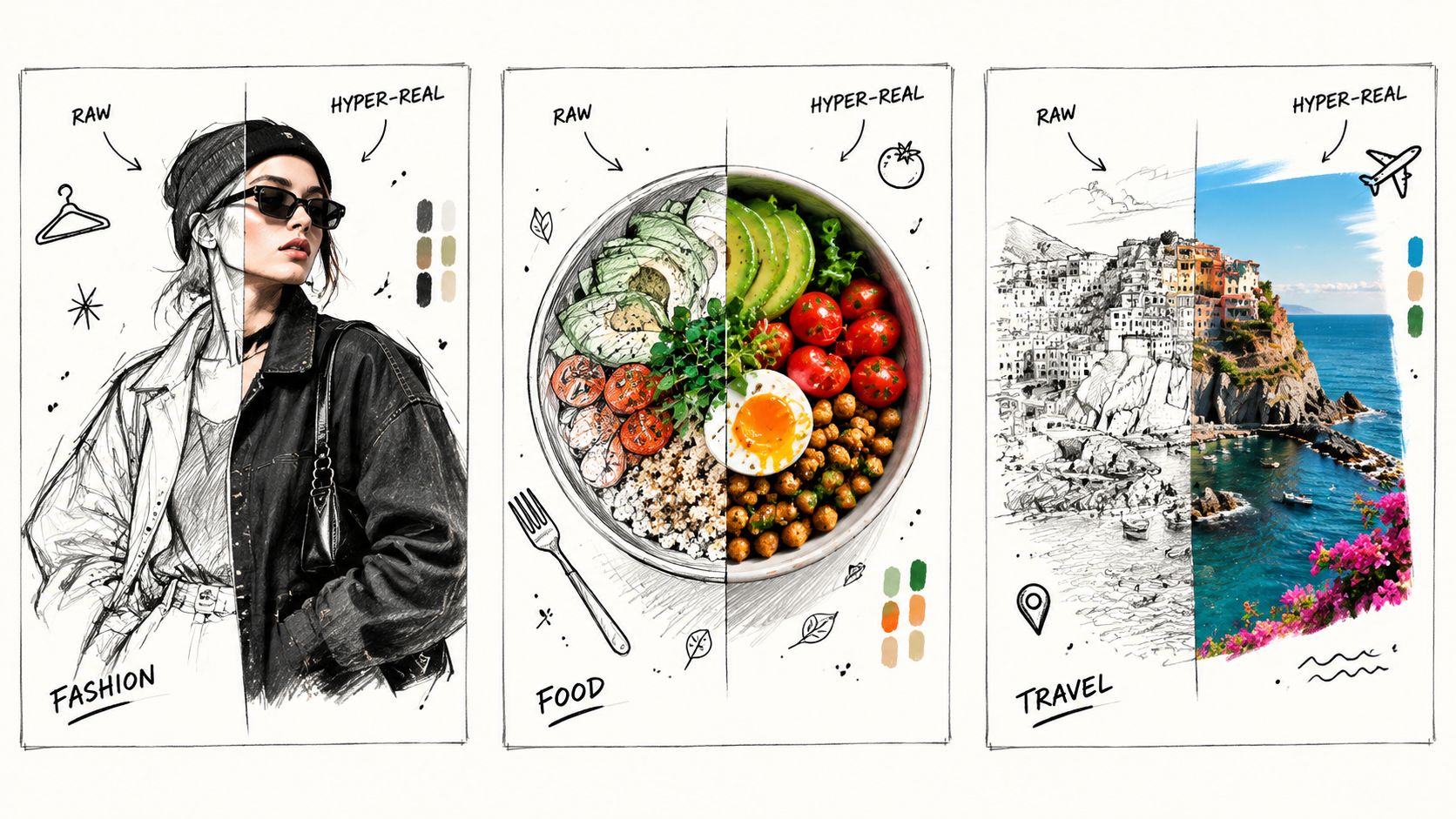
Food photography benefits from crispness, controlled warmth, and a clear distinction between the plate and its surroundings. Brighten the highlights on a glossy sauce or fresh produce, but watch red and orange tones because they can become overpowering quickly. A little grain may make a styled flat lay feel less sterile.
Fashion images can carry stronger contrast because fabric, silhouette, and accessories benefit from defined edges. Keep skin treatment softer than the treatment applied to clothing. That separation gives the image editorial energy without making the person look like a plastic figure.
The common thread is subject-led editing. The same recipe should behave differently depending on whether the viewer needs to notice a face, a destination, a meal, or a garment. For another transformation-focused example, explore this guide to the TikTok glow-up transformation, then judge each adjustment by whether it improves the story of the image.
Manual editing works, but it asks you to repeat the same decisions for every image. You open the phone editor, adjust brightness, revisit contrast, correct color, add sharpness, undo an overdone skin effect, and export. That process gives you control, yet it becomes slow when you're preparing several posts or testing multiple visual directions.
AI changes the workflow by letting you describe the transformation instead of assembling it slider by slider. The AI layer behind new TikTok photo trends remains underexplained, even as reports show rising interest in AI photo features and creators look for assisted transformations that still feel native to the platform. Coverage of the AI photo-editing trend highlights that tension between automation and recognizability.
Choose a clean source photo. Use a sharp, well-lit image with one clear subject. A strong starting image gives the tool useful information about facial features, composition, and color.
Upload the photo into starryai. Its editing workflow supports prompt-based changes such as lighting adjustments, background replacement, skin smoothing, object removal, and style transformations. Keep the first request focused rather than asking for every possible change at once.
Write the visual direction plainly. Try a prompt such as: “Bright TikTok-style portrait, luminous natural skin, crisp eyes, high contrast, vibrant but realistic color, clean background, subtle organic grain, preserve my facial features and proportions.” For a broader scene, replace the portrait language with “clear atmospheric depth, vivid natural colors, crisp architectural detail, balanced highlights.”
Compare versions by purpose. Don't automatically choose the brightest result. Select the version that keeps the subject credible, leaves room for text if needed, and matches the mood of the account.
Export and check it in-feed. An image that looks balanced in a large editor may appear too intense in a small thumbnail. Review the face, highlights, and background edges before posting.
Workflow insight: Ask AI to solve the repetitive transformation, then make the final decision as an editor. Automation should reduce labor, not remove judgment.
The same principle applies to adjacent creator tasks. If you're turning spoken concepts into captions or translated content, a platform for speech-to-text and translation can support the language workflow while your image tool handles the visual one. For more ideas on using AI visuals within TikTok creation, see this guide to an AI image generator for TikTok.
Keep prompts anchored to the original subject. Ask for lighting, contrast, color, and finish before requesting dramatic identity changes. If the result looks uncanny, reduce the transformation rather than adding more detail. The platform-native appeal comes from an image that feels enhanced quickly, not rebuilt beyond recognition.
TikTok's guidance requires creators to label content that is significantly edited by AI, including source images modified beyond minor corrections or enhancements. The platform says creators can enable the AI-generated content setting in the post settings before publishing. TikTok's AI-generated content guidance is the practical reference to check when an edit changes the image substantially.
A simple brightness adjustment or light correction may sit closer to ordinary post-production. A generated background, altered facial structure, synthetic scene, or major AI transformation deserves a more cautious review. When the result could reasonably make viewers believe they're seeing an untouched or documentary image, disclosure protects context and trust.
Creators selling through TikTok should also separate visual experimentation from product accuracy. A merchant can use an AI-enhanced lifestyle image for creative presentation, but the product itself still needs to be represented accurately. Guidance on TikTok Shop integration for merchants can help connect content planning with storefront operations, while this overview of commercial use rights helps you review usage considerations for AI-assisted assets.
Before posting, check consent for any person whose photo you upload, avoid private information in prompts, and disclose significant AI editing when required. A viral image is useful only if your audience can trust what it represents.
starryai lets you upload selfies and other photos, then apply prompt-based lighting, smoothing, background, and style changes without repeating the full manual slider routine. Visit starryai to test a controlled TikTok-style transformation, compare natural and hyper-real versions, and build your next post around the edit that still feels like you.


.svg)