

Written by Mo Kahn on
August 26, 2026


A TikTok glow up transformation can become a mass behavior before most creators realize what they're watching. The hashtag #glowup had more than 14.7 billion views in 2020, and another source associated it with 44.5 billion videos or views by April 2022, showing how quickly before-and-after storytelling spread across beauty, fashion, fitness, and identity-led reinvention (Cosmopolitan's overview of the glow-up trend).
The strongest posts don't rely on a polished AI image alone. They establish a recognizable starting point, create a reveal viewers can follow immediately, and make the creative change visually obvious. starryai helps turn selfies, text prompts, and emojis into shareable transformation visuals, so you can build the story before you add audio, captions, or motion.
This guide presents eight TikTok-ready formats through the same practical lens: the hook, prompt direction, reveal structure, audience fit, production trade-off, and next-step variation. You'll see how to preserve identity cues while changing styling, atmosphere, era, emotion, or fantasy context. For broader short-form publishing ideas, explore these creator tips for music Reels.
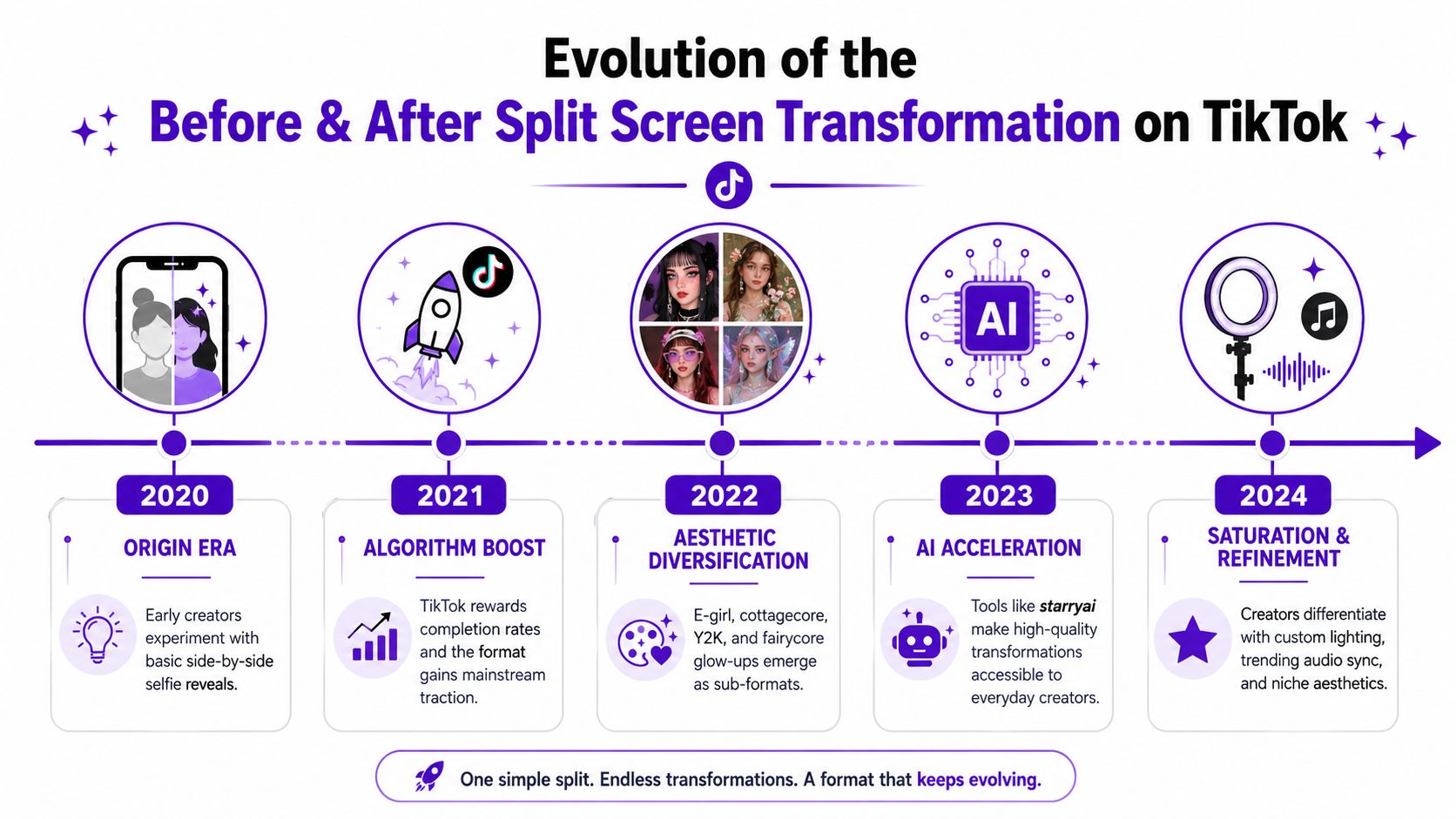
Viewers understand a split screen without explanation. One side shows the original selfie, while the other shows the AI-generated interpretation. The contrast is exactly what makes this format effective, giving people a clear reason to watch for the reveal.
Start with a selfie taken in natural, even lighting. Keep the face unobstructed and choose a neutral expression when recognizable features should remain clear. In starryai, use a direct prompt such as “fairycore princess with glowing skin,” or define a sharper visual identity with “high-fashion editorial,” “fantasy elf,” or “cyberpunk neon.”
Show the original first, then introduce the transformed image on a beat. A vertical split keeps both versions visible, while a quick swipe or mask reveal creates a stronger discovery moment. Keep the starting image clear enough for viewers to identify the changes in styling, color, lighting, and atmosphere.
A controlled filter study of 10 adult female test images found that Bold Glamour altered nasal tip rotation, lip fullness, eyebrow position, cheek projection, and facial width. The structural changes were predominantly under 10%, yet the visual result appeared dramatic and more symmetrical (the controlled facial analysis on PubMed). The result supports imaginative storytelling, while also showing why an AI image should not be presented as a realistic promise about someone's appearance.
Practical rule: Make the starting image specific and the transformation imaginative. Do not suggest that the generated face represents a required beauty standard.
Repeat the workflow with the same selfie and a new direction, such as editorial styling, a fantasy identity, or a seasonal palette. The before-and-after transformation workflow can help refine the comparison while keeping the subject recognizable. This creates a repeatable posting angle: preserve the person, change the visual world, and let each version provide the next reveal.
One selfie becomes a visual timeline through a decade-hopping series. Viewers compare silhouettes, makeup, accessories, color, and setting across eras instead of judging a single makeover. Moving from the 1920s to a futuristic cyberpunk world creates a clear before-and-after story built on nostalgia and speculation.
Choose the elements that stay constant first. Keep the facial identity, pose family, or framing similar across generations, then change the wardrobe and environment. In starryai, a prompt such as “Victorian 1890s corset dress, pale skin, Gibson Girl style” gives the model a more usable direction than “old-fashioned clothing.”
Give each period recognizable visual cues. Define the silhouette, hair shape, accessories, architecture, and lighting before generating. A 1920s frame might use a dropped waist, geometric jewelry, and art deco surroundings. A futuristic version could shift to reflective materials, neon architecture, and sharper color contrast.
Consistency is the main production trade-off. AI generations may change facial details, body position, or styling, so repeat the same identity cues in every prompt. A planned color relationship can connect distant eras, and this color palette generator can help set that relationship before you generate.
Practical rule: Change the world around the subject, while keeping enough identity and framing cues for viewers to follow the timeline.
Post the images as one fast sequence, or separate them into multiple posts. A multi-post format gives viewers a reason to request the next era. Era-specific audio can strengthen the nostalgic mood, while clear visual contrasts keep the concept understandable with sound off.
A confidence glow-up works best as a story about presence, not a verdict on appearance. Treat the opening frame with care. Show a reserved posture, muted color, or uncertain expression without presenting an unstyled face as a flaw that needs correction. The before-and-after contrast becomes more credible when starryai changes posture, expression, lighting, and styling together.
Build the narrative in stages. Start with a quiet portrait, then prompt starryai for “confident expression, glowing aura, radiant energy, relaxed posture, warm cinematic light.” Emoji input can add hearts, stars, or light as visual symbols. These details act like signals in a visual sentence, showing inner movement without claiming that an image records someone's mental health.
A strong sequence may move from hesitation to recognition, then to self-possession. Generate several frames with brighter light, an open expression, stronger styling, and a gradually expanding aura instead of jumping directly to a glamorous final portrait. The caption can connect that progression to feeling visible, setting boundaries, or becoming more comfortable in one's own style.
Mental-health creators and body-positive accounts can use the format as a metaphor. Captions should distinguish a visual symbol from lived experience, and should not suggest that changing clothing, skin, or facial features resolves depression, anxiety, or low self-worth. A supportive voiceover can describe what helped the creator feel more confident, while the AI images represent the emotional tone.
Practical rule: Let the visuals show how confidence feels, without claiming that appearance causes healing.
Use uplifting audio, then answer comments with the care suited to a personal conversation. For packaging ideas, consult this guide to creating viral content, while keeping the caption and comment strategy authentic. A repeatable variation uses two endings: one emphasizes external styling, and the other centers expression, posture, and self-acceptance. That contrast gives viewers a clear choice and turns one generation session into a thoughtful series.
A fantasy reveal works when the audience can trace the character's visual logic. Begin with a selfie or simple portrait, then shift into an elf, mermaid, witch, angel, or game-inspired role while retaining recognizable cues such as pose, expression, or face shape. The result feels like a transformation story, not a random costume swap, and can appeal to cosplay, gaming, anime, and character-design communities.
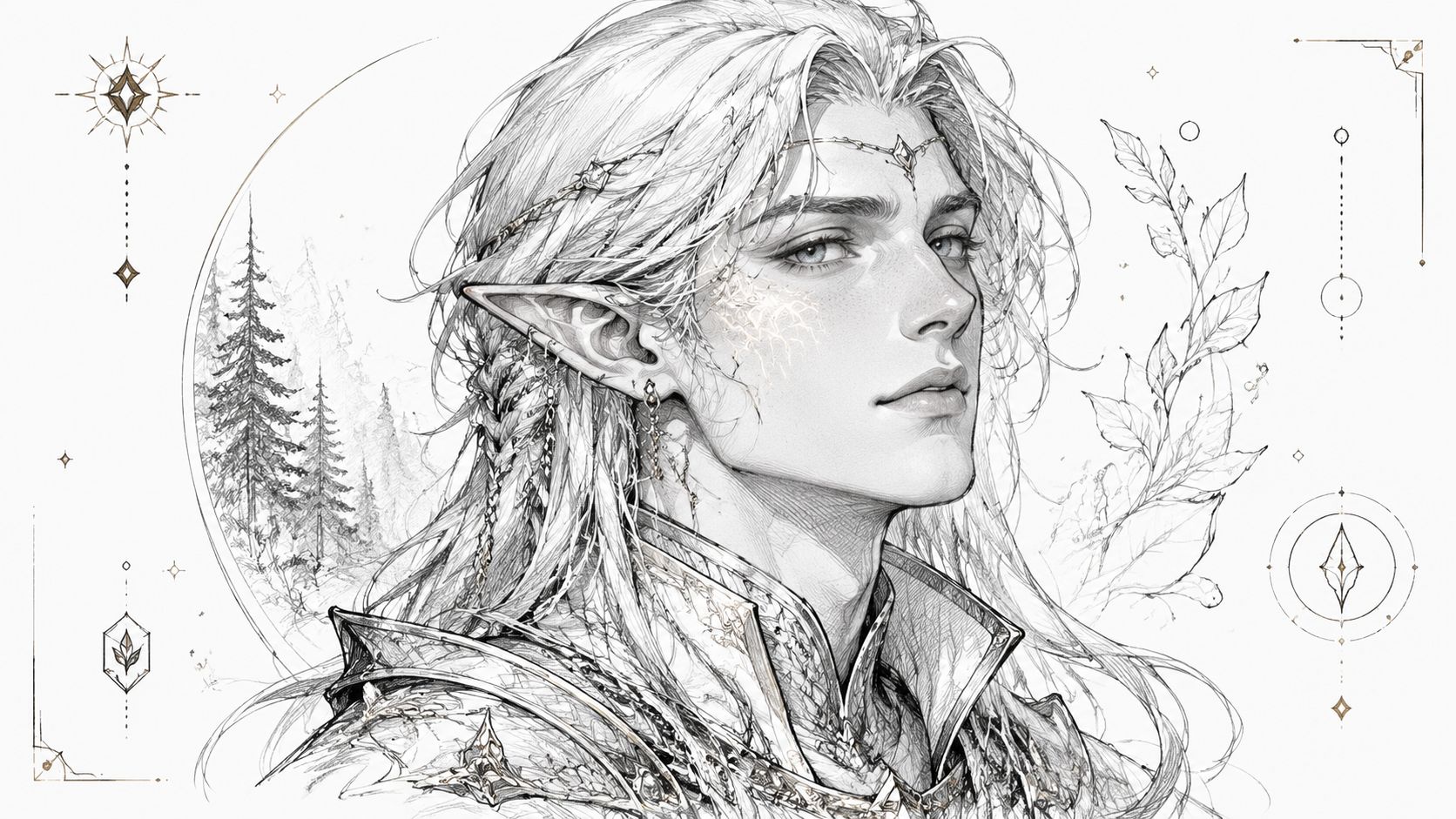
Use starryai to build the change in layers. Start with the role, then specify materials, colors, silhouette, environment, and mood. For example, “dark elf with silver hair, pointed ears, intricate armor, moonlit forest, quiet and mysterious.” An “ice witch with a crystal staff and frosted blue palette” creates a different narrative. A location, such as an enchanted forest with glowing mushrooms, gives the final frame context.
A class turns one portrait into a series. Present a healer, rogue, mage, ranger, or royal character, then ask viewers to choose the next role. Wands, crowns, stars, and magical effects can guide quick emoji-led variations.
Production rule: Keep the genre cues, but describe an original combination rather than copying a recognizable character design.
Specific fictional-world references may create a strong mood while narrowing originality and raising likeness concerns. Describe armor materials, color, class, setting, and atmosphere instead of reproducing a protected costume exactly. For further idea development, compare methods in this guide to the best AI fantasy generators.
End with two visual beats: the full reveal, followed by a close-up of the staff, armor, wings, or glowing eyes. That structure gives viewers a clear before-and-after story and a concrete detail to discuss.
Seasonal glow-ups work because the calendar supplies the story. One selfie can become a summer beach goddess, autumn cottagecore witch, winter ice queen, or spring flower fairy by changing the palette, wardrobe, symbols, and setting. The before frame shows the everyday person. The reveal shows a timely identity viewers can recognize and compare.
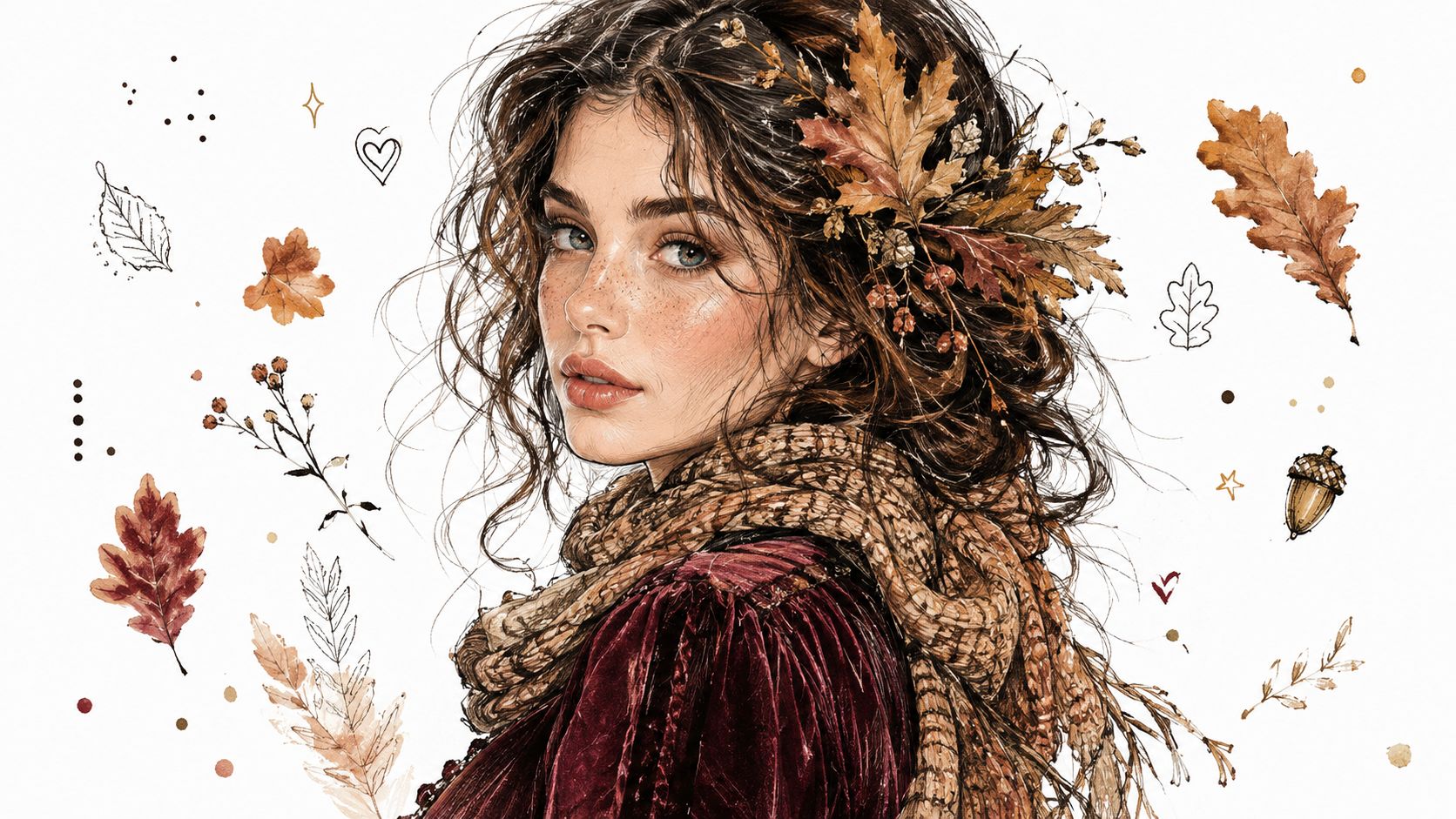
Start with one visual direction in starryai. For example, “autumn goddess with golden-hour lighting, burgundy velvet dress, oak leaves in hair” sets the mood, clothing, color, and environment together. Emojis can provide quick variations, such as pumpkins, snowflakes, flowers, or suns, but the prompt should still define the transformation clearly.
Create four visual worlds from the same source portrait. Fall can use orange, brown, burgundy, warm light, and leaves. Winter can shift toward white, silver, frost, and snow. Spring can feature pastels, flowers, and fresh daylight. Summer can use warm golds, tropical color, and sunlit textures.
Workflow: Upload one selfie, generate the seasonal variations, then keep the framing and facial expression as consistent as possible. The repeated portrait acts like a control sample, while color and environment create the change.
Publish before the season or holiday reaches its peak, giving viewers time to discover and share the idea. Timing depends on the holiday, trend cycle, and audience location, so review your own analytics instead of treating one posting hour as universal. An outdoor selfie can anchor the before frame, while seasonal surroundings make the transition feel connected to the reveal.
The main trade-off is timeliness. A holiday post may lose relevance after the moment passes, while a four-season collection can keep circulating as viewers compare their preferred version. Use cultural or religious symbols with context rather than treating them as generic decoration.
End with a choice: ask viewers to select the next season or suggest a holiday-inspired palette. Their answers create the next prompt and turn one portrait into a participatory series.
Celebrity-inspired transformations work best when the reference guides the styling, not the person's exact face. The visual story becomes, “How would my identity look inside this era, stage persona, film archetype, or historical mood?” That framing gives viewers a clear before-and-after while keeping the creator visible in the result.
Choose a public style with recognizable details. A prompt might describe “reputation-era dark makeup, silver jewelry, leather aesthetic, dramatic stage lighting,” rather than asking starryai to reproduce a living performer's exact appearance. Historical figures such as Cleopatra, Joan of Arc, or Marie Antoinette offer another direction. Broad archetypes, including a comic-book antihero or polished campus fashion character, can also provide a strong visual target.
Keep the creator's face, expression, and framing as consistent as possible. Let era markers, accessories, props, makeup, color, and lighting carry the reference. “1980s pop glamour,” “1990s minimalism,” and a contemporary stage look each create a different transformation without presenting the creator as the celebrity.
Workflow: Upload a selfie, describe the chosen style rather than an exact face, then generate several variations in starryai. Keep one image as the before frame, and compare the same pose with the transformed wardrobe, lighting, and environment.
Famous names make a concept easy to understand, but direct imitation can flatten personal identity and raise likeness concerns. Take extra care with living people, public figures, and commercial uses. Use captions such as “my version of this era” or “inspired by this stage aesthetic,” and identify the result as AI-generated.
Emoji-led prompts can set the first direction with crowns, music notes, color symbols, or microphones. An album release, award show, or widely discussed performance may supply context, but the post still needs an original before-and-after idea rather than a replica.
A repeatable series can compare one creator across several public style eras. Ask viewers which direction fits best, then use the winning choice for the next prompt while keeping the face, framing, and personal identity consistent.
Emotion-to-image transformations turn an internal state into a visual story. Anxiety can appear through fractured light, crowded shadows, and unstable composition. Calm can use open space, restrained color, and steady illumination. The result works like a mood board for a feeling, not a diagnosis or measurement of anyone's mental health.
Start with a selfie, a written prompt, or an emoji-led cue. In starryai, describe symbols and atmosphere rather than relying on clinical labels alone. For example, “anxiety embodied as swirling shadows and chaos, dark colors, fractured light” gives the image a subject, palette, and movement. A contrasting prompt, “healed state with golden light and blooming flowers,” can suggest relief, while the caption should leave room for forms of healing that look quiet, uneven, or unfinished.
Workflow: Keep the same face, pose, and framing for both images. Generate the emotional variation in starryai by changing the light, background, color, and surrounding symbols. Reveal the original portrait first, then show the transformed state on the beat.
A two-frame narrative might move from burnout to rest, isolation to connection, or struggle to relief. Broken hearts can become mended hearts, storms can become rainbows, and muted colors can gain warmth through emoji-led direction. The caption should explain what the metaphor means to the creator, because no symbol represents recovery universally.
Mental health creators should validate difficult emotions and direct viewers toward appropriate support when needed. Therapist-led content may use AI visuals to explain an idea, but generated art cannot replace professional assessment or care. Avoid graphic imagery, shame-based captions, and before-and-after wording that presents someone as morally better after becoming “healed.”
The production trade-off is sensitivity. High contrast may stop the scroll, yet sensational distress can harm viewers and reduce a complex experience to decoration. A slower voiceover, original narration, or supportive sound gives the transformation more context.
End with a specific, low-pressure question, such as which color represents calm or what symbol suggests recovery. Do not ask viewers to disclose private trauma for engagement.
Fire, ice, lightning, telekinesis, healing energy, and elemental control all translate well because they produce obvious effects around the body and environment. A selfie becomes the first frame, while the ability provides the visual change and the story's direction.
Start with a clear ability prompt in starryai. “Telekinesis user with glowing telekinetic energy surrounding hands, blue mystical aura, intense focused expression” identifies the subject, effect, color, and mood. For fire, add “flames emanating from hands, warm golden glow, confident stance.” Environmental reactions make the reveal feel active, such as water circling an elemental controller or ice shards forming around a frozen scene.
Emojis act like quick creative controls. ⚡ can suggest lightning, 🔥 can guide fire, and ❄️ can indicate ice. Expand that cue with a location, costume, camera angle, and consequence. A water controller might stand beside a stormy ocean, while a healing character could surround a damaged garden with soft light.
The audience appeal comes from self-insertion. Viewers can see themselves as capable, protective, resilient, or dangerous within a playful fictional world. The production trade-off is visual clutter. Too many effects can cover the face and remove the identity cue that makes a selfie transformation feel personal.
Keep the face readable. The power should frame the character, not replace the character.
For the TikTok sequence, show the original portrait briefly, reveal the ability on the beat, and finish with the environment responding to it. A repeatable series can assign one power to each post, with comments choosing the next ability. This format suits superhero, gaming, and character-concept audiences, while the generation process may require several prompt adjustments to balance effects with likeness.
If a concept references a superhero universe, describe the ability, mood, and costume in original terms instead of copying a protected character's exact design. “Focused expression,” “protective stance,” or “calm control” gives the figure a personality, so the transformation communicates who the character is, not only what the character can do.
| Format | 🔄 Implementation Complexity | ⚡ Resource & Time | 📊 Expected Outcomes | 💡 Ideal Use Cases | ⭐ Key Advantages |
|---|---|---|---|---|---|
| Before & After Split Screen Transformation | Low, simple 50/50 layout and quick edits | Low, single selfie, fast AI pass, short clips | Very high engagement and completion rates | Quick viral pulls, aesthetic showcases, new creators | Extremely shareable; easy to produce across aesthetics |
| Decade-Hopping Glow-Up Series | Medium‑High, multiple era‑accurate prompts and continuity | Medium‑High, 4–8 generations, research per era | High watch time, nostalgic shares, series potential | Fashion history, educational entertainment, multi-aesthetic series | Versatile storytelling; strong nostalgia-driven engagement |
| Confidence Glow-Up Narrative Arc | Medium, requires nuanced emotional cues and pacing | Medium, 4–5 frames, voiceover/captions for context | High emotional engagement, saves, and supportive comments | Mental health creators, body‑positivity, community building | Deep audience connection; inspirational and memorable |
| Fantasy Character Transformation Reveal | High, detailed costume, worldbuilding, specific prompts | High, detailed full‑body generations, iterative tuning | Strong niche performance; monetization opportunities | Cosplay, RPG character art, fantasy fandoms | Highly creative; appeals to niche communities and merch/Patreon |
| Seasonal & Holiday Aesthetic Glow-Up | Low‑Medium, seasonal palettes and contextual prompts | Low, repeatable format; batchable for calendars | Timely spikes in engagement when posted seasonally | Seasonal campaigns, holiday content calendars, trend tie‑ins | Repeatable and predictable; easy to plan around seasons |
| Celebrity & Icon Look‑Alike Transformation | Medium, needs accurate styling; legal caution advised | Low‑Medium, single generation but requires research | High viral potential tied to celebrity relevance | Fan content, entertainment tie‑ins, trending moments | High discoverability via celebrity fandoms; viral debate starter |
| Emotional State Visual Manifestation | Medium‑High, symbolic imagery and sensitive phrasing | Medium, thoughtful prompting and captioning | High relatability and community support; meaningful engagement | Mental health awareness, therapeutic expression, wellness content | Encourages conversation and empathy; strong emotional resonance |
| Superpower & Ability Manifestation Fantasy | High, dynamic effects and action composition needed | High, complex prompts, multiple iterations for effects | Visually striking content with high shareability in fandoms | Superhero/gaming content, empowerment series, character concepts | Eye‑catching visuals; empowers identity and lends to series creation |
A successful TikTok glow up transformation starts with clear contrast. The audience should recognize the original subject quickly, then understand what changed without decoding an abstract prompt. That contrast might involve makeup and lighting, a historical era, a fantasy class, a seasonal world, or an emotional metaphor.
Keep identity cues stable when they matter. Use the same selfie, facial structure, hairstyle reference, pose family, or framing across a sequence, then change one deliberate layer at a time. If everything changes at once, the result may look impressive but viewers won't know which creative decision created the transformation.
Prompt specificity does most of the production work. Name the subject, styling, materials, environment, palette, lighting, and emotional direction. “Fantasy portrait” leaves too much unresolved. “Dark elf with silver hair, intricate armor, moonlit enchanted forest, glowing mushrooms, cool blue light” gives starryai a visual system that can be adapted into several posts.
Reveal structure matters as much as image quality. Start with a readable hook, hold the original long enough to establish context, and reveal the generated frame at a moment that supports the audio. TikTok research found that 55% of videos weren't watched to completion, while users typically watched 30% to 50% of recommended videos to the end (the independent TikTok engagement study). That makes early clarity important, but it doesn't guarantee that any specific post will perform.
A fantasy character series suits gaming, cosplay, anime, and tabletop communities. Seasonal portraits fit trend-led lifestyle audiences. Confidence and emotional formats need more careful captions, because the visual can touch identity, body image, and mental health. Celebrity-inspired concepts can earn immediate recognition, but they require responsible framing around likeness and originality.
Test one controlled variation in starryai. Keep the selfie and composition similar, then change only the prompt direction, palette, or environment. Compare which version gets meaningful comments, saves, and shares, not only quick reactions. Interest in effects-based transformation appears stronger than interest in generic editing tools in independent trend reporting, where “tiktok editing effects” reached a search-interest peak of 84 in December 2025, while “tiktok photo editing tools” reached 23 in that month (the trend-data report). Treat those figures as directional evidence, not a promise of reach.
Use AI disclosure when the result includes synthetic faces, voices, digital humans, highly realistic virtual figures, or AI changes that alter the meaning or context of the original content, as described in TikTok's July 2026 policy coverage (the AI-content policy explainer). Effects also need responsible boundaries. TikTok's Effect Guidelines prohibit effects that promote colorism, negative stereotypes against protected groups, cosmetic-surgery depictions such as lip fillers, or appearance scrutiny (the TikTok Effect Guidelines coverage).
Use this final publishing check:
Timing can support discovery, but the concept has to earn attention first. Use this guide to time TikTok content for maximum reach, then let your own audience behavior determine when to publish. A readable hook, suitable audio, honest caption, and recognizable subject will give the transformation a stronger foundation than a dramatic image alone.
starryai turns selfies, text prompts, and emojis into AI visuals suited to TikTok glow-up transformations, from split-screen reveals to seasonal, fantasy, and ability-led series. Visit starryai to create a clear before-and-after concept, test prompt variations, and build your next shareable transformation sequence.


.svg)