

Written by Mo Kahn on
July 1, 2026


You write, “cinematic portrait of a woman in neon streetwear, rainy night, Tokyo,” hit generate, and get a strong face, a weak outfit, and a background that pulls attention in the wrong direction. The prompt was not empty. It was under-specified in the places that matter.
Text to image prompts work better when they are built like creative briefs, not adjective stacks. Good prompts give the model a clear subject, a visual style, scene logic, and a few constraints that protect the result from drifting into generic territory. That shift matters because AI image generation is already part of everyday creative work, and prompt patterns have gotten longer and more structured as creators try to get more usable outputs on the first pass.
I see the same problem across projects that look unrelated. A TikTok creator wants a scroll-stopping transformation image. An indie author needs a cover with room for title text. A small shop wants product visuals that feel branded instead of random. The prompt framework changes less than people expect. What changes is the goal, the priority order, and how tightly each detail needs to be controlled.
That is the angle of this guide.
Instead of handing you a long list of sample prompts, it gives you eight prompt templates you can adapt for specific jobs, including social content, product mockups, book covers, character concepts, and reusable asset sets. For starryai, that approach is especially useful because better structure usually means fewer wasted generations, cleaner variation testing, and faster prompt iteration when you are chasing a style that needs to stay consistent.
A creator opens starryai to make a fast concept for a TikTok thumbnail, types the subject first, adds a pile of style words after it, and gets an image that feels confused. The pose may work, but the finish drifts. The lighting says editorial, the colors say cyberpunk, and the subject lands somewhere in between. The fix is usually simple. Set the visual language first, then name the subject.
That order gives the model a clearer frame for decision-making. A practical base formula is: style descriptors + subject + setting or use case + finish details. It works across very different jobs because it starts with art direction, not just object recognition.
For a TikTok creator, that might be “Y2K glossy aesthetic, close-up selfie transformation, pink chrome accessories, flash photography look.” For an indie author, “fantasy illustration, elf warrior, moonlit forest, intricate armor, painterly texture.” For an Etsy seller, “minimalist line art, ceramic mug mockup, clean shadows, neutral background” is already far more usable than a loose product prompt.
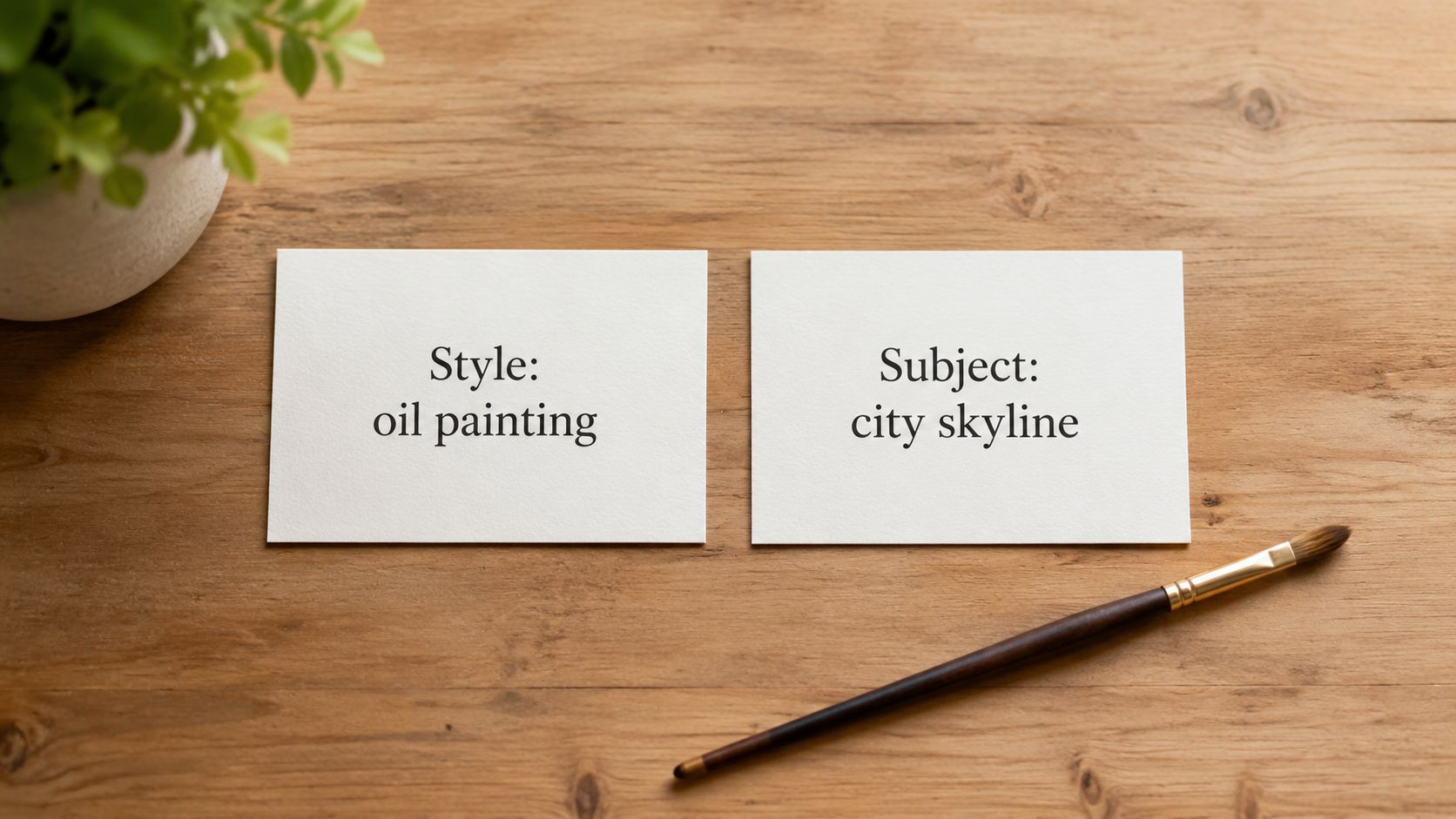
The common failure point here is not “too little detail.” It is mismatched detail. If the subject is vague and the style cues pull in three directions, the model has to guess which instruction matters most. That guess is where muddy outputs come from.
A better approach is to choose one core style, then add one supporting cue that sharpens it. For example, “editorial fashion photo” plus “early-2000s flash lighting” gives a tighter result than stacking “editorial, dreamy, cyberpunk, cinematic, vintage, surreal” into one line. Those words are not interchangeable. They compete.
Practical rule: Use one primary style, one supporting texture, era, or lighting cue, and one clear subject.
This is the shift from prompt list to prompt template. Instead of collecting random examples, build a structure you can reuse for each project:
That template adapts well on starryai because it gives you a stable prompt core before you start testing variations. If you later want stronger identity consistency, starryai's guide to designing a character using AI is a useful next step. For this section, the goal is simpler. Get the image language stable first.
Try these prompt skeletons:
Specific descriptive pairings usually outperform broad labels because they reduce ambiguity. “Painterly realism” is more useful than “nice art.” “Flash-lit portrait” is more useful than “cool lighting.” Small wording changes matter here, especially when you need a prompt that can stretch from a viral social visual to an indie book cover without losing its center.
When you need the same person more than once, a one-off prompt isn't enough. You need a character brief in prompt form. That means identity first, modifiers second.
A strong character template usually follows this order: character type + age range or vibe + physical attributes + outfit + expression + pose + setting. For example, “half-elf ranger, silver hair, amber eyes, forest green cloak, leather bracers, determined expression, three-quarter portrait, woodland background.” That gives the model a stable core to return to.
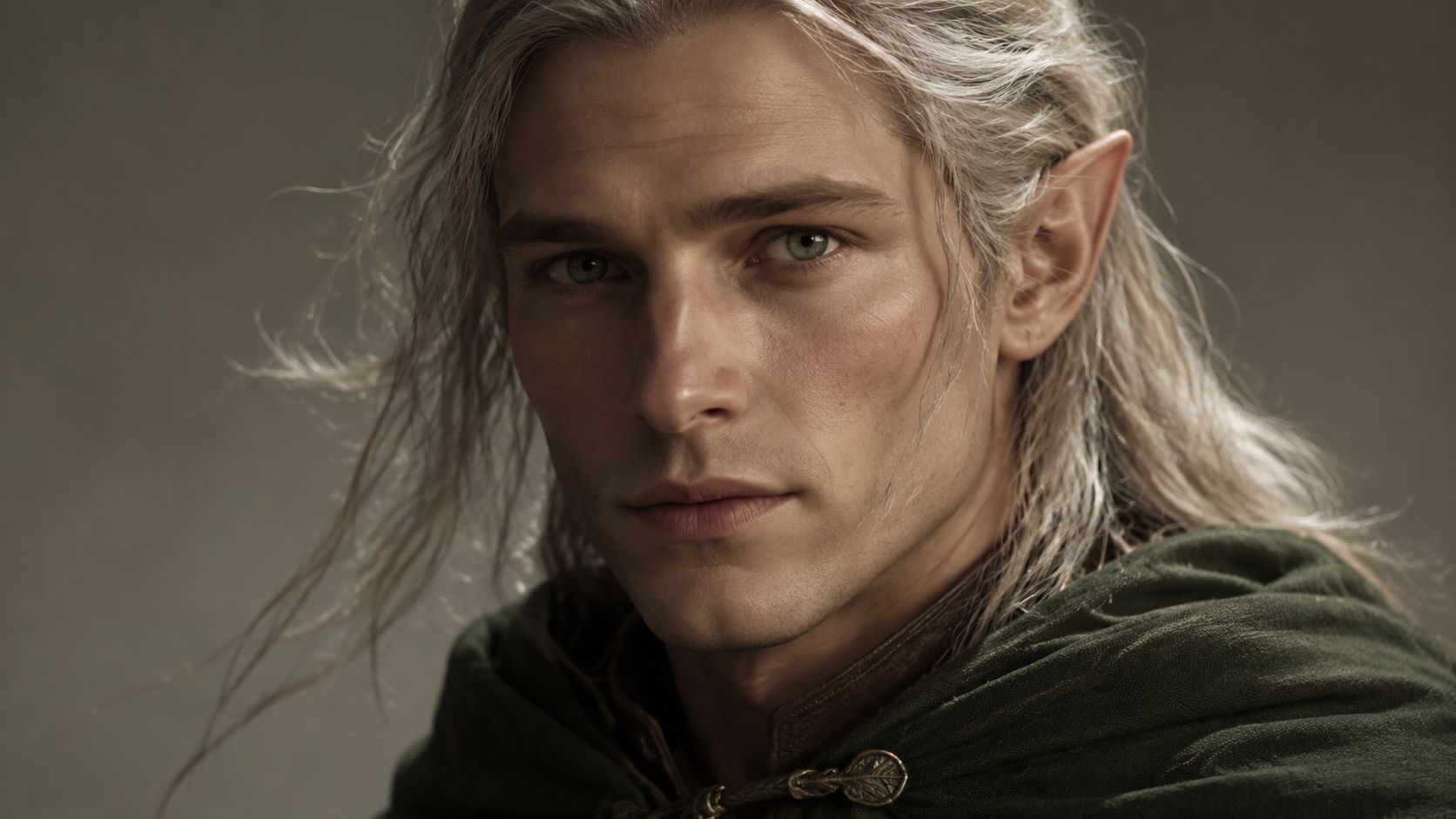
If you keep changing the order and wording of core traits, the character drifts. Hair color changes. Costume details vanish. Face shape mutates between generations. The fix isn't always more detail. It's more disciplined detail.
Write a short “always include” block for the character and reuse it every time. Then add a separate “scene variation” block for pose, emotion, and environment. That split is especially useful if you're making Twitch avatars, webcomic references, or a sequence of book-cover concepts.
If you want a practical workflow, starryai's guide on how to design a character using AI is useful for turning loose ideas into a repeatable character setup.
A character prompt works best when it reads like a casting note, not a plot summary.
This is also where prompt reliability becomes a real issue. The same wording can still behave differently across tools or even across runs, which is why creators often save successful prompts as reusable templates instead of assuming one perfect version will always repeat exactly. That gap in reliability is part of what makes disciplined prompt structure so important in starryai and similar generators.
A creator sees a trend spike on TikTok in the morning, writes a vague prompt by lunch, and ends up with an image that already feels late by evening. Seasonal prompting works faster when the trend is treated as a styling layer, not the whole idea.
Use a structure like season or trend cue + core subject + intended use + mood or lighting. That gives you something you can adapt instead of a one-off phrase. “Winter coquette styling, perfume flat lay, pink satin ribbons, soft flash photography, gift-guide editorial look” will usually produce a more usable result than “coquette winter aesthetic.”
Trend language gets attention, but it also ages fast. A good prompt names what the image is for before it names the aesthetic. That matters if you are building a scroll-stopping TikTok visual, a seasonal Etsy listing, an indie book promo, or a branded social post.
Useful combinations include:
The trade-off is simple. The more trend-specific the wording, the more likely the image will feel current now and dated later. The more evergreen the subject, the easier it is to reuse across seasons. Strong prompts balance both.
On starryai, this usually means keeping the trend words tight and spending the rest of the prompt on image function, composition, and finish. If the output is meant to support product marketing, the workflow tips in starryai's guide to AI product photoshoots for branded visuals are useful because they keep the prompt tied to a practical deliverable instead of a mood board.
This template works well:
[trend or seasonal cue] + [subject] + [format or platform] + [color palette] + [lighting] + [finish]
A few adaptable examples:
Keep a dated swipe file of phrases that produced good results. Trend vocabulary shifts quickly, and old prompts often become useful again when you strip out one stale term and replace it with a fresher one. That is a distinct advantage of using templates instead of prompt lists. You are building a system you can refresh for the next season, the next platform, or the next campaign.
A product image fails fast. If the design looks great in isolation but breaks on a mug wrap, gets muddy on a tee, or crops awkwardly in a storefront thumbnail, it is not doing its job.
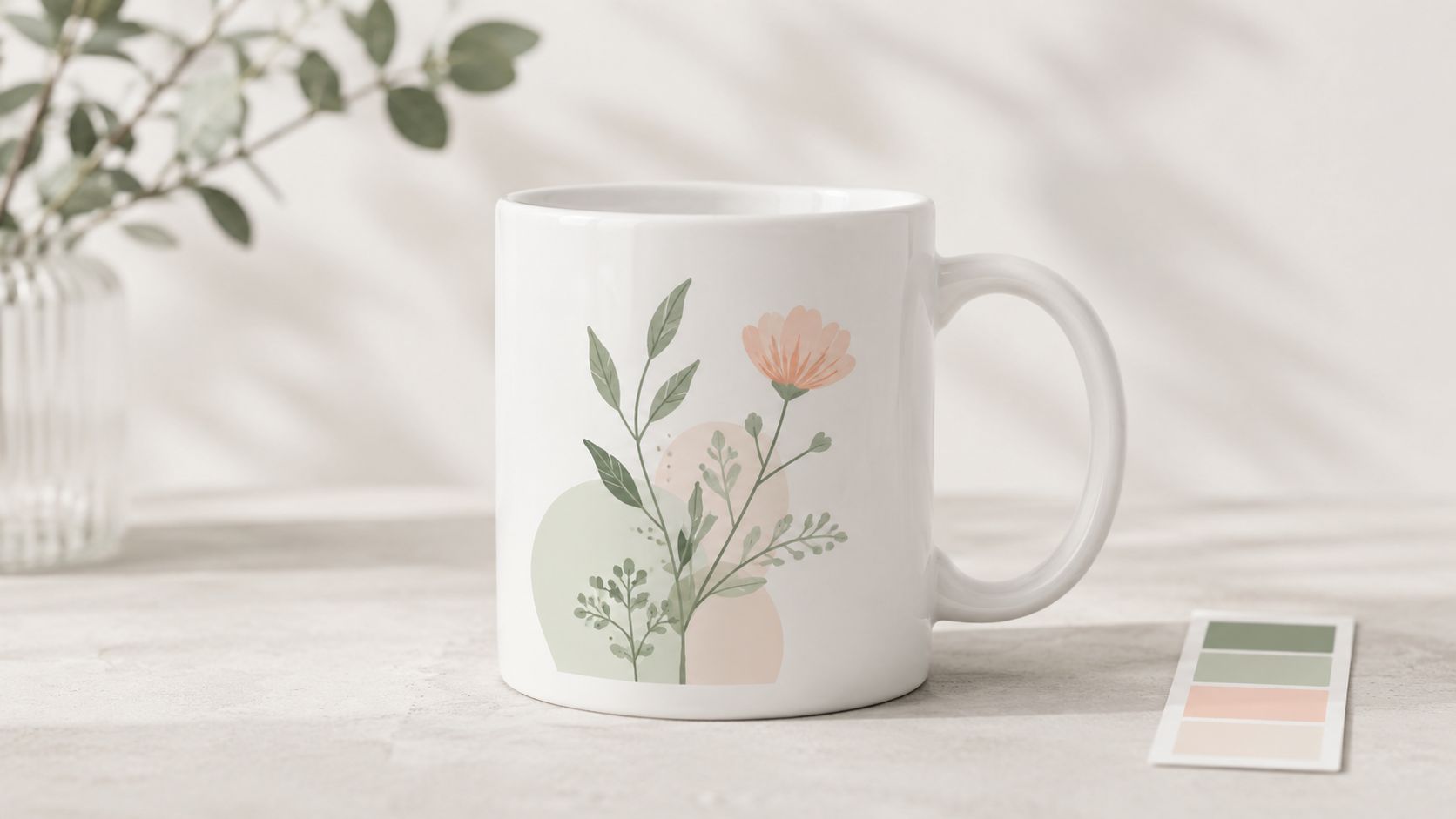
Commercial prompts work better when they start with production limits. Write for the object, the placement, and the selling context. A practical template is: product type + visual style + brand mood + palette + layout constraints + intended use. For example: “ceramic mug design, minimalist botanical illustration, soft pastel palette, centered composition, clean negative space, printable finish for wraparound product listing.” That gives the model a target it can satisfy.
Different products reward different kinds of detail. Small-format items usually need bold shapes, clear contrast, and fewer fine elements. Wall art can carry more texture and secondary details. Apparel often needs a graphic that still reads from a distance, while packaging needs room for labels, logos, or ingredient panels.
That trade-off matters on starryai because the model will often follow your style words enthusiastically unless you anchor the functional constraints just as clearly. If you need an image that supports a real storefront instead of a concept sketch, the advice in starryai's guide to AI product photoshoots for branded visuals is useful because it keeps the prompt tied to conversion-focused imagery.
Working rule: Name the product surface, the composition limits, and any brand-color requirements in the prompt.
Prompt starters that usually translate well into usable commercial outputs:
The goal is not to collect more prompt ideas. It is to build a template you can adapt across product lines, campaigns, and platforms. That is the difference between hobby prompting and prompt strategy.
Text to image prompts become personal instead of purely descriptive. You're not just making an image. You're reimagining a real person through a chosen aesthetic.
The strongest transformation prompts combine a reference selfie with a role, a style, and a scene. A weak version says, “turn me into a fairy.” A stronger version says, “selfie transformation into an ethereal forest fairy, translucent wings, mossy green gown, luminous skin, golden dusk lighting, enchanted woodland background.” The second one gives the model enough structure to create a coherent fantasy identity instead of a random costume swap.
To see the transformation format in action, this example is useful:
A clean, well-lit selfie matters because it gives the generator a better base to interpret facial structure, hairline, and pose. Then your prompt should focus on what changes and what stays. Do you want the same face in a fantasy world, or do you want a looser reimagining with stronger stylistic drift?
The best transformation prompts usually include:
Prompt wording can materially affect quality, not just style. In a systematic Stable Diffusion study using 200 common prompt words, some terms shifted human preference by as much as 0.51 standard deviations, which supports the idea that small wording changes can make a visible difference in this Stable Diffusion prompt study.
That's why transformation work benefits from iteration. Keep the selfie and the role stable, then swap only one layer at a time, such as lighting, costume, or environment. In starryai, that approach usually gives you a cleaner path to a look you can repeat across a whole series.
A common failure looks like this. The image is dramatic, detailed, and completely unusable once the title goes on top.
Book cover prompting has a different job from poster art or scene generation. The image has to sell genre fast, survive thumbnail size, and leave intentional room for typography. If you skip those constraints, the result may look good in isolation and still fail as a cover.
A practical template is: genre + core visual hook + mood + layout direction + text-safe area.
For example: “epic fantasy book cover, lone rider facing a ruined citadel, stormy sky, cinematic vertical composition, clear title space at top, readable at thumbnail size.” That last phrase matters because publication art has to work on retailer grids, not just full screen.
Authors often over-prompt the story and under-prompt the package. Chapter details rarely matter as much as category recognition. A romantasy cover, a literary novel, and a techno-thriller can all feature a woman standing in fog, but they need different color control, focal hierarchy, and type placement to read correctly in the market.
Genre language does heavy lifting here. Broad verbs and generic art terms do not give the model enough direction. In practice, I get better cover candidates by naming the shelf first, then the image.
Use prompts like these:
Starryai is useful here because you can test the same core concept with small prompt changes instead of rebuilding the cover direction from scratch. For a practical workflow, see starryai's guide to creating book cover art in 6 steps.
One more trade-off matters. Covers with intricate background storytelling often look rich, but they compete with the title and shrink poorly. Simpler focal structures usually perform better for indie publishing, especially if the book will live on Amazon, TikTok roundups, or mobile storefronts where readers decide in a second.
A strong book cover prompt tells the model what kind of book this is, how it should read at a glance, and where the text needs to live.
You generate a character portrait that looks right, then the side view drifts, the outfit changes, and the close-up suddenly feels like a different project. Asset library prompting solves that production problem.
The goal is a repeatable set of visuals you can reuse across formats, campaigns, and edits. That matters for creator workflows like TikTok thumbnails, indie game sheets, merch mockups, and book promo graphics, where one strong image is not enough. You need a system that holds together.
A practical template has two parts. The fixed identity block defines the subject that should stay stable: character, object, clothing, materials, color palette, and overall style. The variation block handles what should change: camera angle, pose, crop, expression, framing, or context.
For example, a game creator might keep one identity block and run it through front view, left profile, back view, and action pose. A product seller might keep the same item description and test hero shot, top-down view, in-hand shot, and detail close-up. The prompt structure stays stable, which gives you cleaner sets and less random drift.
Prompt libraries work better when they are treated like production assets, not one-off experiments. Rewriting every prompt from scratch usually creates style drift, inconsistent proportions, and small design changes that become painful later when you need matching images.
What matters here is prompt reliability. The same wording can behave differently across models, settings, aspect ratios, and rerolls. That is why I keep a base prompt and change one variable at a time. On starryai, this is especially useful because you can test angle and composition changes without rebuilding the entire creative direction each time.
Use a simple system:
This approach also helps when a project expands. A creator who starts with character references for a TikTok concept often ends up needing reaction shots, scene inserts, thumbnails, and promo art. An author may begin with one protagonist image, then need matching poses for teasers, quote cards, or ad creatives. If you want scene ideas that connect those assets into a larger visual story, these narrative storytelling examples can help.
The trade-off is speed versus control. Short prompts can produce surprising results fast, but they rarely hold consistency across a full library. Longer, structured prompts take more setup time, yet they save hours once you need version two, three, and ten.
A character standing in a room is easy to generate. A scene that makes a viewer ask, “What happened here?” takes better prompt structure.
Narrative prompting works by giving the model a moment with direction. The useful pattern is simple: location + subject + action + atmosphere + story detail. For example: “ancient library, robed scholar reaching for a glowing book, candlelit haze, dust in the air, forbidden knowledge, towering shelves of arcane manuscripts.” That prompt gives the model a clear event, not a pile of attractive tags.
The trade-off is control versus ambiguity. If the prompt leaves too much unsaid, the image may look cinematic but generic. If the prompt overloads every story beat, the composition often gets muddy. I get better results by defining one active moment, then adding two or three details that explain the stakes.
Narrative prompts fail when the emotional signals conflict. A “safe, intimate reunion” scene paired with harsh surgical lighting, rigid body language, and cold industrial textures sends mixed instructions. The model usually responds with visual noise or a scene that feels emotionally flat.
For book covers, webcomics, and short-form video concepts, write the scene once in plain language before turning it into prompt language. That step helps separate story beats from decorative adjectives. If you need examples of story-driven setups, these narrative storytelling examples can help you think in moments instead of disconnected visual tags.
Use templates like these, then adapt them to your project:
On starryai, this template works best when the story action stays visual. “betrayal,” “regret,” or “destiny” can be useful, but they produce stronger images when attached to visible cues such as posture, props, weather, or setting damage. That matters if you are building anything narrative-driven, from a TikTok concept frame to an indie book cover, because adaptable scene templates scale better than one-off prompt lists.
A creator opening starryai for a TikTok concept frame needs a different prompt structure than an indie author mocking up a cover or a seller testing product art. That is the point of this comparison. Good prompting gets easier when you choose a template based on the job, then adapt it, instead of collecting random prompt lists and hoping one fits.
The table below compares the eight templates by effort, speed, output quality, and where each one earns its place in a real workflow.
| Template | 🔄 Implementation Complexity | ⚡ Resource & Speed | ⭐ Expected Quality / Outcomes | 📊 Ideal Use Cases | 💡 Key Advantages / Tips |
|---|---|---|---|---|---|
| Descriptive Style + Subject Template | Low. Simple [Style] + [Subject] | Very fast. Low resource needs | ⭐⭐⭐ Reliable aesthetic direction. Good baseline quality | Branding, viral aesthetics, quick social posts | Combine 2 to 3 styles. Test trend pairings. Save your strongest combinations |
| Character Design + Attribute Modifiers Template | Medium to High. Requires detailed attributes | Moderate. Iterative generation | ⭐⭐⭐ Cohesive character assets, but usually needs multiple attempts | Indie authors, RPG avatars, game prototyping | Build a short character brief first. Use specific colors and repeatable descriptors |
| Seasonal + Trend-Based Template | Low to Medium. Trend + base + seasonal modifier | Very fast. Rapid output, but needs monitoring | ⭐⭐ Strong engagement potential with short shelf life | Social campaigns, seasonal merch, trend-driven content | Batch work a few weeks ahead. Time-stamp trend keywords. Pair trends with evergreen subjects |
| Commercial + Product Design Template | Medium. Product specs + aesthetic + market fit | Moderate. Often needs post-processing for print | ⭐⭐⭐ Brand-aligned product concepts with commercial potential | Etsy, print-on-demand, merch design | Include dimensions, material cues, and output intent such as print-ready. Test palette variations |
| Selfie Transformation + Personal Style Template | Low. Photo reference + transformation style | Very fast. Friendly for casual use | ⭐⭐⭐ High engagement and shareability, with results tied closely to the input photo | TikTok and Instagram transformations, creator content | Use a clear selfie. Specify outfit, role, mood, and setting so the identity shift reads cleanly |
| Book Cover + Publication Template | Medium to High. Genre + tone + typography guidance | Moderate. Multiple iterations likely | ⭐⭐⭐ Strong cover concepts that may still need designer polish | Indie authors, pre-publication mockups, cover testing | Reserve clear title space. Generate several versions. Match visual language to genre expectations |
| Multi-Angle + Asset Library Template | High. Detailed planning and consistent language required | Slow to Moderate. Time-intensive and batch-oriented | ⭐⭐⭐ Useful asset sets, though consistency is the hard part | Game development, character asset libraries, merchandise mockups | Keep angle labels consistent. Use one naming system. Batch similar variations in the same session |
| Narrative Context + Story Scene Template | High. Complex scene writing and world rules | Moderate. Iterative refinement for continuity | ⭐⭐⭐ Rich, story-led scenes that support world-building | Webcomics, narrative authors, scene visualization, games | Draft the scene in plain language first. Add visible cues for mood, conflict, and setting |
A few patterns show up fast.
Low-complexity templates win on speed and volume. They are the right choice for trend tests, mood boards, and early concept rounds where you need options more than precision. High-complexity templates ask for more planning, but they produce stronger systems. That matters if you are building a recurring character set, a book cover series, or a reusable asset library.
Usage at scale has pushed creators toward this kind of structure. Analysts at Everypixel found that text-to-image generation grew fast enough to become part of mainstream creative production, including billions of generated images over a short period and Adobe Firefly reaching 1 billion images in three months, according to Everypixel's AI image statistics report. The practical takeaway is straightforward. Prompting now needs repeatable methods, not isolated one-off ideas.
Control improves when prompts specify the parts that influence image quality most clearly. Subject, visual style, composition, lighting, color palette, and technical details all pull results in a measurable direction. Reference images and negative prompts also improve accuracy and reduce drift, as explained in the LTX guide to AI image prompting.
On starryai, I would use this table as a routing tool. Start with the template that matches the output you need. Then tune only the variables that matter for that use case. If the goal is a viral social visual, speed and variation matter more than perfect continuity. If the goal is a publishable cover or product concept, consistency, composition, and space planning matter more than novelty.
The strongest prompts are reusable frameworks with clear roles. That is what turns a decent image into a repeatable creative process.
The best text to image prompts don't sound magical. They sound organized. That's the shift that helps most creators improve. Instead of asking for one perfect prompt, build a prompt that has roles. Subject. Style. Composition. Mood. Constraints. Then adjust those parts with intention.
That structure matters even more because text-to-image creation now operates at real scale. Everypixel estimates that Adobe Firefly reached 1 billion images in just 3 months after launch, which shows how quickly prompting became part of mainstream creative production in Everypixel's AI image statistics report. At that scale, prompting isn't just playful experimentation. It's a working interface.
The same report says more than 15 billion images were created using text-to-image algorithms between 2022 and 2023. That volume helps explain why prompt craft has matured so fast. People aren't only generating art for fun. They're building content pipelines, social posts, product concepts, character sets, and publishing visuals. A prompt now often needs to be reusable, not just exciting.
That's also why layered prompting works better than keyword dumping. A 2026 guide to AI image models notes that specificity across subject, visual style, composition, lighting, color palette, and technical specs improves controllability, and that reference images can dramatically improve accuracy while negative prompts help filter repeated unwanted artifacts in this prompt engineering guide. In practice, that means you should stop trying to fix every bad result with more random adjectives. Change one variable at a time.
One more reality check helps. Prompt output isn't perfectly stable across models, versions, or interfaces. The same words can produce different images depending on the system, and that's why prompt libraries beat prompt memory. Save your strongest prompt structures. Record which words consistently hold style, character identity, or composition. Keep separate versions for social content, product design, publication work, and selfie transformations.
If you're using starryai, that mindset fits well. Start with one of these templates, adapt it to the kind of image you need, then refine from there. That turns prompting from guesswork into a creative process you can repeat.
If you want to put these templates to work, try them directly in starryai and build your own prompt library for selfies, characters, products, and story scenes.


.svg)