

Written by Mo Kahn on
July 1, 2026


You've probably done this already. You had a clear visual in your head, typed something like “moody fantasy book cover” or “cool TikTok style portrait” into an AI image tool, and got back something technically impressive but creatively off. The lighting felt wrong. The pose was awkward. The whole thing looked generic.
That gap is why the text to image prompt generator matters. It isn't just a convenience feature. It's the bridge between your idea and an image model that needs structure, not mind-reading. For creators making social posts, indie covers, merch graphics, or character art, that structure is what turns random outputs into a workflow you can reliably repeat.
The shift happened fast. As AI image tools became useful for mainstream creative work, prompt writing stopped being a niche skill and became part of everyday production. Adobe's guidance reflects that change by pushing creators toward clearer prompt patterns with instruction, context, style, lighting, and mood, and it even points to keeping prompts in a spreadsheet so you can compare results and reuse what works in future projects through Adobe's prompt workflow guidance. If you're building a broader content pipeline around visuals, video, and copy, this roundup of best AI content creation tools is also a useful companion.
A new creator usually starts with a feeling, not a finished brief. “I want a dreamy summer glow-up portrait.” “I need a dark romance cover.” “I want a sticker design that feels funny but clean.” The problem is that image models don't respond well to feelings unless you translate them into visual instructions.
That's where a prompt generator earns its place. It takes the messy first draft in your head and turns it into something visual, specific, and easier for the model to follow. Instead of “a cool dragon,” you get a real scene: black-scaled dragon perched on a ruined cathedral, storm-lit sky, cinematic framing, glowing embers, dark fantasy illustration, vertical composition for a book cover.
Most weak outputs come from one of three issues:
Practical rule: If you can't imagine the camera angle, lighting, and mood when you read your own prompt, the model probably can't either.
A strong text to image prompt generator doesn't make you more technical. It makes you more legible. That's a big difference.
When creators treat prompting as a reusable process, they stop starting from zero every time. They build a small library of prompts for recurring needs, then adjust one or two parts for a new campaign, launch, or trend cycle. That's especially helpful when you need consistency across a feed, a series of book assets, or a merch collection.
A prompt generator works best when you use it like a creative brief writer:
The result is less guesswork and more controlled iteration. That's what makes AI image generation useful for creators who need volume without losing taste.
Think of a prompt generator as a translator. You give it the human version of an idea. It gives the model a clearer, more structured version built around things the model can interpret visually.
Modern image systems became far more capable in the early 2020s. OpenAI announced DALL-E in January 2021, and by 2022 systems such as DALL-E 2, Imagen, Stable Diffusion, Midjourney, and Runway were widely seen as producing images close to real photographs and human-made art. That jump was tied to large-scale training, including CLIP on 400 million text-image pairs and LAION-5B with more than 5 billion image-text pairs, as summarized in Wikipedia's text-to-image model timeline.
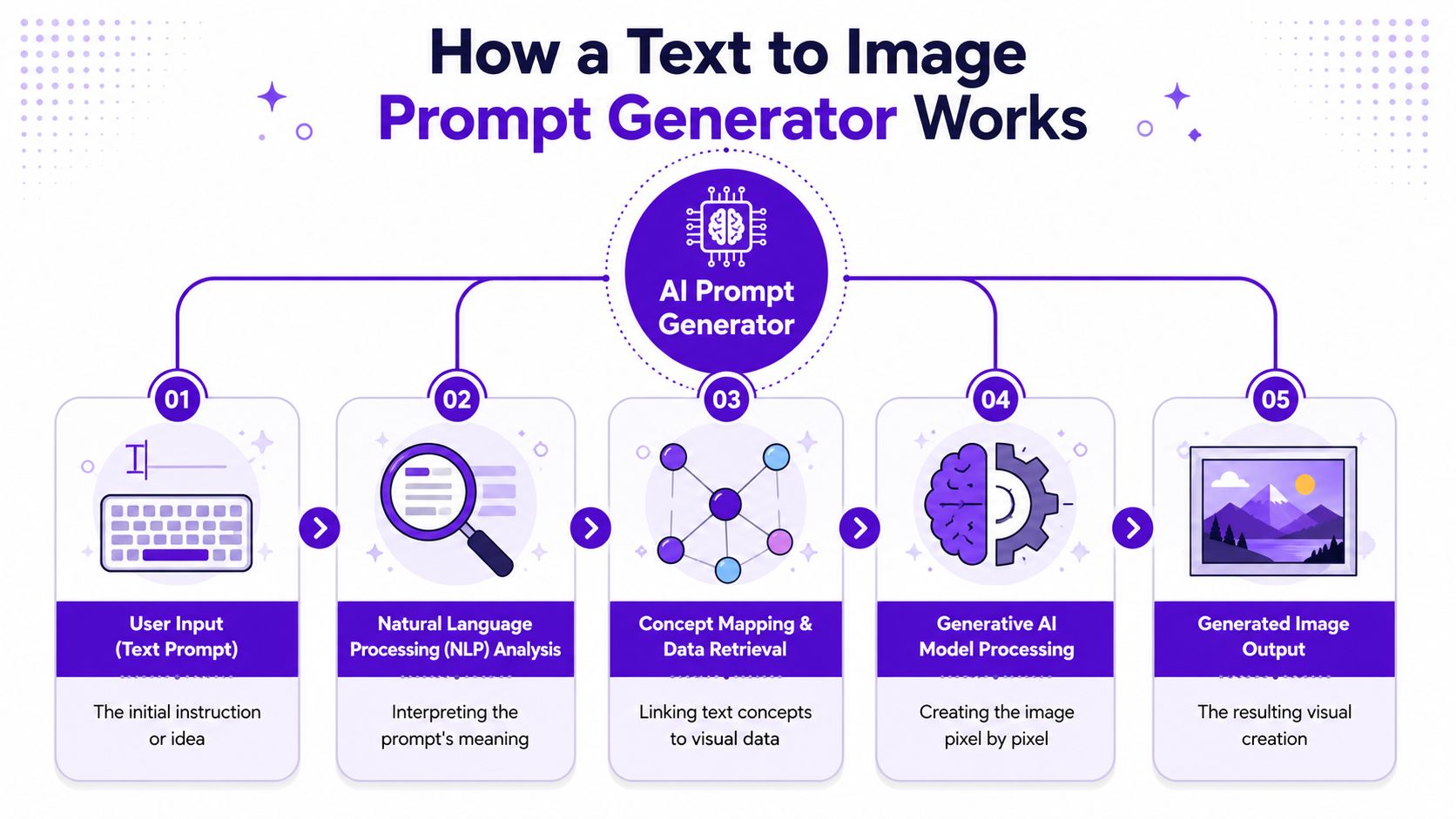
Here's the simple version of what happens.
You enter a rough idea.
Something like “neon streetwear portrait for TikTok.”
The generator expands the idea.
It adds missing ingredients such as subject traits, background, mood, composition, and style.
The image model interprets that structure.
It matches the words to patterns learned from huge image-text training sets.
You review the first output.
This is your rough draft, not your final.
You refine one variable at a time.
You change framing, lighting, or style instead of rewriting everything.
If you only write “cool dragon” or “viral portrait,” you're giving the model a concept without direction. The generator's job is to turn that into a stack of choices. Subject. Context. Aesthetic. Lighting. Composition. Output format.
That's also why creators who want more control often gravitate toward model-specific workflows. If you want a clearer sense of one of the biggest open image ecosystems, this breakdown of what Stable Diffusion is is worth reading.
A prompt generator doesn't replace your taste. It gives your taste a shape the model can follow.
A good text to image prompt generator is excellent at expanding incomplete ideas. It's less useful when you keep feeding it conflicting directions. “Minimalist but hyper-detailed, dark but bright, realistic but anime” usually creates friction instead of style.
Use it to sharpen intent, not to stuff every idea into one line.
The most reliable prompt formula is simple: subject + style + details + format of output. Microsoft and Harvard guidance converge on that kind of structure because it improves interpretation and cuts ambiguity, which makes image generation easier to troubleshoot through Microsoft's prompt engineering guidance.
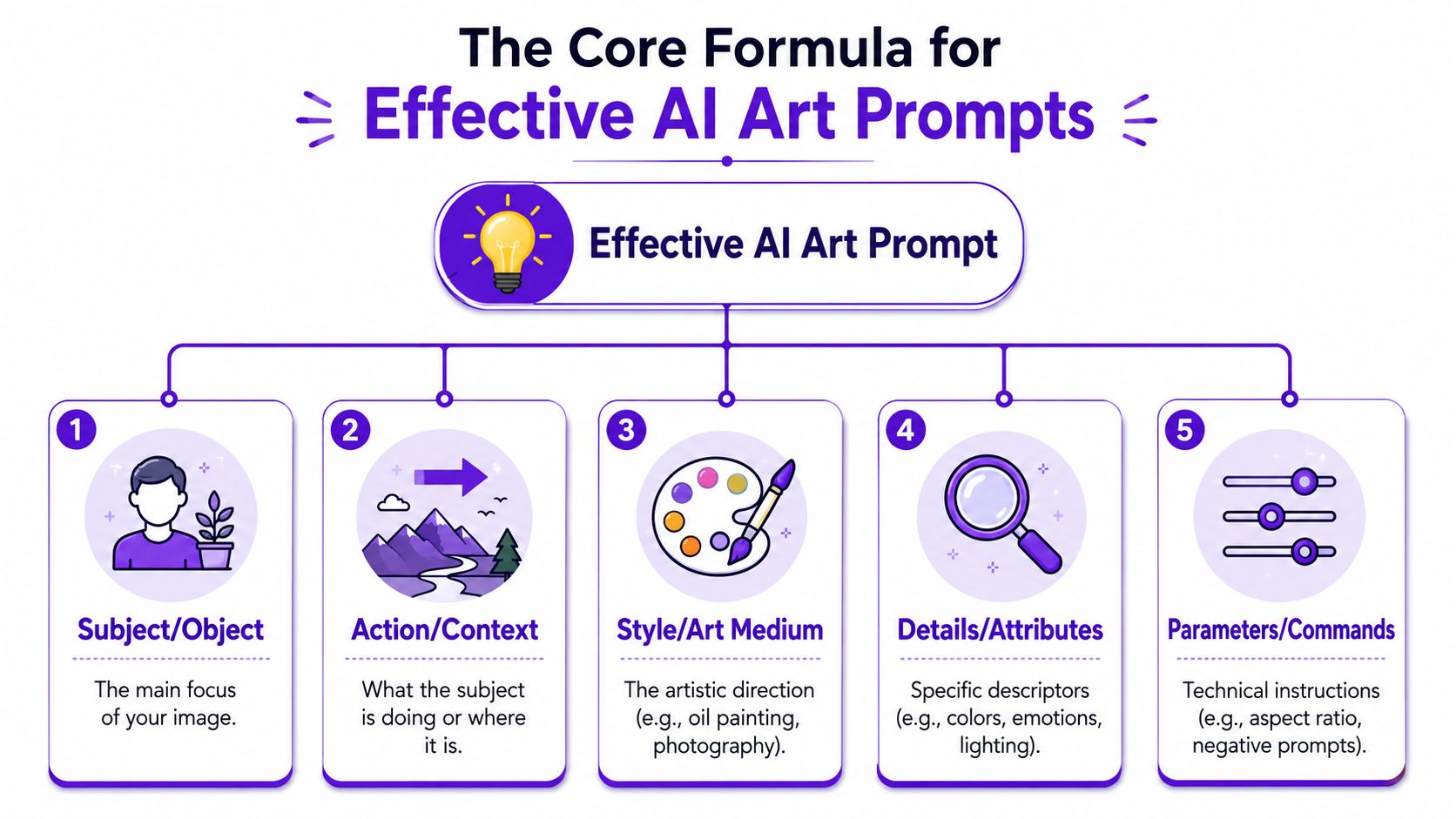
The subject is the anchor. If this part is fuzzy, the whole image drifts.
Compare these:
The second version gives the model something visual to lock onto. It's not about writing more words. It's about choosing the words that carry image information.
At this stage, the image starts to feel intentional.
You might choose:
Style tells the model what visual family to enter. If your goal is social-first content, it helps to study how trend-led creators frame aesthetics, color, and mood. For that, you can explore Viral.new's social media insights and then adapt those cues into your own prompt language.
This is the part many beginners skip. Details control mood and readability.
A few high-value detail types:
Creative shortcut: If the image is for a real project, describe the use case inside your drafting notes first. A “book cover portrait” and a “profile photo” need different framing even when the character is the same.
This final layer keeps the image practical.
Try adding:
Here's a clean example:
| Element | Prompt piece |
|---|---|
| Subject | masked street dancer |
| Style | cinematic fashion photography |
| Details | wet pavement, neon reflections, blue and magenta lighting, confident pose |
| Format | vertical social media poster |
Combined prompt:
masked street dancer, cinematic fashion photography, wet pavement with neon reflections, blue and magenta lighting, confident pose, vertical social media poster
That's the difference between hoping for a good result and directing one.
Templates matter because most creators don't need a blank page. They need a starting point that already fits the job.
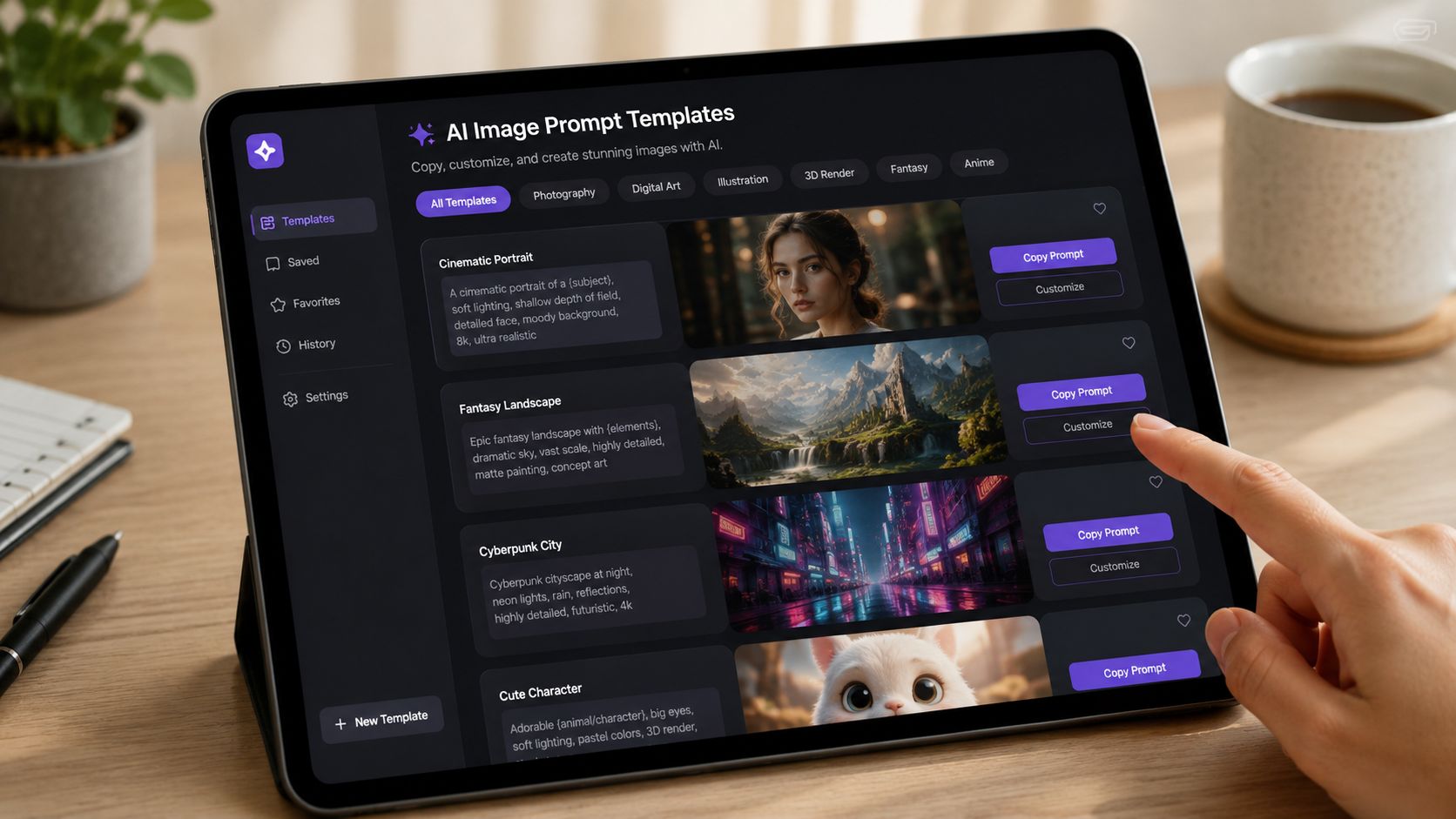
If you want more examples to remix, this library of AI art prompts is useful for expanding your own swipe file.
For short-form platforms, the image has to read instantly. Strong contrast, clear subject separation, and a recognizable aesthetic usually matter more than intricate background lore.
Template
portrait of [subject], [fashion or beauty style], [lighting], [color palette], [background setting], bold social media aesthetic, highly readable composition, vertical framing
Example
portrait of a confident creator in oversized streetwear, glossy editorial beauty style, neon rim lighting, pink and electric blue palette, rainy city alley background, bold social media aesthetic, highly readable composition, vertical framing
Why it works: the prompt keeps the face and mood central while using fashion and lighting cues that suit trend-driven posts.
Book visuals need atmosphere and genre clarity. A cover that looks pretty but doesn't signal the right shelf category won't help much.
Template
[character or symbol], [genre aesthetic], [setting], [mood], dramatic lighting, cover-ready composition, detailed focal point, vertical book cover design
Example
solitary queen holding a cracked crown, dark fantasy aesthetic, ruined throne room with drifting ash, tragic and powerful mood, dramatic side lighting, cover-ready composition, detailed focal point, vertical book cover design
For character concepts, reduce the environment and increase physical detail. Hair, clothing, expression, and silhouette matter more there than scenery.
Merch prompts should stay cleaner than poster prompts. Too much scene detail can make a design hard to print or unreadable from a distance.
Template
[subject], bold graphic illustration, limited color palette, clean outlines, strong silhouette, simple background, design for t-shirt or sticker
Example
sleepy black cat holding a coffee cup, bold graphic illustration, cream brown and charcoal palette, clean outlines, strong silhouette, simple background, design for t-shirt or sticker
What works here is restraint. Keep the subject iconic, not cinematic.
Players usually want something personal but still legible at small sizes. That means face, armor, props, and mood should carry the image.
Template
fantasy portrait of [character], [species or class], [key gear], [expression], [lighting], detailed face, immersive fantasy art, avatar framing
Example
fantasy portrait of a battle-worn ranger, half-elf scout, weathered green cloak and carved longbow, focused expression, moonlit forest lighting, detailed face, immersive fantasy art, avatar framing
A practical habit helps across all of these. Save your strongest prompts and outputs together so you can compare versions and reuse patterns later. That repeatable prompt-library workflow has been documented in creator guidance, often using a simple spreadsheet or Google Sheet.
Later in your process, seeing how a creator talks through prompt adjustments can help. This walkthrough is a good example:
Once your basic prompts are solid, the next leap comes from control settings. For advanced image generation, negative prompts, prompt strength, and seed control matter as much as wording because they define exclusions, balance fidelity against creativity, and help with near-exact reproduction for iterative design, as explained in this practitioner guide on image model controls.
Negative prompts tell the model what to avoid. This is useful when the first image is close, but a few recurring issues keep showing up.
Common examples include:
Use negatives after you've established what you do want. Don't let the prompt become a long list of prohibitions.
A seed helps you revisit a result and make controlled changes. This matters when you've found a character face, pose, or composition that works and want variations instead of a full reset.
Use seed control when you need:
Keep the seed steady when you're testing one variable. Change the style, background, or lighting. Then compare the difference without losing the image's core structure.
Prompt strength decides how tightly the model follows your instructions versus how much freedom it has to improvise.
If the output feels too generic, raise the specificity of your wording before cranking every control. If the output feels stiff or overloaded, loosen the prompt and remove conflicting descriptors. In many consumer workflows, concise prompts of roughly 3 to 5 sentences are often enough, while advanced users may tune composition, lighting, and realism cues more iteratively.
A strong workflow looks like this:
| Situation | Better move |
|---|---|
| Character looks right, background is wrong | keep seed, revise context |
| Style is right, face is off | keep style, refine subject details |
| Image feels chaotic | shorten prompt, remove conflicting traits |
| Image is too plain | add lighting, mood, or composition cues |
That's how you go from “interesting result” to something you can publish.
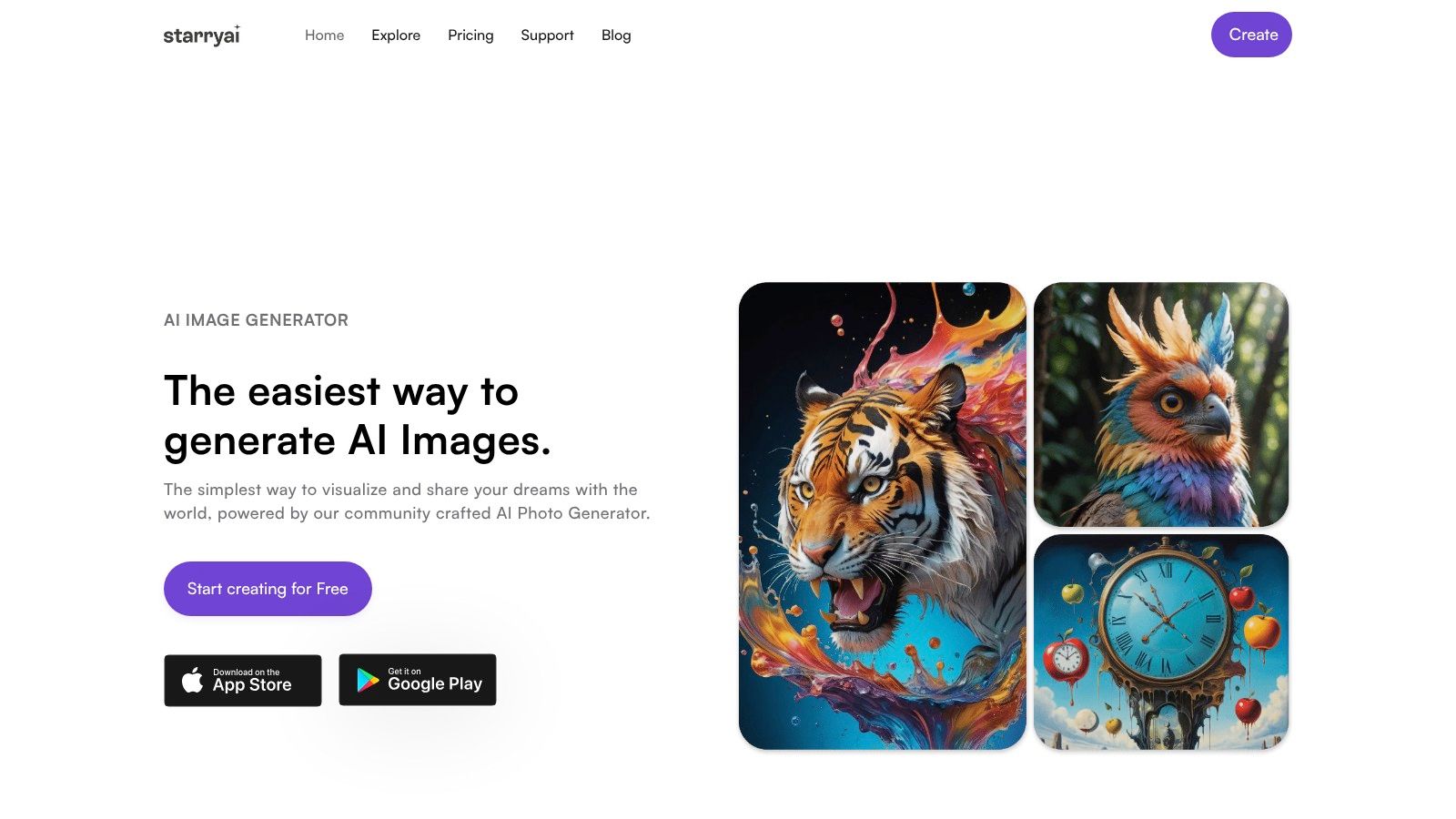
Usually the prompt is either too broad or packed with competing instructions. Tighten the subject first, then add only the details that change the picture in a visible way. If you need a working baseline, this quick start guide for using the AI art generating app starryai is a practical place to reset.
Use seed control and avoid rewriting the entire prompt each time. Keep the core identity stable, then swap one element such as pose, wardrobe, or environment.
This usually happens when the model is juggling too many priorities at once. Shorten the prompt, bring the subject closer, and use negative prompts for common artifacts. Portraits often improve when the face is the clear focal point instead of one detail inside a crowded scene.
Matching isn't the same as compelling. Add a stronger lighting cue, a clearer camera angle, or a sharper mood. “Girl in forest” may be accurate. “Close portrait in foggy pine forest, silver moonlight, tense expression” gives the image a point of view.
If you want a faster way to turn rough ideas into polished visuals, try starryai. It lets you generate images from text prompts, and it supports the kind of fast experimentation that helps creators build social visuals, character art, and merch concepts without getting stuck on the first draft.


.svg)