

Written by Mo Kahn on
August 8, 2026


You've got the blank prompt box open, a deadline staring back at you, and a rough idea in your head that still feels too fuzzy to post. Maybe you need a TikTok aesthetic, a book cover concept, or merch art that won't look random when printed. That's where text prompt to image AI either saves hours or burns them, depending on how you write the prompt and how tightly you control the next iteration.
The difference usually isn't “more creativity.” It's prompt reliability, the ability to get usable results again and again across different tools, campaigns, and visual goals. Text-to-image systems have moved fast from early research to mainstream use, with the first system capable of generating images from text appearing in 2014, the first modern text-to-image model, alignDRAW, in 2015, and broad public awareness arriving with DALL-E in January 2021, then DALL-E 2 in April 2022 and Stable Diffusion's public release in August 2022 source. That speed matters because the craft has changed from novelty to workflow.
The first prompt box tempts creators to describe everything at once. “A moody neon street scene with a biker, cinematic lighting, rain, reflective pavement, ultra-detailed, trending on TikTok” sounds complete, but it often leaves the image off in one or two critical ways. The model is not reading the prompt like a human art director. It maps language to visual patterns learned from text and image pairs, so the strongest words carry more weight than filler.
A text-to-image model takes a natural-language prompt and produces an image that matches that description source. OpenAI describes DALL·E as a 12-billion-parameter version of GPT-3 trained on text–image pairs, which makes the process concrete rather than mysterious, the model learns associations between captioned examples and visual outputs source. In practice, nouns, style cues, and composition anchors matter more than a long sentence that tries to do too much.
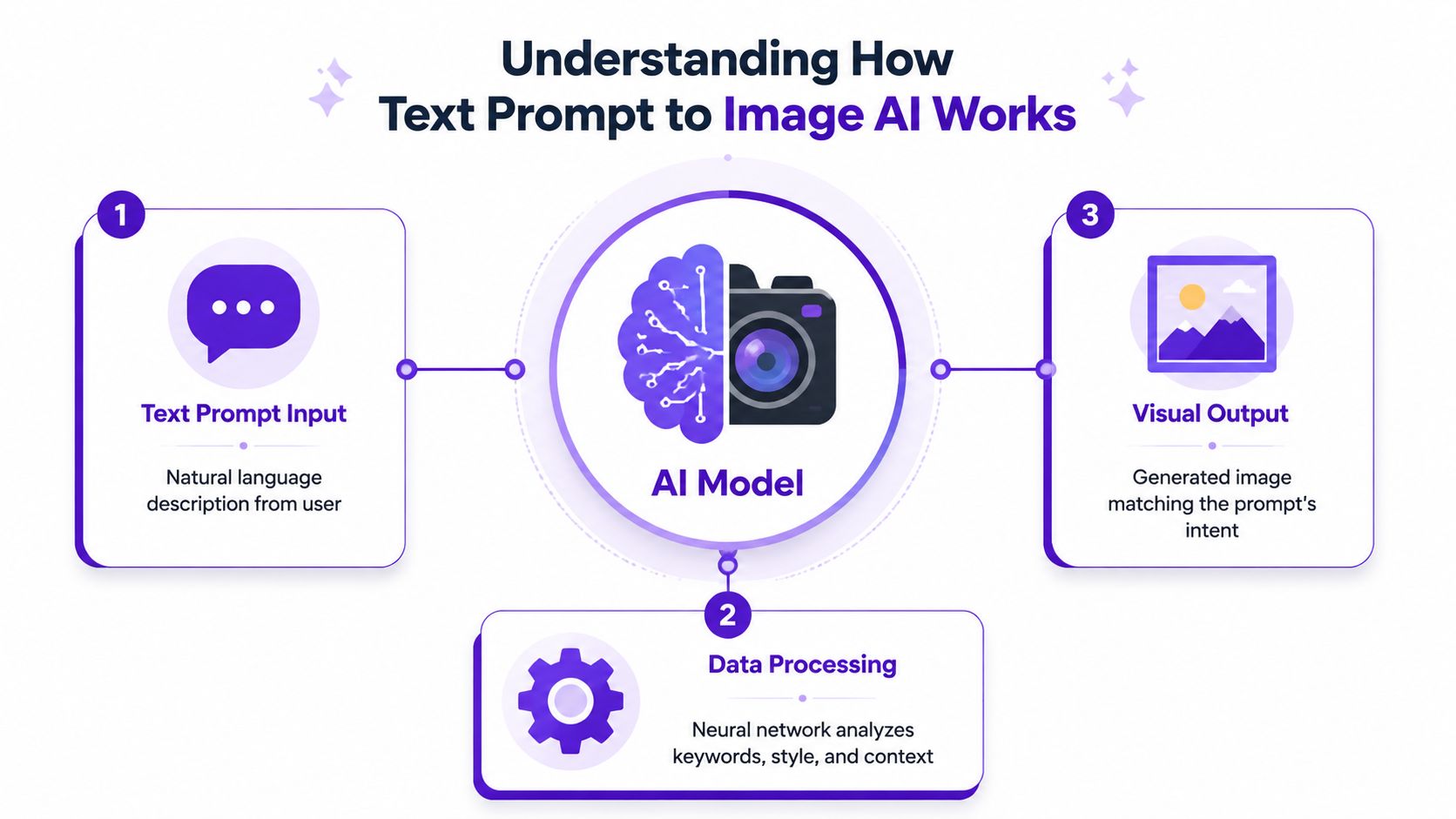
The useful mental model is straightforward. The AI reads the subject, the surrounding context, and the style signals, then builds a composition around the strongest parts of the prompt. Google Vertex AI recommends starting with subject, then context/background, then style, then adding descriptive language and technical controls source. That order explains why a prompt like “red vinyl chair in a studio, soft daylight, product photo” usually behaves better than a sentence packed with unrelated adjectives.
Practical rule: if the subject is buried, the output usually gets vague.
Reliable results come from controlled iteration, not from writing a perfect prompt on the first try. For a TikTok aesthetic, a narrow mood and one or two visual anchors usually work better than a crowded scene. For a book cover, the model needs a clear focal subject and room for type. For merch, the prompt has to favor readable shapes and strong contrast, because detailed clutter often looks muddy when printed.
A short test cycle also helps you see how different models respond to the same instruction. Some handle stylized social visuals better, while others stay closer to editorial or product-photo language. starryai's text-to-image model overview is a useful reference if you want a quick comparison before you start refining prompts for a specific use case.
A prompt only becomes useful when it gives the model a clear path to follow. The cleanest structure is subject → context/background → style → technical parameters, and that order lines up with prompt analysis that treats subject, style, composition, and quality modifiers as the main controllable parts source. Start with the visual core, then add the details that narrow the result without muddying it.
The subject is the anchor. “A streetwear model” leaves too much open, while “A teenage skateboarder in a black puffer jacket holding a neon helmet” gives the system something specific to build around. Concrete nouns usually outperform decorative phrasing because they give the model a stable target.
A prompt that names the subject cleanly is easier to correct later. If the first image gets the face shape wrong, the clothing wrong, or the pose wrong, you know what to change. If the subject is vague, every revision becomes guesswork.
Context is where many prompts get noisy. A useful context line has three jobs, it sets the environment, the mood, and any lighting that affects the composition. Instead of stacking adjectives, write something like “in a rainy alley at night, reflected city lights, shallow depth of field.” That keeps the prompt readable while still steering the image.
The same rule helps across different use cases. TikTok aesthetics usually need a tight mood and one or two visual anchors, not a crowded scene that competes for attention. Book covers need a clear focal subject and space where type can sit later. Merch prompts should favor readable shapes and strong contrast, because clutter tends to print badly and lose definition.
Style belongs after the visual brief. “Digital painting,” “editorial product photo,” and “retro 3D render” each push the model in a different direction, so pick one lane and stay there. Then set technical parameters such as aspect ratio, output dimensions, or seed if the tool exposes them. Google's prompt guide and the Stable Diffusion prompt analysis both point to technical controls like sampling type, output dimensions, and seed value as part of tighter control.
A practical base prompt looks like this.
The last version is stronger because each addition has a job. Nothing is decorative for its own sake. That is the difference between a prompt that wanders and one you can repeat, test, and refine across campaigns.
For creators who want a practical starting point before they start tightening prompts for a specific output, starryai's prompt engineering guide is a useful companion.
A prompt can be solid and still fail the brief if the platform settings push the image in the wrong direction. That happens most often with aspect ratio, style selection, and quality choices. A vertical TikTok visual, a square merch mockup, and a wide book cover all need different framing, even when the subject is the same.
Aspect ratio should follow the final destination, not personal preference. A vertical frame works for short-form social content. A wide frame fits headers and covers. Square still works well for many feed posts and product tiles. If you choose the wrong frame, the composition will fight the canvas from the start.
Style presets are useful when you want a fast starting point, but they can also overpower a carefully written prompt. If the goal is a clean merch design, a heavily painterly preset can muddy the output. If the goal is a cinematic TikTok thumbnail, a flat illustrative preset can look too tame. Treat style as a directional layer, not a substitute for the prompt itself.
A reference photo or uploaded image can be a smarter move than restarting from scratch. One study on image prompting found that using an initial image can significantly improve subject quality in text-to-image generation source. That matters for creators who need consistency, since a reference image often solves the problem of pose, framing, or product shape faster than rewriting the prompt.
Don't fix a near-miss by rewriting everything. Change one thing, test it, and keep the rest stable.
For quick workflow context, starryai's app walkthrough is useful when you're moving from prompt writing to actual generation.
Different projects need different prompt discipline. A TikTok aesthetic can tolerate a little surrealism. A book cover can't afford unreadable clutter. Merch needs shapes that survive print, embroidery, or small thumbnail previews. The same prompt strategy won't solve all three.
Prompt template, “A [subject] in [setting], neon color palette, high contrast, bold lighting, social media thumbnail composition, clean focal point.”
This works because it gives the model a fast read. TikTok visuals usually need a strong mood and a clear silhouette, not a fully described world. For example, “A girl in a chrome jacket in a futuristic subway station, neon color palette, high contrast, bold lighting, social media thumbnail composition, clean focal point” gives the tool enough direction without clogging the prompt with irrelevant details.
Prompt template, “A [character or object] in [scene], cinematic lighting, atmospheric background, genre-specific mood, centered composition, cover art.”
This is built for story tension. A cover needs a legible subject and enough negative space to leave room for typography. If the AI keeps crowding the frame, remove secondary objects first, then trim the mood words second.
Prompt template, “A [icon, animal, or phrase concept] in [style], simple shapes, clean outline, limited color palette, merchandise-friendly design.”
That prompt favors clarity over atmosphere. Merch concepts fail when they become too painterly or too detailed, because the design stops reading at small size. One option for fast concepting here is starryai, which offers text-to-image generation from prompts and fits the same basic workflow as other prompt-driven image tools.
Prompt template, “A [character role] with [key features], [clothing], [expression], [background], detailed but clean character illustration.”
This one benefits from one strong identity cue and one strong styling cue. If the character keeps changing face shape or clothing, simplify the prompt and let the environment do less work.
A useful habit is to write one base prompt, then create three variants by changing only one element. Swap the mood. Then swap the camera angle. Then swap the style. That produces cleaner comparisons than rebuilding every prompt from zero.
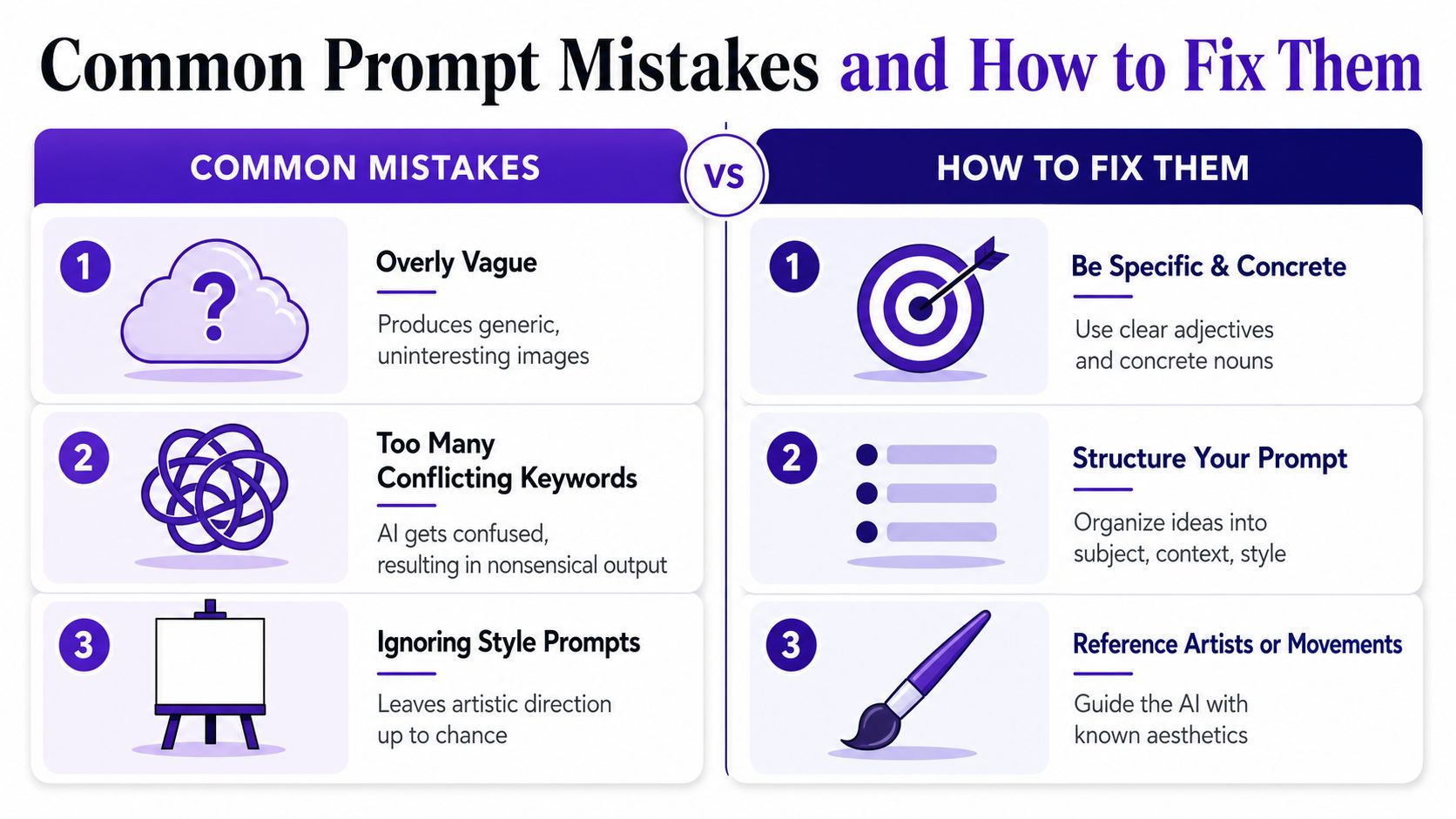
The most common mistake isn't under-describing the image. It's overloading the prompt with keywords that pull in different directions. The CHI 2022 study on text-to-image prompt engineering recommends generating 3 to 9 different seeds to understand how much a single prompt can vary, and that advice matters because a single render can fool you into thinking a prompt is stable when it isn't source.
A prompt gets stronger when every word changes the image, not when every word sounds impressive.
The counterintuitive part is that less detail often works better. That doesn't mean writing vague prompts. It means removing words that don't affect composition, subject identity, or style. If the model keeps drifting, cut the prompt back to the strongest tokens first, then rebuild. That approach is more consistent with structured prompting guidance than trying to micromanage every brushstroke in one sentence.
A good image isn't finished when it appears on screen. It's finished when it survives the place it's going. A cover needs to print cleanly, a social asset needs to stay legible in a feed, and a merch mockup needs to preserve its shapes after export. That means export settings and iteration habits matter as much as the first prompt.
Resolution and framing should match the end use, not the moment of generation. If the image will be cropped later, leave breathing room around the subject. If it's for print, inspect edges, text-like details, and any small high-contrast artifacts before you save. The safer workflow is to keep the best prompt version in a library, then log which seed, aspect ratio, and style settings produced the most usable result.
Reference images can also tighten output quality, especially when the subject has to stay recognizable. That's where image prompting beats pure text in many practical workflows. If you need a character to keep the same silhouette, or a product to keep the same proportions, a reference image gives the model a better anchor than another paragraph of adjectives.
For repeatable production, I'd treat the workflow like this.
That discipline saves time when you're building a series, whether it's a social campaign, a merch drop, or a character set. It also keeps your output closer to your original intent when the model nudges the image off course.
If you want a faster way to turn prompt ideas into usable visuals, starryai gives you a text-prompt workflow for creating images from natural language. Visit starryai to try it with your own campaign ideas, cover concepts, or merch drafts, and build a prompt library you can reuse.


.svg)