

Written by Mo Kahn on
July 22, 2026


You open your content calendar and see the same problem again. You need a TikTok by lunch, an Instagram post by afternoon, a Story version for later, and something you can reuse for your shop or mailing list next week. The hard part usually isn't having no ideas. It's turning rough ideas into platform-ready assets fast enough to stay consistent.
That's why social media content creation now works better as a workflow than as a series of one-off posts. AI helps most when it handles the repetitive parts, gives you visual starting points, and speeds up iteration without flattening your voice. The useful shift isn't “AI makes images.” It's “AI helps plan, produce, adapt, and reuse content without rebuilding everything from scratch.”
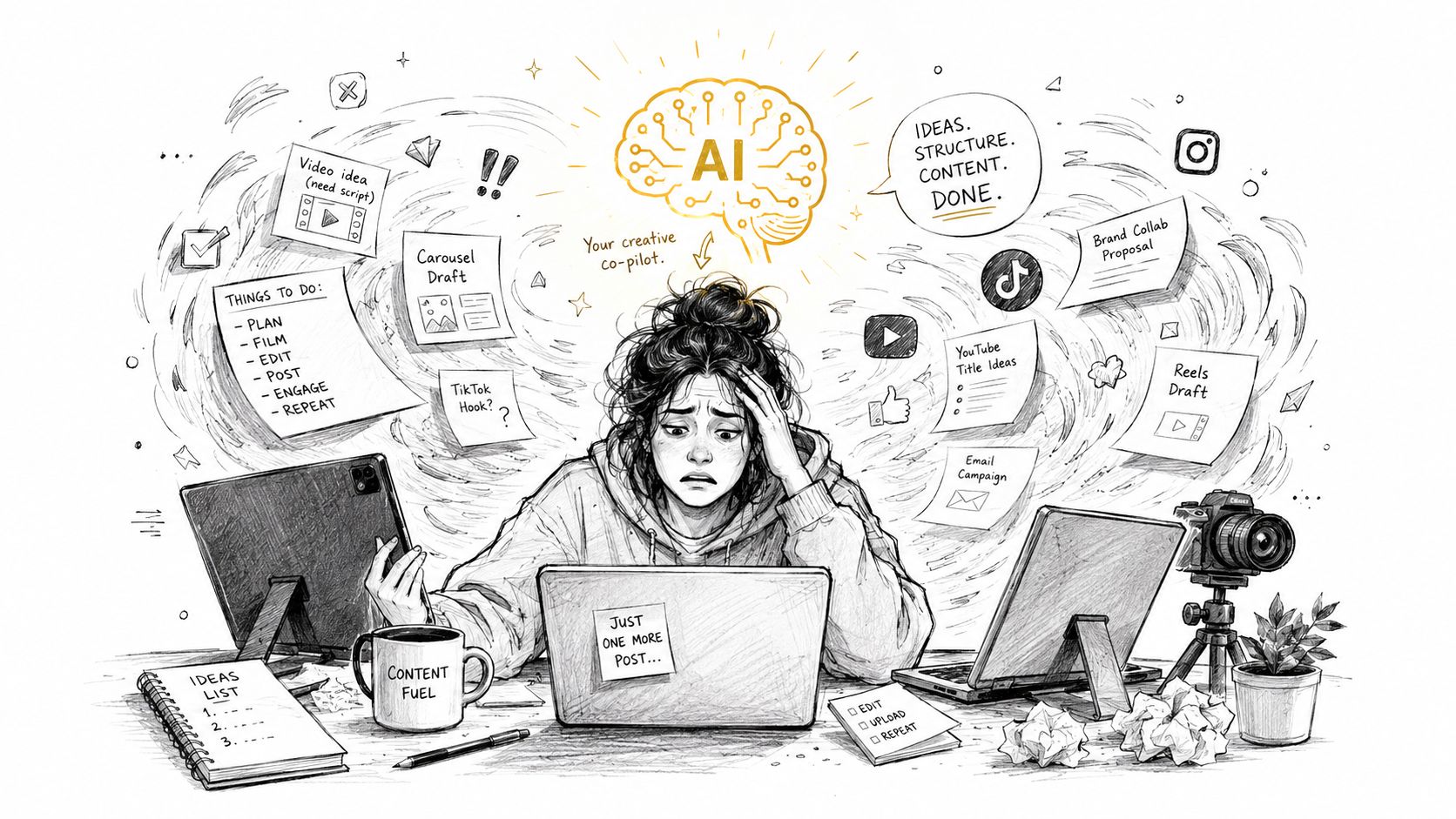
Most creators don't struggle because they lack creativity. They struggle because the job keeps splitting into smaller jobs. You aren't just making a post. You're researching trends, drafting hooks, choosing formats, sourcing visuals, resizing assets, writing captions, checking comments, then doing it all again tomorrow.
That pressure sits inside a market that keeps getting bigger. The global social media content creation market was valued at USD 6,670 million in 2024 and is projected to exceed USD 26,070 million by 2034, expanding at a CAGR of 14.6%, according to Statifacts market data on social media content creation. More money, more creators, and more content demand usually means one thing for working teams and solo operators. The pace doesn't slow down.
AI works best as a co-pilot, not an autopilot. If you let it publish your first draft thinking, your content gets generic fast. If you use it to compress research, speed up concepting, and create visual variations, it becomes useful.
The key win is operational. Instead of treating every post like a fresh production, you build a repeatable loop:
Practical rule: If AI saves time but strips out personality, the workflow is broken.
A lot of creators need a better framework for that middle layer between idea and output. If you want a broader companion read on how people are folding generative tools into production, GPT Uncensored's AI guide is useful because it looks at AI as part of a creation system rather than a novelty.
The goal isn't to publish more for the sake of volume. The goal is to make better decisions faster. That means fewer blank-page moments, fewer rushed visuals, and fewer posts that can't be repurposed once they've gone live.
A good content workflow starts before you generate anything. Most weak AI visuals come from weak upstream thinking. People blame the tool when the actual issue is that the input was vague, platform-blind, or detached from a real content goal.
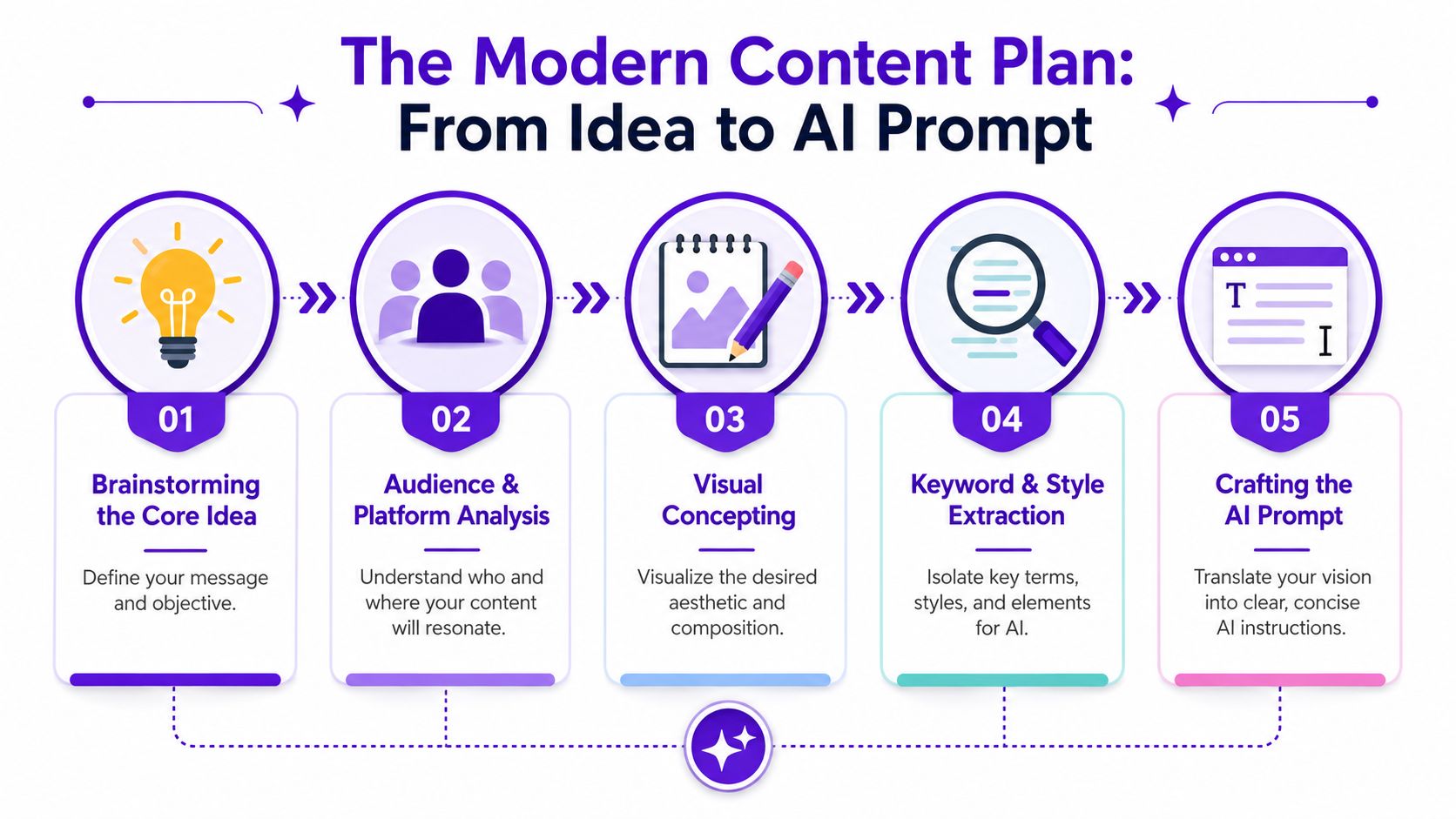
Every social asset needs one primary job. Pick one.
| Content goal | What the visual should do |
|---|---|
| Trend participation | Stop the scroll and feel native to the trend |
| Product interest | Show the item in a believable use case |
| Character/world building | Make people curious enough to want more |
| Shareable education | Clarify one idea fast |
| Shop traffic | Create enough intrigue for a click |
If you skip this step, prompts turn into word soup. “Make it aesthetic” isn't direction. “Create a vertical visual that supports a quick TikTok about cozy fantasy reading habits” is direction.
The same concept lands differently depending on where it lives. TikTok rewards immediacy and personality. Instagram often needs a cleaner frame. Pinterest usually benefits from taller, more discoverable composition. LinkedIn can carry more text context around the visual itself.
That changes the prompt. It should include not just subject matter, but platform intent, composition, and viewer mood.
Use this prompt structure:
Subject
What is the image about?
Use case
Where will it appear and what should it support?
Visual style
Realistic, dreamy, illustrative, cinematic, scrapbook, glossy, lo-fi.
Composition
Close-up, overhead, centered subject, negative space, vertical framing.
Mood and lighting
Warm morning light, neon club light, muted bookstore tones, candid flash.
Exclusions
What you don't want, such as overly polished skin, cluttered background, extra limbs, unreadable text.
Weak prompt:
Stronger prompt:
Weak prompt:
Stronger prompt:
The best prompt usually reads like a creative brief, not a bag of keywords.
When you need help tightening language, this guide to writing AI prompts is a useful reference for turning a rough concept into clearer instructions.
Don't rely on memory. Save:
That file becomes your planning engine. Over time, your prompts get shorter, sharper, and easier to reuse across campaigns.
The production step gets easier once the planning is solid. You're no longer asking the tool to invent strategy. You're asking it to execute a specific visual brief.
A practical setup is to generate a small batch of directions from the same core idea instead of chasing one perfect image from the first prompt. For example, take one concept and test it in three modes: polished lifestyle, candid lo-fi, and stylized fantasy. That gives you options for different channels and lets you see what still feels native to the platform.
For a TikTok trend-hopper, the fastest route is often a selfie-led concept. Start with your own photo or a frame that already feels personal. Then build around the expression, outfit, or setting instead of replacing all of it. For this purpose, a tool like starryai fits cleanly into social media content creation. It can turn selfies, text prompts, and simple inputs into new visuals quickly, which is useful when a trend window is short.
For an indie author, the workflow usually begins with character consistency. Generate several looks for the same character, pick one visual identity, then reuse those cues for later promo art, quote cards, and cover exploration. The goal isn't just one pretty image. It's a repeatable world.
For a social media manager, the challenge is brand control. You need images that feel on-brand without looking like stock leftovers. In practice, that means anchoring every prompt to recognizable brand elements such as setting, color mood, audience context, and the type of moment the brand would realistically share.
One of the biggest mistakes in AI-assisted social visuals is over-finishing them. That matters because social listening shows strong engagement around complaints that AI content feels “too polished” or “fake,” while guidance on preserving the raw, imperfect feel that performs on TikTok is still scarce, as discussed in this analysis of the AI authenticity gap.
Here are the adjustments that usually help:
A believable AI-assisted visual often looks less “finished” than the version you first thought you wanted.
That same principle matters in motion too. If you're building short-form content around generated visuals, this walkthrough is worth a look:
Before publishing, check the image like an editor, not a fan.
If the answer is “almost,” keep iterating. Good AI visuals usually emerge from selective revision, not from blind one-click output. If you want a broader walkthrough of image-generation workflows, this guide to using an AI image generator is a practical companion.
A strong master visual still needs adaptation before it goes live. Posting the same asset everywhere with the same crop and caption usually makes it underperform everywhere at once. Each platform rewards different framing, pacing, and text density.
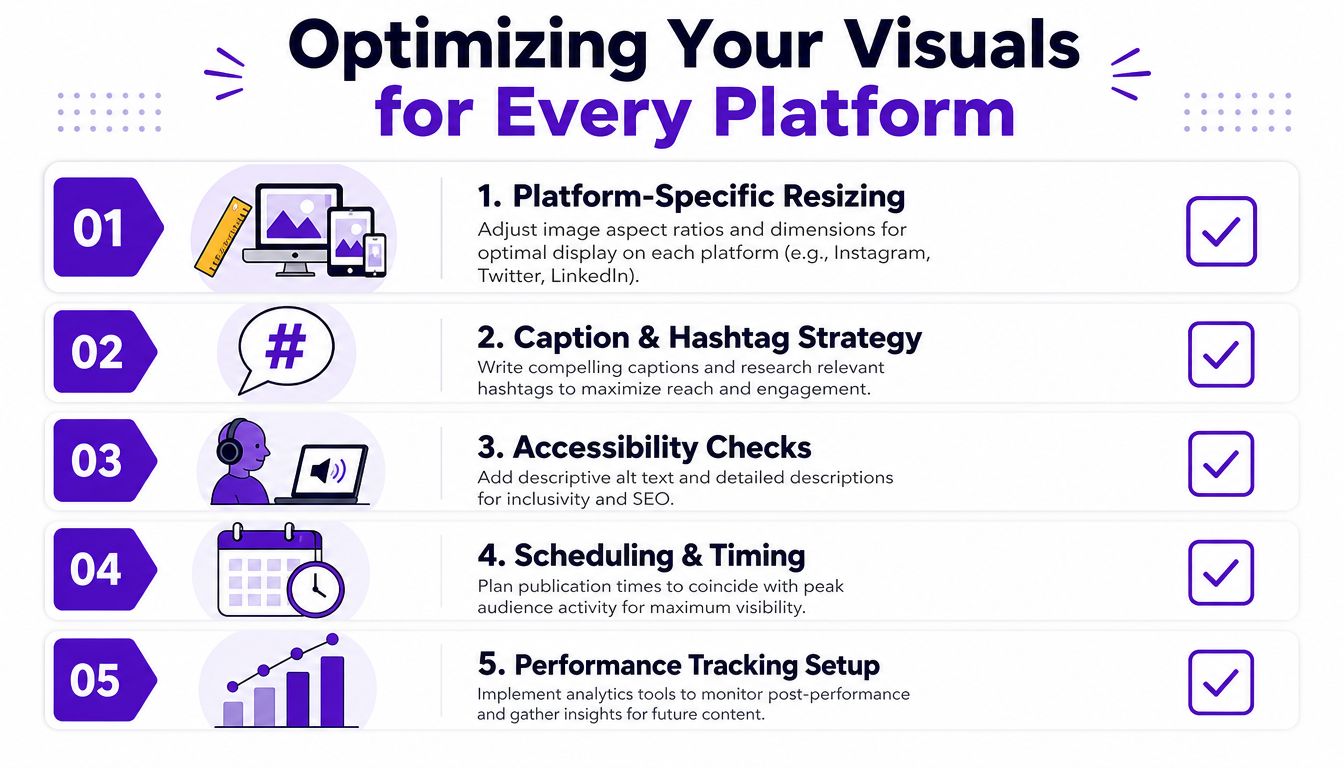
Think in layers. You make one source visual, then export platform-specific versions.
| Platform use | Practical adaptation |
|---|---|
| Instagram post | Tighten to a clean 1:1 crop with obvious focal point |
| Story format | Expand vertically and leave breathing room for stickers or polls |
| Pinterest pin | Use a taller composition and make the subject readable at a glance |
| TikTok background | Prioritize vertical framing and protect space for captions and talking-head overlays |
The asset can stay consistent while the packaging changes. That's the difference between repurposing and lazy cross-posting.
Caption writing gets overcomplicated. Most social posts benefit from one clear hook, one useful idea, and one action.
Hootsuite notes that captions in the 138 to 150 character range, or roughly 15 words, perform best for click-through rates, and headlines and captions in the 10 to 20 word range consistently outperform other lengths in its guide to creating engaging and effective social media content. That's a good reminder to stop writing essay captions for posts that need speed.
Try this caption pattern:
Hashtags still work better when they're balanced. Niche tags help relevance. Broader trend tags help discovery. Throwing only trending tags on a post can widen reach but weaken intent.
Testing matters more than rules you copied from someone else's account. Implementing A/B testing on headlines, visuals, and posting times increases content success prediction accuracy by 25 to 40 percent when paired with analytics and sentiment analysis, according to ContentStudio's social media content strategy analysis.
Use a simple testing sheet:
Workflow note: Test one meaningful variable at a time or your results won't tell you what changed.
There's also a content-mix lesson buried in day-to-day performance. ContentStudio's analysis also notes that creators who keep most output value-led rather than sales-led tend to build stronger long-term engagement. That's why educational, entertaining, and personality-driven posts should carry the schedule, while direct promotion supports the system instead of dominating it.
For teams trying to engineer more native-looking posts instead of polished ad creative, this article on creating viral content is a helpful reference point.
The biggest mistake in social media content creation is treating a finished post like a disposable object. If a visual worked once, it can usually work again in another format, another campaign, or another business channel. One image can become a product mockup, a print, a carousel slide, a pinned graphic, or cover art direction.
A good visual often contains more value than the original upload captures. A fantasy character portrait can become:
That reuse mindset matters because many guides still stop at awareness. They don't help people who need to turn visuals into something sellable. Most social media guides miss the needs of indie authors, Etsy sellers, and RPG players who need to know how to create and reuse AI-generated assets for commercial merch without legal ambiguity, which is a common concern in niche communities, according to Hootsuite's discussion of social media content creation gaps.
For Etsy sellers, the cleanest approach is to build themed collections instead of isolated designs. A single successful visual style can turn into a set of printable wall art, themed digital papers, stickers, or seasonal merch concepts. The consistency helps the shop look intentional.
For indie authors, AI-generated concept art is useful even before the final cover exists. It can guide character identity, mood boards, launch graphics, and reader magnets. That work also reduces the usual disconnect between promo content and the eventual book packaging.
For RPG players and creators, custom character art has obvious social value. It gives people something personal to share, but it can also become campaign handouts, party posters, or digital downloads for community spaces.
Before you repurpose anything, check the usage terms for the tool and keep a simple asset log. Save the prompt, the generation date, the exported version, and where you published it. That won't replace legal advice, but it gives you a clean internal record of what you created and how you used it.
The safer operating habit is simple:
The creators who earn from AI visuals usually aren't the ones posting random outputs every day. They're the ones building reusable libraries and packaging those assets with intent.
You can't improve a workflow by judging it on vibes alone. A post may look better than your old work and still fail its job. The fix is to track metrics that reflect actual content value, not just surface approval.
Start with a small scorecard tied to the purpose of each post:
Those last two are where AI changes the economics of content operations. Social media managers using AI image generators for on-brand visuals reduce content production time by 55% and cut asset costs by up to $1,200 per month, with 74% of marketing teams now incorporating AI visuals into their Q2 2026 content calendars. That doesn't mean every team gets the same result. It does mean efficiency is now a real performance category, not a side note.
A post with fewer likes but more saves may be more valuable. A post with average reach but stronger comments may reveal a content direction worth expanding. A visual that didn't perform on Instagram might still convert in an Etsy listing or work as a Pinterest asset.
The useful question isn't “Did this post win?” It's “What exactly did this asset prove?”
Keep a lightweight review loop every week. Note which prompts produced usable images fastest. Note which edits made AI visuals feel more human. Note which crops consistently failed on certain platforms. If you're building a stack around speed and efficiency, this roundup on efficient AI for your workflow is a useful supplemental read.
The strongest AI workflow gets sharper over time because it keeps feeding performance data back into planning. That's when social media content creation stops feeling reactive and starts feeling manageable.
If you want one tool in your workflow that can help turn selfies, prompts, and quick visual concepts into assets you can adapt across social posts, creator projects, and side-hustle ideas, try starryai.


.svg)