

Written by Mo Kahn on
August 28, 2026


You take a friendly selfie, run it through a viral filter, and suddenly the person on screen looks like an anime protagonist. The result feels personal because the face is still recognizably yours, but the lighting, eyes, colors, and atmosphere belong to a different visual world. That surprise is why a simple portrait can turn into a stream of saves, comments, and questions about which app made it.
The hard part starts after the first novelty wears off. A reliable selfie to anime app workflow needs a suitable source photo, controlled image influence, a prompt that protects identity, and a clear decision about whether the final image is for a post, a profile picture, a character concept, or something you plan to sell. Uploading a face also creates privacy and biometric-data questions that a playful filter screen rarely explains.
The appeal comes from three things working together. You recognize the subject immediately, the transformation uses a familiar anime visual language, and the result arrives fast enough to share while the idea still feels fresh. A normal selfie becomes a stylized identity statement rather than another lightly retouched portrait.
The pattern sits inside a much broader shift in consumer image tools. FaceApp helped bring AI photo transformation into the mainstream after launching in early 2017, and Lensa AI's “magic avatars” feature, introduced in November 2022, helped popularize identity-focused stylization. Lensa then exceeded 5.8 million worldwide downloads by the start of December 2022, according to Statista's overview of photo and image editing apps. That history matters because anime conversion isn't an isolated trick. It grew from a habit of turning personal photos into shareable visual variations.
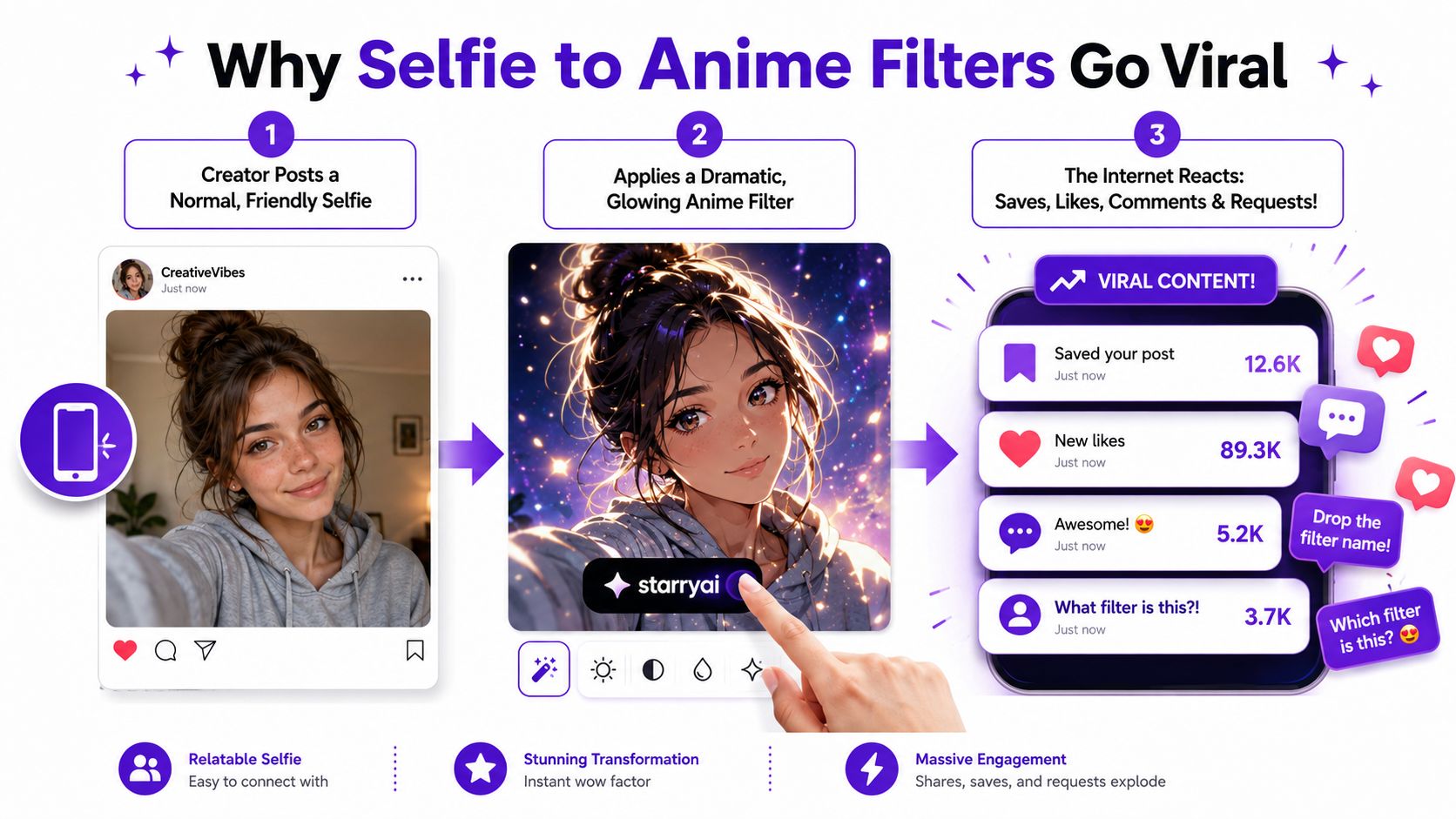
The practical workflow here focuses on preparing a portrait, uploading it to starryai, testing an appropriate model, adjusting image influence, and writing prompts that change the style without erasing the person. It also covers iteration, output quality, privacy, biometric exposure, and commercial use. For broader ideas about practical use cases of AI on social, that resource is useful when you're planning more than a single post. You can also compare the creative approach with starryai's guide to making viral AI photos.
A casual social upload and a product image have different requirements. Your permissions, the service's terms, and the rights attached to every person, logo, artwork, or property in the source photo all matter. The aim isn't just to copy a viral effect. It's to build a repeatable portrait process with fewer warped features and more control over likeness, framing, resolution, and final use.
Start with the photograph, not the prompt. A forward-facing portrait with one person, an even expression, and soft, consistent lighting gives the model clearer facial landmarks than a dramatic angle or a crowded group shot. Keep the face large in the frame, use a simple background, and preserve the original file before making crops or compression-heavy edits.
Hair covering the eyes, a hand across the cheek, reflective glasses, masks, deep shadows, and foreground objects can all interfere with conversion. Consumer guidance for portrait tools commonly recommends facing the camera, filling much of the frame with the face, and reducing occlusions because those conditions help preserve facial fidelity. The same principle applies whether you're using an anime filter, a portrait restyler, or a general image generator.
Use a single-person portrait unless the group itself is essential to the concept. Avoid low-resolution crops, extreme upward or side angles, busy scenery, and accessories that overlap the eyes or mouth. A natural expression usually gives you more usable variations than an exaggerated pose because the generator has fewer ambiguous shapes to reconstruct.
In starryai, open the image-generation interface and choose the workflow for creating from an uploaded or initial image. Upload the prepared selfie, inspect the preview, and check that the face is unobstructed and large enough to guide the generation. If the interface provides an image-strength, resemblance, or image-influence control, begin in the middle rather than immediately selecting the strongest transformation.
A concise starting prompt is often more stable than a paragraph of competing style instructions:
anime portrait, preserve facial identity and expression, soft studio lighting, clean line art
Don't overwrite the original upload with a cropped experiment. Save the source, prompt, model, settings, and generated variations in a simple folder. That record lets you compare whether a change in resemblance, framing, or style caused an improvement instead of relying on memory.
The practical capture and upload sequence is:
Model choice changes the balance between source fidelity and artistic interpretation. One model may preserve the face closely but retain unwanted photographic softness. Another may produce a stronger illustrated result while changing the jaw, eye spacing, or expression. Compare models with the same selfie, wording, aspect ratio, and starting settings so you're testing the model rather than a different set of inputs.
Begin with moderate image influence, or the nearest resemblance control available. Increase it gradually when the output loses the subject's expression or facial proportions. Reduce it when the result preserves blur, compression, or distracting background details instead of giving you a clean anime portrait.
Too much freedom can create an attractive character who no longer resembles the source. Too little freedom can leave you with a technically faithful image that doesn't look intentionally illustrated. Change one control at a time, especially steps, guidance, stylistic intensity, and face-detail options.
Match the aspect ratio to the destination. A portrait canvas suits avatars and profile images, a square canvas fits many social-feed layouts, and a wider canvas works better for thumbnails or banners. Use a practical draft resolution, then upscale only the strongest candidate instead of spending credits on every rough attempt.
| Starting choice | Best use | Watch for |
|---|---|---|
| Moderate image influence | First identity-preserving draft | A result that still looks too photographic |
| Stronger resemblance | Profile portraits and recognizable avatars | Stiff expression, source blur, background carryover |
| More stylistic freedom | Dramatic character art and concept work | Identity drift and altered face shape |
| Portrait aspect ratio | Avatars and profile images | Cropping around hair or shoulders |
| Square aspect ratio | Social posts and carousels | Excessive empty space around the head |
| Landscape aspect ratio | Banners and thumbnails | Face becoming too small to guide the model |
Use a four-question review after each batch:
For a focused introduction to the interface, starryai's quick-start guide provides useful context. The key practice is consistency. Keep a small log of the model, image influence, prompt, aspect ratio, and result so you can identify which adjustment helped.
A good prompt separates identity instructions from style instructions. Put the identity lock first, then describe the pose or camera angle, anime sub-style, palette, lighting, and background. If you lead with a pile of aesthetic adjectives, the generator may prioritize atmosphere over facial fidelity.
A dependable pattern looks like this:
Identity anchor, pose, anime genre, palette, lighting, background.
For example:
preserve facial identity, retain eye spacing and face shape, relaxed forward-facing portrait, 90s shoujo anime, soft pastel palette, gentle window light, cherry blossom background
The identity anchors tell the model what shouldn't change. Phrases such as preserve facial identity, keep facial geometry, retain the expression, and keep recognizable features carry a different function from style tokens such as soft shading, clean line art, dramatic rim lighting, or charcoal linework.
Try a few distinct patterns rather than mixing every visual idea into one prompt:
| Sub-Style | Identity Anchor Phrase | Style Layer | Common Drift Fix |
|---|---|---|---|
| 90s shoujo | Preserve facial identity and expression | Soft shading, large amber eyes, cherry blossom backdrop | Remove extra romantic adjectives if the face changes |
| Modern cinematic anime | Keep facial geometry and recognizable features | Dramatic rim lighting, charcoal linework, deep contrast | Reduce lighting intensity if the eyes or jaw warp |
| Soft slice-of-life | Retain natural expression and eye spacing | Warm palette, gentle cel shading, quiet neighborhood background | Simplify the background when details bleed into the face |
| Fantasy character portrait | Keep the subject's face shape and hair pattern | Jewel-tone palette, illustrated armor, glowing atmosphere | Separate costume details from facial instructions |
When the result drifts toward photorealism, strengthen illustrated language with terms such as cel shading, inked outlines, or anime portrait. When it drifts toward a recognizable existing franchise, remove conflicting references and describe general properties instead of naming a specific intellectual property. If the tool supports negative prompts, use focused exclusions such as photorealistic, distorted eyes, warped jaw, extra fingers, blurry face rather than a long list that competes with the positive prompt.
Higher guidance, often called CFG, can make the generator follow the written style more closely, but pushing it too far may produce harsh edges or unnatural details. A model tuned for illustrated output may solve the problem more cleanly than repeatedly increasing guidance. For more tested structures, starryai's AI image generator prompt guide is a useful reference.
If the face is right but the background is wrong, keep the identity and style language unchanged and revise only the background. If the anime treatment is strong but the likeness is weak, reduce decorative tokens and increase the resemblance setting slightly. If every version changes the expression, shorten the prompt and make the expression instruction explicit.
The strongest prompt isn't the longest one. It's the one that gives the model a stable hierarchy, identity first and decoration last.
Uploading a face isn't a low-stakes action because the output looks cartoonish. The service may receive the original selfie, account information, device metadata, and an encoded representation of facial structure. Privacy guidance for AI image generators warns that uploaded images and prompts may be retained or used for model training unless the provider says otherwise, so review the policy before treating a casual portrait as disposable.
Look for clear answers to these questions:
Independent coverage has warned that anime-style apps may request broad device permissions and collect handset identifiers such as an IMEI, meaning the exposure can extend beyond the image itself. Other reporting has described face-based generation that can draw from publicly available social profiles, which creates another route between a person's likeness and their online identity. Treat permissions as part of the product decision, not as an annoying screen to dismiss.
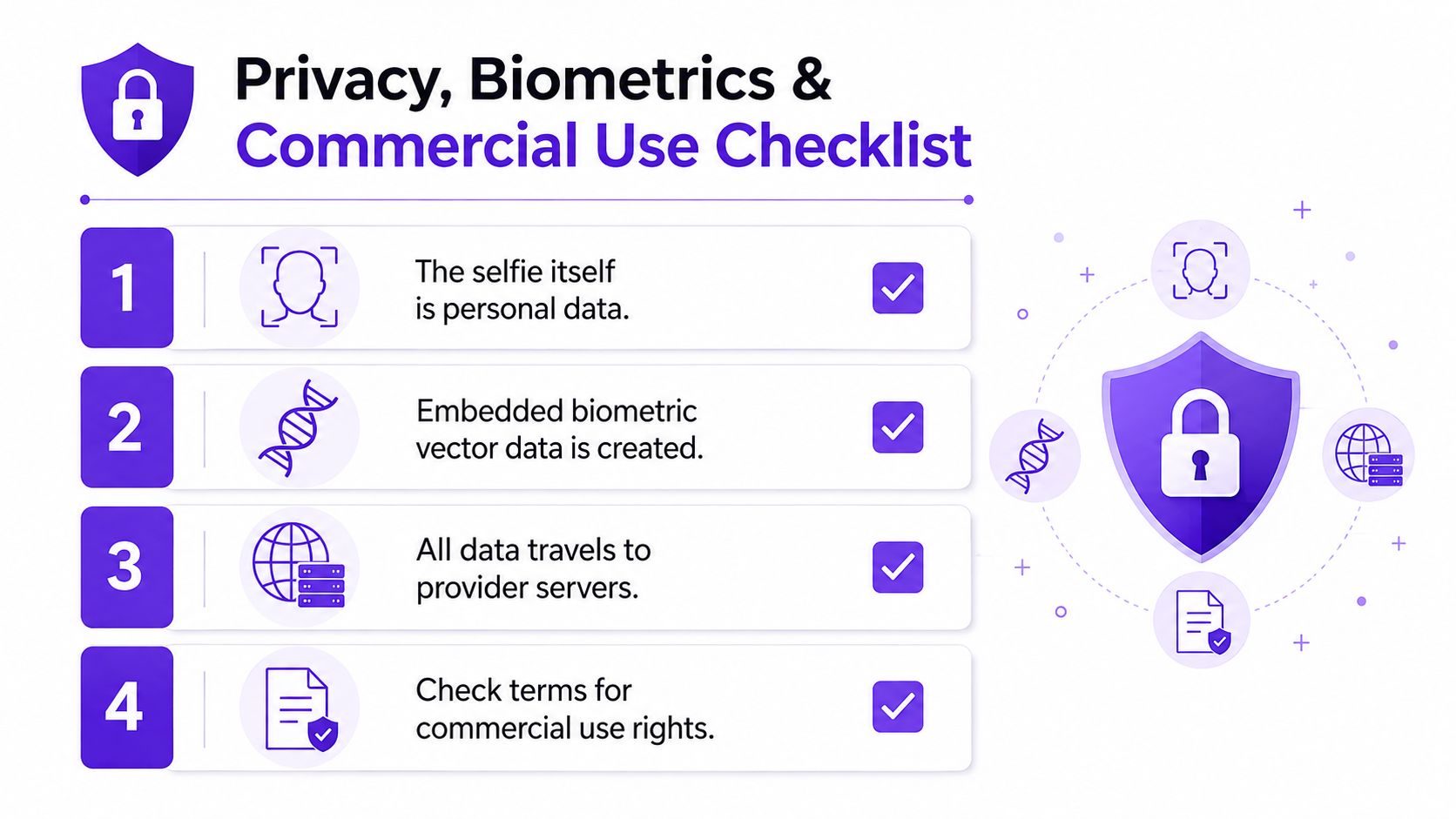
The legal environment also varies by location. Recent coverage identifies biometric-privacy obligations in at least 12 U.S. states, as discussed in this overview of biometric privacy questions for AI anime apps. That doesn't tell you whether a particular upload is compliant, but it does show why a provider's terms and data practices deserve closer inspection.
A free tier may limit use to personal projects, while a paid tier may offer broader permissions. Neither assumption is safe without reading the current license. Commercial plans can still require review when the image includes a person's likeness, a brand logo, a recognizable character, or artwork owned by someone else.
Before publishing or selling, confirm consent for every other face, understand whether watermarks can be removed, check marketplace rules, and follow disclosure expectations for AI-edited portraits. For merchandise, keep the source photo, generation record, terms in effect when you created the image, and proof of permission in one folder. A cute avatar becomes a business asset only after you can explain where every important visual element came from.
The same portrait workflow can support several creative outputs, but each use case rewards different decisions. Social content favors immediacy and readable composition. Merchandise needs cleaner edges, stronger rights documentation, and enough resolution for the intended product. Character development needs consistency across expressions, poses, and costume variations.
For social, make a portrait version for an avatar, a square version for a feed post, or a wide crop for a banner. A short reveal can crossfade from the original selfie to the anime render, while a carousel can show the source, prompt, and final image. That format gives viewers a reason to comment without requiring a complicated production pipeline.
For character art, use one selfie as an identity reference and build a consistent original character around it. Generate a neutral portrait first, then work through expressions, clothing, and poses while keeping the identity anchors stable. A tool such as WSUP AI's anime chat experience can also help creators develop personality, dialogue, and scenario ideas around an anime character concept before commissioning or illustrating a polished final version.
Merchandise requires more caution. Print-on-demand portraits for shirts, phone cases, and stickers may be viable when the likeness, source materials, and generator license all permit commercial use. Avatar packs, membership rewards, and branded marketing visuals need the same review, even if the image began as a personal selfie.
| Goal | Recommended Settings | License Needed | Reorder |
|---|---|---|---|
| Viral profile portrait | Moderate resemblance, portrait ratio, concise anime prompt | Personal-use terms may be enough | Reframe, then stylize |
| Feed carousel | Square ratio, clear face, controlled background | Check platform and service terms | Generate, compare, caption |
| Print-on-demand design | Strong facial structure, clean background, upscale a selected result | Commercial permission and likeness consent | Stabilize identity, then upscale |
| Character reference sheet | Consistent model, fixed identity anchors, varied poses | Review rights for every source element | Establish face, then vary costume |
| Brand visual | Controlled palette, simple composition, no unlicensed marks | Commercial license and brand permissions | Lock visual system, then generate variants |
If you're chasing one shareable portrait, favor speed and visual impact. If you're building a product line, preserve the source, record every setting, avoid accidental franchise references, and test whether the face remains consistent across multiple generations. The setting that makes one image exciting can make a collection look unreliable.
Most failed anime portraits aren't random. They usually point to a mismatch between the source photo, image influence, prompt hierarchy, or model behavior. Fix the cause rather than adding more adjectives.
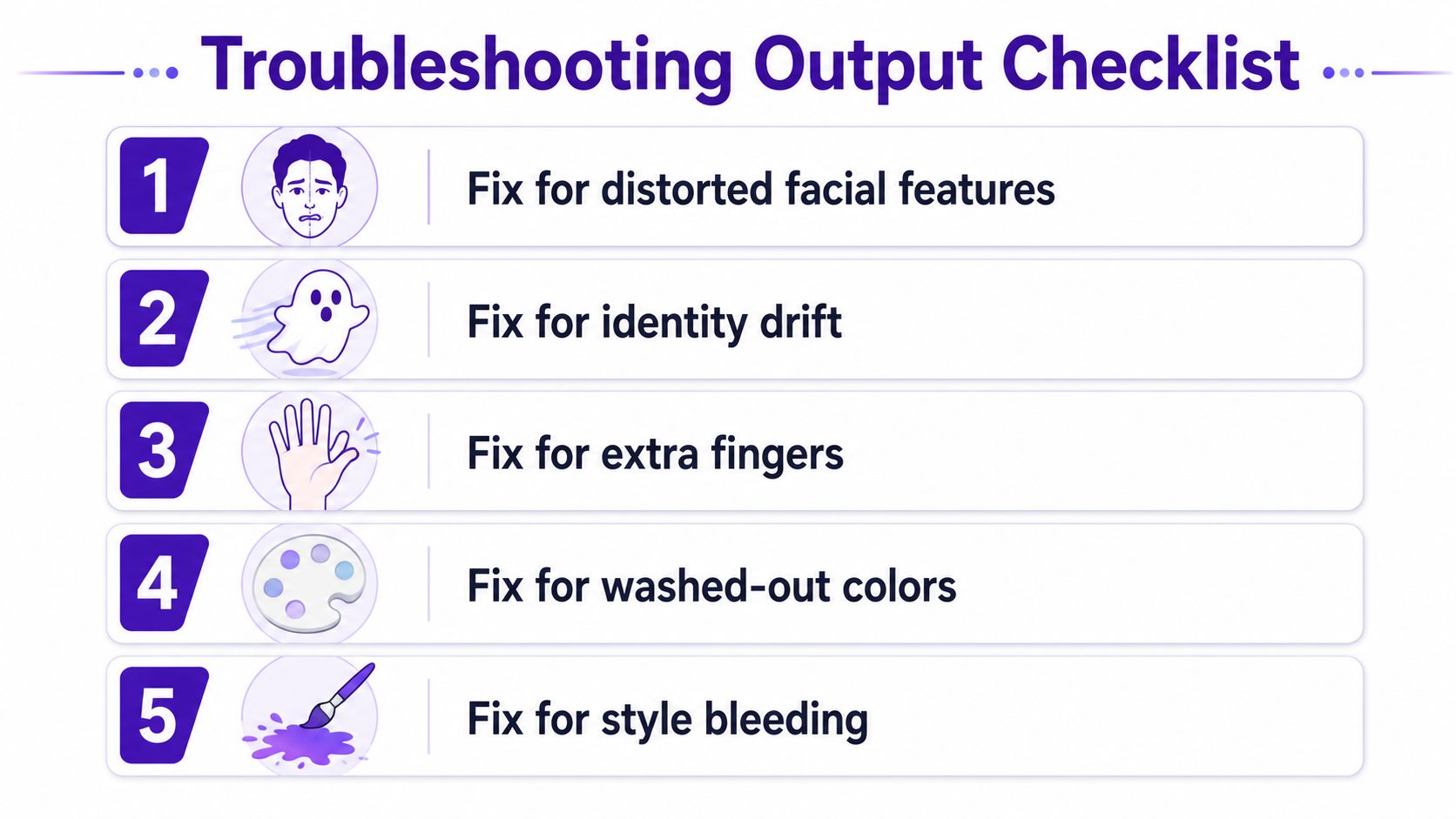
Switching from SDXL to an Anime v2 model or enabling face-detail boost may help when those options exist in your workspace, but don't change several variables at once. Keep the best source image, compare one adjustment per rerun, and reject attractive images that fail the likeness test.
A practical next step is to open starryai, upload a clear forward-facing portrait, and start with: anime portrait, preserve facial identity and expression, keep facial geometry, soft studio lighting, clean line art, uncluttered background, avoid distorted eyes and extra fingers. Generate a small batch, compare the results, and iterate three to five generations rather than judging the entire workflow from one attempt.
starryai lets you start with a selfie, text prompt, or emoji and turn it into an anime-style visual through an image-generation workflow. Visit starryai with a clean portrait, test the identity settings first, and save the strongest variation for the specific social, character, or commercial use you have in mind.


.svg)