

Written by Mo Kahn on
August 17, 2026


Your campaign needs an avatar, but “an avatar” can mean very different things. A VTT token must stay readable at a small size, a social profile image needs immediate visual impact, and a book character portrait may need enough detail to support a larger story. A mobile pixel-art campaign has another priority entirely, fast iteration inside a fixed visual language.
This roundup compares 10 RPG avatar generator tools by the job they need to perform, including output style, creative control, setup, token readiness, character consistency, and available pricing information. Where supplied information doesn't specify exact premium costs, I'll say so rather than guess. You'll find prompt-based generators, structured character builders, selfie-to-fantasy services, mobile pixel-art tools, and broader creative suites for game assets.
RPG avatar creation has been part of role-playing culture since the earliest tabletop systems. Dungeons & Dragons introduced character generation in 1974 with 3d6 rolls for player statistics, establishing the idea that a character is more than a decorative portrait, with identity tied to mechanics and play (historical RPG avatar context). The best modern tool depends on whether you need a single image, a reusable character identity, or production-ready assets.
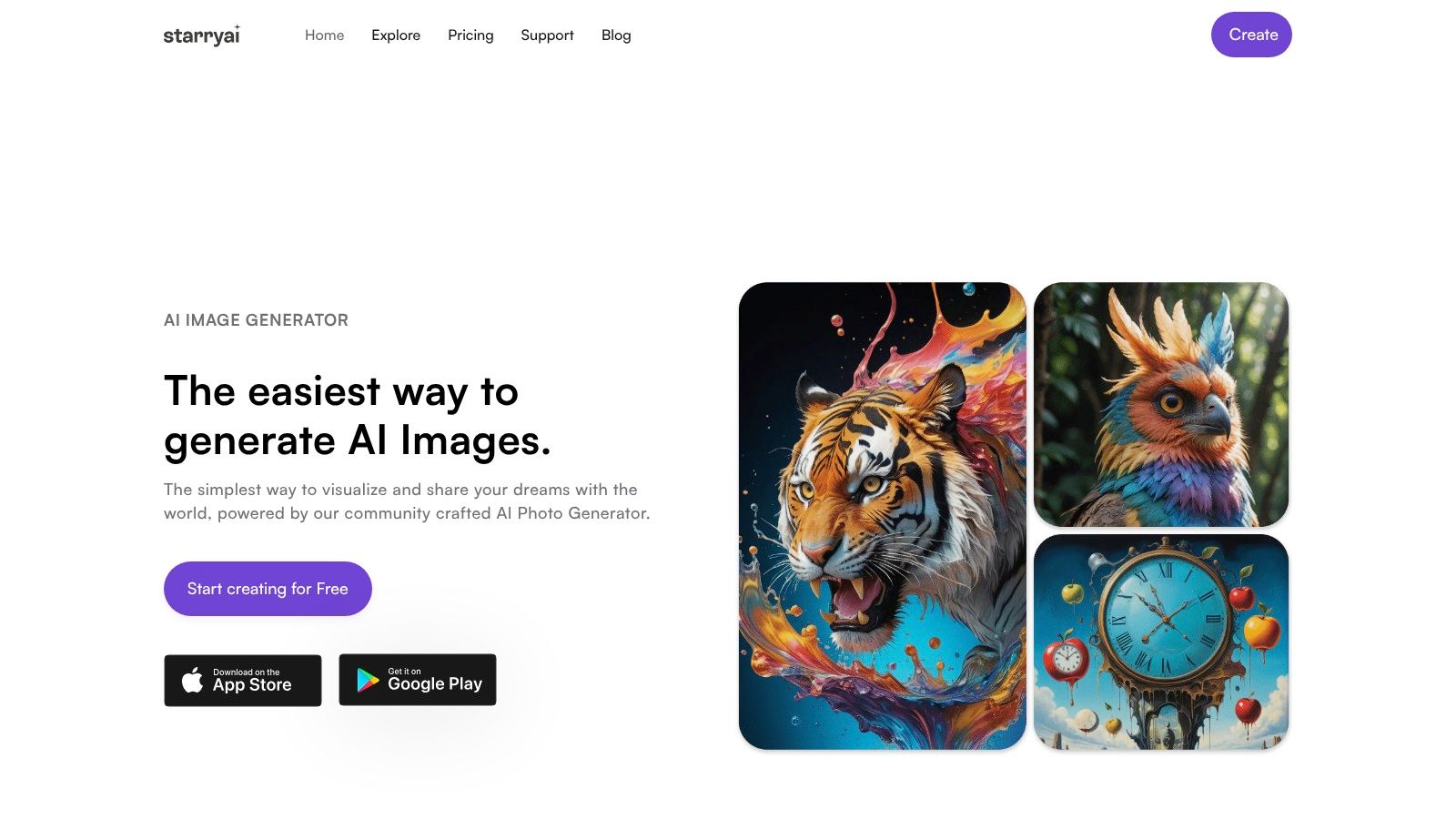
starryai is the strongest general-purpose choice here when the job is fast, artistic avatar experimentation. It works well for a tabletop player who wants a memorable fantasy persona, an author developing character concepts, or a creator producing a social-ready RPG identity without learning a complicated art application.
The workflow is deliberately low friction. You can start from a selfie, text prompt, or emoji, then steer the result through a large library of styles and models. The platform advertises more than 1,000 styles, along with tools for upscaling, enhancement, and background removal. That breadth is useful when your character needs to move between a painted fantasy portrait, an anime interpretation, a pixel-inspired identity, and a cleaner profile image.
The free entry point is unusually practical for testing. starryai offers daily free images and gives new accounts 5 lumens, equivalent to 25 AI images, according to the supplied product information. Its outputs are described as watermark-free, with full ownership and commercial rights for images you create, which makes the tool relevant to merch concepts, self-published book artwork, and public-facing creator profiles.
The trade-off is control. starryai prioritizes speed and expressive visual results over the precise equipment-by-equipment construction you get from Hero Forge. Its dream-like and artistic tendencies can also be a mismatch if you need strict photorealism, technical model sheets, or exact front, side, and back continuity.
Practical rule: Use starryai when the character's identity matters more than exact production geometry. Save the prompt, style choice, and useful reference images whenever you create a version you may need to revisit.
The platform is free to start, though higher-volume or premium capabilities require checking the current pricing options. User feedback supplied for the product cites a 4.7 out of 5 rating across approximately 40,000 reviews, making it an approachable first stop for creators who want to generate and publish quickly.
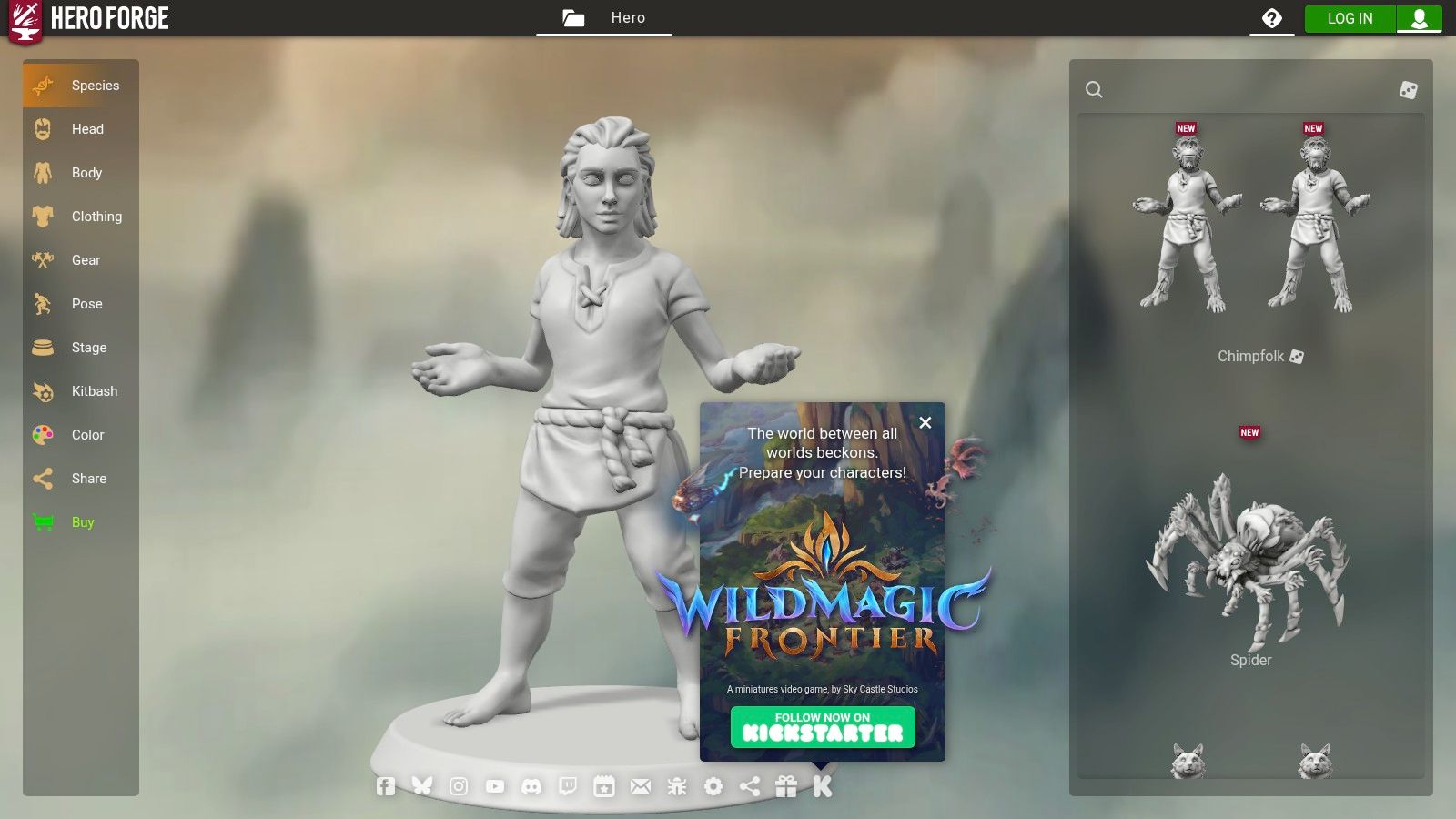
Hero Forge is the practical pick for VTT token creation and physical-mini visualization. Instead of asking you to describe a fully formed character through prompts, it gives you a browser-based 3D builder with detailed control over races, clothing, equipment, poses, and props. That makes it easier to represent a character whose visual identity depends on a specific weapon, armor silhouette, or unusual accessory.
Portrait Mode is particularly useful when you need a clean character image rather than a miniature preview. You can adjust lighting and backgrounds, and transparent options help when you're preparing a portrait or token for a virtual tabletop. The dedicated Token Maker reduces the need to crop and clean a general-purpose image manually.
Hero Forge works well for players who aren't artists but still want granular control. It's also valuable before commissioning an illustrator, because you can establish the character's outfit, pose, and proportions first. A DM can use the same workflow to create recurring NPCs with recognizable visual equipment.
The main limitation is aesthetic. Its 3D presentation may not blend with a hand-painted 2D token collection, especially if the rest of a campaign uses textured illustration. Some portrait and token capabilities sit behind a Pro subscription, so check the current plan before building a workflow around premium exports.
Choose Hero Forge when accuracy of gear and pose beats painterly atmosphere. For a campaign that needs a reliable token quickly, that's often the more important trade-off.
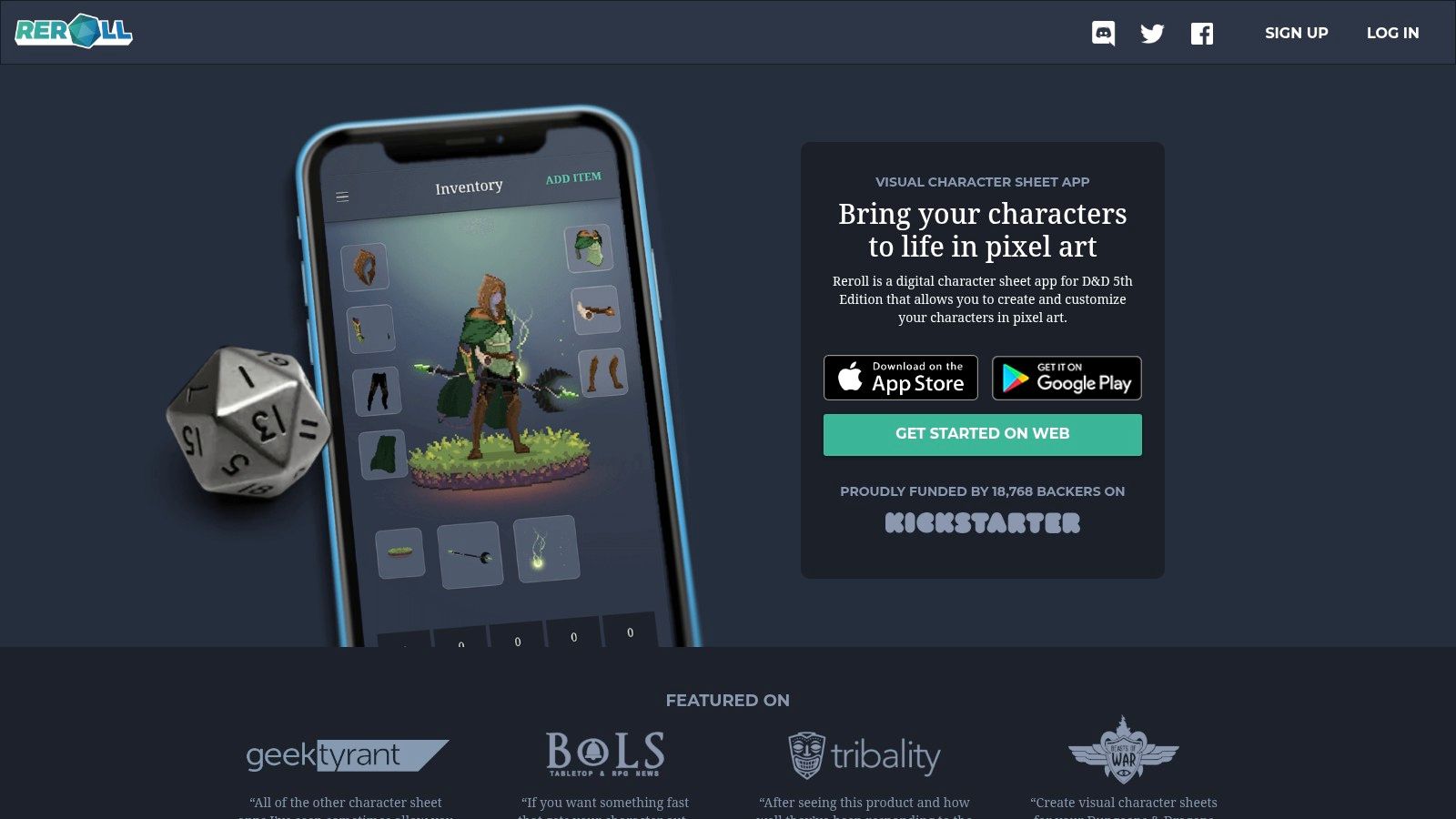
Reroll is made for mobile pixel-art iteration, not realistic fantasy portraits. The app lets you assemble retro-style characters from modular options such as races, hair, armor, and weapons. Because you're selecting visual parts rather than wrestling with prompts, you can produce a consistent party quickly and revise details without losing the overall style.
That consistency is Reroll's main strength. A group can create characters that look like they belong in the same indie RPG, even when different players build them separately. The app also functions as a D&D-style character sheet, with guided or unguided creation and inventory tracking, so the visual work sits close to the campaign information.
Exports can support VTT tokens and social sharing, which makes the tool useful for players who want a recognizable icon everywhere their campaign lives. The iPhone and iPad focus keeps the learning curve low, especially for a group generating characters during a session or between games.
Reroll isn't the right option for an author who needs a painterly book-cover concept, or for a player whose character depends on subtle facial expression and realistic material detail. Its free tier limits character slots and options, while the full feature set requires in-app purchases. Those limits matter if you're building a large NPC roster rather than a small adventuring party.
Use Reroll when the desired result is readable, charming, deliberately low-resolution pixel art. Its fixed visual language is a benefit for a retro campaign and a deal-breaker for anything aiming at cinematic realism.
Ludo.ai makes sense when an avatar is only one part of a broader game-asset workflow. Its Character Portrait generator supports style presets such as cartoon, low-poly, and pixel art, while its sprite tools can produce animated sheets for 2D games. That combination moves the platform beyond a single portrait and toward a connected set of visual materials.
A game creator might begin with a character portrait, refine it in the integrated editor, then create supporting sprites or related assets. The platform also includes 3D text-to-asset features, so it can appeal to developers who need to explore more than character faces. For VTT creators, the ability to generate portraits and overlay assets in the same environment may be more valuable than having the most polished standalone avatar.
Ludo.ai is overkill if you only need one campaign portrait. Its interface and toolset are aimed at creators managing a larger pipeline, and exact outputs can change with model and setting choices. Expect to iterate, especially when you need a character to remain visually coherent across portraits, sprites, and related game scenes.
The advantage is integration. You won't need to jump between a portrait tool, a sprite generator, and a separate editing application for every experiment. The cost is learning and review time. Before adopting it, confirm that its current export behavior matches your engine, overlay system, or asset pipeline.
Pick Ludo.ai when the avatar must connect to game art beyond a static image. For a single player portrait, choose a lighter tool.
Tabletop Visions is a focused option for players and DMs who want an RPG-specific portrait and token workflow. You select a style, describe character details such as race and class, and generate campaign-oriented portraits without building a long general-purpose prompt from scratch. The interface uses tabletop language, which reduces the translation work between a character concept and an image request.
The tool includes style choices, PG-13 safety guardrails, and a starter token allowance for first-time users. Its low-cost per-portrait model is listed at approximately $0.01 per token in the supplied product information (Tabletop Visions workflow comparison). That makes it easier to estimate the cost of small experiments than tools that hide usage behind a broader credit system, although you should still verify the live terms before committing.
Tabletop Visions currently requires Google sign-in, which adds friction for users who want a completely independent account setup. Safety filtering can also affect workflow reliability. If a request violates its rules, a generation may fail without a token refund, so avoid treating every failed attempt as a free prompt revision.
This tool is strongest when your needs are straightforward: one fantasy portrait, one token, and tabletop terminology throughout. It isn't designed to replace a full illustration suite or provide broad production controls. Test the style with a representative character before generating a whole party.
RPG Sage Art is built for groups that want avatar generation inside a virtual tabletop environment. Its token generator produces clean, transparent VTT tokens, while AI-assisted art generation can turn session descriptions into campaign visuals. That proximity to play is the main reason to choose it.
A DM can generate a token for a newly introduced enemy, create an illustration for a location described during the session, and keep the material connected to the campaign space. The workflow favors speed and context over elaborate image direction. It's especially useful when the art requirement appears suddenly during play and the group doesn't want to leave its VTT.
The free starter option and visible pricing, along with Patreon tiers for community access, give prospective users more information than a tool that only says “contact us.” Still, the platform is newer and its ecosystem is continuing to mature. If your group needs a large library of polished portraits before a campaign begins, compare its current content and export behavior with a dedicated portrait service.
RPG Sage Art can be less economical for someone who only wants a profile image. Its value increases when the same users need art and gameplay tools together.
Keep the token readable first. A detailed portrait that turns into an indistinct face at tabletop scale isn't a better token than a simpler, higher-contrast design.
Choose RPG Sage Art for fast campaign integration, especially when the DM wants to generate art around live session descriptions rather than prepare every asset in advance.
CharGen reduces prompt engineering by starting with the information tabletop players already have. Feed it race, class, and gear from a character concept or sheet, and it generates a portrait designed to match those details. That makes it more useful than a blank prompt box when the visual brief is already encoded in game terminology.
The platform expands beyond portraits with generators for NPCs, items, monsters, and maps, plus a Token Maker. Developers can also inspect its API and live pricing table, while free usage follows a credits model. This makes CharGen a strong choice for a DM who wants a connected library of fantasy assets rather than a single hero portrait.
The main benefit is semantic alignment. You can describe a heavily armored ranger with a particular weapon and rely on the RPG-oriented workflow to carry more of that context than a generic image service might. Active updates and community feedback also suit users who want a tool that continues to evolve around tabletop needs.
The limitations are equally clear. Advanced editing and some features require subscriptions or credits, and the platform is primarily fantasy-focused. It isn't the best choice for a modern urban campaign, a science-fiction setting, or a highly controlled book-character pipeline.
For a D&D-style campaign, CharGen is one of the more efficient choices because the character sheet does much of the prompting work. See how the broader category compares in this gaming avatar creator guide, then test whether its generated equipment and portrait details stay accurate enough for your party.
RPG Portraits is the most direct choice for selfie-to-fantasy transformation. Upload a face photo, choose attributes such as race, class, and background, and receive a fantasy RPG portrait with minimal setup. The service is designed for speed, so it fits players who want a recognizable version of themselves without learning a character builder or writing detailed prompts.
The one-photo training pipeline produces multiple high-resolution PNG outputs, and the service is positioned for VTT and profile use. That makes it convenient for a player who needs a campaign image quickly, particularly when identity fidelity matters more than creating a non-human monster or a full NPC collection.
The selfie-first design is also the constraint. RPG Portraits is less suitable for a dragon, construct, anonymous villain, or large roster of characters that don't begin with real faces. Post-generation editing is more limited than in a broader creative suite, so you should choose your race, class, style, and background carefully before generating.
Image rights deserve attention whenever a tool transforms a real person's likeness. The supplied product notes say commercial use is permitted according to the site FAQs, but confirm the current terms for your exact use, especially for book covers, merchandise, and public promotional work.
A technically good source photo still matters. Avatar systems commonly prefer a close-up headshot with visible shoulders, centered framing, a forward-facing head, open eyes, an unobstructed foreground, and soft, even lighting (documented avatar image best practices). Use a clean source image rather than expecting the generator to repair a difficult one.
Leonardo.ai is the strongest all-rounder for controlled character iteration. Its Canvas Editor supports inpainting, outpainting, and guided refinements, while Character Reference, pose controls, and style or content references help you carry a character into new scenes. That makes it more appropriate than a one-click portrait service when an author or game creator needs a character to remain recognizable over time.
The workflow rewards deliberate reference management. Start with a strong base portrait, keep the visual description stable, and use the reference features when changing pose, clothing, or setting. You'll still need to inspect every result. Consistency tools reduce drift, but they don't eliminate it, particularly when the character's face, armor details, or silhouette must remain exact across a sequence.
Upscaling tools, including Pro Upscaler and Universal Upscaler, help prepare images for larger presentation or cleaner token exports. The combination of editing and generation means you can correct a hand, extend a background, or refine framing without moving to an external application for every adjustment.
The learning curve is higher than it is with CharGen or RPG Portraits. Token-based generation also means heavy use may require paid tiers, so review current plan limits before planning a large character library. Leonardo.ai is best when you value control and revision history over instant simplicity.
For a book character, game protagonist, or campaign hero who needs multiple poses, this is one of the most practical choices. For a single profile icon, its broader workflow may be more than you need.
Midjourney remains a leading option for highly stylized RPG portraits. It can produce painterly, semi-realistic, anime, and other expressive looks, and its community provides a deep pool of prompt recipes and visual experimentation. If your priority is a striking fantasy portrait for a character page, campaign handout, or social profile, the image quality can justify the extra workflow.
The platform is available through Discord and the web, with multiple subscription tiers and Fast and Relax modes for different throughput needs. Private or Stealth mode is available on higher subscription tiers. Check the current plan details before assuming a particular privacy or generation arrangement will fit your project.
Midjourney's strongest single image isn't automatically the best campaign asset. Maintaining the same face, hairstyle, armor, and visual proportions across a long-running story requires disciplined reference workflows and repeated review. The tool's ecosystem can also feel less direct for users who want a dedicated RPG character builder, because the best results depend on learning how to combine references, prompts, and settings.
The platform's model updates can improve fidelity, but they can also change how familiar prompts behave. Save successful prompts and reference material instead of relying on memory. A broader comparison of image-generation workflows can help you weigh Midjourney against simpler options in this AI image generator comparison.
Choose Midjourney for visual impact and style range. Choose Leonardo.ai when you need more hands-on revision, or Hero Forge when exact gear and token construction matter more than painterly finish.
| Product | Core features ✨ | UX / Quality ★ | Price / Value 💰 | Best for 👥 |
|---|---|---|---|---|
| starryai 🏆 | ✨ Mobile-first AI generator, selfies, text & emojis; 1,000+ styles; upscaler & bg-removal; no-watermark | ★★★★☆ → ★4.7/5 (~40k reviews), fast & social-ready | 💰 Free start (daily images + 5 lumens = 25 images); paid tiers for volume; commercial rights included | 👥 Social creators, indie authors, Etsy sellers, gamers, TikTok trenders |
| Hero Forge | ✨ Browser 3D character builder; Portrait Mode & Token Maker; granular gear/pose control | ★★★★☆, precise visual control without prompts | 💰 Free builder; Pro subscription for advanced exports | 👥 Tabletop players, mini printers, non-artists needing control |
| Reroll | ✨ Pixel-art mobile builder with inventory/character sheet; VTT-ready exports | ★★★★☆, very fast, low learning curve on iOS | 💰 Free tier; in-app purchases to unlock slots/features | 👥 Pixel-art campaigns, mobile-first players |
| Ludo.ai | ✨ Portrait + sprite-sheet generator; integrated editor; 3D text-to-asset tools | ★★★★☆, dev-focused pipeline, integrated outputs | 💰 Paid/dev tiers; suited to project pipelines | 👥 Game developers needing avatars + animated assets |
| Tabletop Visions | ✨ RPG-centric UI with style presets & safety guardrails; starter tokens | ★★★★☆, streamlined tabletop workflow | 💰 Low per-portrait cost (~$0.01/token); starter allowance | 👥 DMs & players seeking low-cost, campaign-ready portraits |
| RPG Sage Art | ✨ VTT platform with token generator & session-driven art generation | ★★★★☆, consolidates play + art; ecosystem maturing | 💰 Free starter; visible pricing + Patreon community tiers | 👥 Groups wanting art generation integrated into gameplay |
| CharGen | ✨ Reads character sheet → aligned portraits; NPCs/maps generators; API | ★★★★☆, tailored to tabletop data-driven flows | 💰 Credits/subscription; API pricing available | 👥 TTRPG players, GMs, developers needing sheet-aligned art |
| RPG Portraits | ✨ Selfie-to-fantasy pipeline (one-photo training), high-res PNG outputs | ★★★★☆, very fast, minimal setup | 💰 Paid per portrait; commercial use permitted | 👥 Players wanting quick selfie-based fantasy portraits |
| Leonardo.ai | ✨ Canvas editor, Character Reference & upscalers for consistency | ★★★★☆, powerful tools; steeper learning curve | 💰 Token/subscription for heavy use; advanced tiers add features | 👥 Artists & creators needing consistency across poses/scenes |
| Midjourney | ✨ High-fidelity stylized portraits via Discord/web; frequent model updates | ★★★★★, exceptional image quality & community prompts | 💰 Subscription tiers (Fast/Relax); private mode on higher plans | 👥 Creators seeking top-tier stylized/fine-art avatars |
The best RPG avatar generator isn't automatically the one with the most styles or the most impressive gallery. It's the tool that produces the right asset for the place where your group, readers, or players will use it.
For a tabletop-first token workflow, start with Hero Forge, Tabletop Visions, RPG Sage Art, or CharGen. Hero Forge gives you the most direct control over equipment, pose, and visual construction. Tabletop Visions keeps the process focused on portraits and tokens with a straightforward tabletop vocabulary. RPG Sage Art is useful when art needs to sit inside the virtual tabletop, while CharGen is efficient when race, class, gear, NPC, and monster details already define the brief.
Choose Reroll for a pixel-art campaign where every character should share a compact retro identity. It's faster and more consistent than trying to force a general image model into a precise pixel-art system. Choose RPG Portraits when the starting point is a selfie and the goal is a recognizable fantasy version of a real player.
For fast social-ready experimentation, starryai is the most flexible recommendation. It supports selfies, text prompts, and emojis, offers a broad style library, and includes editing tools for polishing or repurposing results. Its free starting point makes it practical for testing several directions before deciding which character identity deserves more development. It's also a sensible option for authors, creators, and sellers who need artistic visuals that can move beyond the gaming table.
Use Leonardo.ai when controlled iteration and character references matter. It's better suited to a protagonist who needs multiple poses, scenes, and revisions. Choose Midjourney when the priority is an especially stylized portrait with strong visual atmosphere. Choose Ludo.ai when the avatar must connect to sprites, animated sheets, or a wider game-asset pipeline.
Legal and commercial use needs a separate check. Tabletop RPG character art can involve a distinction between protected expression and uncopyrightable game rules or folklore, as discussed in legal scholarship on TTRPG copyright (Seattle University Law Review analysis). A publisher's fan policy may also draw a firm line between personal fan use and commercial activity. For example, Paizo's Fan Content Policy says it applies to fans rather than business ventures and grants no right to use Paizo material to users considered commercial users (Paizo Fan Content Policy). Review both the generator's terms and the game publisher's policy before using an output on a book cover, merch listing, or paid product.
Before you generate a full party, run this workflow:
Start with the destination, not the generator. That one decision will prevent a beautiful portrait from becoming the wrong asset.
starryai gives RPG players and creators a fast way to turn selfies, prompts, and emojis into artistic fantasy avatars, with styles and editing tools suited to social posts, character concepts, and commercial creative work. Visit starryai to test a low-friction workflow and build an avatar that can travel from your campaign profile to your next creative project.


.svg)