

Written by Mo Kahn on
July 1, 2026


A modern realistic character creator isn't just a digital dress-up tool—it’s an engine for breathing life into a complete identity. With tools like starryai, creators can generate consistent, believable people for novels, games, and social media. The real goal is to build a person, not just a face.
The term “realism” often gets mistaken for simple photorealism. While a high-resolution, lifelike image is a big part of the appeal, true realism comes from consistency and depth. It’s the sum of all the believable traits that make a character feel whole, whether they show up in one image or one hundred.
This is where a good realistic character creator shines. It’s a tool for translating a narrative idea into a visual identity. For an indie author, this means creating images of their protagonist that always look like the same person. For a gamer, it means designing an avatar that reflects a specific backstory and personality.
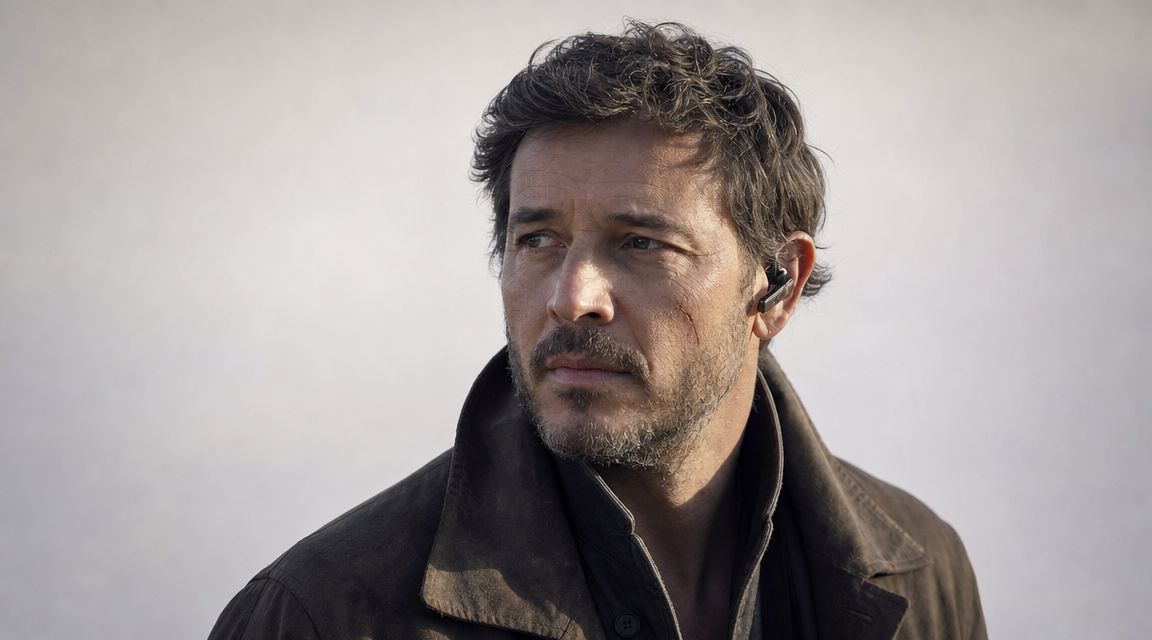
The best results come when you think like a storyteller before you write a single prompt. Instead of just asking what your character looks like, successful creators ask who they are. What drives them? What are their fears? What’s their social standing?
This process is a lot like building a character for a tabletop RPG, where every stat represents a piece of who that person is. AI generators use a similar logic, piecing together your descriptions to build a structured model of an individual.
The goal is to move beyond a generic description like "handsome man" and toward a detailed profile like "a weary, 40-year-old detective with kind eyes, a salt-and-pepper beard, and a coffee stain on his rumpled shirt." That level of detail is what the AI needs to work with.
To get there, you need to define a few core elements first. This framework gives the AI a strong foundation to build upon.
Here are the essential traits to lock down before you start generating. Think of this as your character's blueprint.
| Trait Category | Examples | Why It Matters for AI |
|---|---|---|
| Core Identity | Age, occupation, personality (e.g., cheerful, cynical, brave) | These high-level concepts guide the AI's choices for expression, posture, and overall mood. |
| Visual DNA | Unchanging physical features like eye color, distinct scars, specific hairstyle, or a prominent mole. | These are the "anchor points" that ensure consistency across different images and scenes. |
| Environmental Context | The world they inhabit (e.g., fantasy, sci-fi, modern city), which influences their clothing, gear, and even their expression. | This tells the AI what style of clothing, background, and lighting is appropriate for the character. |
By defining these elements before you even touch the prompt box, you’re setting yourself up for success. This preparation is the key to creating not just a single great image, but a truly believable and consistent character.
If you need a little more inspiration, check out our guide on how to design a character using AI for more ideas to get you started.
Before you even think about writing a prompt, remember this: the best AI-generated characters start with a smart human plan. A clear concept is the single most important tool you have. The most realistic portraits don't happen by accident; they come from giving the AI specific, thoughtful details to work with.
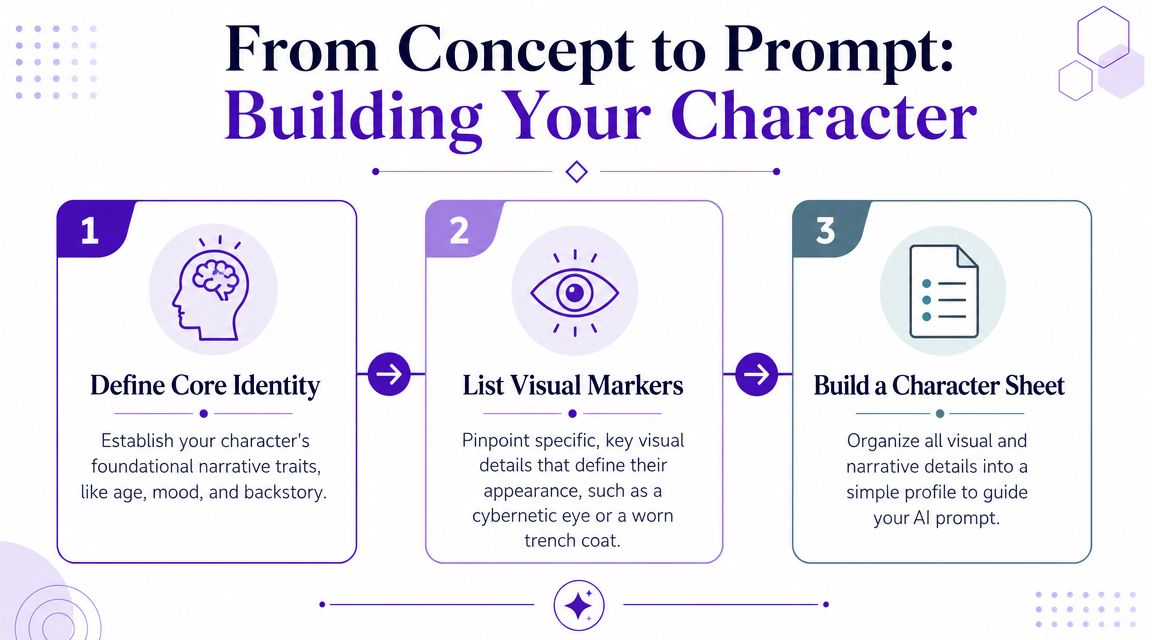
Think of this as building a simple character sheet. You’re focusing on the visual and story-based details that an AI can actually understand and turn into art.
Let's say we're designing a character for a cyberpunk story. The first move is to list their core traits. Don’t just think "detective"—get specific. This small step is what turns a generic idea into a person.
Here’s a quick profile for our detective:
This profile gives an AI like starryai concrete details to lock onto. "Late 40s" tells it what kind of facial structure to aim for, while "worn-out trench coat" is a direct instruction for clothing. These are the building blocks of a powerful and targeted prompt.
The most compelling characters feel real because they are flawed and specific. A character's history, personality, and even their future potential contribute to their visual believability.
Modern character design often thinks about a character's entire journey, not just how they look in a single moment. Some detailed character templates can track over 100 traits—everything from demographics and behaviors to relationships—which helps create believable, evolving personas. You can learn more about building these deep profiles from writing experts.
This prep work is what separates a generic AI image from a true character portrait. By taking a few minutes to build out your concept first, you set yourself up for success and make sure the final images are true to your vision.
Okay, you’ve got your character concept fleshed out. Now it's time to translate those ideas into a language the AI can actually work with. The secret to a great prompt isn't finding some magic formula; it's about giving the AI clear, layered instructions so it has no choice but to generate something close to what you're picturing.
A solid prompt structure usually follows a simple path: [Subject] + [Key Visuals] + [Mood & Action] + [Art Style]. Each piece adds a new layer of detail, guiding the AI and leaving less to chance. Think of it like giving a film director a shot list—the more specific you are, the better the final cut.
Let's stick with our cyberpunk detective. A weak prompt like "cyberpunk detective" is a gamble. A strong one, however, leaves almost nothing to interpretation.
The foundation of your prompt is always the subject. Start with a direct, clear description, then layer on the visual details, actions, and stylistic choices that make your character unique.
Putting it all together, you get a prompt that gives the AI a complete blueprint: "A world-weary private investigator in his late 40s with a subtle red glowing cybernetic left eye, wearing a worn-out trench coat, disheveled salt-and-pepper hair, and a permanent five-o'clock shadow. He stands under a flickering neon sign in a rain-slicked alley, looking determined. Photorealistic, cinematic lighting, high detail, 8K."
Telling the AI what you want is only half the battle. You also have to tell it what you don't want. This is where negative prompts become your most powerful tool for cleanup. They help you get ahead of common AI mistakes and push the image away from generic or goofy results.
The infographic below shows how all these details come together at the end of a thoughtful character-building process.
For our detective, a smart negative prompt might be: extra fingers, generic fantasy armor, smiling, clean, cartoon. This simple line prevents a lot of headaches and keeps the final image grounded, specific, and true to your original vision.
If you’re generating visuals for a specific business use, like merchandise, you’ll find that a whole ecosystem of AI tools can work together. Exploring a good guide to building your POD AI stack can show you how image generation fits into a larger workflow.
Getting comfortable with both positive and negative prompts will completely change your results. For a deeper dive, our dedicated guide on crafting effective AI art prompts is packed with more strategies.
Your first image is a conversation starter, not the final product. The real skill in using a realistic character creator is learning how to guide the AI, turning that initial draft into something that truly matches your vision.
This isn't about throwing away your work and starting over. It’s about making small, smart adjustments. You’re the art director, and with each tweak, you're steering the AI closer to the character in your head.
Take a hard look at your first result. Is the "worn trench coat" looking more like it just came off the rack? Does the cybernetic eye feel more like a toy than a piece of advanced tech? These are your cues for refinement.
Small prompt changes can have a huge impact. For example, changing "cybernetic eye" to "a subtle, glowing red optic implant recessed into the socket" gives the AI much clearer, more specific instructions. It moves the concept from generic to intentional.
Think about adding texture and story with your words:
Instead of: worn-out trench coat
Try: frayed and dirt-stained trench coat, missing a button
Instead of: disheveled hair
Try: greasy, unkempt black hair matted with rain
These tiny edits give the AI more to work with, helping it produce a character that feels authentic instead of assembled from a kit of parts. The trick is to focus on one or two details at a time.
Iteration is about closing the gap between what you imagined and what the AI delivered. It's a skill you develop with practice, learning which words trigger the best and most consistent results from the model.
Once an image is 90% of the way there, it's time to explore variations. Instead of writing a new prompt from scratch, you can use an existing image as a base. Many tools, including starryai, let you generate variations that keep the character's core features while trying out slightly different poses or expressions.
Generate a handful of options and see which one best captures your character’s personality. This is far more efficient than starting from zero every time.
Finally, when you have an image you love, upscale it. This sharpens the image, increases its resolution, and brings out the finer details. Upscaling is what turns your concept into a high-quality portrait ready for a book cover, social media profile, or game avatar, adding that final layer of professional polish.
A character that works for a gritty fantasy novel cover won't have the same feel as one designed for a trending TikTok post. This is where the real creative leverage comes in. Once you've locked in your core character, you can adapt them for any platform or audience simply by swapping out your style prompts.
Think of it as directing a photoshoot. The model (your character) stays the same, but you change the lighting, wardrobe, and mood to fit the context. A social media post might need a grainy, vintage film look, while a t-shirt design demands clean, graphic lines. Each platform has its own visual language.
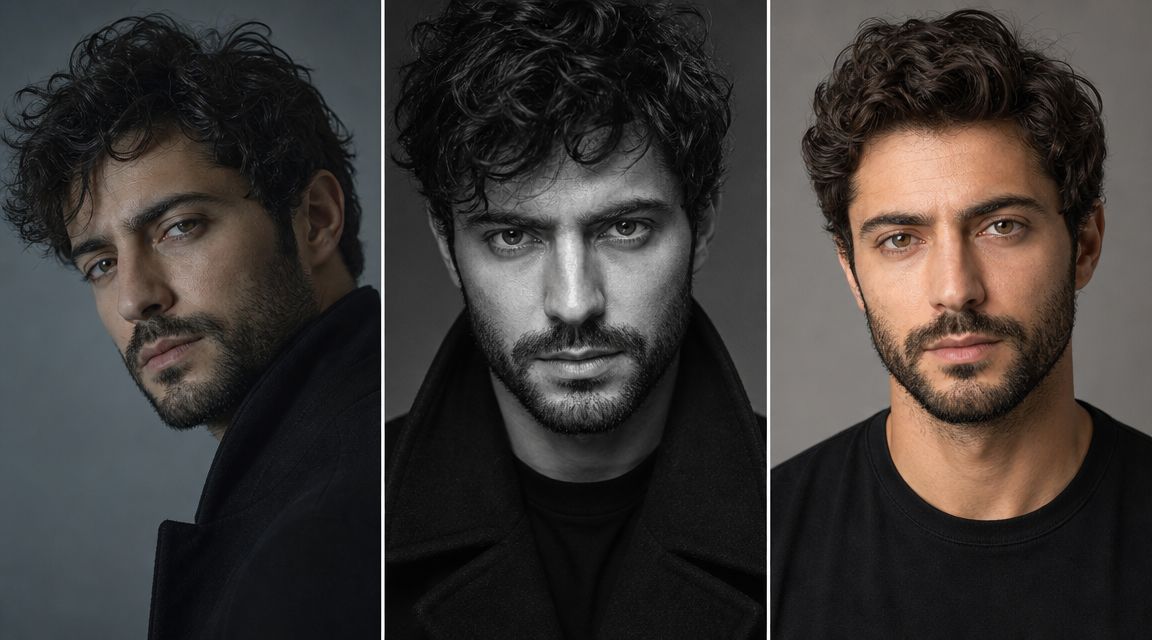
Let’s put this into practice. We'll take a single character and see how we can change their visual presentation for different goals using starryai. The foundational character prompt remains constant; we only adjust the style keywords to fit the specific need.
grainy film photo, moody cinematic lighting, shallow depth of field, vintage lens flare. This creates an instant, recognizable vibe.dramatic digital oil painting, chiaroscuro lighting, rich textures, epic fantasy art to give your character a powerful, narrative-driven presence.clean vector illustration, minimalist design, solid color background, graphic tee design.The core character is consistent, but their presentation is completely transformed. This method lets you get the most out of a single concept, creating a whole suite of visuals for different parts of your brand or project.
Once you have these amazing visuals, the next step is getting them out into the world. It’s worth studying how freelancers build online presence because a strong portfolio is what turns creative work into professional opportunities.
This adaptability is also perfect for creating smaller assets, like profile pictures. You could generate a whole gallery of your character with different expressions and moods, building a complete visual identity. We cover how to get consistent headshots in our guide to the AI profile picture maker. By mastering a few key style prompts, you can make one character work everywhere you need them to.
When you're trying to coax a consistent, unique character out of an AI, a few common questions always pop up. Here are some quick answers to the hurdles you’ll likely face when using a realistic character creator.
If you’re getting generic-looking people, it’s almost always because you’re using generic prompts. To get a truly unique character, you have to push the AI away from its default clichés with specific, personal details.
Don't just ask for a "fantasy warrior." Get granular. Think about their story. Try something like, "an aging elven warrior with a chipped obsidian sword, wearing leather armor patched with wolf fur, standing in a misty swamp at dawn." Details about their history, gear, and emotional state are what make a character feel one-of-a-kind.
This is the big one. Consistency is what sells a character across multiple images. While AI models don't have a "lock character" button yet, you can get incredibly close by reusing the same hyper-detailed prompt every single time.
Think of it as creating a "facial DNA" for your prompt. Be ruthless with the details. Always include core descriptors like, "45-year-old woman with a sharp jawline, piercing hazel eyes, and a small, faded scar on her left eyebrow." The more specific that core description is, the better the AI becomes at recreating it. It also helps to generate a few options each time and just pick the one that feels closest to your vision.
Can I Use the Characters I Create for Commercial Purposes?
Absolutely. With starryai, you own the rights to the images you generate. This means you’re free to use your characters on book covers, for merchandise, in marketing campaigns, or for any other commercial project. While it's always smart to check the latest terms of service, the platform is built to empower creators. This is a huge deal for indie authors, Etsy sellers, and small businesses.
Ready to bring your own characters to life? Create stunning, unique portraits in seconds with starryai. Start generating for free today!
Produced via Outrank tool


.svg)