

Written by Mo Kahn on
July 1, 2026


You type something simple like “beautiful fantasy girl in a forest,” hit generate, and get back an image that feels close, but not quite yours. The pose is off. The mood is bland. The lighting looks random. The face has that uncanny almost-right feeling that makes you want to start over from scratch.
That frustration is usually not a creativity problem. It's a direction problem.
For visual creators, prompt engineering for beginners isn't about learning to code. It's about learning how to art direct with words. When you can describe subject, style, mood, framing, and visual priorities clearly, AI image tools stop feeling magical and start feeling usable. That's when your ideas turn into repeatable results instead of lucky accidents.
Prompt engineering is the difference between saying “make me something cool” and handing over a creative brief that a designer could use.
IBM describes prompt engineering as the process of writing, refining, and optimizing inputs to produce specific, high-quality outputs, and both IBM and Microsoft now treat it as a formal fundamentals topic in mainstream AI education, which tells you this is a learnable skill, not a mysterious talent reserved for technical people (IBM on prompt engineering). For artists and creators, that matters because it reframes the work. You're not begging the machine for inspiration. You're directing it.
A lot of beginners think the tool is unpredictable when the core issue is that the instruction is vague. If you ask for “a cool portrait,” the model has to guess your style, your mood, your camera angle, your color palette, your level of realism, and what “cool” even means. If you've ever wondered what an AI image actually is, that gap between your intention and the model's interpretation is where prompt engineering lives.
A strong prompt works like a mood board compressed into language.
That's why prompt engineering belongs to visual work just as much as copywriting. The same clarity that improves image prompts also improves written creative briefs, social captions, and campaign concepts. If you want a useful parallel, ChurchSocial.ai's approach to AI copywriting shows the same underlying lesson. Better inputs produce more usable outputs.
Here's the simplest way to understand this:
Once you see prompts as direction, the whole process gets less intimidating. You stop hoping for magic and start building images on purpose.
A powerful image prompt usually stands on three supports: context, constraints, and detail. If one is missing, the result often feels flat or confused. If all three are present, the image has a much better chance of looking intentional.
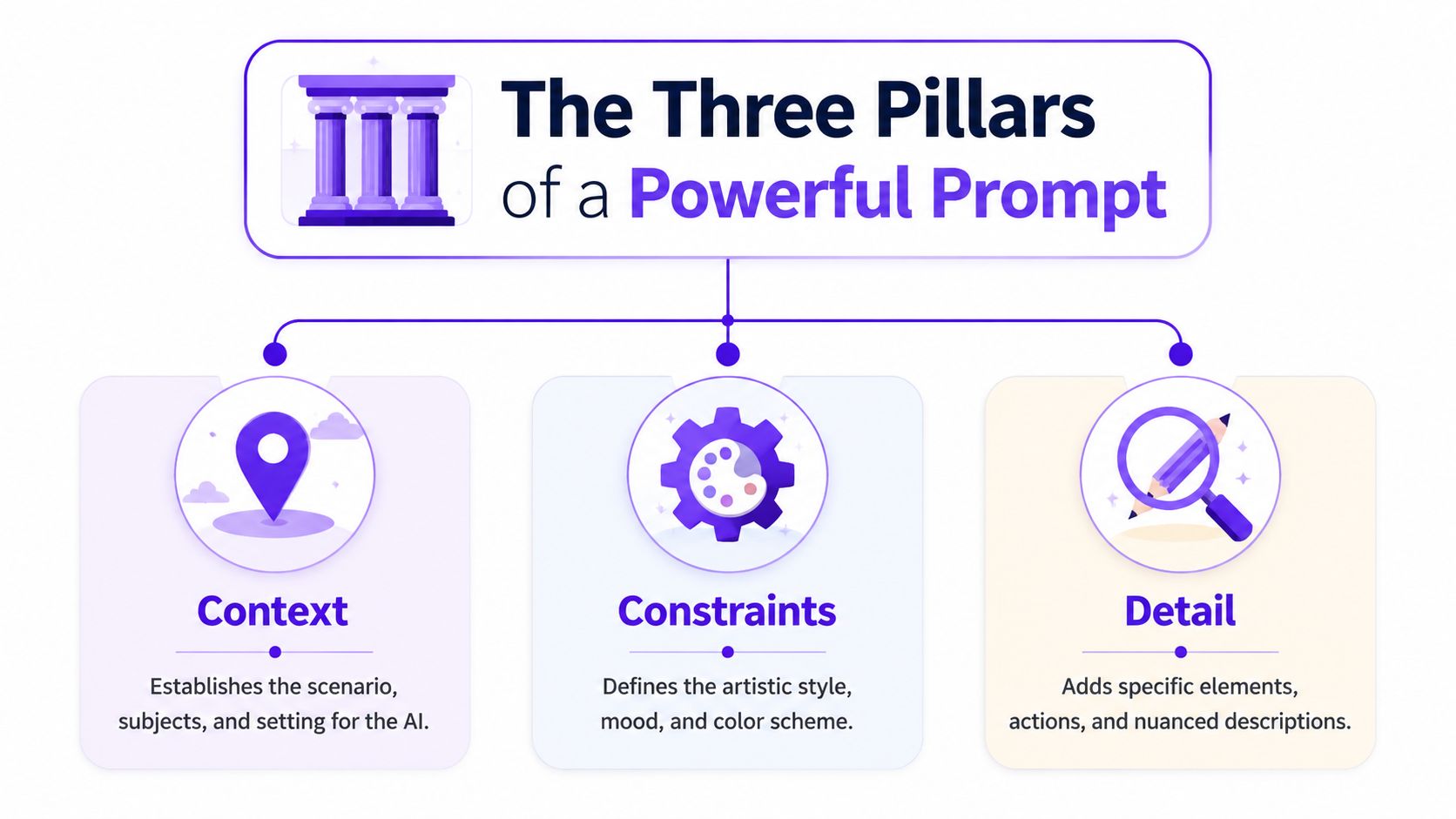
Context answers the basic visual questions: Who's in the image? What's happening? Where are we?
If you skip context, the model fills in the blanks with average choices. That's why “woman portrait” often turns into a generic face on a plain background. Compare that with something grounded: “young violinist standing alone on a rain-soaked rooftop at night, city skyline behind her.”
That second version gives the model a stage to work on.
Think like a photographer scouting a location:
Constraints are the art direction. They tell the model what kind of image this should be instead of leaving style up to chance.
Useful constraints include:
A prompt without constraints can be technically correct and still aesthetically wrong. You asked for a castle, and yes, you got a castle. But did you want fairytale softness or brutalist darkness? That's your job to specify.
Practical rule: If the image is accurate but ugly, your constraints are too weak.
Detail is where the image stops being generic and starts feeling authored. This isn't about stuffing the prompt with every adjective you know. It's about adding selective specifics that create identity.
A few examples of useful detail:
| Detail type | What it adds |
|---|---|
| Texture | velvet cloak, cracked stone, glossy latex, windblown hair |
| Small objects | silver rings, hanging lanterns, scattered tarot cards |
| Atmosphere | drifting fog, falling petals, sparks in the air |
| Time cues | sunrise haze, midnight rain, late autumn afternoon |
Detail works best when it supports the image's main idea. If your subject is a futuristic biker in a desert, “chrome visor reflecting orange dunes” helps. Random extras don't.
For creators using tools like starryai prompt ideas for AI art, this three-part check becomes a reliable habit. Before you hit generate, ask yourself: Did I define the scene, direct the style, and add a few memorable specifics?
That alone can change the quality of your results.
Most beginners don't need a giant system. You need two clean frameworks you can use right away: zero-shot and few-shot prompting.
PromptingGuide identifies both as core beginner techniques, with zero-shot meaning you ask the model to do a task without examples, while few-shot adds demonstrations to improve quality and consistency (PromptingGuide basics).
Start with the first one when your visual goal is straightforward.
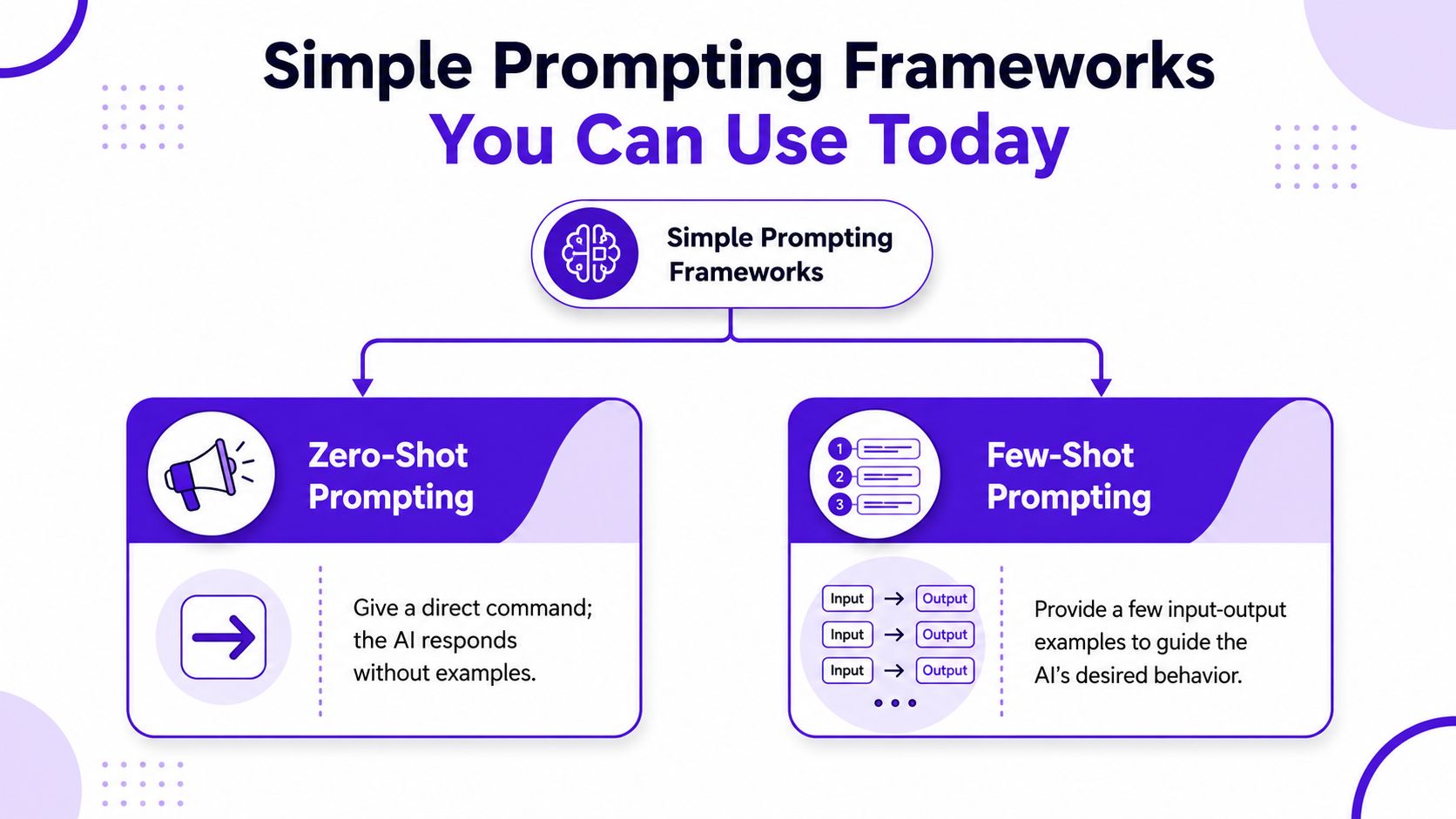
Zero-shot prompting is simple direction with no examples.
Template:
Example:
“Create a cinematic portrait of a cyberpunk dancer in a rainy alley, neon pink and blue lighting, reflective pavement, wet hair, dramatic close-up, moody atmosphere.”
This framework is great for:
A quick visual explainer can help if you want to see prompting ideas in action:
Few-shot prompting becomes useful when the model keeps giving you almost-right images, but not in the same voice. Instead of only describing what you want, you show patterns.
For visual creators, few-shot prompting can look like mini examples of the aesthetic you want described in words.
Template:
Few-shot is useful when you need:
Use zero-shot for discovery. Use few-shot for direction.
If you're ever unsure which one to choose, ask yourself one question: “Am I exploring an idea, or am I trying to lock in a style?” That answer usually tells you the framework you need.
Advice becomes real when you can see how a vague prompt turns into a useful one. The easiest way to learn prompt engineering for beginners is to watch the upgrade happen.
A lot of image tools also borrow ideas from adjacent AI creative workflows. If you're curious how text, image, and motion are converging, this overview of OpenAI Sora App features gives helpful context for the broader direction of AI visuals.
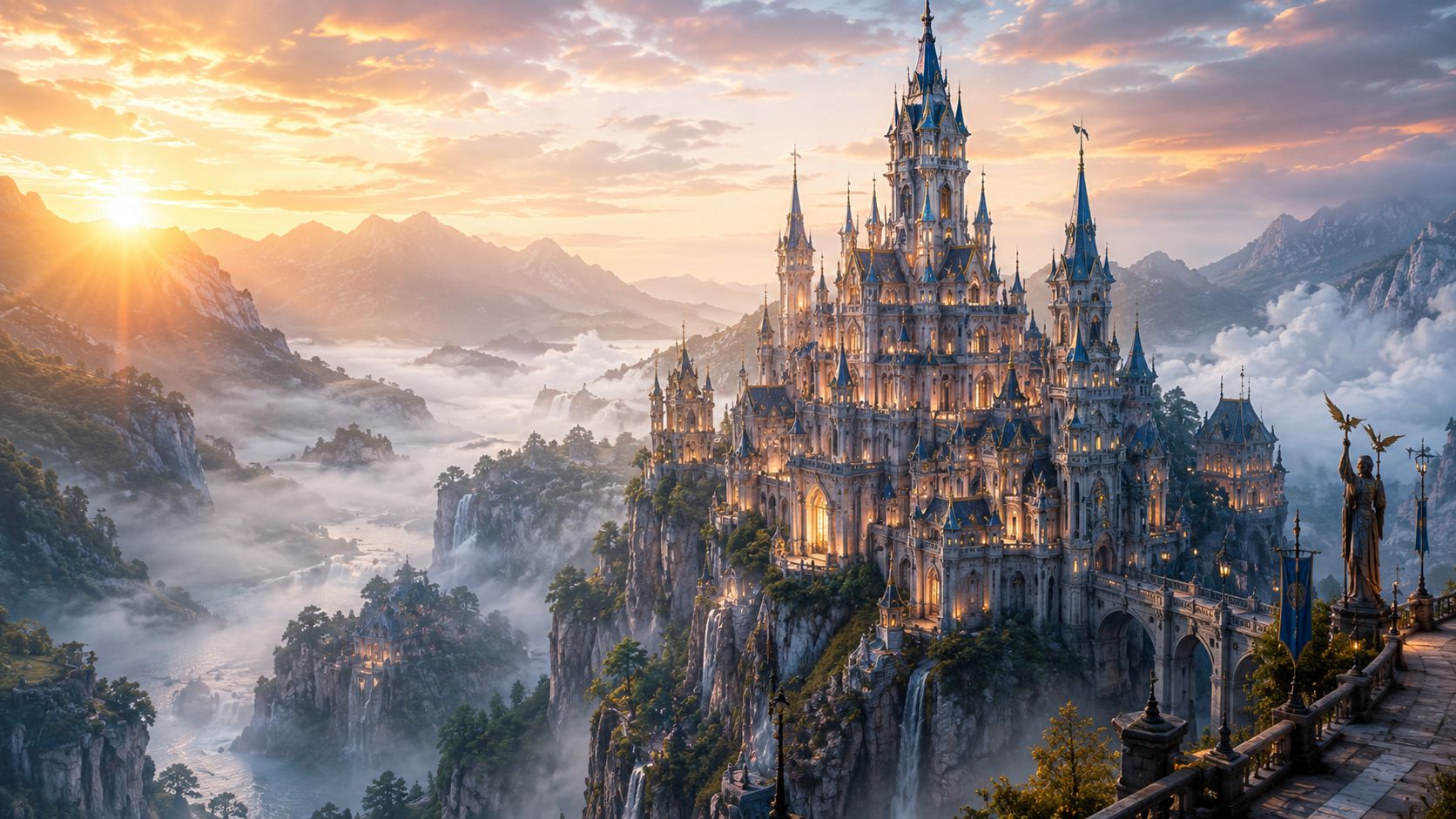
Weak prompt:
“Fantasy castle on a mountain”
That will probably generate a castle. It may even look decent. But it won't necessarily feel grand, emotional, or original.
Stronger prompt:
“You are a professional concept artist. Create an epic fantasy castle built on a sharp mountain peak at sunset, surrounded by waterfalls and glowing clouds, wide cinematic composition, luminous golden sky, ancient stone towers, mist in the valley, detailed matte painting style.”
Why this works: role-setting matters. LLMFoundry reports that role-setting can boost output relevance by 25% compared to neutral prompts (LLMFoundry on role-setting). In plain terms, giving the model a job title like “professional concept artist” helps point it toward the right kind of visual decision-making. The rest of the prompt defines composition, lighting, atmosphere, and style.
Weak prompt:
“Cool selfie for TikTok”
The problem isn't that the prompt is short. The problem is that “cool” means nothing precise.
Try this instead:
Stronger prompt:
“Create a dreamy social media selfie aesthetic, close-up portrait, glossy skin, soft flash photography, silver accessories, icy blue makeup, blurred nightclub lights in the background, editorial beauty look, high contrast, confident expression.”
Notice the shift. The improved version gives the model visual references it can translate: flash photography, accessories, makeup, background lighting, expression, and editorial tone.
A useful trick here is to specify output constraints in your own words. You can tell the model what kind of image you want it to behave like: close-up portrait, beauty editorial, phone-camera style, wide campaign banner, square poster art.
If the result feels generic, the fix usually isn't “more words.” It's better visual decisions.
Weak prompt:
“Female mage character”
That usually leads to a standard fantasy figure with random costume choices.
Stronger prompt:
“You are a fantasy character designer. Create a full-body portrait of a young desert mage carrying a brass astrolabe, layered linen robes, sun-bleached palette, windblown scarf, amber eyes, intricate embroidery, standing in a sandstorm, art nouveau influence, elegant linework, poster-like composition.”
This version does three important things:
If you want to practice this kind of prompt-building in an image workflow, making AI images with prompt-based controls gives you a direct place to apply the same habits.
When a prompt fails, don't read that as proof you're bad at it. Read it like a sketch that needs revision.
IBM's benchmark guidance warns about over-prompting. Prompts over 150 words often see a 15% drop in model coherence, while concise prompts under 80 words tend to perform better in generative AI applications (IBM benchmark guidance on prompt length). That matters because beginners often pile on extra language every time the model misses the mark.
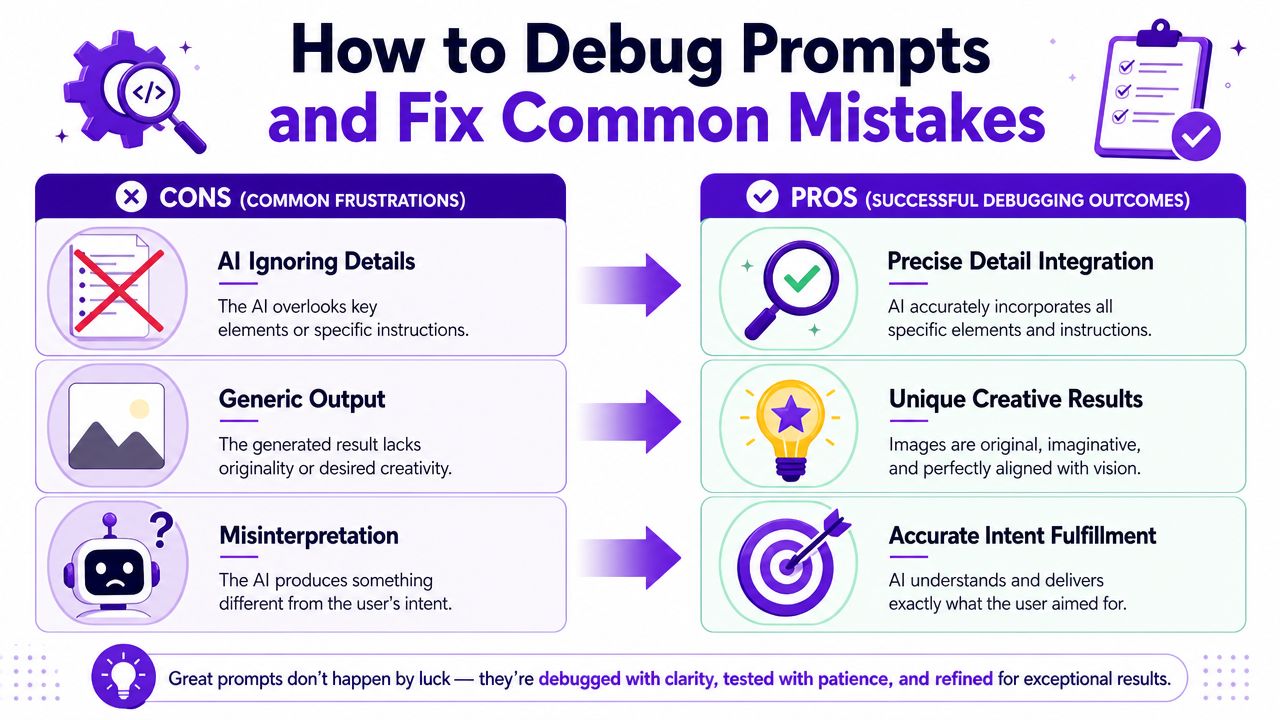
This usually means the prompt has no clear hierarchy. You may have described five interesting things, but the model can't tell which one matters most.
Fix it by moving the priority subject to the front.
Lead with the subject. Then support it.
This often happens when the prompt mixes too many aesthetics. “Photorealistic anime watercolor cinematic oil painting” sounds rich, but it gives conflicting instructions.
Try this cleanup process:
Editing advice: Shorter prompts often make stronger pictures because the visual intent stays sharp.
Some combinations can work beautifully, but others pull the model in opposite directions. A delicate pastel children's-book style may clash with a horror creature brief unless you intentionally want that contrast.
Use a simple diagnostic table:
| Problem | Likely cause | Fix |
|---|---|---|
| Face looks uncanny | Too many realism cues plus stylized descriptors | Choose either stylized portrait or photoreal portrait |
| Important object disappears | Buried among less important details | Move the object earlier in the prompt |
| Scene feels random | No setting or composition guidance | Add location and shot type |
| Image looks bland | Strong subject, weak art direction | Add lighting, palette, and mood |
Most prompt debugging is just subtraction. Remove noise, strengthen intent, regenerate, and compare. That process teaches your eye faster than writing longer and longer instructions.
The fastest way to get good is to stop reading and make three images today.
Try these as creative exercises, not tests. Each one forces you to make clearer decisions.
Take a familiar subject and shift the visual language completely.
Example idea:
“A modern sneaker ad in the style of a Renaissance oil painting.”
Your goal is to control contrast between subject and style without losing clarity.
Create something that looks believable even though it couldn't exist.
Example idea:
“A photorealistic jellyfish floating through a subway station at rush hour.”
Focus on setting, lighting, and physical detail. The stranger the concept, the more grounded the prompt should be.
Design one person whose outfit, props, and environment reveal who they are.
Example idea:
“A retired monster hunter running a candle shop in a rainy coastal town.”
Give that character a profession, a mood, a texture palette, and one object that hints at their past.
The deeper lesson is knowing when to stop tweaking the wording. Prompting is for guidance, but it can't override the model's training or solve every workflow problem. At some point, the better move is to switch the input image, change tools, simplify the task, or try a different approach, which is exactly the beginner boundary that CodeSignal emphasizes in its discussion of prompt engineering limits (CodeSignal on when prompting stops helping).
Keep the mindset simple. Write like an art director. Edit like a photographer. Judge results like a designer.
If you want a hands-on place to practice, starryai gives you a prompt-based way to turn text, selfies, and visual ideas into images you can refine through iteration. Start with one of the challenges above, keep your prompt clear, and treat each generation like a draft, not a final verdict.


.svg)