

Written by Mo Kahn on
July 22, 2026


You're probably doing what most creators do the first time they try to make an anime avatar. You open a generator, upload a selfie, type “anime girl” or “cool anime boy,” and get something that looks decent for one post but falls apart the moment you want a second pose, a new trend style, or a version that still looks like you.
That's the fundamental gap. A one-off anime portrait is easy. A reusable character is harder. If you want an avatar for TikTok, Discord, YouTube, Etsy mockups, RPG profiles, or a personal brand, you need a workflow that holds identity together while still letting the style shift when trends change.
A fresh anime avatar does a lot of work fast. It gives you a recognizable face online, softens the awkwardness of posting your real photo everywhere, and lets you shape how people read your personality before they even click.
That's one reason the category keeps expanding. The global AI Anime Generator Market was valued at USD 91.56 billion in 2024 and is projected to reach USD 667.68 billion by 2032, and individual creators held a 47% revenue share because demand keeps rising for personalized avatars across social media, gaming, and VTuber content, according to SNS Insider's AI anime generator market report. This isn't a niche hobby anymore. Creators are driving it.
The modern creator stack isn't just camera, captions, and edits. It includes a visual identity that can travel across platforms. A good anime avatar works as a profile image, a pinned intro graphic, a reaction sticker, a thumbnail element, and a recurring face in short-form content.
That's why collectors, fandom builders, indie authors, and gaming creators keep converging on the same visual logic. The instinct behind making an avatar isn't that different from collecting superhero lore memorabilia. In both cases, people are building identity through recognizable visual worlds, symbols, and character cues.
A strong avatar isn't just “pretty art.” It's a shorthand for taste, tone, and belonging.
If you want a quick sense of how profile-picture workflows have evolved around AI-generated identity, this AI profile pic guide is useful background. The important part is knowing what most basic guides miss. They show you how to make one nice image. They don't show you how to build a character system.
A creator who can make one anime avatar has a graphic. A creator who can make the same character repeatedly has a brand asset.
That difference matters when you want:
That's the standard worth aiming for. Not random outputs. Controlled variation.
Most bad anime avatars start with a bad source image. The generator isn't guessing your face from scratch. It's translating the raw material you hand it. If the photo is muddy, cropped badly, or full of visual noise, the result usually inherits those problems.
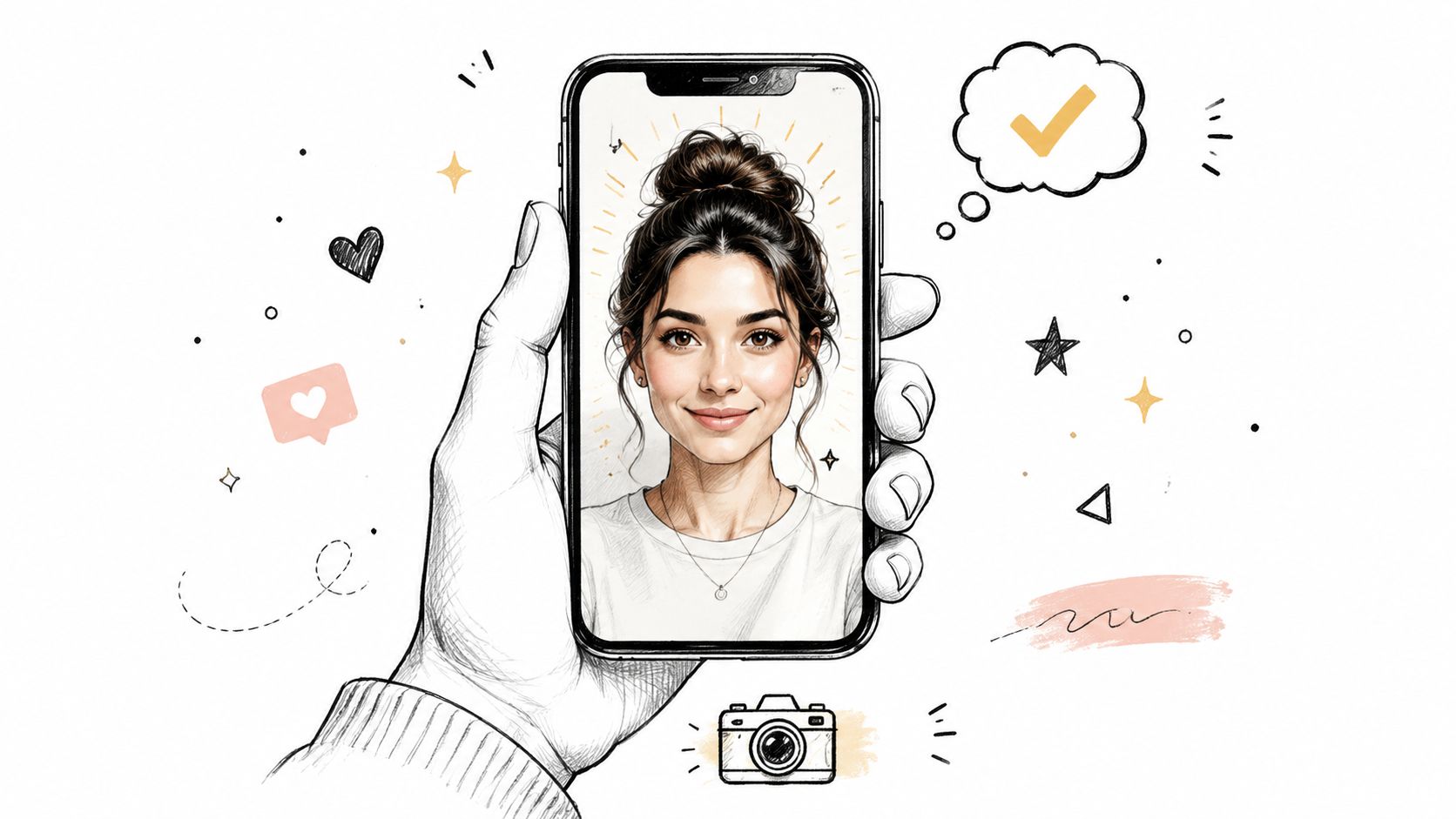
Use a photo that makes your face easy to read in one glance. That means soft light, a visible jawline, and eyes that aren't hidden by hair, sunglasses, or hard shadow.
A strong source photo usually has:
Here's the simplest way to judge whether your photo is usable.
| Photo type | What happens in generation |
|---|---|
| Clear headshot near a window | Cleaner eyes, stronger face shape, better anime line placement |
| Neutral selfie with tidy background | More flexible for multiple styles later |
| Blurry mirror shot | Soft features turn into generic face design |
| Group photo crop | Hairlines, ears, and face shape often distort |
| Heavy filter selfie | The AI may copy the filter logic instead of your real features |
Practical rule: If a stranger couldn't describe your face accurately from the selfie, the generator probably can't either.
A lot of people pick their most dramatic photo. That's fine if you only want one moody portrait. It's not fine if you want a reusable avatar that can move between kawaii, dark fantasy, retro anime, and glossy TikTok edits.
For flexible results, use:
Keep your dramatic photos for later experiments. Your base image should be plain enough to survive style changes.
The fastest way to get bland output is to treat prompting like a slot machine. Good anime avatars come from prompt structure. You need a foundation, then controlled layers.
A useful advantage here is preset selection. starryai provides over 1,000 style presets including anime categories, cyberpunk, watercolor, and oil painting, which lets you choose a named style directly in the interface instead of relying only on generic descriptors, as noted in this starryai preset overview.
Pick the visual lane first. Don't begin with twelve aesthetic ideas mashed together. Start with one base such as anime, cyberpunk, watercolor-anime, fantasy manga, or retro cel style.
That base acts like the art director. Then you add character-level instructions on top of it.
Good base prompt ingredients:
If you want to sharpen your prompt logic before you generate, this prompt engineering for beginners guide is a solid companion.
The most reliable structure is simple:
Identity anchor
State who the character is in plain language. Example: anime portrait of a confident young woman with short black hair.
Expression and pose
Add emotional direction. Smirking. Calm gaze. Slight head tilt. Looking at camera.
Style treatment
Specify the visual finish. Cel shaded. Glossy eyes. Soft neon rim light. 90s anime palette.
Wardrobe or theme
Put the character in a world. Streetwear hoodie. fantasy armor. Magical girl ribbons. Space pilot jacket.
Background discipline
Keep it tight. Simple gradient background. Tokyo night lights. Soft pastel backdrop. Avoid clutter if it's for profile use.
Emoji prompts can help as shorthand for tone when a tool supports them. A sparkles cue can push glam polish. A fire cue can lean hotter, high-energy color treatment. Use them lightly. They work best as modifiers, not substitutes for actual prompt language.
The prompt should tell the model what must stay stable and what can change. Identity stays. Styling rotates.
For visual research, manga and anime art books are still useful because they train your eye on silhouette, costume language, and facial simplification. If you want a reference source with a broad range of influences, Shop TASCHEN art books at POPvault is worth browsing.
| Desired Style | Example Prompt |
|---|---|
| Fantasy hero | anime portrait of a determined young hero, sharp eyes, layered dark hair, ornate fantasy cloak, subtle gold accents, cel shading, dramatic soft light, clean background |
| Cute kawaii | kawaii anime avatar, soft blush, round eyes, pastel pink and lavender palette, cheerful smile, glossy highlights, cozy sweater, simple background |
| Dark sci-fi protagonist | cyberpunk anime portrait, serious expression, violet neon glow, black tactical jacket, reflective eyes, futuristic city lights, crisp linework |
| Retro 90s look | 90s retro anime portrait, bold cel shading, saturated colors, wind-swept hair, confident grin, simple graphic background |
| Dreamy book character | anime-style character portrait, thoughtful expression, soft iridescent hair, painterly glow, elegant outfit, magical twilight background |
| Gamer profile icon | anime avatar for profile picture, centered face, intense eyes, hoodie, cool blue highlights, clean line art, minimal background |
A practical trade-off matters here. The more effects you stack into one prompt, the less stable the face can become. If likeness matters, keep the styling strong but controlled.
Users don't need a long production pipeline. They need a fast sequence that gets them from selfie to usable avatar without losing control of style.
Start by uploading the clean selfie you selected earlier. Then use the editing workflow that combines image input with text direction. That combination matters because the photo carries identity while the prompt carries genre, mood, and finish.
A simple working sequence looks like this:
One good orientation resource for the interface is this quick-start guide for the app. It helps if you want a quick visual walkthrough before testing your own prompt variations.
Aspect ratio changes the feel of the avatar more than people expect. A square crop usually works better for profile pictures because it centers the face and keeps recognition high at small sizes. A tall crop works better if you want the same character for story posts, covers, or vertical content.
Use this rule of thumb:
Here's a video reference if you prefer seeing a live workflow in action:
Don't chase perfection on the first run. Generate a small batch, compare face stability, then tighten the prompt. That's faster than trying to write one genius prompt upfront.
The first generated image is rarely the final asset. It's the sketch with good bones. The professional-looking version usually comes from refinement.
Sharpness, edge clarity, hair detail, and small facial features often improve after a second pass. That's where upscaling and cleanup matter.
In starryai, the Enhance feature increases image resolution and adds detail, and enhanced images are stored for exactly 7 days before expiration, according to the platform's Enhance feature FAQ. That storage window matters if you're comparing versions for merch, thumbnails, or social uploads. Download your preferred file before it expires.
A practical finishing checklist:
If the image already works at thumbnail size, enhancement usually makes it publishable. If it fails at thumbnail size, enhancement won't fix the concept.
Many creators waste time when they generate an anime avatar, then try to convert that anime image into a different anime style. The result often keeps old line art, old shading logic, or visual residue from the first look.
The cleaner method is to go back to the original selfie and re-prompt from there. That keeps the identity anchor while allowing the style to reset.
Use the generated anime image as reference for:
But use the original photo when you want to shift from soft shoujo to cyberpunk, or from painterly fantasy to clean cel-shaded TikTok aesthetics.
For exports, keep one high-resolution file for print or product use, then create smaller compressed versions for profile platforms. If you plan to sell merch or listings, check the tool's terms for commercial use before publishing.
A lot of people think they only need one perfect image. That assumption breaks the moment they want the same character smiling in one post, serious in another, and full-body in a third.
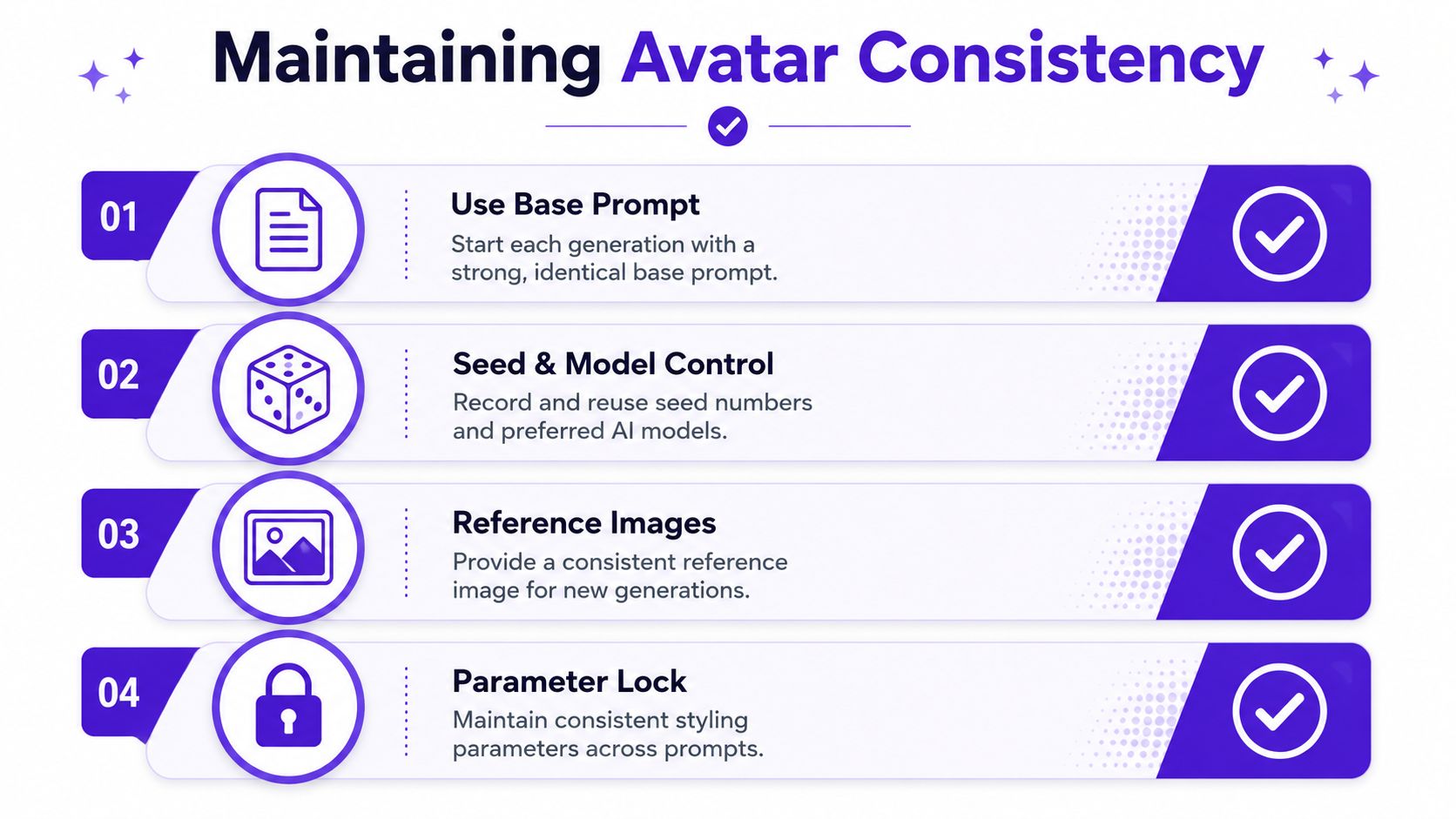
AI image tools often drift. Hair length shifts. Eye shape changes. The jaw gets narrower or wider. A hoodie turns into a coat. The image might still look good, but the character stops feeling like the same person.
That's why consistency work looks different from one-off generation. You're not just asking for a style. You're teaching the system the identity boundaries of the character.
Expert guidance for character consistency recommends generating over 20 variations of the character from different angles before final creation, and benchmark data indicates that skipping this step causes a 40% higher failure rate in consistency, as described in this character consistency walkthrough.
That sounds like extra effort, but it saves time once you're making repeat content.
A usable process looks like this:
Lock the base prompt
Keep the same face description, hair description, and core mood words.
Generate angle variations first
Don't start with wildly different scenes. Build a bank of front, three-quarter, slight profile, and expression variants.
Pick the most stable features
Identify what must remain fixed. Eye color, fringe shape, chin length, signature accessory, jacket silhouette.
Expand into new scenes only after identity holds
Once the face stays recognizable, then move into fantasy, romance, sci-fi, or trend-specific versions.
A reusable avatar is really a character sheet in disguise.
Creators making TikTok story arcs, indie book moodboards, and RPG party art all run into the same issue. The viral look matters, but recognition matters more. If viewers can't tell it's the same character, the content loses continuity.
That's the difference between random anime output and a workable avatar system. One gets likes for a day. The other supports an ongoing creative identity.
If you want a fast way to turn selfies and prompts into anime-style avatars you can keep refining for social, storytelling, or merch concepts, try starryai. The strongest results come from treating it like a creative workflow, not a one-click trick.


.svg)