

Written by Mo Kahn on
July 1, 2026


You've probably already done the fun part. You typed a wild prompt, watched an image appear in seconds, and thought, okay, this is impressive. Then the key question arose: how do you use an AI image generator to make visuals you can effectively post, sell, pitch, or build into a repeatable content system?
That's where most guides fall short. They teach the first image, not the workflow after it. In practice, you don't need one cool output. You need a way to create a matching set of assets for a TikTok series, a book cover shortlist, product mockups, or a month of social posts without starting from zero every time.
You generate a strong first image, post it to the team chat, and everyone likes it. Then the actual job starts. You still need three more variations for a carousel, a vertical crop for Stories, a cleaner version for paid social, and a second image next week that still looks like the same campaign.
That is why AI image generation needs a workflow, not just a clever prompt. A usable process starts with the asset's job, the visual rules it has to follow, and the record you keep so you can recreate the result later. If you are building inside starryai's AI image generator, that usually means treating each generation as part of a set rather than a one-off experiment.
The tools are already part of everyday creative work. Adobe reported strong adoption of generative AI among creators, and Salesforce with YouGov found broad use among marketers for image assets. Earlier research also pointed to a practical problem: many employees still want clearer guidance on how to use generative AI well at work. A YouTube discussion on production workflow needs made the same point in plain terms. Teams do not usually fail because they cannot get one interesting image. They fail because they cannot repeat the result on demand.
Practical rule: If you cannot describe the image's job in one sentence, stop and define the use case before you generate.
A production workflow usually has five parts:
The shift is small, but it changes the output quality fast. Ask for a visual asset with a role, a format, and a family resemblance. That is how AI images become useful for social media calendars, product marketing, and commercial creative work instead of staying stuck as random nice-looking samples.
You have a campaign due this afternoon. The client wants a square teaser image for Instagram, and they want it to feel premium, on-brand, and ready to test fast. The first generation is where that process starts. Its job is to give you a usable direction you can refine, not a final asset you approve on the spot.
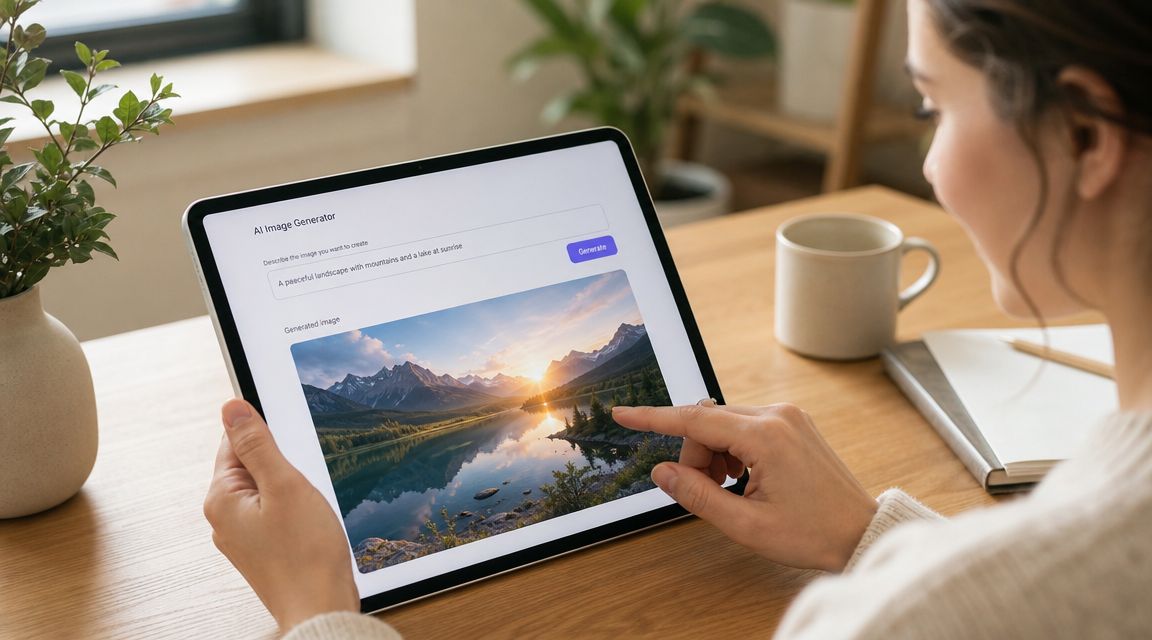
If you want a clean place to begin, starryai's AI image generator keeps the first cycle simple. You enter a prompt, choose a style direction, and get a result quickly enough to judge whether the concept has legs for social content or a commercial draft.
A weak first prompt creates vague output, and vague output is hard to improve. Give the model enough structure to make good visual decisions.
“A magical forest” leaves too much open. “A sunrise forest path with golden fog, cinematic lighting, soft depth of field, detailed leaves” gives the tool a subject, a mood, and visual constraints. That usually produces a stronger first comp.
Use this order when you write:
Good first-test prompts usually fall into three buckets:
Keep the first output in the right role. It is usually a composition draft. You are checking framing, mood, and visual direction before you spend time polishing details, cropping for platform specs, or preparing a commercial final.
Judge the image at full size, not as a thumbnail. A result that looks strong in a feed preview can break apart when you crop it for a carousel, tighten the framing for an ad, or inspect small details.
The first image should answer one question: is this concept worth another round?
Check these three areas first:
This step matters for consistency. If you are building social posts or a product campaign, save any result that gets the mood and structure right, even if small details still need work. It is easier to fix imperfections than to rebuild a strong visual direction from scratch.
If the image is close, revise the prompt with intent. Add one missing attribute. Remove one vague phrase. Clarify the camera feel or lighting. Do not rewrite everything at once unless the concept itself missed the mark.
Here's a quick walkthrough if you want to see the interface in action:
That first cycle teaches more than any feature list. Once you can go from brief to prompt to review with a clear reason for each choice, you stop generating random images and start building assets you can use.
Prompting isn't about finding magic words. It's about reducing ambiguity. The model needs enough direction to know what matters, what can vary, and what should never appear.
Independent guidance on text-to-image workflows consistently points to the same habit: expert users generate multiple variations, revise the prompt based on what's missing, and use contextual cues, style tags, and negative prompts to tighten control, as explained in DigitalOcean's guide to AI image generation techniques.
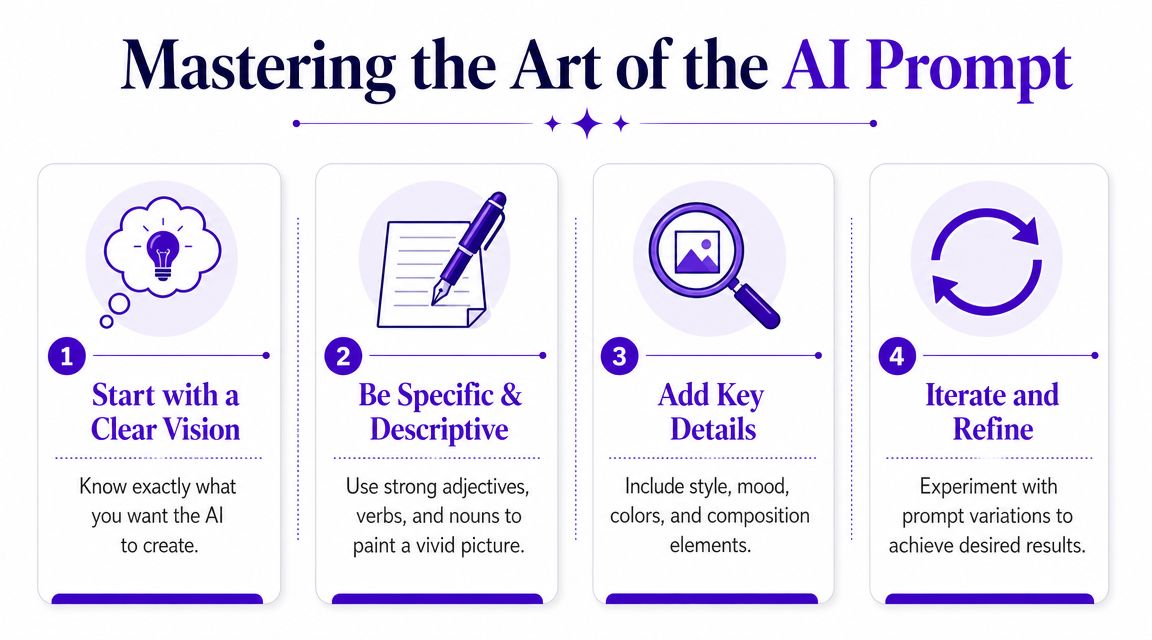
A reliable formula is:
[Subject] + [Action or mood] + [Style or aesthetic] + [Technical details]
That structure works because each part answers a different creative question.
Here's the difference in practice.
Weak prompt:
“Girl in city”
Stronger prompt:
“Young woman walking through a rainy neon-lit street at night, reflective pavement, cinematic photo style, magenta and blue color palette, shallow depth of field, medium shot”
The second prompt gives the model scene logic. It defines environment, lighting, color behavior, and camera feel. That's why it usually returns something more usable.
For deeper prompt examples, starryai's AI art prompt ideas are useful as references when you want to expand beyond basic noun-plus-style prompting.
The prompt should describe what the viewer should feel almost as clearly as what the viewer should see.
When you're working fast, templates beat improvisation. They help you preserve consistency across a batch.
| Use Case | Prompt Formula Template |
|---|---|
| Character design | [Character type] + [pose or expression] + [wardrobe and defining traits] + [visual style] + [lighting/background] |
| Social media post visual | [Subject] + [trend or mood] + [color palette] + [composition for platform] + [clean background or setting] |
| Product mockup | [Product] + [surface or environment] + [brand aesthetic] + [lighting setup] + [camera angle] |
| Book cover concept | [Main subject or symbol] + [genre mood] + [atmosphere] + [composition with space for title] + [style direction] |
| Fantasy avatar | [Character identity] + [world or lore cues] + [armor/clothing/accessories] + [dramatic lighting] + [portrait framing] |
| Etsy print concept | [Theme] + [illustration style] + [palette] + [composition] + [background simplicity for print readability] |
Templates keep teams from drifting. If one image says “soft pastel editorial” and the next says “hyper-detailed cyberpunk realism,” you're not exploring. You're changing briefs mid-project.
Negative prompts help remove common failure modes. They don't fix everything, but they reduce distractions.
Useful negatives often target:
A good revision cycle looks like this:
That's how to use AI image generator tools like a designer instead of a gambler. You're not hoping the machine reads your mind. You're art directing the next round.
Text-only prompts are useful, but personalization changes the game. Once you start from a selfie, a rough sketch, or a reference image, the output becomes less generic and much easier to steer toward something recognizable.
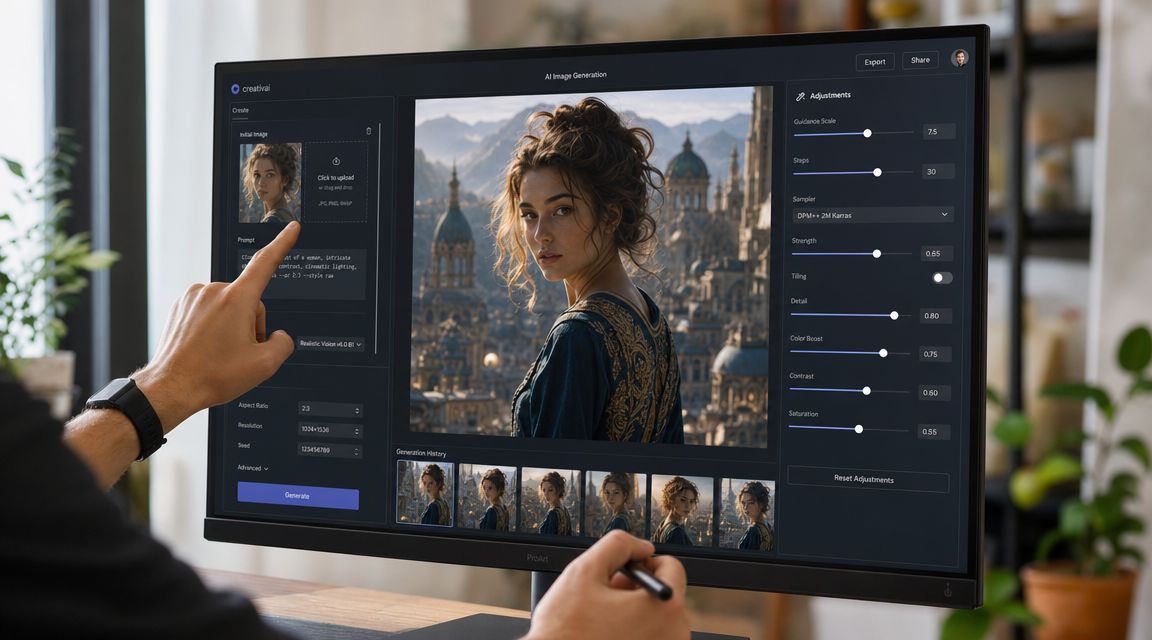
Take a plain front-facing selfie. On its own, it's just source material. Once you feed it into an edit workflow, it becomes the anchor for new styling decisions.
A strong transformation usually starts with a simple source image:
From there, change one major dimension at a time. Maybe you keep the face structure and shift only the world around it: “renaissance oil portrait,” “futurist chrome fashion editorial,” or “dark fantasy character portrait with candlelit shadows.” Or you keep the setting grounded and alter the rendering style instead.
That sequence works better than trying to mutate everything at once. If identity, style, costume, background, lighting, and pose all change aggressively in one step, the result often loses the reason you used a source image in the first place.
The biggest mistake in advanced generation is over-stylizing before locking the subject. Personal work still needs hierarchy. Decide what must remain stable, then give the model freedom around the edges.
Use this order of control:
A few practical patterns help:
Personalization works when the viewer can still tell what the original input contributed.
Model and style choices matter too. A photoreal setting can expose facial inconsistencies more harshly. An illustrative mode can smooth those issues, but it may also reduce likeness. That's the trade-off. Higher realism gives impact. Slight stylization often gives reliability.
If you want a repeatable system, save your source image, your best prompt version, and notes about what drifted. That record is what lets you create matching sequels later instead of chasing the look again from scratch.
A strong AI image doesn't automatically become a strong social asset. Social visuals need to survive cropping, scrolling speed, trend context, and brand fit. That's why the production loop matters more than isolated prompting.
Research from Nielsen Norman Group describes an expert workflow as a four-stage loop: define the target, explore variations, refine the strongest output, and export for final use. It also warns against a common mistake, trying to perfect everything through prompting instead of moving into post-generation editing, as outlined in their article on the stages of AI image generation.
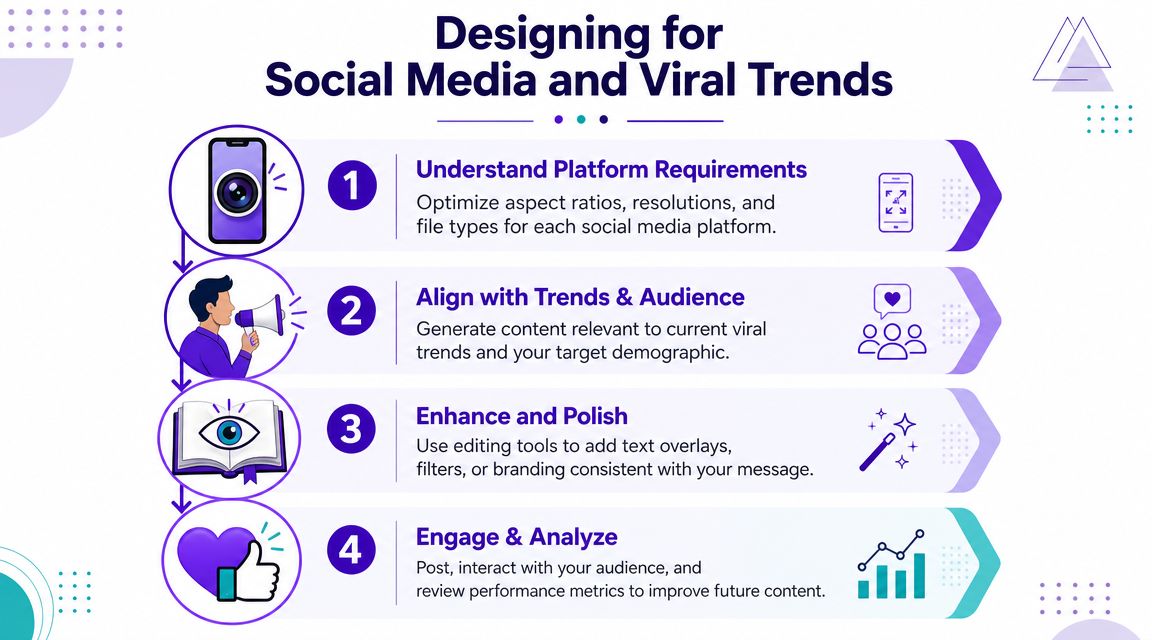
Think like a creative director, not a prompt collector.
Define. Start with the platform and the content role. A TikTok thumbnail needs immediate readability. An Instagram carousel cover needs a clear focal shape. A book concept image can hold more atmosphere and slower detail.
Explore. Generate variations around the same brief. Keep the palette, mood, and framing intent stable while changing smaller choices like camera distance, background treatment, or styling details.
Refine. Pick one winner and improve the weak spots. Clean edges, fix anatomy, simplify clutter, or prepare space for text overlays.
Export. Finish the asset for actual use. Crop it for platform format, upscale if needed, and move to editing software when necessary.
Consistency doesn't come from luck. It comes from carrying a few constants through every generation.
Keep these stable across a batch:
Then vary only one or two dimensions at a time. For example, for a “coquette” inspired visual set, you might keep soft blush tones, satin textures, and dreamy window light while changing props and poses. For an “old money” aesthetic, you'd keep muted neutrals, restrained styling, classic interiors, and editorial framing.
That's how you turn AI output into a content system. One prompt gives you a spark. A controlled batch gives you a campaign.
A few social-specific reminders help:
When teams struggle with AI images for social, it's rarely because the model can't draw. It's because nobody decided what needed to stay the same from post to post.
The final hurdle usually isn't creativity. It's confidence. Can you use the image in a product listing, ad, cover, or client project without creating avoidable risk?
This is a fair concern, especially now that the market for AI image generators is projected at USD 484.29 million in 2026 and USD 1,747.63 million by 2034, with a projected 17.40% CAGR from 2026 to 2034, according to Fortune Business Insights' AI image generator market report. As the tools move into business workflows, commercial questions stop being edge cases.
Before legal review, clean up the output itself. A weak file creates business problems fast.
Common fixes:
If the image needs to carry your business, finish it like production art. Don't ship the rough draft because the AI got you 80 percent of the way there.
Can I copyright an AI-generated image?
Not in the simple, automatic way many people assume. The U.S. Copyright Office has said that purely AI-generated material without human authorship isn't copyrightable, while human-authored selection, arrangement, or editing can be, as discussed in this summary of commercial-use and disclosure issues.
Does “commercial use” just mean selling prints?
No. Commercial use can include marketing assets, book covers, product listings, ads, merchandise, client work, and other revenue-linked applications. The safe habit is to review the usage terms for the tool you're using. For platform-specific permissions, starryai's license information is the page to check directly.
Should I disclose AI use?
Sometimes, yes. The same commercial-use summary notes that platforms such as Google require disclosure for synthetic or digitally altered media in certain contexts. If you're running ads, publishing sensitive content, or working in regulated categories, disclosure rules matter.
What lowers legal risk in practice?
Human input. Edit the image, combine outputs thoughtfully, document your prompts, and avoid relying on raw generations as final deliverables when the project has meaningful commercial exposure.
What's the safest mindset for sellers and marketers?
Use AI to accelerate concepting and production, but keep human review in the loop. Check for accidental brand references, recognizable likeness issues, and any platform disclosure requirement before publishing.
Treat legal safety as part of the workflow, not a cleanup task after launch.
The creators who use these tools well aren't the ones who assume everything is fine. They're the ones who ask better questions before the image goes live.
If you want a simple place to practice this workflow, starryai lets you start with prompts, selfies, or playful inputs like emojis, then turn those ideas into visuals you can refine for social posts, concept art, and commercial drafts. Start small, save your best prompt recipes, and build from one solid repeatable style instead of chasing random outputs.
Enhanced by the Outrank tool


.svg)