

Written by Mo Kahn on
September 3, 2026


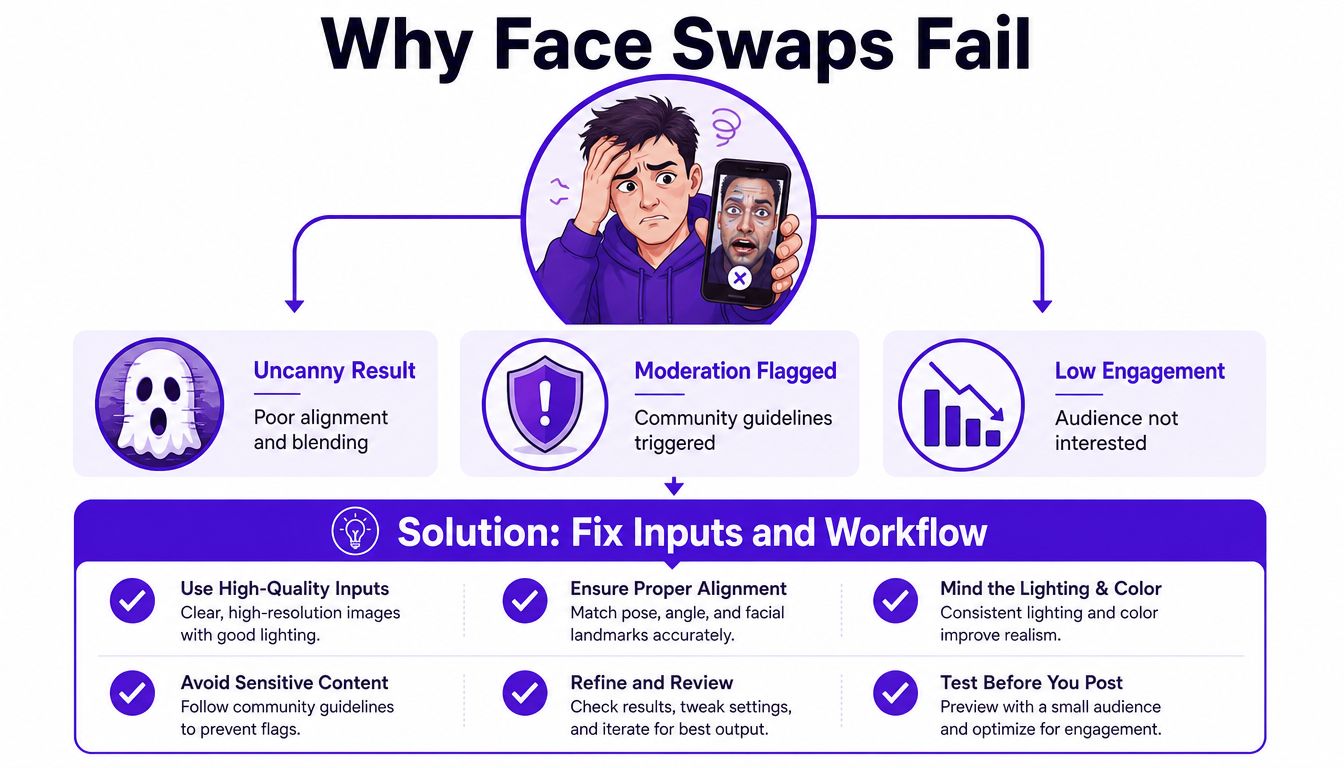
You've spent an hour swapping faces on your phone. The preview looks convincing, but after uploading it, the face turns waxy, the edges collapse under compression, or the post disappears from the feed with no useful explanation. A technically successful render can still fail as creator content.
The practical goal is a face swap that survives compression, disclosure rules, and platform moderation, not merely one that looks good in your camera roll. That means treating the work as a pipeline, from image selection and consent through starryai, prompting, masking, quality control, troubleshooting, and distribution.
Most tutorials end when the model produces an image. That's where creators often start noticing the problems. A face may be aligned in the preview but look pasted on after social platforms resize and compress it. A playful edit may also become misleading if viewers could reasonably mistake it for an authentic image or endorsement.
The failure usually starts earlier than the final render. A blurry source, an extreme head angle, an uncovered target face, or an unclear permission trail gives the tool less to work with and gives the creator fewer defensible choices later. Face swapping moved from Photoshop-style cut, paste, and color correction to AI-driven generation, with a widely cited milestone arriving in December 2017, when a Reddit user released an autoencoder-based face-swapping video using a shared encoder and identity-specific decoders. Later systems evolved through GAN-based and one-shot neural approaches, making the effect accessible far beyond specialist editors. InsightFace's history of neural face swapping explains that progression and why results improved so quickly.
Creator rule: If the final image looks wrong, inspect the inputs and permissions before blaming the model.
The scale has changed too. One industry forecast estimated the global face swap apps market at USD 5.15 billion in 2024 and projected USD 17.8 billion by 2034, with a 13.2% CAGR. The same forecast reported that North America held more than 38% of 2024 revenue, while Android represented over 58% of the market. The market forecast shows why ordinary creators now encounter both more capable tools and more aggressive trust and safety systems.
A good workflow therefore asks four questions at every stage: Does the input support a realistic render? Do I have permission? Will the output remain convincing after compression? Could a viewer, platform, or regulator misunderstand what this image represents?
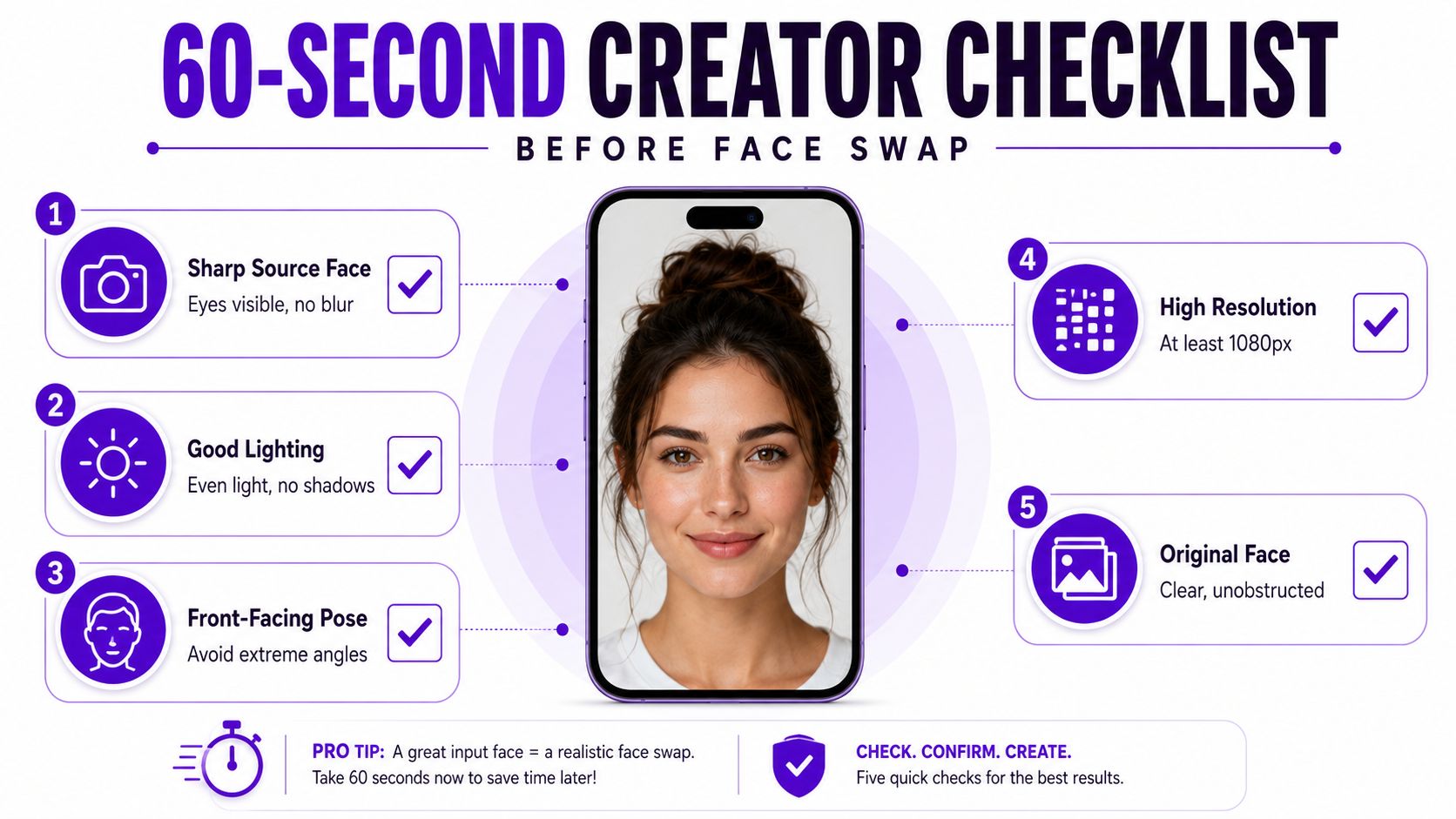
Run a quick preflight on your phone before opening an app. The purpose isn't perfection. It's to avoid paying for a render that was unlikely to work from the beginning.
Start with the source face. Choose a sharp, well-lit image where the eyes, nose, cheeks, and jawline are visible. Heavy glasses, hair across the face, dramatic makeup, deep shadows, and motion blur make landmark mapping harder. A straight-on or gently turned portrait usually gives the model a cleaner identity reference than a side profile.
Then inspect the target. It should have one clear subject, enough resolution for the intended crop, and lighting that isn't radically different from the source. A group photo creates ambiguity about which face should receive the identity. A target looking sharply upward while the source looks straight ahead can also force the model to invent contours instead of transferring them cleanly.
Use this short sequence before uploading:
The last question matters more than many tutorials admit. Get written consent from every identifiable person, especially minors and public figures, and confirm that you have the right to alter and redistribute the target media. Uploading someone's face to a third-party service can involve biometric handling, and privacy obligations vary by jurisdiction and by the tool's retention and sharing practices.
Before upload: Check the app's account requirements, retention language, deletion controls, and biometric-data terms. A fun edit still involves a person's face.
If your broader project includes turning longer footage into short social clips, a Klap clip maker review can help you evaluate a separate editing stage without confusing clip extraction with face replacement. Keep the workflows distinct. The face swap needs clean, permissioned inputs first.
The first choice is the entry point. starryai provides an Edit route for modifying an uploaded image, while a normal text-to-image flow can use a face as the base image. The choice changes how much freedom you give the model. An edit-focused route is generally better when preserving the target composition matters, while a generative route can reinterpret the scene more freely.
The source upload should be a straight-on, well-lit headshot. Keep the eyes, nose, mouth, and jawline unobstructed. If the face detector can't map those landmarks, the result may be rejected or distorted before prompting can rescue it. The target upload is the image that holds the composition, so inspect its head angle, camera height, and light direction before you generate.
For a quick orientation to the broader app workflow, use starryai's quick-start guide to the AI art generating app. The useful mindset is to treat every screen as a trade-off rather than a button sequence.
At the prompt screen, descriptive language can change the scene, wardrobe, atmosphere, and color treatment. That freedom can also weaken facial fidelity. If the target composition already works, keep the prompt restrained and describe only the light, skin finish, expression, and desired identity preservation. If you want a cinematic reinterpretation, accept that the model may alter more than the face.
Masking is another common point of failure. Draw around the source face region you want transferred, rather than loosely painting over the target face or the whole head. A careless mask can bleed into hair, ears, glasses, neck, or a nearby person. Redraw it when the boundary crosses hair strands, eyewear, or a strong jaw shadow.
Generation settings force a final resource decision. Higher resolution may help preserve detail, but it doesn't fix incompatible poses or poor lighting. Variation strength changes how much the result departs from the input, and spending credits on many near-identical attempts is less useful than correcting the source or target first.
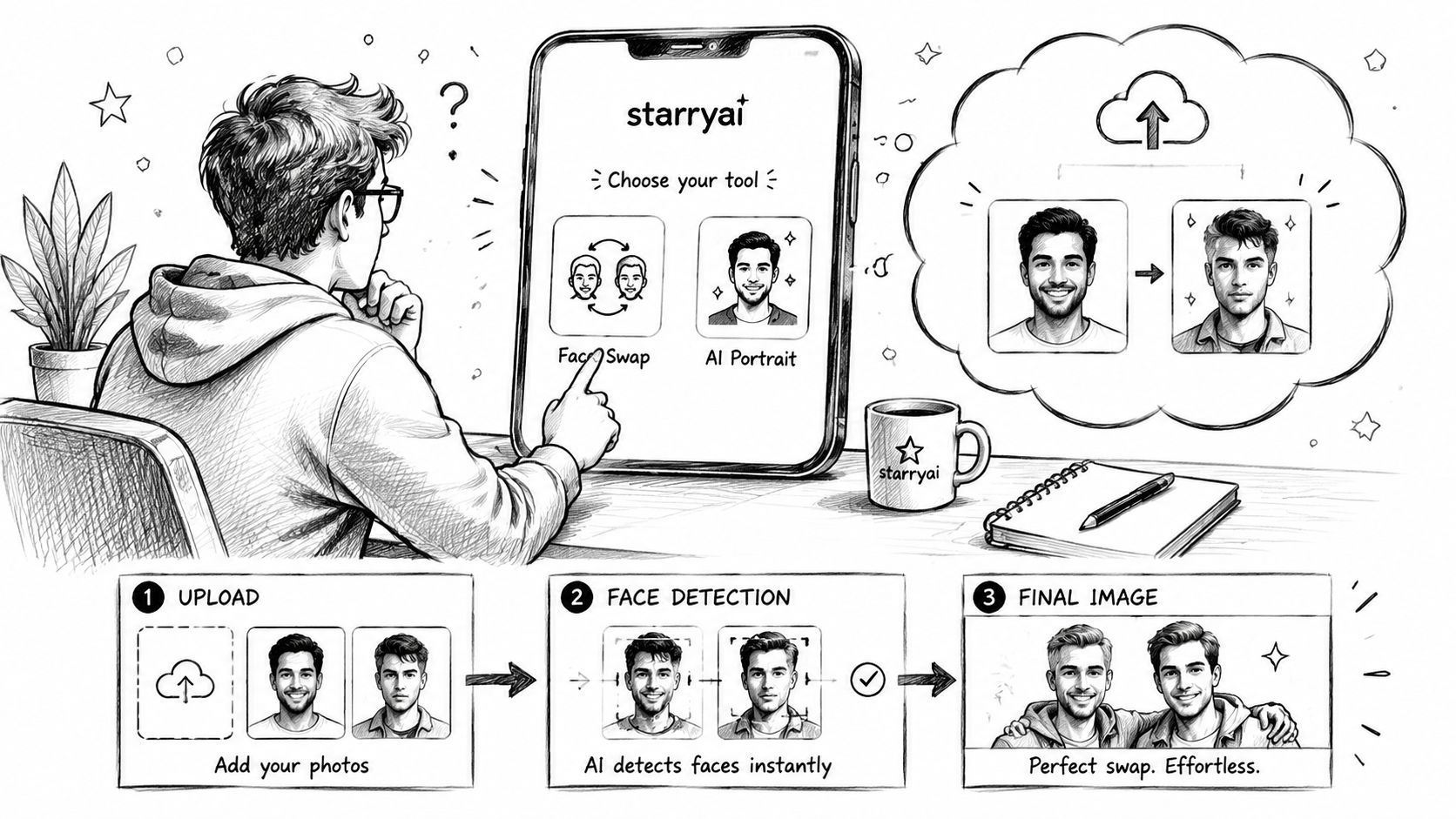
On the result screen, compare variations instead of accepting the first attractive thumbnail. Check the eyes, nostrils, teeth, ears, hairline, and jaw transition. A result that looks strong at full size may fail when reduced for a feed, so keep only the versions that retain identity and expression at small scale.
A face-swap prompt works better when it describes physical continuity than when it piles on style words. State the direction of the key light, whether it's warm or cool, the desired skin texture, and one clear anchor for facial fidelity. “Editorial portrait” may change the entire image. A restrained instruction about matching soft window light and natural skin texture gives the model a narrower problem.
Masking controls where the transfer is allowed to go. If the output has a strange ear, melted glasses, or a halo around the hairline, redraw the mask before changing the prompt. The mask should include the face area needed for identity while protecting surrounding features that belong to the target.
Lighting fixes often save more time than another generation. Reframe or crop the source so its apparent key light matches the target. After rendering, use restrained color correction to unify skin tones, and apply low-strength denoise only when it softens a seam without erasing pores and expression detail.
| Visible Problem | Best Lever to Pull | Quick Action |
|---|---|---|
| Face looks like a different person | Source image | Choose a sharper, unobstructed identity reference |
| Halo around hair or ears | Masking | Redraw the boundary inside the face region |
| Skin looks pasted on | Lighting | Match light direction, then apply restrained color correction |
| Expression feels stiff | Target image | Select a target with a clearer, compatible expression |
| Scene changes too much | Prompt | Remove style language and describe only continuity |
| Fine detail disappears | Settings and finish | Use a stronger source, appropriate resolution, and low denoise |
The practical order is important. Fix the source first, then the target, then the mask, then the prompt. Only after those changes should you spend more credits on another render. The beginner guide to prompt engineering is useful for learning how wording affects generation, but face swapping rewards restraint more than imaginative prompt length.
A clean blend isn't only an aesthetic win. Weak boundaries, inconsistent texture, and identity leakage can remain visible to both viewers and automated systems, particularly after compression.
A modern face-swap pipeline can be understood as four connected operations. Detection finds the face. Alignment maps its landmarks and normalizes pose, scale, and illumination. Identity transfer applies the source identity to the target expression and structure. Blending corrects boundaries, color, and texture so the replacement belongs to the scene.
A failure at one stage can look like a failure at another. Poor detection leaves missing features. Bad alignment creates stretched eyes or a crooked mouth. Weak identity preservation produces a recognizable but incorrect person. Poor blending creates a visible border around the cheeks, chin, or hairline.
Technical comparisons make the trade-off concrete. One evaluation reported FaceFusion at SSIM 0.948 and PSNR 36.2 dB, while FaceShifter reached SSIM 0.944 and PSNR 35.6 dB. An older or less capable FaceSwap pipeline in the same comparison recorded SSIM 0.894 and PSNR 32.1 dB. The framework comparison also notes that objective checks can expose blend inconsistency or identity leakage even when an output looks good at a glance.
Don't rely on the app's thumbnail. Open the image at full size and inspect:
Benchmark datasets such as FaceForensics++, the DeepFake Detection Dataset, and Celeb-DF v2 are designed to test manipulated media under compression and other degradation. Research using these benchmarks reports weaker detection performance after JPEG compression, noise, blur, and low-light shifts, but that doesn't make artifacts safe. A visually convincing swap can still expose mismatched mouth movement, blended edges, or inconsistent facial behavior. The benchmark discussion in Frontiers in Artificial Intelligence shows why creator quality checks should include both visual inspection and the conditions of final distribution.
Creators often blame the model first. In practice, the fastest fix is usually earlier in the workflow. If the source lacks a clear jawline, re-rendering at a stronger setting won't create trustworthy identity detail. If the target has hard side lighting, a longer prompt won't make the shadows belong to the replacement face.
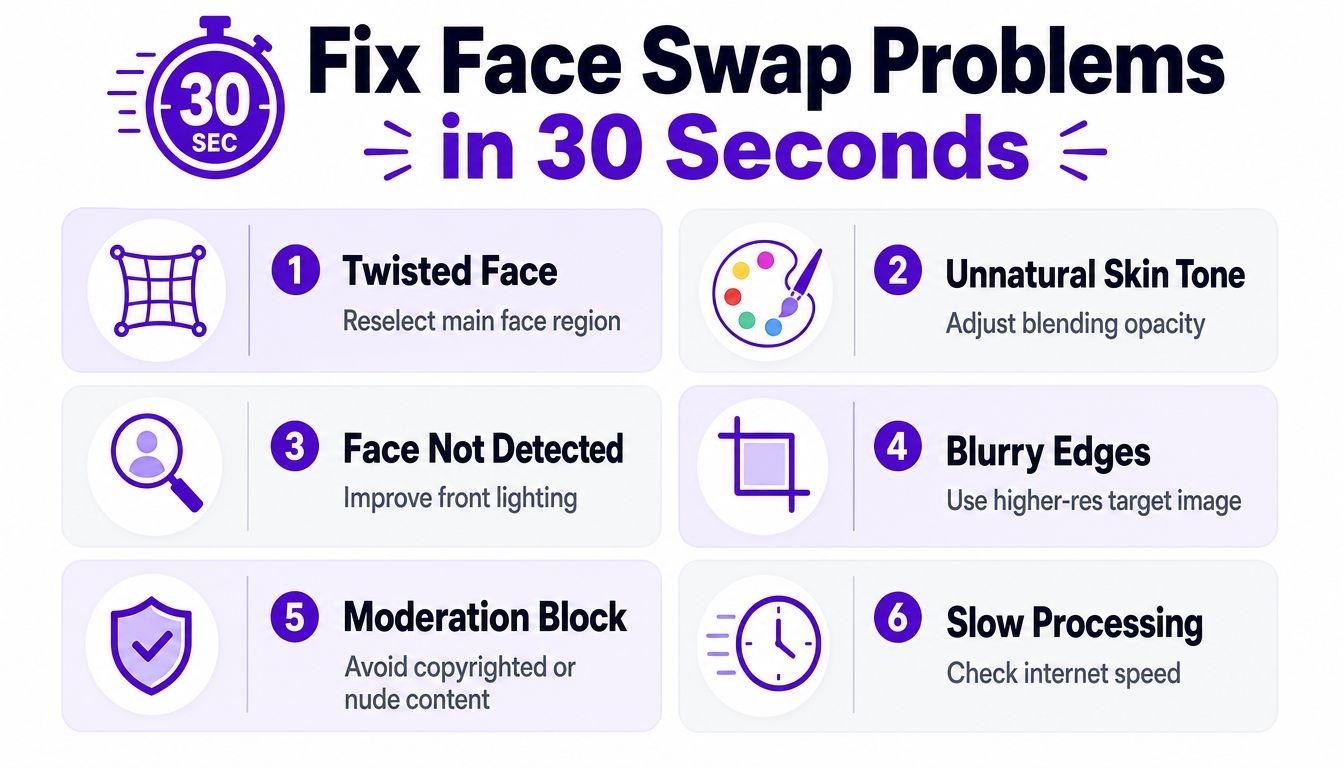
Before spending credits, ask whether the problem is visible in the inputs. Occlusion, extreme pose mismatch, low resolution, and compression artifacts are recurring failure modes, and they can also reduce the reliability of downstream detection. Testing literature on face-swap robustness uses degraded media to expose exactly these weaknesses.
A final one-minute check is simple: select one face, confirm the eyes are visible, compare the light direction, inspect the mask boundary, and decide whether the intended audience could mistake the result for an authentic image. If any answer is unfavorable, fix the input before generating again.
A face swap can be technically harmless, but the distribution context changes the risk. A clearly labeled parody using your own face is different from an altered image that implies a public figure endorsed a product. An intimate image or digital forgery involving an identifiable person creates a much more serious problem, especially without consent.
Privacy law can also treat facial information as sensitive biometric data. Requirements vary across jurisdictions, so don't assume that a casual upload is covered by the same rules everywhere. Tool policies matter too. Review starryai's content policy before generating, and retain only the permission records you need.
The U.S. TAKE IT DOWN Act was passed by Congress on April 28, 2025 and signed into law on May 19, 2025. In certain circumstances, it makes knowingly publishing an identifiable person's intimate visual depiction or digital forgery unlawful and requires covered platforms to provide notice and removal procedures. The criminal prohibition took effect immediately, while platforms had until May 19, 2026 to implement those procedures. This legal overview summarizes the timing and scope.
The UK government announced a crackdown on explicit deepfakes on January 7, 2025, stating that taking intimate images without consent can carry up to two years' custody, with the same penalty applying to installing equipment for that purpose. In the EU, deepfake disclosure rules under the AI Act are scheduled to apply from August 2, 2026. The cited summary says disclosures may be required for realistic AI-generated or manipulated images, audio, and video, with fines reaching €15 million or 3% of worldwide annual turnover in applicable cases. The Center for the National Interest's synthetic-media primer describes those obligations and the transition period for certain machine-readable markings.
| Use Case | Consent Needed | Disclosure Label | Biometric Storage | Likelihood of Removal |
|---|---|---|---|---|
| Your own face in a parody | Recommended | Clear AI or parody label | Avoid unnecessary retention | Lower when clearly labeled |
| Friend's face in a private joke | Written permission | Label if shared publicly | Delete uploads and templates when possible | Depends on platform context |
| Public figure in commercial content | Explicit written permission | Prominent disclosure | Don't retain biometric material unnecessarily | High if it implies endorsement |
| Intimate or sexualized alteration | Explicit consent is essential | Disclosure doesn't cure lack of consent | Do not retain or distribute | Extremely high and potentially unlawful |
| Fully synthetic, non-identifiable character | No real person's consent | Label when viewers could mistake it for real | Avoid linking it to real identities | Context-dependent |
A pre-publish check should confirm consent documentation, the likeness release, an AI label or watermark where appropriate, deletion of temporary biometric material, and the relevant age and jurisdiction rules. For celebrity-focused production ideas, a resource on AI celebrity video methods for 2026 may help explain the creative possibilities, but it shouldn't replace permission or disclosure review.
Treat distribution as a decision tree. Satire should be unmistakably framed as satire. Impersonation needs heightened caution because viewers may infer identity or intent. Endorsement requires the strongest permission trail, especially when money, advertising, or a recognizable brand is involved. Detection systems may look for facial-expression inconsistencies, vocal-pattern anomalies, blended boundaries, or mismatches between mouth shapes and sounds, as described in reporting on automated deepfake detection signals. A label won't repair deceptive content, but honest context gives viewers and platforms the information they need.
starryai lets you use an uploaded image and a prompt through its Edit workflow to create a modified face-swap image, alongside broader AI image-generation tools for creative transformations. Visit starryai, prepare a permissioned source and target, and test the final export at feed size before publishing with the disclosure your context requires.


.svg)