

Written by Mo Kahn on
July 22, 2026


You've probably done this already. You open Discord, Twitch, or Steam, scroll past a stack of default profile circles, anime crops, and blurry screenshots, then land on your own avatar and think: that doesn't feel like me. It isn't bad. It's just generic, and generic is expensive when your whole online presence depends on being recognizable in a crowded feed.
A good gaming avatar creator solves that problem by turning taste into identity. Not just “make me look cool,” but “make me instantly readable at 48 pixels, still interesting at full size, and consistent with the games I play.” That's the gap most first-time AI art projects miss. They chase style before function, then end up with an image that looks dramatic in a gallery and awful as a profile icon.
There's a reason this category keeps growing. The global 3D avatar creator market was valued at USD 572.3 million in 2023 and is projected to reach USD 2,216.6 million by 2033, with a 14.5% CAGR from 2024 to 2033, reflecting stronger demand for personalized digital identities in online gaming communities, according to Market.us research on the 3D avatar creator market.
The main job of an avatar isn't decoration. It's recognition. On Twitch, it helps viewers remember your channel between streams. On Discord, it becomes shorthand for your personality in fast-moving servers. On Steam, it frames how people read your profile before they click anything else.
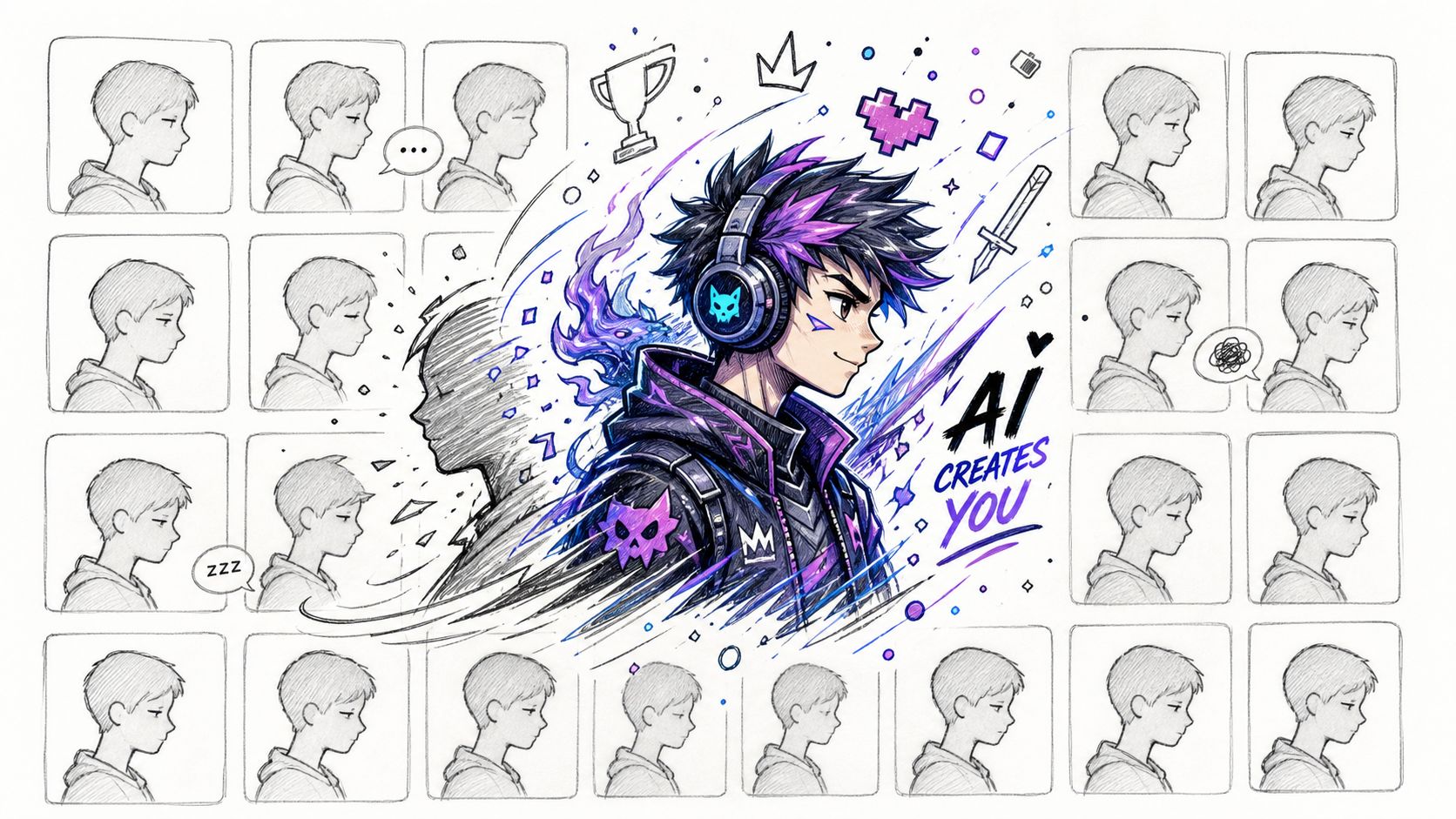
Default avatars fail for predictable reasons. They don't carry a silhouette people remember. They don't express genre. And they usually don't scale well across platforms where your image gets shrunk, cropped, or placed against dark UI.
A stronger approach starts with three practical questions:
Those choices matter more than chasing a random “epic” look.
Practical rule: If your avatar only works when viewed full screen, it isn't ready for platform use.
A custom avatar works when it feels like a digital extension of you. For some players, that means a polished version of their real face with gamer styling. For others, it means a fully fictional persona: cyber rogue, radiant mage, retro mech pilot, haunted ranger. Both are valid. What matters is coherence.
Good AI-assisted character art gives you speed, but speed only helps if you know what you're asking for. Before generating anything, define the avatar in plain language. Not prompt language yet. Just plain language.
Try this quick brief:
For a first AI art pass, keep the concept narrow. One character. One mood. One core genre. One background idea. The people who get stuck usually try to combine six aesthetics at once and then wonder why the result looks confused.
Use contrast on purpose. Bright hair against a dark background. Distinct armor shape. One memorable accessory, not ten. If you stream, lean toward cleaner facial readability. If you mostly use Discord, prioritize silhouette and color blocking. If Steam is your main home, choose a crop that survives square formatting without losing the character's identity.
That's the promise of a gaming avatar creator. Not infinite styles. Useful self-expression.
The first big decision is where the avatar starts. A face photo, a text description, or a mix of both will each push the result in a different direction. That trade-off matters more than many realize.
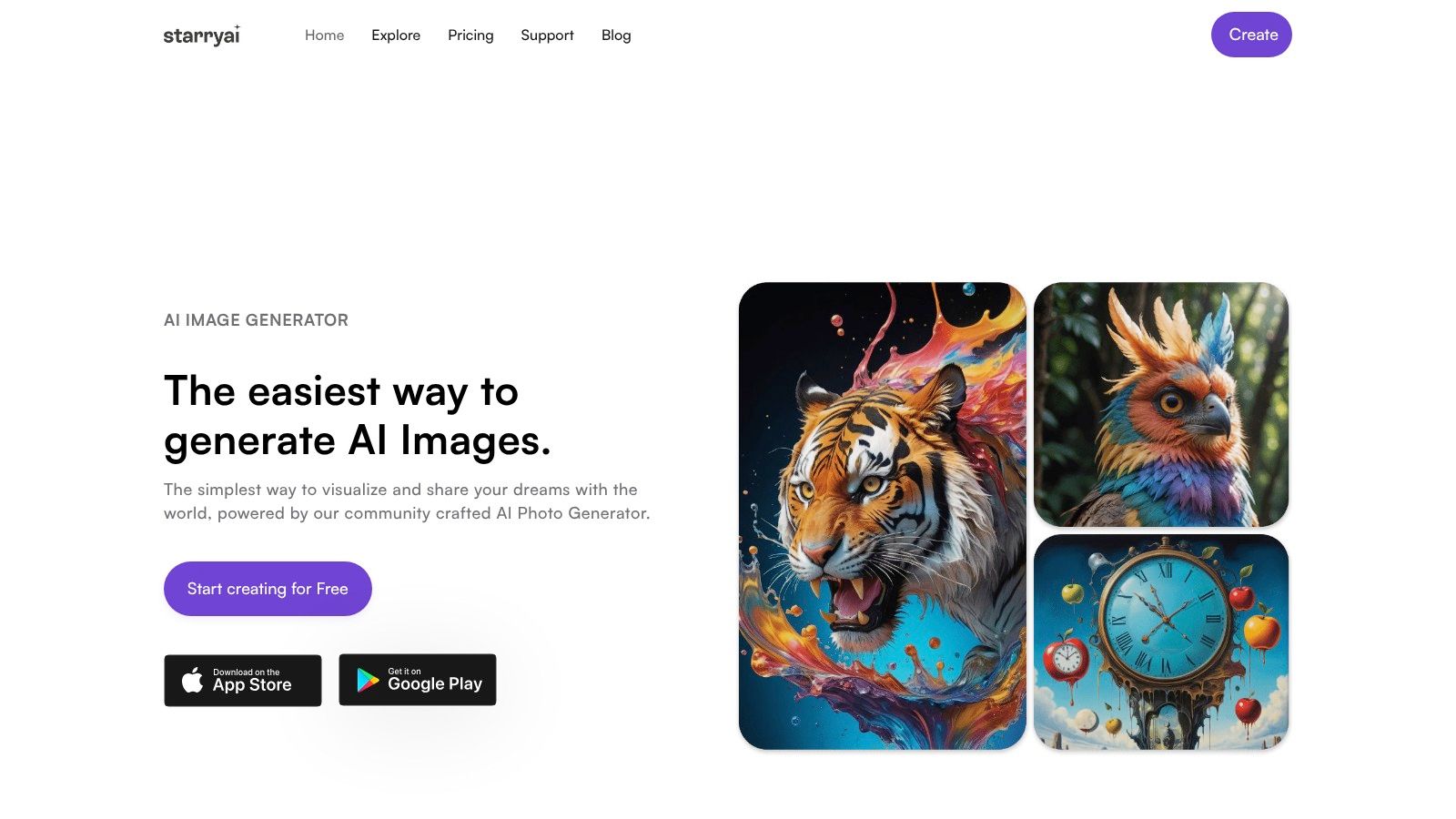
The tool side matters too. The gaming avatar creator workflow in starryai uses two named models: Altair, which uses VQGAN-CLIP for abstract and dream-like imagery, and Orion, which uses CLIP-guided diffusion for more detailed, realistic character art. It also supports using a base image like a selfie together with text prompts for guided generation, as described in Techshark's overview of starryai's avatar models.
If you stream, post face cam clips, or want friends to know it's you instantly, start with a selfie. This approach gives the model a facial anchor. You keep the rough structure of your eyes, jawline, expression, and hairline while changing the styling around it.
This is usually the safest route for:
Selfie-based generation does have limits. If your reference photo has flat lighting, heavy blur, or an awkward angle, the output often inherits those weaknesses. Clean photo in, cleaner avatar out.
Text-only generation is better when you're building a persona from scratch. That's common for tabletop players, VTuber-style identities, faction roleplay, and genre-heavy profiles where realism isn't the point.
This route gives you more freedom to define:
The downside is drift. If your prompt is vague, the model fills in the blanks with generic fantasy or generic cyberpunk shortcuts. You'll get “fine,” not memorable.
Many find that the strongest first result comes from combining a selfie with a clear prompt. You get enough likeness to feel personal, plus enough instruction to push the art into a deliberate gaming style.
A practical hybrid prompt sounds like this:
Use my facial structure as a base, turn me into a silver-haired rogue mage, sharp eyes, dark violet cloak, subtle glowing runes, cinematic fantasy portrait, clean background, readable at profile icon size.
That's more useful than a wall of disconnected buzzwords.
For more examples of face-led prompting, the AI image generator of me guide is a helpful reference for thinking about how much of yourself you want to keep in the final image.
If your target is a grounded portrait for Discord or Twitch branding, Orion is the better fit. If you want dream logic, surreal color, or a more painterly and abstract result, Altair makes more sense.
A quick comparison helps:
| Starting method | Best for | Risk |
|---|---|---|
| Selfie only | Recognizable personal avatar | Can look plain if styling is weak |
| Text only | Fictional characters and RPG identities | Can become generic without specificity |
| Selfie plus text | Personal but stylized gaming identity | Needs a balanced prompt to avoid conflict |
The right choice depends on whether your audience should think “that's them” or “that's their character.” Sometimes those are the same thing. Often they aren't.
Most weak outputs come from weak prompt structure, not bad taste. If you tell the model “make me a cool gamer avatar,” you've handed it a vague mood and no design brief. You need stronger ingredients.
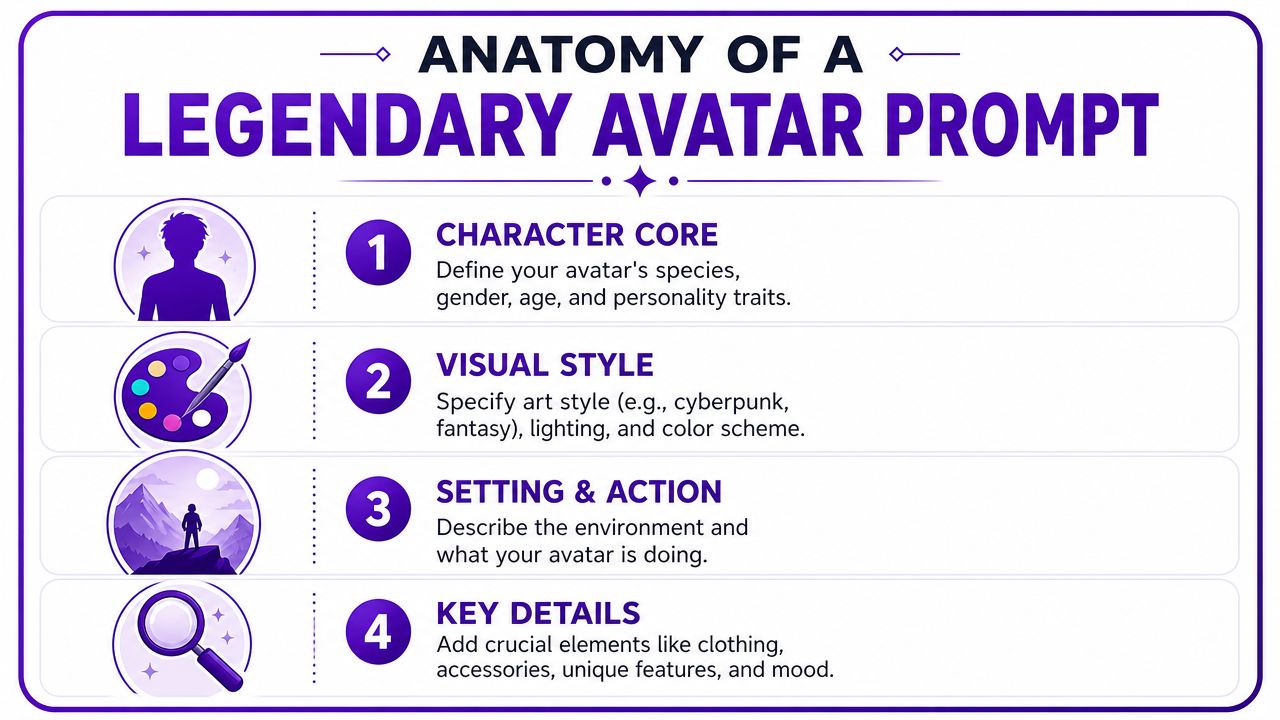
A reliable avatar prompt usually contains four working parts:
Character core
Who is this person or creature? Define species, age range, role, expression, and personality signal.
Visual style
Decide whether this is cyberpunk, anime, dark fantasy, painterly RPG art, cel-shaded hero art, or sleek esports branding.
Setting and action
Keep this simple for avatars. A hint of environment is enough. You usually want portrait-first composition, not a busy full scene.
Key details
Add one to three memorable elements: glowing visor, rune-marked cloak, battle-worn pauldrons, neon headset, scar over eyebrow.
The best prompts aren't long because they're long. They're useful because every phrase pulls the image toward a clearer result.
A practical writing reference is the how to write AI prompts article, especially if you tend to write ideas faster than you organize them.
Generic words like “epic,” “cool,” and “awesome” don't carry enough visual information. Genre-specific language does. Here are stronger prompt ingredients by style.
Good words for cyberpunk avatars:
Example prompt:
futuristic cyberpunk avatar, half-body portrait, sharp facial features, violet and cyan neon lighting, matte black jacket with holographic trim, confident expression, blurred dystopian city background, clean composition, highly detailed character art
Fantasy works best when you choose a lane. Noble paladin, elven ranger, fire mage, cursed knight. Don't ask for all of them.
Try phrases like:
Example prompt:
high fantasy avatar portrait, elven ranger, silver braided hair, emerald cloak, intricate leather armor, focused expression, moonlit forest atmosphere, painterly RPG style, elegant composition, detailed eyes
Here's a visual walkthrough if you want to see prompting ideas in action:
A lot of first-time prompts fail because they're written like movie posters. Profile images need strong crops. Ask for head-and-shoulders or half-body portraits unless you know you need a banner.
Use modifiers that improve usability:
For a streamer avatar
stylized gaming portrait of a confident streamer, short white hair, dark hoodie with subtle neon accents, purple and blue lighting, clean background, centered composition, expressive eyes, modern digital painting
For a competitive FPS vibe
tactical sci-fi avatar, stern expression, angular armor collar, muted graphite palette with red accents, dramatic side lighting, minimal background, crisp portrait framing
For a cozy fantasy profile
soft fantasy character portrait, warm smile, mushroom forest color palette, layered cloak, gentle glow, painterly texture, soft background blur, charming and readable
When the result feels muddy, the prompt usually contains conflicts.
Cut these first:
A legendary avatar prompt is specific, but it's also edited. You're not writing lore. You're art directing a usable identity.
The first generation is a draft. Treat it that way and the process gets easier fast. People who expect a perfect image on the first attempt usually overreact to small flaws, then quit right before the design gets good.
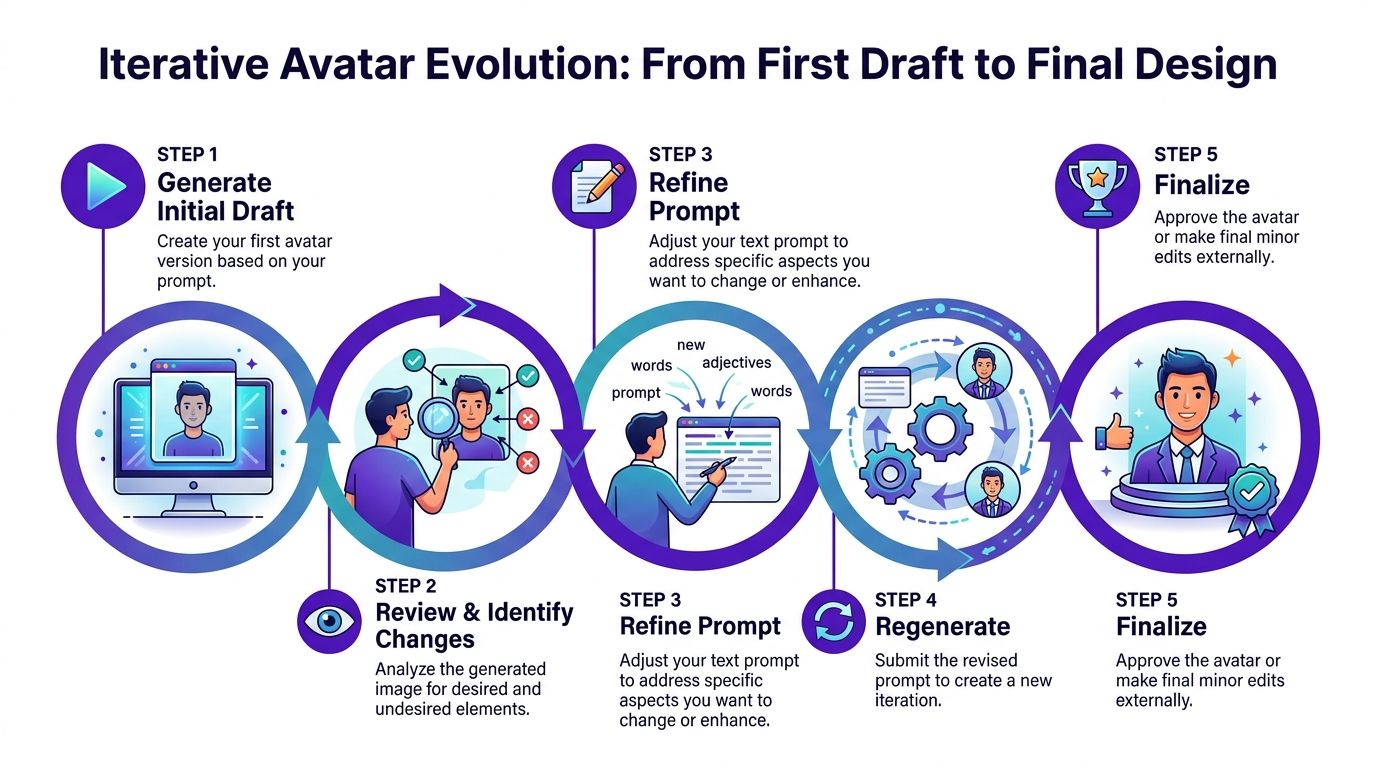
The refinement phase is where most avatar quality comes from. One useful platform feature here is runtime. The avatar workflow includes a runtime mechanic where choosing a longer runtime correlates to better image resolution and detail, and users can also choose specific aspect ratios and canvas sizes such as 1:1 for icons, according to this video walkthrough of starryai avatar settings.
Don't ask “do I like it?” first. Ask sharper questions:
That shift changes your edits from random to deliberate.
Working method: Keep one note for “keep,” one for “fix,” and one for “test next.” You'll make better revisions when you separate those decisions.
Most avatar drafts miss in familiar ways. Here's how to respond.
| Problem | What to change in the next prompt |
|---|---|
| Face looks soft or vague | Add “sharp facial features,” “detailed eyes,” “centered portrait” |
| Too busy for profile use | Add “clean background,” “minimal composition,” “single subject” |
| Style feels generic | Replace generic mood words with genre-specific materials, clothing, and lighting |
| Crop feels awkward | Switch to square canvas and ask for head-and-shoulders framing |
Short prompt edits beat full rewrites. Preserve what worked, then target the issue.
Evolving the image proves helpful. Generate variants around the strongest draft instead of starting over every time. You want controlled exploration, not chaos.
A simple pattern works well:
If you change hairstyle, species, clothing, expression, background, and color all at once, you won't know what improved the image.
Aspect ratio isn't a technical afterthought. It changes composition. If the avatar is mainly for Discord or Steam, generate square-first. If you also want a Twitch banner version, build that as a separate render with wider framing instead of trying to stretch one image across every use case.
A practical workflow looks like this:
That gives you a small identity system, not just one file.
A polished avatar can still fail at the last step. Wrong crop, wrong export, muddy transparency, tiny facial features. This part is less glamorous than prompting, but it's what makes the image usable day to day.
Interoperability matters at the market level too. Data cited by Yu-kai Chou's avatar design analysis projects the 3D avatar creator sector will reach $7.06 billion by 2029, and notes that failures in universal compatibility can eliminate 22% of potential market users when avatar metadata doesn't carry cleanly across PC, console, mobile, and web.
Don't make three unrelated avatars for three platforms unless you want three separate identities. Start with one master image. Then resize and crop based on use, not guesswork.
The aspect ratio guide for social media formats is useful for thinking through how the same artwork behaves across different placements.
| Platform | Usage | Recommended Resolution | File Format |
|---|---|---|---|
| Discord | Profile avatar | High-resolution square image | PNG |
| Twitch | Profile picture or channel identity asset | High-resolution square image | PNG |
| Steam | Profile avatar | High-resolution square image | PNG |
A strong platform avatar survives compression, dark UI, and tiny display size without losing its identity.
PNG is the safe default for profile art because it preserves crisp edges and handles transparency well when you want a cutout version for overlays or graphics. Keep one untouched master file, then create cropped exports for each platform. Name them clearly so you don't upload the wrong version in a hurry.
For creators who use all three platforms, consistency beats novelty. Matching face, costume, and color palette across Discord, Twitch, and Steam makes you easier to recognize, even if each crop is slightly different.
A custom avatar isn't just a design asset. It's a representation choice. That matters when the character reflects your face, your cultural background, or symbols that mean more than “this looks cool.”
One important gap in many avatar tools is cultural depth. A reported 42% of marginalized gamers say they feel excluded by avatar creators that reduce cultural elements to decorative assets rather than functional narrative tools, according to Alibaba's discussion of spirit-aligned gaming avatar design.
If you're drawing from a culture, faith tradition, or community identity, don't stop at surface motifs. Ask what the element does, not just what it looks like. Is a garment ceremonial? Is a symbol sacred? Is a hairstyle tied to lived identity rather than visual flavor?
That changes the design process in practical ways:
If you stream, sell channel assets, or use your avatar in branding, rights matter. Read the platform terms for any AI image tool you use and make sure your intended use lines up with those terms. That's especially important if your avatar becomes part of merch, thumbnails, paid communities, or sponsorship-facing media.
The same principle comes up in adjacent creative fields. If you're pairing your avatar with intro music, stream loops, or creator branding, Drumloop AI's creator's music guide is a useful read on intellectual property basics and how to think about reuse without making assumptions.
A thoughtful avatar does two jobs at once. It gives you a sharper visual identity, and it avoids turning identity itself into a costume.
If you're ready to turn a rough character idea into something you can use on Discord, Twitch, or Steam, try starryai and start with one clear concept, one platform target, and one strong prompt.


.svg)