

Written by Mo Kahn on
September 9, 2026


You've got a new tabletop campaign, a half-finished manuscript, or an Etsy listing that needs a memorable hero by tonight. The concept is clear in your head, but the first generated portrait gives your ranger the wrong weapon, changes the cloak between images, and turns the carefully described insignia into unreadable marks. A fantasy character image generator can produce striking art quickly, but a single impressive portrait isn't enough when the same character must appear on a book cover, in interior scenes, across RPG handouts, or throughout a product campaign.
The reliable approach is iterative character locking. Define the identity first, establish a visual anchor, make controlled variations, and only then create new scenes or upscale the final artwork. The workflow below focuses on what tends to hold together in practice, including prompt order, composition, consistency checks, resolution, and the commercial-use questions that many quick guides overlook.
A game master preparing an encounter may need a dwarf cleric, a masked assassin, and a spectral monarch before the next session. An indie author may need a visual reference for a protagonist before commissioning a cover. A social creator may want a shareable transformation based on a mythical creature, while an Etsy seller may need a character-led design that works across prints and listings. These are different jobs, but they all depend on turning a written idea into usable visual direction.
The category has moved well beyond isolated experiments. The AI image generation market expanded from USD 412.51 million in 2025 to USD 484.29 million in 2026, and one forecast projects USD 1.74763 billion by 2034, with a projected 17.40% CAGR from 2026 to 2034, according to Fortune Business Insights' AI image generator market analysis. The broader generative-media market is projected at USD 67.2 billion in 2026, placing image creation among the most commercially active parts of the AI ecosystem.
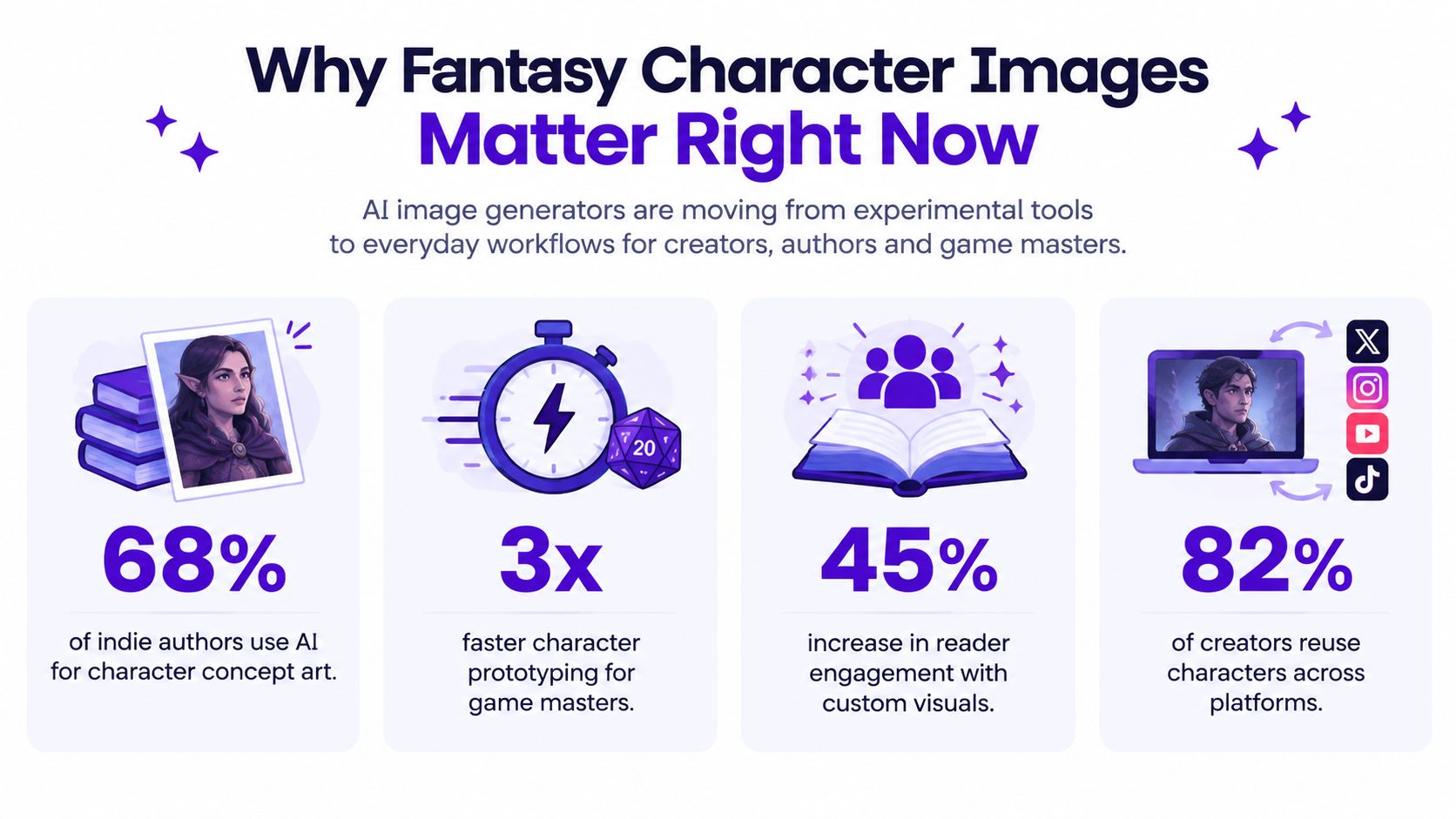
Usage has reached consumer scale too. Independent reporting cites more than 150 million monthly users of AI image generators and about 80 million images generated per day, while another market report places collective platform output above 34 million images daily. The figures differ by measurement method, but both point to the same practical reality, creators now use these systems for avatars, book art, game concepts, social graphics, and campaign assets at global volume. Morphed's AI image generation statistics provides the underlying usage context.
For fantasy creators, the opportunity isn't merely making one cool portrait. It's building a recognizable character system that can survive new poses, outfits, locations, and formats. A simple tool such as starryai can help turn a written character idea or reference into a shareable visual, but the quality of the result depends on how deliberately you prepare and iterate.
Start with a character brief, not a prompt. Write one sentence that captures the identity and story function: “A weary half-elf ranger, cautious but protective, carrying a recurved bow and a blue glass charm.” This sentence becomes the anchor for every later variation. If you begin with a long list of decorative details, the generator may prioritize atmosphere over the person you need to keep stable.
Collect references before opening the generator. A mood board can include clothing silhouettes, armor construction, architectural influences, facial expressions, color palettes, and examples of the visual finish you want. References shouldn't be treated as a request to copy a living artist's signature style. Use them to clarify broad qualities such as painterly fantasy, graphic anime, worn leather, candlelit interiors, or subdued autumn colors.
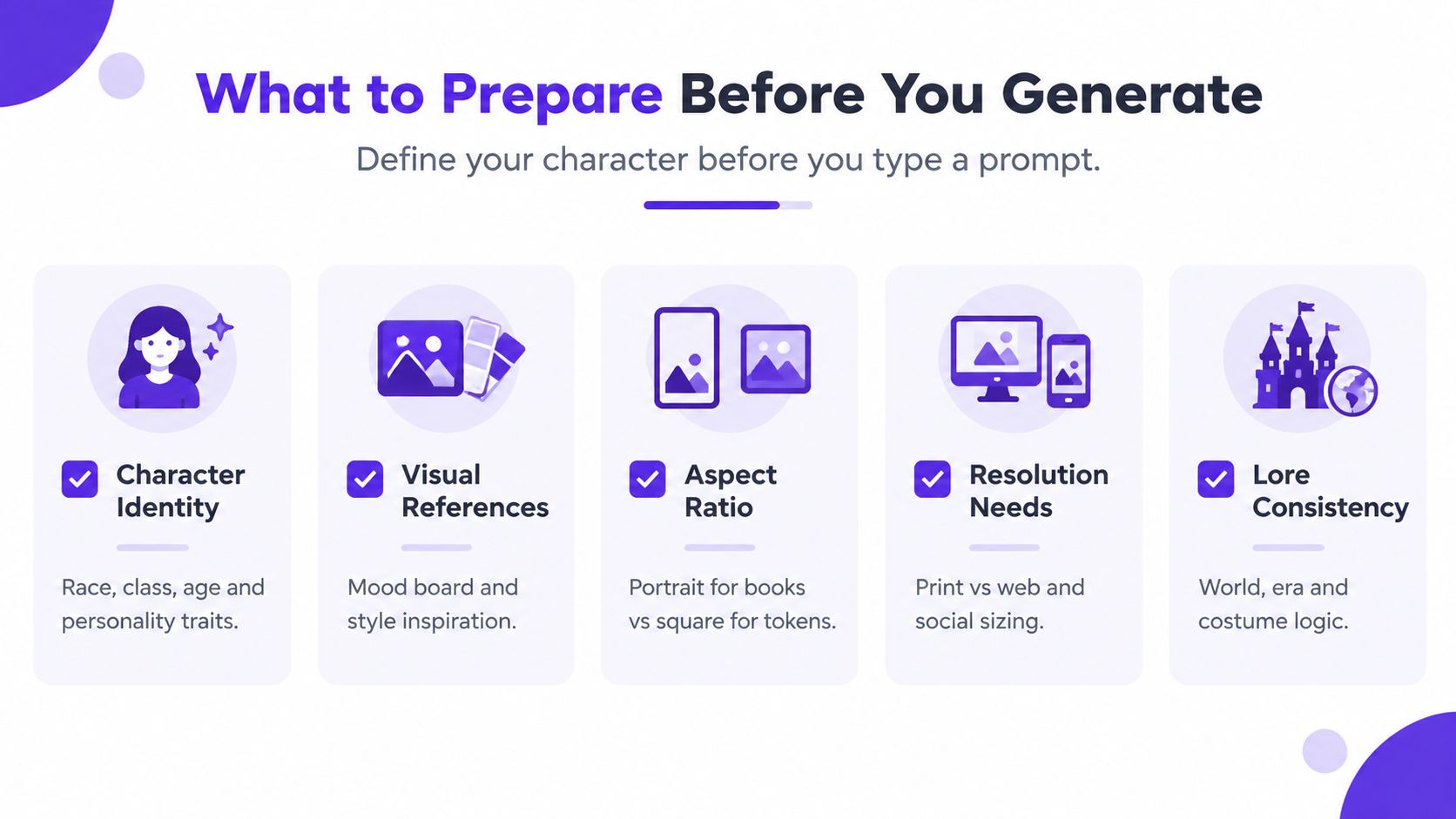
The intended output determines the canvas and composition:
Current-generation image models commonly use a native training resolution of 1024×1024, while older models used 512×512. Working at the model's native resolution is generally recommended for retaining detail and coherence, as explained in this overview of why AI images can look poor. Don't assume a larger canvas will automatically create more detail. Generate cleanly at the native setting, then upscale when the composition and identity are already approved.
Resolution also affects multimodal processing costs. One documented framework charges 170 tokens per 512×512 tile plus an 85-token base, while another pricing table estimates roughly 1,369 tokens for a 1024×1024 image, according to Microsoft's prompt-token licensing documentation. The practical lesson is simple, generate exploratory drafts economically, and reserve expensive high-resolution processing for images you'll use.
Before typing, confirm five things: identity, reference direction, aspect ratio, output destination, and lore logic. This short setup prevents you from fixing avoidable errors after a dozen unfocused generations. For additional ideas on defining a visual foundation, see fantasy character concept art.
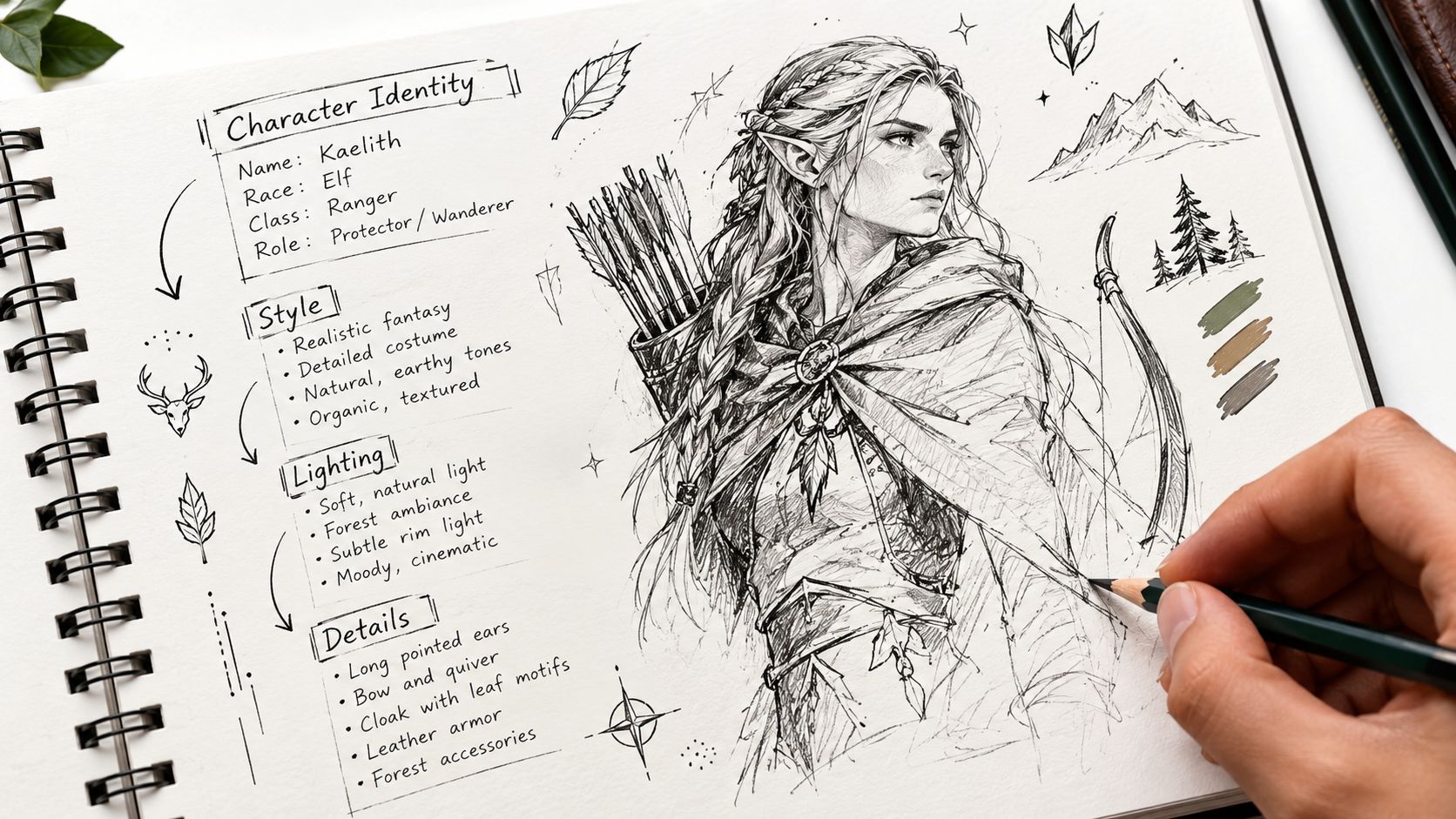
A character can look excellent in one portrait and still fail as soon as you place them in a second scene. Prompt order and controlled revisions reduce that drift. Put identity and defining physical traits first, then specify wardrobe, style, lighting, composition, and environment. The generator processes the subject before spending attention on atmosphere.
Use this sequence:
A useful elf prompt reads: “An adult high-elf ranger with long silver hair, amber eyes, a small scar through the left eyebrow, and a green leather coat, carrying a recurved bow and blue glass charm, painterly fantasy illustration, cool forest light, three-quarter portrait, muted emerald and silver palette.”
For a warrior: “A broad human woman in battered bronze plate armor, cropped black hair, red war paint beneath both eyes, holding a chipped greatsword in a defensive stance, cinematic fantasy concept art, warm firelight, full-body composition, dark red and charcoal palette.”
For a mage: “A slender tiefling scholar with curved horns, short white hair, round spectacles, and layered indigo robes, holding a brass astrolabe, clean fantasy illustration, soft studio light, waist-up portrait, restrained violet and gold palette.”
A tested character-sheet workflow recommends defining the character in one sentence, generating a 4-image grid, selecting the strongest result, reusing it as a reference, making small prompt changes, and upscaling only after the identity holds. This fantasy character prompting workflow matches a practical process for repeatable character work. Use the grid to explore. Use the selected reference to stabilize later images.
One-shot prompts fail because every requested attribute competes for attention. Independent image-model benchmarks report prompt adherence from 86.9% for FLUX Kontext Pro to 98.3% for Grok Imagine 2.0. Complex-scene performance reached 95.0%, while photoreal-detail scores fell to 83.3% on weaker entries. Even strong systems can miss details, especially when a prompt changes several visual decisions at once.
Practical rule: Change one meaningful variable at a time. If you alter the face, costume, camera angle, background, and lighting together, you cannot identify which change caused the drift.
After approving the anchor, create controlled branches. Keep the face, hair, signature prop, palette, and costume language unchanged while varying only the action or location. Save the prompt and reference beside every approved image. Names such as ranger_portrait_approved, ranger_forest_scene, and ranger_token_final make reuse easier across book illustrations, RPG assets, and later revisions.
The strongest style is the one that serves the output, not the one with the most impressive wording. A painterly finish can give a novel character emotional weight, while a clean anime-inspired treatment may read better on a colorful game interface. Cinematic concept art works well for dramatic reveals, but it can bury costume information in smoke, shadows, and environmental spectacle.
Painterly epic versus anime clean is a useful first choice. Painterly rendering supports dramatic novels, lore documents, and premium-feeling character portraits. Anime-inspired rendering provides cleaner silhouettes, brighter color separation, and an approachable look for games, social posts, and community avatars.
Lighting changes the character's emotional message. Moody rim lighting creates mystery and separates a dark silhouette from the background, while soft studio light makes facial features and costume materials easier to inspect. Neither is better. A villain may need controlled shadow, while a player character needs a readable face.
Framing determines what the viewer remembers. A close-up portrait communicates expression, scars, makeup, and eye color. A full-body action pose displays armor, footwear, weapon scale, and movement. A three-quarter crop often balances identity with enough costume detail for character sheets.
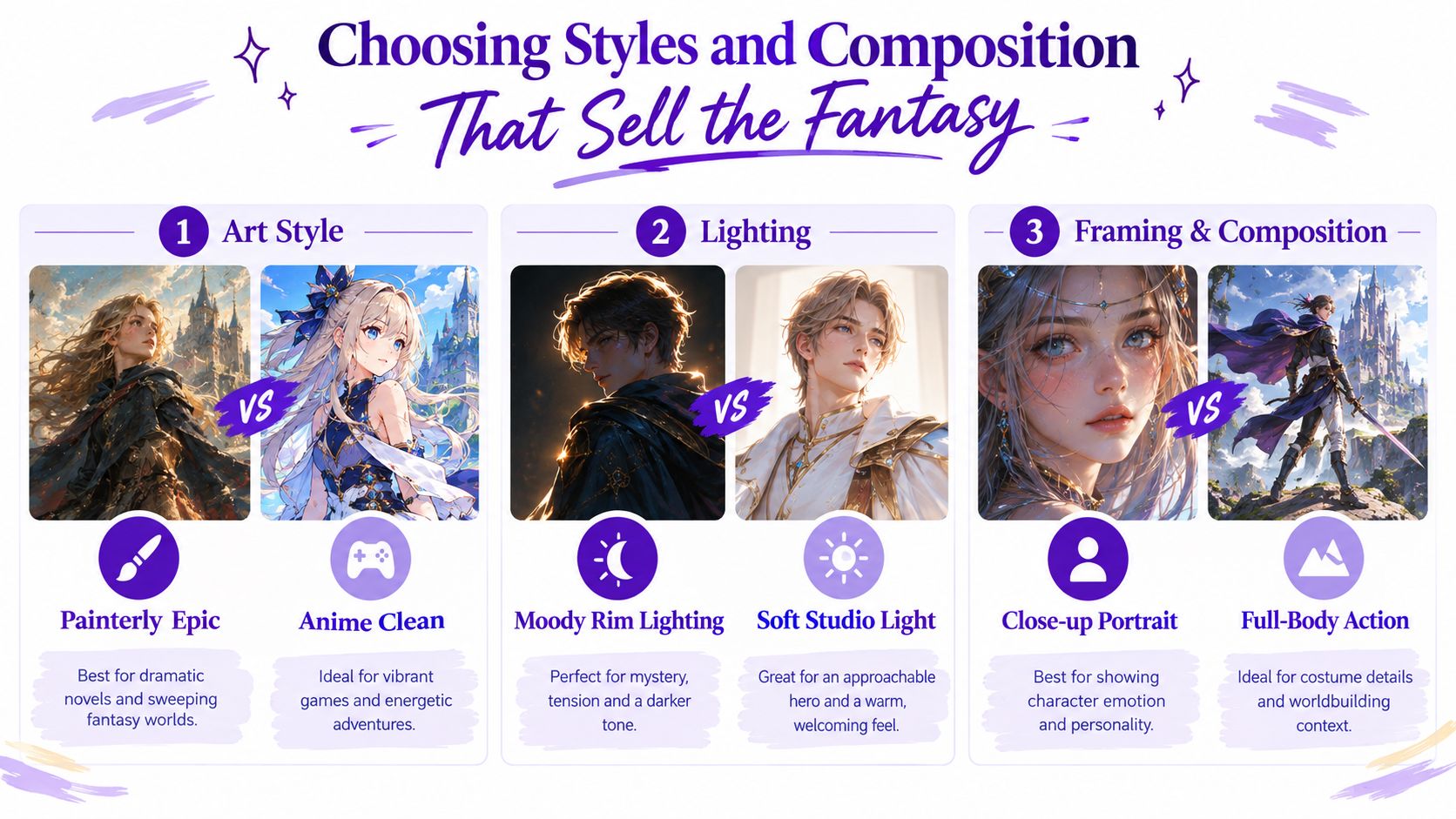
| Creator Goal | Recommended Style | Lighting and Framing Tip |
|---|---|---|
| Novel character art | Painterly epic | Use restrained background detail and a three-quarter or portrait crop |
| RPG token | Anime clean or graphic fantasy | Use even lighting and a square crop with a readable face |
| Game concept sheet | Cinematic concept art | Use full-body framing, clear silhouette, and limited environmental clutter |
| Etsy print | Painterly or clean stylized art | Use a strong central pose and a palette that survives small-size printing |
| Social avatar | Clean stylized rendering | Use a close-up with high contrast around the face |
Keep the prompt internally consistent. “Soft pastel anime portrait, brutal photorealistic war documentary, glossy oil painting, and flat vector icon” gives the model competing instructions rather than a clear art direction. Choose one primary style, one supporting finish, one lighting mood, and one framing choice. More adjectives don't guarantee a richer image.
Costume detail also needs hierarchy. Start with the pieces that define the character, such as a red mantle, antlered crown, or mechanical gauntlet. Add secondary textures only after the silhouette works. For composition principles that help with focal point, balance, and visual hierarchy, use this composition guide.
A character can look excellent in isolation and still fail as a series. The face shifts, the dominant hand changes, the sword moves from hip to back, and the crest becomes decorative noise. These problems come from spatial and attribute binding, where the system understands individual objects but doesn't reliably preserve their exact relationships inside a complex prompt.
A 2026 study found that diffusion models achieved only 0.41 F1 on a shape-in-quadrant task even with a guidance scale of 9.0, demonstrating how brittle precise placement instructions remain under complex prompts. Related evaluation work reported industry-wide text legibility averaging 64.60%, so insignia, map labels, and readable weapon engravings deserve separate validation rather than blind trust. See the robustness study on spatial reasoning in text-to-image models for the evaluation context.
Create a short identity card for every recurring character:
Generate each anchor separately before combining them. First validate the face. Then check the outfit. Then check the weapon and emblem. When an image fails, correct that element without rewriting the entire character brief. This avoids the common mistake of regenerating everything and losing details that were already working.
Keep the same reference image, model, aspect ratio, and core settings throughout a project. Configuration drift can make a character appear to change even when the prompt stays similar. Don't switch from a close-up portrait to a crowded battle scene while also changing style and palette. Establish the new scene in a controlled branch, then compare it against the approved anchor.
A repeatable character is built from preserved decisions, not repeated wishes.
For series work, create a small reference library of approved portraits, costume variants, expressions, and scene tests. Use the strongest approved image as the starting reference for each new branch, and make small edits such as “standing on a rain-soaked bridge” or “wearing the winter cloak.” The guide to AI character consistency is useful when your project involves recurring figures rather than one-off artwork.
Before exporting, inspect the image at the size where people will see it. Check the face, hands, weapon position, costume seams, emblem shapes, background distractions, and crop safety. If text appears inside the image, treat it as suspect and recreate it in a design program rather than relying on generated lettering.
Save the approved reference, final prompt, settings, and useful variations together. Upscale only after identity and composition are stable. For a book, test the image with the title area included. For an RPG token, check the circular crop. For merchandise, verify that the silhouette and important details remain clear against the intended product color.
Commercial use and copyright aren't the same question. The U.S. Copyright Office's AI policy guidance says purely AI-generated outputs aren't protected by copyright, while human-determined expressive elements may qualify for protection. The European Parliament likewise notes that meaningful human creative input matters, and AI-generated content may still infringe existing rights. Separately, an image may be commercially usable under a provider's terms even when copyright ownership remains uncertain, as explained in this practical summary of commercial use for AI-generated images.
Review the service terms before selling a cover, print, listing, or branded asset. Don't assume that writing the prompt automatically gives you exclusive ownership, and don't treat commercial permission as a guarantee that every visible symbol, likeness, or borrowed reference is risk-free. For a broader walkthrough of the creation process, how to use an AI character generator offers a useful companion resource.
Start with a small batch, approve one character anchor, and build outward through controlled variations. Over time, your saved prompts and references will become a practical library for faster book, RPG, and merchandise projects.
Use starryai to turn character descriptions and reference ideas into fantasy visuals, including portraits for stories, avatars, and creative projects. Build one locked character first, save the strongest result, and use that visual foundation to develop the rest of your series.


.svg)