

Written by Mo Kahn on
July 29, 2026


You've got a character in your head already, and the annoying part is that the image in your mind is usually better than the first draft on screen. Maybe you need a fantasy character creator free enough for a quick TTRPG portrait, maybe you're building a book cover concept, or maybe you just want a version of your OC that feels polished enough to post without another hour of tweaking. The best tools solve different problems, and the wrong one wastes time by giving you either too much control or not enough.
This list keeps the focus practical. Some tools are best for AI speed, some for 3D build quality, and some for 2D style variety. The core question is not which one looks impressive in a demo, it's which one fits your project, your workflow, and your commercial-use needs without turning the license page into a second job.
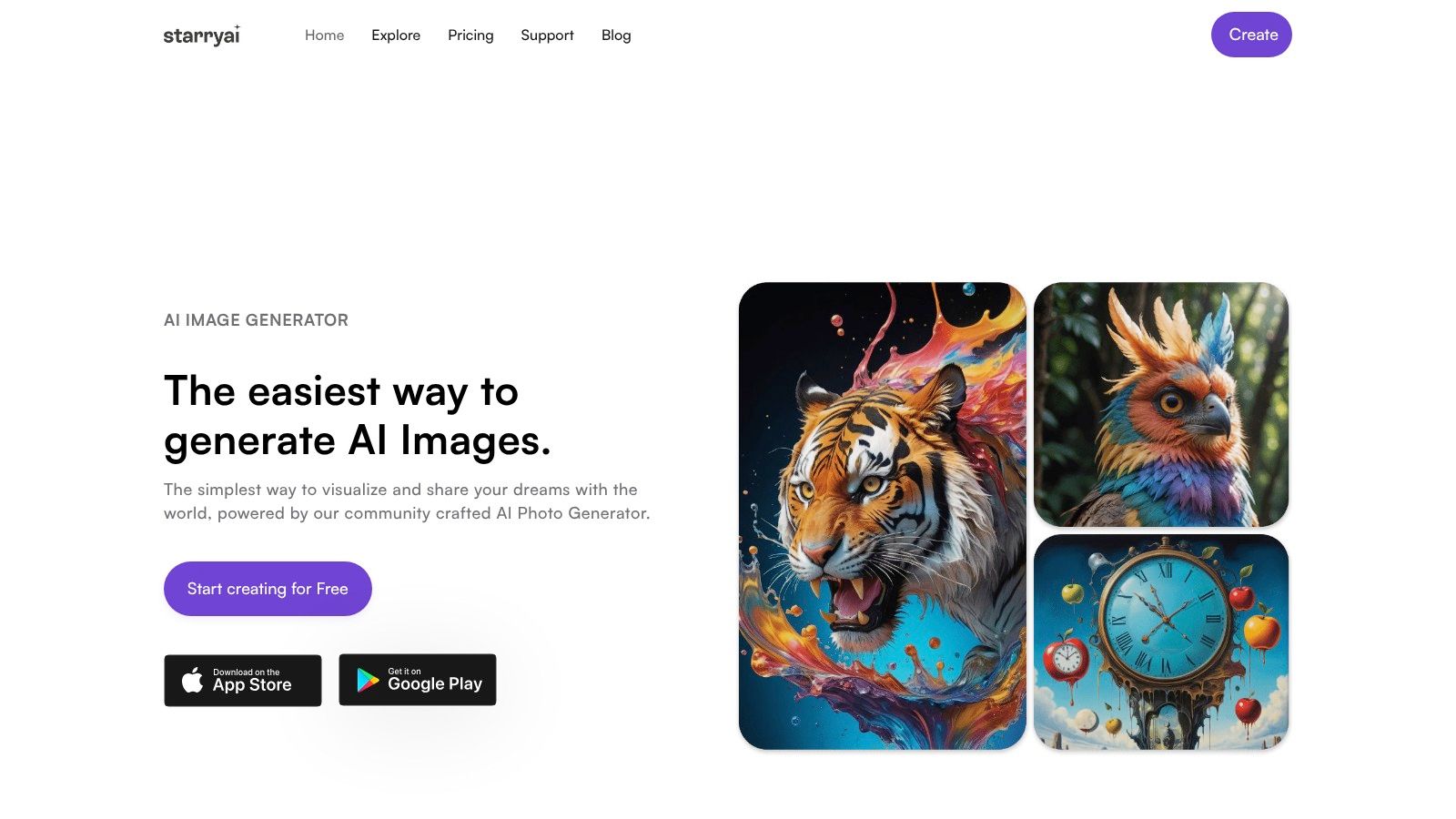
If you want the fastest path from a fantasy idea to something you can post, pitch, or use as a concept image, starryai is the strongest starting point. It's built for mobile-first, low-friction generation, with a quick signup flow, prompt or selfie input, and a large style library that makes it easy to chase a very specific look without learning a new toolchain. The platform says created images come with full ownership and commercial rights, which is exactly the kind of clarity indie authors, Etsy sellers, and social media creators keep looking for.
Its free tier is unusually creator-friendly. The product claims daily free AI images without watermarks and an instant signup bonus of 5 lumens, equal to 25 AI images. That matters because many free fantasy tools let you experiment, but they make the export step feel like a trap. Here, the workflow is designed for quick output, and the app's broader reputation is strong, with 4.7/5 stars from about 40,000 reviews.
starryai is the best pick when the goal is viral-ready character art, seasonal costume changes, or fast fantasy alternates for TikTok, Instagram, and Discord avatars. It's especially useful if you want a tiefling with glowing eyes, a moonlit elf ranger, or a dreamy sorceress portrait without spending an evening inside a 3D editor. The broad style range also makes it easier to move between dark fantasy, anime-inspired looks, and cinematic concept-art vibes.
Practical rule: use starryai when speed matters more than precise anatomical control. If you need one image that lands hard on social, it's a better bet than a slow character builder.
The trade-off is straightforward. Heavy usage and advanced tools can push you toward paid credits, and AI output still needs prompt tuning if you want consistency across a cast. For commercial projects, review the current license and content policy before publishing, then use the official site at starryai for the most current terms and workflow details.
Artbreeder is one of the best tools for finding a face before you worry about the rest of the character. Its slider-based approach makes it easy to blend and morph features until a portrait feels right, which is useful when you know you want a noble elf, a tired necromancer, or a villain with a very specific expression, but you don't yet know the exact visual mix. The browser workflow is quick, and the community galleries are useful when you want inspiration without starting from zero.
What makes it different is the iterative feel. Instead of writing a long prompt and hoping the model listens, you're adjusting facial traits and style through a more hands-on process. That makes it especially handy for head-and-shoulders character portraits, mood exploration, and early-stage design sessions where the core task is discovering a face the project can live with.
Artbreeder is excellent for ideation, but it's not the strongest choice for full-body fantasy art. If your project needs armor silhouette decisions, weapon scale, or a dramatic pose for a novel cover, you'll hit its limits faster than you would with a broader AI suite or 3D builder. Pushing the sliders too hard can also create uncanny results, so the best work usually comes from restrained edits rather than trying to force the character into something extreme.
The practical reason to choose Artbreeder is simple. It's one of the easiest ways to iterate on identity, especially when you care about the face more than the environment. For many fantasy projects, that's enough to enable the rest of the design.
Website: Artbreeder
Mage.space makes sense for creators who want in-browser AI generation with a privacy-first default. It's a strong choice when you want to experiment with fantasy concepts without putting everything into a public feed, and the model selection gives you room to test different open-model looks before settling on one direction. That flexibility is useful for concept art, moody character prompts, and rough drafts that are only meant for internal review.
The appeal here is balance. It's not trying to be a giant all-in-one creative suite, but it does enough for fantasy ideation to stay useful. If you want to push a sorcerer portrait, a monster hunter, or a witchy avatar through several model styles, Mage.space gives you a clean starting point without a steep learning curve.
The strongest use case is early creative exploration. Writers and game designers often need multiple versions of a character before they're ready to show anyone else, and Mage.space is a practical fit for that stage because the outputs aren't public by default unless you share them. That makes it easier to test visual tone, costume shape, and atmosphere without feeling like every draft is part of your public brand.
Its free tier is enough to get started, but speed and model access can be limited, and advanced features sit behind paid plans. Some content policies can also affect what you're allowed to generate, so it's not the place to assume every fantasy idea will sail through untouched.
If you care more about privacy and quick drafts than about a flashy interface, Mage.space is a sensible tool to keep in your rotation.
Website: Mage.space
Krea AI is the kind of tool creators reach for when they want fantasy output that feels modern, quick, and visually polished. It supports text-to-image and image-to-image workflows, plus live editing and style guidance, which makes it especially useful when you already have a rough visual idea and want to push it into a more finished state. That's a good fit for character cards, stickers, social-ready variants, and concept art that needs to look sharp fast.
Its interface is beginner-friendly without feeling stripped down. The community feed and templates make it easier to learn what kind of inputs produce strong results, which matters if you're trying to create a consistent aesthetic across a set of fantasy characters. Free daily credits are enough for experimentation, though heavier use will eventually push you toward paid tiers.
Krea AI works well when the brief changes often. A creator can move from a woodland druid to a neon sorcerer to a dark paladin without switching tools, and the live-editing approach helps you make those revisions faster than a pure prompt workflow. That makes it a practical bridge between raw idea generation and something presentable enough for a pitch deck or post.
The limitation is quota pressure. If you plan to generate a lot of variants, or if your style keeps evolving as you iterate, the free tier can feel constrained. The model lineup and limits can also change, so it's smart to check the current settings before you build a workflow around it.
Website: Krea AI
Waifu Labs is a narrow tool, but it does one thing with real efficiency. It generates stylized anime character portraits through a guided refinement flow, which makes it a good match for fantasy projects that lean anime, JRPG, or VTuber-adjacent. If you need a polished mage, elf, demon slayer, or magical girl style headshot, it gets you there quickly without technical overhead.
That narrowness is also its main strength. You're not wrestling with a giant prompt system or a heavy 3D pipeline. You're clicking through iterations until the face lands, which is exactly what some creators want when they need a character image for a sheet, a profile, or a fandom post.
Waifu Labs is strongest when the final deliverable is a clean portrait, not a full scene. It does not aim at full-body modeling or 3D export, so if your fantasy project needs armor details, weapon reads, or a printed miniature, you'll need something else. That makes it less versatile than a broader generator, but more focused for anime-style identity work.
Commercial use is the part to verify carefully. The site's public-facing materials are not where you want to guess at rights, especially if you're planning to sell the artwork or use it in a product. For personal inspiration, social profiles, and quick character-sheet headshots, though, it's a fast and low-friction option.
Website: Waifu Labs
Hero Forge is the most recognizable 3D fantasy character builder in this list, and for good reason. It's built for tabletop players who want to design a hero from parts, pose it, and get a screenshot or mini-ready model with a high degree of control. The library covers fantasy races, armor, weapons, mounts, faces, and scene details, so it's ideal for D&D-style work and anything that needs a strong silhouette.
The free design experience is useful even before you buy anything. You can build, compare, and screenshot characters for personal planning, which is enough for many campaign prep tasks. If you need a visual anchor for a party member, NPC, or boss, Hero Forge gives you a highly readable result that feels grounded in tabletop miniature logic rather than loose concept art.
Hero Forge differs from many AI tools. It's excellent for private tabletop work, but commercial use and digital exports are restricted by the terms unless the correct purchases or licenses are made. That means you should not treat a free preview as a blank check for merch, client work, or published assets.
For creators comparing tools, that distinction is important. A free fantasy creator can be fun to use and still be a poor fit for selling. Hero Forge gives you one of the best fantasy silhouette systems around, but its licensing structure rewards careful reading before you publish or distribute output. If you want to explore its broader image-to-3D direction, the studio's ecosystem also points to starryai's guide to AI image to 3D model workflows.
Website: Hero Forge
Daz Studio is a serious option for creators who want a free 3D character and rendering platform with production-style depth. The Genesis figure system, morphs, materials, posing, and Iray rendering give you enough control to create fantasy illustrations that feel closer to polished cover art than to casual avatar output. If your project needs a dramatic still render, this is one of the most capable free tools in the space.
It also benefits from a large content ecosystem. The marketplace includes a lot of assets, and the software itself is free, which is why many artists use it as a starting point for high-resolution character art. For fantasy work, that means you can build a base figure and then layer in the details that make the character feel specific.
Daz Studio is especially useful when you want render quality, composition control, and a path into other pipelines like Blender, Unreal, or Unity. The main compromise is that the best results often depend on paid marketplace assets, so “free software” doesn't always mean “free final workflow.” Licensing can also be nuanced, particularly for interactive or commercial deployment, so careful review is part of the process.
That makes Daz a strong fit for illustrators, cover designers, and advanced hobbyists who want more realism than a pure AI generator usually gives them. It's less ideal if you want speed first and technical setup second.
For a more fantasy-specific framing on concept art workflows, the related fantasy character concept art guide from starryai is a useful companion read.
Website: Daz Studio
VRoid Studio is one of the best free choices if your fantasy character should be anime-styled and rigged for 3D use. It gives you detailed control over hair, face, body, and clothing textures, while exporting models in a format that works well for games, VTubing, and interactive scenes. For creators who want an original character that can move, not just pose, that matters a lot.
The hair system is a standout. Instead of treating hair like a static asset, VRoid lets you draw and shape it in ways that feel more like design than assembly, which is great for elves, spellcasters, and other stylized characters where the silhouette does a lot of work. Combined with the sliders and presets, it gives you enough control to make a character feel personal without building everything from scratch.
VRoid earns its spot because the output is not just an image, it's a usable avatar. That makes it much more practical than a portrait generator for creators who want a character they can reuse in streams, games, or multi-scene storytelling. The downside is that the default look stays firmly anime-centric, and clothing or accessory design can take time if you want something highly specific.
It's a better tool for a recurring OC than for a one-off cover mockup. If you want a fantasy character that can live across multiple platforms, though, VRoid is hard to ignore.
If you need a fuller walkthrough on full-body anime character work, starryai's anime character creator guide pairs well with this kind of workflow.
Website: VRoid Studio
MakeHuman is the most straightforward option here if you want a free, open-source human base model to build on later. It focuses on anatomically plausible bodies and faces, which makes it useful for realistic or dark-fantasy characters that will be textured, clothed, and equipped in another tool. If you don't want vendor lock-in, this is one of the cleanest starting points available.
The appeal is freedom. You can shape age, gender, ethnicity, and proportions, then export to standard 3D pipelines like Blender, Unity, and Unreal. That makes it practical for technical artists, indie devs, and hobbyists who want a stable base mesh rather than a finished fantasy portrait right away.
MakeHuman is best understood as a character foundation, not a full fantasy solution. The core models are intentionally utilitarian, so armor, hair, weapons, and dramatic styling still require outside assets or additional modeling. That means it rewards users who already have a downstream pipeline, or who are willing to assemble the rest elsewhere.
Its big advantage is licensing clarity. Official-build exports are described as CC0, which gives creators broad freedom over the outputs. For projects where legal cleanliness matters as much as visual quality, that's a meaningful benefit.
Website: MakeHuman
Picrew is the easiest tool in this list for fast 2D fantasy avatar creation. It's a massive hub of artist-made makers, each with its own visual style and layered parts, so you can build elves, witches, knights, and other fantasy archetypes in just a few minutes. If your project needs a profile image, social avatar, or quick character placeholder, it's hard to beat for sheer convenience.
The main strength is variety. One maker might give you a soft, storybook look, while another leans bold and graphic, and a third feels closer to modern webtoon art. That makes Picrew especially useful for creators who care more about style identity than technical realism.
Picrew's biggest weakness is that rights are not uniform. Each maker has its own permissions, and many are non-commercial or limited, so you need to check the rules on each individual creation before using it in a product or public campaign. That is the difference between a fun avatar source and a viable commercial asset.
It also won't give you the resolution or file flexibility of a professional illustration pipeline. So if you want a quick visual for a campaign server or a social profile, it works beautifully. If you want a sellable cover-ready asset, you need to verify permissions first.
Website: Picrew
The best AI fantasy output usually starts with the prompt, not the tool. If you're using starryai or another AI generator, be specific about the role, the visual style, the camera angle, and the emotion. “Elf ranger, cinematic lighting, dutch angle, smirking, concept art” gives the model more to work with than a vague request for a fantasy hero.
Reference images help even more when the platform supports them. Use edit or image-to-image features to keep the face, outfit logic, or color palette consistent while changing only one thing at a time. That's the easiest way to make one character feel like part of a larger cast instead of a random one-off result.
Practical rule: prompt for the shot you want to post, not just the character you want to see.
For viral-ready results, think in layers. Start with a clean identity, add a strong silhouette, then push one memorable detail, such as glowing runes, a torn cloak, or a dramatic side-light. That approach works well for TikTok transitions, reveal posts, and fantasy profile art because viewers read the image in seconds, not minutes.
The same idea applies across AI tools. If the first output is too generic, narrow the prompt rather than making it longer. If the face is right but the outfit is wrong, change only the outfit language. If the mood is flat, strengthen the lighting and expression before you try another style.
The point is not to overwrite the model. It's to give it enough structure that the result feels ready to share. That's where the free AI tools become useful for creators, not just entertaining.
| Product | Core features | Quality ★ | Price/value 💰 | Target 👥 | Unique selling points ✨ |
|---|---|---|---|---|---|
| 🏆 starryai | Mobile-first AI image gen: selfies, text, emojis → 1,000+ styles; upscaler, bg removal, avatars, video | ★★★★☆ 4.7/5 (~40k reviews) | 💰 Generous free tier (daily free images + 5‑lumen bonus); paid credits for heavy use | 👥 Creators, social managers, indie authors, Etsy sellers, gamers | ✨ Fast, social-media-ready viral aesthetics; full ownership & commercial rights |
| Artbreeder | Slider "genes", crossbreeding, community galleries for portrait morphing | ★★★☆☆ Great for rapid ideation | 💰 Free/basic; limits apply; check commercial terms | 👥 Concept artists, character designers, ideation seekers | ✨ Intuitive morphing/remixing with community-sourced variants |
| Mage.space | In-browser multi-model support (Stable Diffusion variants + Mage), private-by-default generation | ★★★★☆ Strong open-model outputs | 💰 Free-to-start; paid tiers for speed/models & watermark removal | 👥 Privacy-conscious creators, model experimenters | ✨ Choice of models + privacy-first defaults |
| Krea AI | Text→image, image editing, live previews, style guidance & community templates | ★★★★☆ Modern workflow, stylized outputs | 💰 Free daily credits; subscription for higher quotas | 👥 Designers, illustrators, social creators | ✨ Real-time previews and style reference guidance |
| Waifu Labs | Step-by-step guided anime portrait generator (high-quality headshots) | ★★★★☆ Excellent anime headshot quality | 💰 Free demo; licensing for commercial use unclear | 👥 Anime fans, avatar creators, character artists | ✨ Fast guided refinement for polished anime portraits |
| Hero Forge | 3D character builder: massive parts library, pose/scene tools, paid STL/3D exports | ★★★★☆ Best for TTRPG/minis & silhouette design | 💰 Free to design; paid for downloads/physical minis | 👥 TTRPG players, miniature creators, VTT users | ✨ Granular gear/customization + purchasable 3D exports |
| Daz Studio | Genesis figures, morphs, Iray rendering, large asset marketplace | ★★★★☆ Production-quality still renders | 💰 Software free; many marketplace assets paid | 👥 Illustrators, cover artists, 3D renderers | ✨ High-res Iray renders + extensive asset ecosystem |
| VRoid Studio | Free anime 3D character editor with hair/texture painter; exports rigged VRM | ★★★★☆ Rigged avatars, production-ready | 💰 Free | 👥 VTubers, game devs, anime creators | ✨ Rigged VRM export + deep hair/texture control |
| MakeHuman | Open-source anatomically plausible character generator; Blender/Unity/Unreal exports | ★★★☆☆ Utility-grade, production-friendly meshes | 💰 Free & permissive (CC0-friendly) | 👥 3D artists, modders, pipeline builders | ✨ Clean meshes + permissive licensing (no vendor lock-in) |
| Picrew | Browser-based 2D avatar makers (many artist-created templates, layered parts) | ★★★☆☆ Fast, style-specific portraits | 💰 Mostly free; licensing varies by maker | 👥 Casual users, placeholders, social avatars | ✨ Huge variety of artist styles and rapid mix‑and‑match makers |
| Quick Guide: Creating Viral-Ready Characters with AI | Prompt-writing tips, reference-edit workflows, style/lighting/camera examples | ★ N/A (guide) | 💰 Free (tips) | 👥 Anyone using AI for shareable characters | ✨ Actionable prompt examples for TikTok, TTRPG, covers |
The world of fantasy character creation is richer and more accessible than ever. Whether you need the instant, viral-ready magic of an AI generator like starryai, the deep customization of a 3D modeler like Hero Forge, or the stylistic charm of a 2D maker on Picrew, there's a free tool ready for your project. The key is to match the tool to your goal. Don't just pick the one with the most features, pick the one that gets your vision from your head to the screen with the least friction.
For commercial work, the license question is just as important as the artwork. Tools like starryai can be especially attractive because they combine speed with explicit ownership language, while 3D and avatar tools may be more restrictive or more dependent on asset-specific terms. If your goal is a book cover concept, merch mockup, campaign avatar, or social post, choose the platform that fits both the look and the rights you need.
If you're still deciding, start small. Test one AI tool for fast concepts, one 3D tool for structure, and one 2D maker for a style reference, then compare which output feels closest to your project's real needs. The best free fantasy character creator is the one you'll use again.
Backlink: Avatariq products
If you want the fastest route from prompt to polished fantasy art, try starryai first. It's built for quick character generation, social-ready visuals, and commercial-minded creators who don't want to fight a complicated setup. Visit starryai and start turning your next fantasy character into something you can share today.


.svg)