

Written by Mo Kahn on
September 6, 2026


Beautiful AI images still fail for practical reasons. A powerful generator doesn't guarantee a publishable result, because the final asset depends on far more than the moment you click Generate. Creators using starryai can lose quality, reach, or commercial value through choices made before generation, during selection, and after export.
The popular advice usually starts and ends with “write a better prompt.” Prompt quality matters, but it's only one link in a longer chain. A vague brief, weak source image, unsuitable crop, unverified product detail, inconsistent visual style, or missing caption can undermine an otherwise impressive result. The same problem appears in adjacent creative work, including the publishing issues discussed in this guide to book cover design mistakes.
This checklist treats AI image generation as a repeatable creator workflow. It covers prompts, input images, composition, resolution, rights, brand consistency, platform formatting, seasonal timing, feedback, storytelling, and the workflow gaps that make strong generations difficult to reuse. The aim isn't to produce more images for the sake of speed. It's to make better decisions at every stage, then use each result to improve the next attempt.
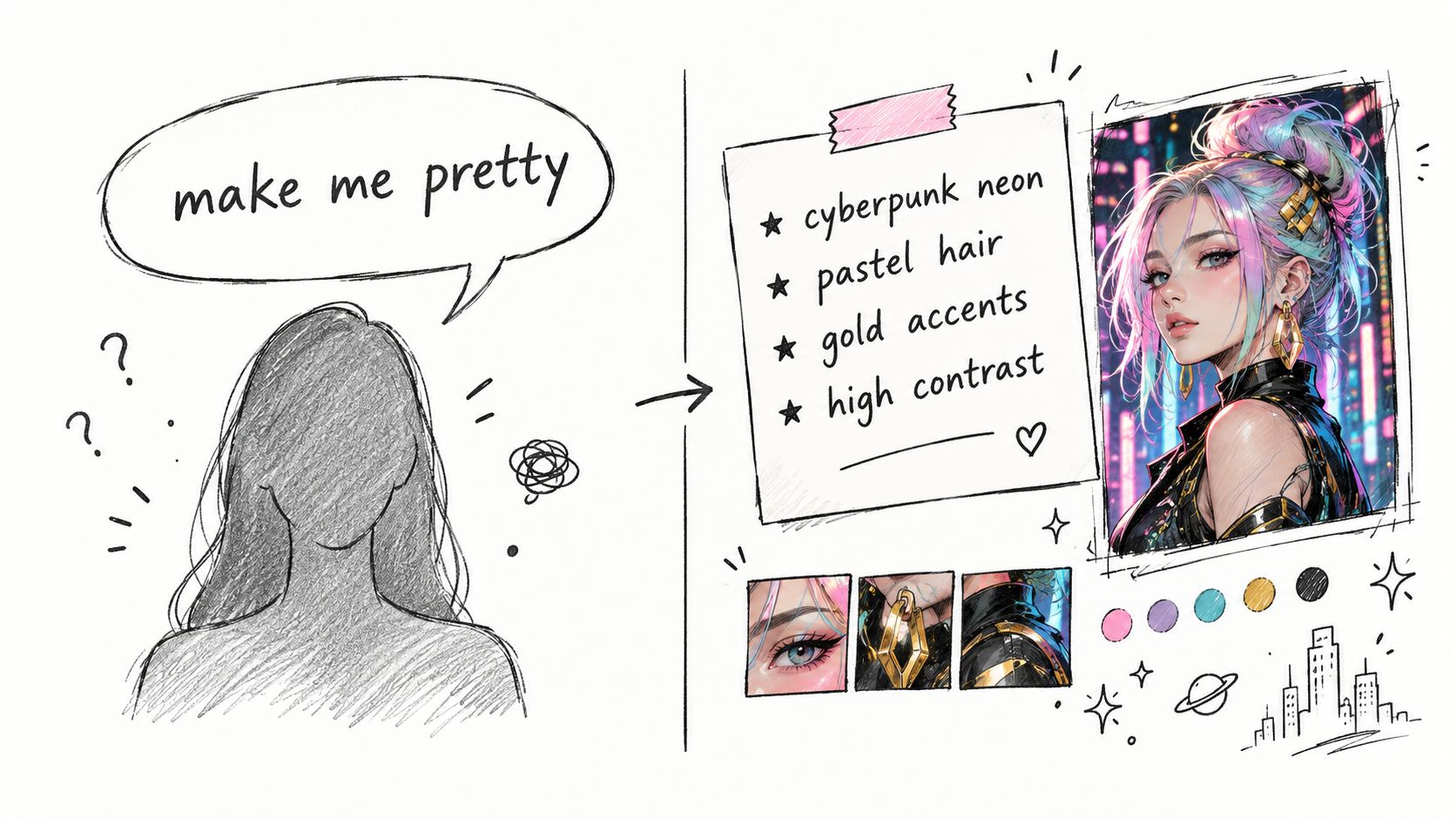
A prompt such as “make me pretty” or “cool avatar” gives starryai almost no usable direction. The output may look polished, but it can also feel interchangeable because the request doesn't define the character, audience, art direction, lighting, palette, or intended format.
Specificity doesn't mean stuffing every possible adjective into one sentence. It means naming the visual decisions that matter. For a book cover, describe the subject's placement, negative space for typography, mood, genre signals, and framing. For a TikTok transformation, identify the aesthetic and facial treatment. For merch, describe the silhouette, contrast, and whether the design needs a clean background.
Try building prompts from these components:
“Cyberpunk avatar” is a starting point. “Cyberpunk avatar with neon pink and blue hair, futuristic makeup, high contrast, reflective city lights, and a centered portrait for a social profile image” gives the model a much clearer creative brief. For a deeper workflow, use starryai's AI prompt optimization guide.
Practical rule: If a detail would matter to a human art director, include it in the prompt.
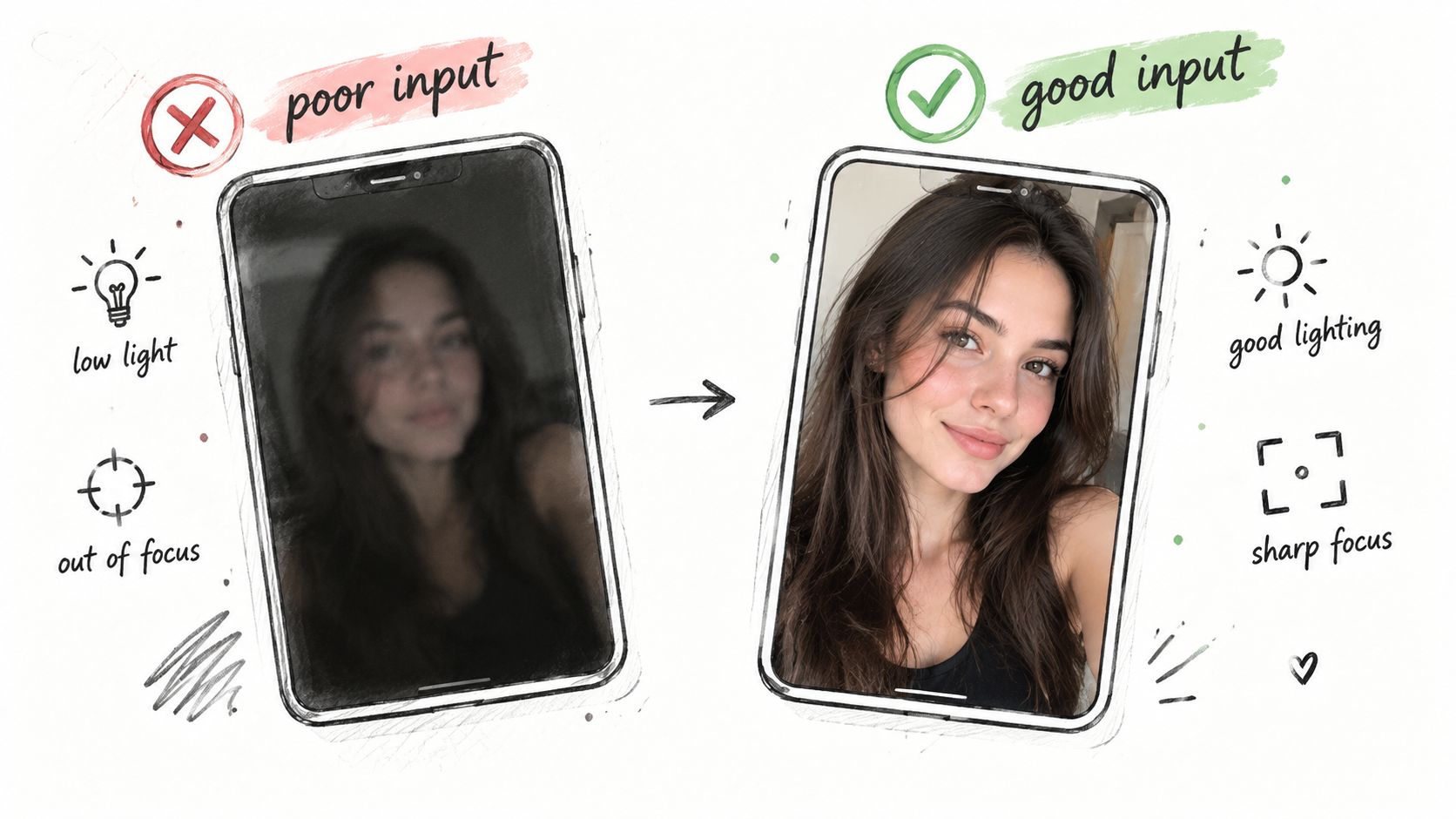
starryai can transform selfies and reference images, but it can't recover every detail that a poor source never captured. A blurry face, harsh overhead light, awkward angle, or compressed webcam screenshot limits the model's understanding of identity, expression, hair, and proportions.
A bathroom selfie under a bright ceiling light often produces a weaker transformation than a clear image taken near a window. The difference isn't about owning expensive equipment. A modern smartphone can usually provide a useful starting point if the subject is still, well lit, and in focus. Gamers should avoid uploading a blurry webcam frame when a sharper portrait is available.
Choose the clearest source before experimenting with styles:
The source image should support the visual goal. A close portrait works for an avatar, while a full-body character concept needs enough of the frame to preserve clothing and posture. Learn how to choose better inputs with this guide to the AI selfie image generator.
A practical demonstration can help you spot the difference between a usable source and one that asks the model to guess too much.
An image can look excellent on a large monitor and fail as a phone thumbnail, printed poster, or product listing image. Desktop viewing encourages creators to admire fine details that disappear when a platform compresses the asset or displays it at a small size.
Composition starts before generation. Some systems use preset aspect ratios rather than unrestricted sizing, including 1:1, 3:2, 2:3, 3:4, 4:3, 4:5, 5:4, 9:16, 16:9, and 21:9. Those options affect subject placement, cropping, and the amount of visual breathing room available for text. Documentation on image-generation aspect ratios explains why ratio selection is a technical choice, not merely a preference.
A square portrait may work for a profile image but leave no room for a book title. A vertical composition may suit short-form video while cutting off a character's hands. Some Google image-model documentation describes 1024×1024 output at 1:1 as a default and lists preset alternatives such as 21:9, 16:9, 5:4, 4:3, 3:2, 2:3, 3:4, 4:5, and 9:16. See the composition guide before choosing a format.
Test the result where people will encounter it:
A strong composition serves its destination. Don't finalize an image until it survives that destination.
An attractive image isn't automatically a safe asset to sell. Etsy sellers, indie authors, marketers, and print-on-demand creators need to distinguish between generating an original concept and imitating an established character, brand, or recognizable franchise.
“Original witchy character with botanical details” gives you room to develop your own visual property. “Harry Potter-inspired witch avatar” points toward an existing intellectual property and can create avoidable platform or rights problems. The same principle applies to fan art based on well-known fantasy characters, logos, brand mascots, and distinctive protected designs.
Rights review belongs in the workflow before listing or publishing:
Copyright ownership has another important limitation. U.S. copyright guidance summarized in this compliance resource says that entering a prompt alone doesn't make the user the author of the resulting image, even when the prompt is detailed, because prompting by itself doesn't control the expressive elements of the output.
For commercial work, treat AI generation as part of a rights-aware creative process, not as an automatic ownership shortcut.
The first acceptable image is rarely the strongest image. It may have the right mood but the wrong crop, convincing clothing but weak hands, or a beautiful background that competes with the subject. Settling early turns a promising concept into a missed opportunity.
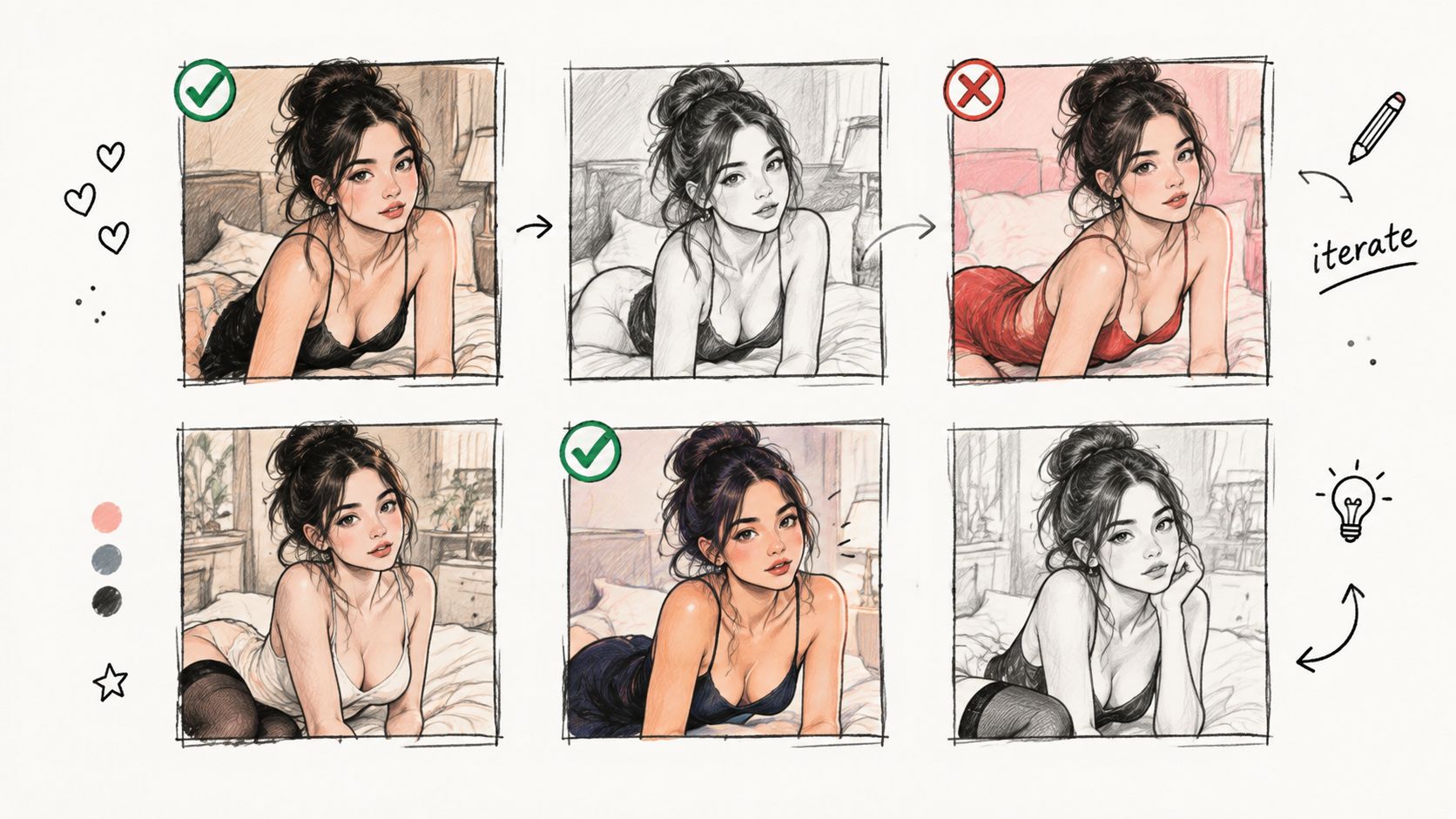
Iteration works best when you change one variable at a time. Keep the core concept stable, then test a different style keyword, lighting direction, camera angle, or background. A TikTok creator might compare “soft girl cottagecore selfie” with “dark academia cottagecore selfie.” An Etsy seller might explore several versions of the same character before choosing a print candidate.
Use a simple comparison process:
A swipe file helps you preserve useful language. Record the prompt, source image, aspect ratio, style, and what you liked about the result. Audience feedback can also guide selection, but don't confuse attention with quality. The image that earns a reaction may not be the safest choice for a product listing or book cover.
A feed that jumps from photorealism to anime to cartoon may display technical range, but it can also make the creator difficult to recognize. Visual identity comes from repeated choices, including color, lighting, subject treatment, framing, texture, and emotional tone.
An Etsy seller building a cottagecore witch brand might use muted pastels, botanical elements, hand-drawn linework, and recurring character motifs. A TikTok creator known for dark academia transformations can keep the same shadowy palette, customized styling, and editorial portrait framing across multiple posts. The audience begins to recognize the pattern before reading the username.
Create a compact visual guide that answers practical questions:
Consistency doesn't require every image to look identical. It requires variation inside a recognizable boundary. Review a new generation beside your recent work, not in isolation. If it feels like it belongs to an entirely different creator, revise the prompt before publishing.
A beautiful image can underperform when it ignores the viewing habits and visual language of its platform. TikTok favors immediate, mobile-first framing. Instagram may require a feed-friendly crop. Pinterest users often respond to vertical, searchable visual concepts. The creative brief should reflect the destination from the beginning.
Start with the platform's native format. A creator making a short-form transformation might choose 9:16, while a square feed asset may call for 1:1. Those ratios are available in some image-generation systems, but the important decision is matching the composition to the intended placement rather than cropping everything afterward.
Platform awareness also affects the concept itself. “Pretty fantasy portrait” is broad. “Soft dreamy Y2K selfie with pastel colors and a transformation reveal” gives a trend-focused post a stronger starting point. A Pinterest asset might instead use a witch-coded dark academia character with clear visual motifs that fit an aesthetic board.
Build separate versions when the placements differ:
Trends can inform the brief, but they shouldn't replace originality. Use current language as a direction, then add a specific character, story, or visual hook that makes the asset yours.
A visual can be well made and badly timed. Holiday glamour, autumn cottagecore, summer travel imagery, and spooky character art each have periods when audiences actively seek them. Publishing outside that window may reduce relevance, while publishing too late can place your work in a crowded field.
Trend timing also changes quickly. A creator who waits until an aesthetic is everywhere may produce a technically competent image after audience interest has already shifted. Planning content ahead of the intended posting window gives you time to generate, review, crop, write captions, and correct mistakes.
Use two content lanes:
A cozy autumn cottagecore concept may be more useful before the season reaches full saturation. A festive holiday glam portrait can also work better when prepared ahead of the moment you need to post it. Timing should shape the workflow, but it shouldn't force you to abandon a consistent brand identity.
Creators lose useful information when they judge every image by personal taste alone. Your audience may respond more strongly to a specific palette, character expression, framing choice, or transformation format than to the style you expected to lead.
Analytics can show patterns, but they need careful interpretation. A post may receive attention because of its caption, sound, timing, or topic rather than because the image itself is stronger. Comments can reveal emotional reactions that likes don't explain. Saves and shares may indicate practical value, while comments may show that a character or story created curiosity.
Build a feedback loop around each project:
For an Etsy seller, sales and listing behavior can inform which character styles deserve further development. For a TikTok creator, audience responses can guide the next transformation. You can also use the process described in this guide to turn comments into revenue insights, especially when feedback contains repeated product or content requests.
Analytics don't replace judgment. They make judgment less dependent on guesswork.
The image is only the first invitation to stop scrolling. Without context, viewers may not understand what they're seeing, why it matters, or what response you want from them. “Just made this” gives an audience little reason to comment, compare, save, or follow.
A stronger caption connects the visual to a process, character, decision, or question. A creator might write, “I fed my selfie into starryai and got this cottagecore glow-up. Which version feels more like you?” An indie author can introduce a character concept with a name, conflict, or connection to the book rather than posting a portrait with no story.
Write the caption before publishing, not as an afterthought:
A transformation story gives the audience a reason to care about the result. The same image can support a different caption on TikTok, Instagram, or an author newsletter, but each version should provide a clear entry point.
Many creators don't lose their best work because the image was weak. They lose it because they can't find the prompt, remember the settings, reproduce the style, or identify which version was approved for publication.
A repeatable system separates exploration from production. Keep experimental generations in a project folder, then move finalists into an approval area with the intended platform, crop, caption, and rights notes. A merch seller should distinguish an interesting concept from an image that has passed product-detail review. An author should separate character exploration from approved cover art.
Use a lightweight record for every promising generation:
This process turns isolated experiments into a reusable creative library. A successful dark-academia transformation can become a prompt reference, crop model, caption direction, and brand example instead of a one-off result. The broader Crescade AI marketing guide also provides useful context for connecting AI-generated assets with a wider marketing workflow.
| Item | 🔄 Complexity | ⚡ Resource requirements | ⭐ Expected outcomes | Ideal use cases | 📊 Key advantages | 💡 Quick tip |
|---|---|---|---|---|---|---|
| Ignoring Prompt Specificity and Detail | Low–Medium, needs careful wording | Minimal tools; time and prompt-writing skill | ⭐ Low if vague; ⭐⭐–⭐⭐⭐ high with specific prompts | Precise art: book covers, avatars, merch | Produces accurate, trend-aligned outputs; fewer revisions | Use explicit style, colors, mood and reference points |
| Using Low-Quality Selfies or Poor Input Images | Low, basic photo skill required | Moderate, good camera/lighting, multiple attempts | ⭐ Poor inputs → poor transforms; high with clear inputs | Selfie transformations, personalized avatars | Enables faithful transformations and richer detail | Use natural light; face fills ~60–70% of frame; take several shots |
| Not Accounting for Composition, Resolution, and Display | Medium, requires testing and adjustments | Moderate, devices for testing, export tools, test prints | ⭐ Risk of pixelation/crop/color shifts if ignored | Cross-platform posts, print merch, thumbnails | Ensures consistent display quality and fewer surprises | Test on mobile, export 300 DPI for print, check thumbnails |
| Neglecting Copyright and Commercial-Use Considerations | Medium–High, legal awareness needed | Low–Moderate, time for research; possible license costs | ⭐ Legal risk if ignored; safe monetization when managed | Etsy, merch, book covers, paid commissions | Prevents takedowns and enables legitimate sales | Use platform commercial license; avoid direct IP mimicry; document usage |
| Failing to Test Multiple Generations and Iterations | Low–Medium, process discipline required | Variable, time and app/credit usage | ⭐ Settling early yields suboptimal results; iteration finds standouts | Viral content, refining covers, product variants | Higher chance to discover viral/high-quality outputs | Generate 3–10 variations and compare side-by-side |
| Forgetting to Maintain Brand Consistency and Visual Identity | Medium, requires brand guidelines and discipline | Low–Moderate, prompt library and style references | ⭐ Inconsistent visuals weaken recognition; consistent = strong | Ongoing brands, merch lines, creator channels | Builds recognition, cohesion, and easier scaling | Define signature aesthetic and reuse style keywords/palettes |
| Not Optimizing for Your Platform's Algorithm and Aesthetic | Medium–High, continuous trend monitoring | Moderate, research time; create platform-specific versions | ⭐ Unoptimized → lower reach; optimized → higher engagement | TikTok, Instagram, Pinterest campaigns | Aligns with trends for improved reach and virality | Use native aspect ratios and current trending aesthetics/tags |
| Overlooking Seasonal and Trend Cycles | Medium, planning and trend tracking needed | Moderate, scheduling and batch creation | ⭐ Off-peak content underperforms; timely posts perform better | Seasonal campaigns, trend-driven posts | Captures peak engagement windows and early-adopter benefits | Plan 2–4 weeks ahead; batch-create seasonal variants |
| Ignoring Feedback and Analytics | Medium, requires tracking and analysis | Moderate, analytics tools, time to analyze data | ⭐ Guesswork limits ROI; data-driven improves performance | Growth optimization, A/B testing, audience research | Identifies winning aesthetics and improves ROI over time | Track engagement by aesthetic; A/B test prompts and catalog winners |
| Underestimating Captions, Context, and Storytelling | Low–Medium, copywriting skill helpful | Low, time to craft captions and hooks | ⭐ Visuals alone underperform; strong captions boost engagement | Social posts, book reveals, product launches | Increases emotional connection, retention, and comments | Lead with a hook, tell generation story, ask engagement questions |
| Workflow Gaps That Waste Strong Generations | Medium, setup and maintenance of processes | Moderate, organization tools, time to document | ⭐ Disorganized workflows lose assets; structured ones scale well | Teams, repeatable product lines, high-volume creators | Preserves prompts, speeds projects, reduces wasted work | Save prompts with use-case, keep libraries, use a pre-publish checklist |
The most useful way to avoid common mistakes to avoid in AI image generation is to stop treating generation as a single event. A publishable asset comes from a sequence of decisions, and each decision gives you a chance to catch a problem before it reaches your audience, customer, or brand library.
Start with the use case. A profile avatar, TikTok transformation, Etsy listing, book-cover concept, and product mockup need different compositions and review standards. Define the destination before writing the prompt so the subject has room to breathe, the crop fits the platform, and the visual supports the message.
Write a prompt that describes the decisions a viewer will notice. Name the subject, aesthetic, mood, palette, lighting, composition, and intended use. Don't confuse length with precision. In some Stable Diffusion-style workflows, the classic CLIP encoder has a ceiling of about 77 tokens, and text beyond that point may be truncated or ignored. Technical guidance on prompt length and token budgets explains why a concise, prioritized brief can outperform a long list of loosely related descriptors. Newer systems may support longer prompts, so check the behavior of the tool and model you're using.
Begin with a clear source image when you're transforming a selfie or reference. Good lighting, focus, and a readable subject give the model better material to work with. Then generate variations instead of accepting the first usable result. Compare candidates for composition, identity, artifacts, visual consistency, and suitability for the actual destination.
Commercial imagery needs an even stricter review. Independent reporting on a 2026 Product Fidelity Benchmark says 25.3% of 3,400 AI-generated images representing 850 real products passed without any mismatch, with reported problems including altered patterns, missing elements, and distorted logos or text. Read the reporting on product-image fidelity before trusting AI output as a final source of truth for a product listing or branded asset. AI can accelerate ideation and transformation, but humans still need to verify exact product identity, typography, packaging, and design details.
Trust matters outside the production team, too. Evidence summarized in independent reporting on AI image detection cites an iProov finding that 0.1% of participants could reliably distinguish real content from AI-generated content, while a public image test found 1.2% of 17,829 people identified all six images correctly. Those figures point to a practical responsibility: don't assume audiences can spot synthetic content, and don't publish unverified visuals where authenticity or disclosure affects trust.
Before publishing, confirm rights, review the crop on the devices your audience uses, adapt the caption to the platform, and record the result. A creator who saves prompts, source images, approved exports, and performance notes builds a system that improves over time. A creator who only saves the final image loses much of the information needed to reproduce success.
starryai fits best into that kind of process. Use it to explore a concept, transform a strong input, test an aesthetic, or develop a visual direction, then apply human review before the image becomes a public, commercial, or brand-facing asset. The tool can make creation accessible and fast, but your workflow determines whether the result is merely attractive or useful.
Visit starryai to turn selfies, text prompts, and creative ideas into AI-generated visuals for social content, character concepts, and original design directions. Use the platform as part of a repeatable workflow, then refine, verify, format, and publish the images that fit your audience and purpose.


.svg)