

Written by Mo Kahn on
July 22, 2026


Your camera roll is full. Your downloads folder is worse. You've got character drafts, mood studies, cover concepts, social post variants, and half-finished prompt experiments scattered across a phone, a laptop, and maybe one cloud folder called “final final use this one.”
Then a real task lands. You need the dark fantasy heroine version with the silver crown, not the blue one, and not the cropped export you made for Instagram. You know you made it. You just can't find it.
That's where collection management stops sounding like museum jargon and starts sounding like creative survival. If you generate art often, you're not just making images. You're building an asset library, whether you manage it or not.
Most creators don't notice the problem at first. Early on, a few saved images feel manageable. Then the volume grows. One week you're making profile art. The next you're testing book cover directions, merchandise mockups, and alternate character looks for future use.
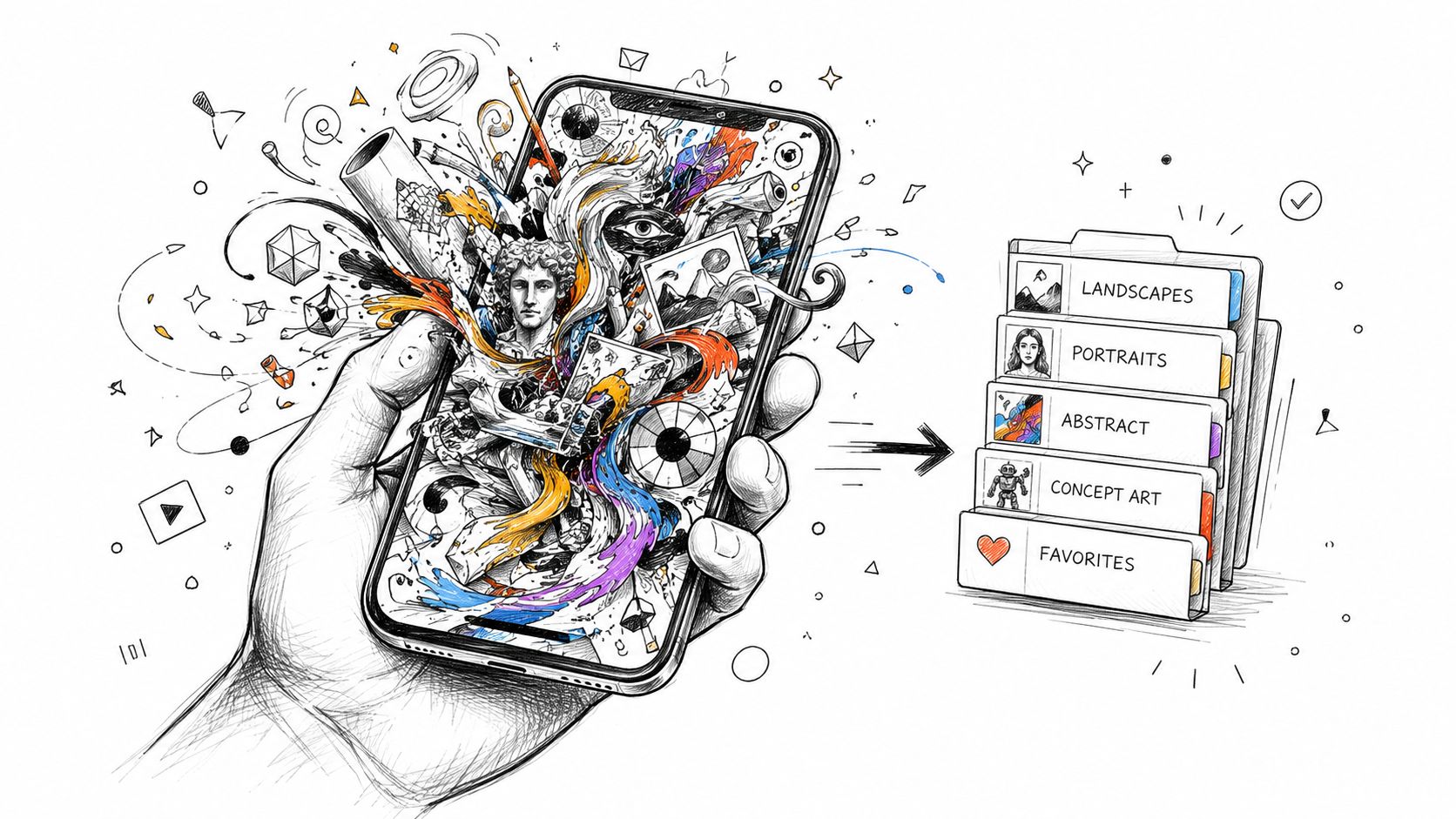
I've seen the same pattern over and over with AI image workflows. The best image often isn't lost because it was deleted. It's lost because it was saved into a generic folder, exported with a vague filename, or buried under dozens of near-duplicates that all looked important at the time.
That's why collection management matters for solo creators just as much as it does for institutions. A strong image library saves time, protects good ideas, and makes it easier to reuse winning visuals for future posts, product listings, and client work. If you're still learning the basics of prompt-driven creation, the starryai beginner guide is a useful companion. The bigger issue starts after the image is generated.
The biggest gap in modern collection management isn't storage. It's decision-making. One documented problem is the lack of data-driven frameworks for creative asset portfolios. Financial teams rank accounts by risk and value, but creative teams usually don't have an equivalent system for deciding which aesthetics, characters, or concepts to archive, monetize, or drop. That gap leads to digital hoards that weaken brand clarity. The same source notes that 60% of museum collections are previously unmanaged or poorly documented, which is an uncomfortable parallel for creators sitting on huge unsorted image libraries (best practices on collection management and documentation).
Practical rule: If an image can earn, represent, or inspire future work, it deserves a home, a label, and a retrieval path.
Phone galleries sort by recency. That's fine for vacation photos. It's a bad system for a working portfolio. Creative assets need to be retrievable by purpose.
Use that test instead. Ask simple questions.
If the answer is no, your collection isn't a collection yet. It's a pile.
The first fix isn't fancy software. It's a structure that matches how you work. Good collection management starts with stable categories, predictable names, and enough context that future-you doesn't have to guess what a file was for.

Date-only sorting creates friction fast. A better structure starts with one master folder and a small number of top-level buckets you can maintain without thinking too hard.
For most solo creators, these work well:
You don't need every layer on day one. You do need consistency. If you rename folders every month, the whole system drifts.
Museum practice offers a useful model here. The basics methodology requires unique location codes for each object, and each location change should be logged right away so nobody loses track of where something belongs. It also notes that a minimum annual inventory reduces data loss by 78%, and documenting the who, what, and when of an item supports 90% accuracy in legal ownership verification (museum collection basics and documentation standards). For creators, that translates into a simple rule: every image needs a stable “place,” and every move should be intentional.
If filenames depend on memory, they'll fail. Use a format that captures the essentials in the same order every time.
A practical pattern looks like this:
| File type | Suggested format | Example |
|---|---|---|
| Working draft | date_project_subject_v## | 2026-07_book1_heroine_v03 |
| Final export | date_project_subject_final_use | 2026-07_book1_heroine_final-print |
| Social crop | date_project_subject_platform | 2026-07_book1_heroine_instagram |
| Test variant | date_subject_style_test## | 2026-07_heroine_gothic-test02 |
The exact words matter less than the pattern. What matters is that version number, subject, and use case are visible without opening the file.
Don't name a file “final” unless it's actually final for a specific use. “final,” “final2,” and “final-real” are how good work disappears.
A file alone doesn't tell you enough. You also need a lightweight metadata habit. That can live in folder names, tags, a spreadsheet, or a digital asset system if you've outgrown basic folders.
Track the context that changes decisions later:
If you want a broader reference on managing media assets, MeshBase has a practical guide that's useful for thinking beyond folders and into repeatable handling rules.
A quick weekly inventory is enough for most creators. Open your recent work, move finished pieces out of downloads, rename anything vague, and archive dead ends before they contaminate active folders. That small habit prevents the mess that usually gets “fixed later” and never does.
Versioning is what separates experimentation from confusion. Without it, every improvement risks overwriting the step that made the next improvement possible.
Character work is where this breaks down fastest. You might generate a face that's right, then change the lighting, then refine wardrobe, then test expression, then crop for a cover. If all those files share a loose name, you'll eventually lose the branch that had the best base composition.
Use simple version ladders:
That naming logic matters more than perfect taxonomy. You're trying to preserve decision history.
When you're refining outputs through iterative changes, it helps to think in branches instead of replacements. One branch may push realism. Another may push color. Another may be built for typography overlay. If you treat every change as a replacement, you flatten your options. If you treat them as versions, you preserve paths. This is also where iteration images for improving your art become more useful, because each saved iteration becomes a creative checkpoint rather than disposable clutter.
Save the image that solved the composition problem, even if it didn't solve the whole project.
Storage decisions come down to access, risk, and cost. Most creators do best with a hybrid setup.
Local storage is fast and under your control. An external drive is useful for large archives, layered edits, print assets, and old project folders you don't need every day. The weakness is obvious. Drives fail, get misplaced, or sit in one room while you're working somewhere else.
Cloud storage makes retrieval easier across phone, tablet, and desktop. It's also better for collaboration, quick previews, and emergency access when one device dies. The weakness is that sync can get messy if your naming system is weak. Bad structure in the cloud is still bad structure.
Here's the practical split that works well:
| Storage type | Best for | Main risk |
|---|---|---|
| Local drive | Large archives, finals, print files | Single-device vulnerability |
| Cloud folder | Active projects, cross-device access, sharing | Sync clutter and accidental duplicates |
| Both together | Working library with backup resilience | Requires discipline |
A good rule is to keep active projects in the cloud, mirror finals locally, and move dormant work into a clean archive. Don't rely on exports trapped inside one app or one device. Download important assets, name them, and place them where you control retrieval.
An organized collection pays off when it's time to publish. You don't waste energy hunting for the clean file, recreating lost variants, or guessing which export was meant for print.
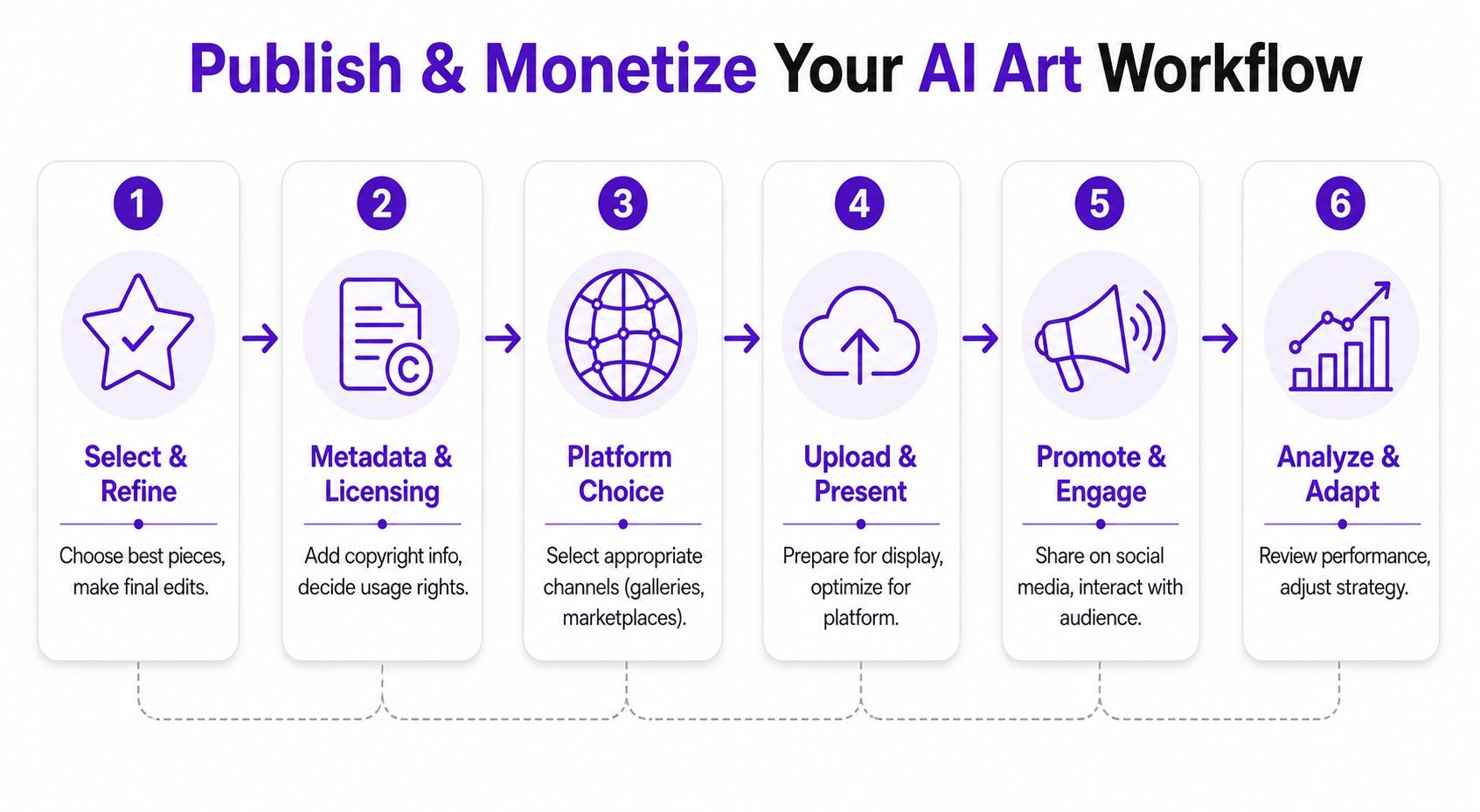
Before you upload anything to a storefront, gallery page, or social channel, confirm three things. First, the image is the right version. Second, the crop matches the destination. Third, the file name still tells the truth.
A simple review pass helps:
This walkthrough is useful if you're preparing files for physical output and need a cleaner sense of image resolution for printing.
A short demo can also help anchor the publishing flow in something visual.
PNG is usually the safer choice when you need crisp lines, transparency, or text overlays. JPG often works well for web display where file weight matters more than transparency. The important part isn't picking one format forever. It's exporting on purpose.
Think in destination sets:
Good publishing workflow is really rights workflow. If an asset earns, gets reposted, or moves into a paid product, you need to know which file was used, where it went, and what notes travel with it.
That matters more now because creator income has shifted hard toward digital channels. Global collections of royalties for creators reached EUR 12.1 billion in 2022, and digital collections grew by 33.5% to EUR 4.2 billion, becoming the largest income stream for the first time (global collections report on creator royalties). For image creators, the lesson is straightforward. The more digital your distribution becomes, the more important it is to track asset identity, licensing notes, and publication history accurately.
Published files should always be traceable back to a master file and a rights note.
That one habit makes repurposing easier. It also keeps you from accidentally selling, reposting, or licensing a file whose status you can't verify.
A working library needs pruning. If you keep everything active forever, your best work gets buried under experiments that no longer serve the portfolio.

Museums use de-accessioning to make formal decisions about what remains in the active collection. Creators need a digital version of that same discipline.
Create three lanes:
| Lane | What belongs there | What to do |
|---|---|---|
| Active portfolio | Reusable brand assets, top concepts, current products | Keep easy to access |
| Deep archive | Older work with reference or remix value | Store safely, reduce clutter |
| Remove | Broken exports, failed tests, duplicate near-copies | Delete intentionally |
Your active set should be small enough to browse without fatigue. If every draft remains “important,” nothing stands out.
One of the least answered questions in this space is how to legally and ethically de-accession AI-generated items. Traditional guidance focuses on physical objects, but there's virtually no guidance on handling ephemeral AI assets that may lose copyright protection or become inaccessible due to platform changes, which is a real problem for indie authors and Etsy sellers building products from transient generations (discussion on de-accessioning AI-generated items and platform risk).
That gap changes how you should manage long-term work.
Use a simple future-proofing checklist:
The point isn't legal theater. It's continuity. If a platform changes, an app disappears, or your own memory gets fuzzy a year later, your portfolio should still make sense without reconstruction.
A lot of collection management problems show up in edge cases. They don't break your workflow every day, but when they do, they waste a lot of time.
The table below covers the questions that come up most often once a creator's image library starts growing.
| Question | Answer |
|---|---|
| How many folders should I start with? | Fewer than you think. Start with project, style, subject, and archive. If you create too many top-level folders early, you'll hesitate every time you save. |
| Should I organize by character or by product? | Use whichever reflects retrieval. If you usually need assets for a book, listing, or campaign, organize by project first. If you repeatedly reuse the same character across multiple outputs, organize by subject first. |
| What's the fastest way to clean up a messy library? | Don't try to fix everything at once. Rename and move recent work first, then shortlist the assets you still care about, then archive the rest. Triage beats perfection. |
| Do I need to keep failed generations? | Keep the failures that teach you something or contain one useful element. Delete dead ends that add noise. If a file wouldn't help you recreate or improve the idea, it probably doesn't deserve space in the active collection. |
| What should I record besides the image itself? | Capture prompt intent, project name, version status, output target, and any rights note you may need later. Context is what makes a file reusable. |
| How often should I review the collection? | A quick weekly cleanup works better than occasional marathon organizing. Regular maintenance keeps downloads, exports, and published files from drifting apart. |
| How do I prevent duplicate clutter? | Keep one master, then create purpose-based exports. If you're saving the same image in multiple places, make sure one file is clearly the source of truth. |
| What if I'm creating on my phone and finishing on desktop? | Use one active cloud workspace with clear folder rules, then back up finals to local storage. The key is not device choice. It's keeping the same naming and versioning logic everywhere. |
If you want one baseline rule set, use this:
Your collection should answer three questions quickly: what this is, where it belongs, and whether it's safe to use.
That's the standard worth aiming for. Not perfect order. Reliable retrieval.
If you want a simpler way to create, refine, and keep building a visual library worth organizing, try starryai. It's a practical starting point for creators who want fast image generation without losing the fun part of the process.


.svg)