

Written by Mo Kahn on
August 22, 2026


A campaign can stall even when the creative work is finished. A TikTok creator has a transformation ready to publish, but the brand approval is buried in a direct message. An Etsy seller receives revision notes in email, voice messages, and a shared document, then spends more time reconciling feedback than improving the product. An indie author opens a crowded inbox and finds three different opinions about the cover, with no clear indication of which version is final.
These failures rarely come from a lack of talent. They come from broken handoffs. Collaboration features provide the structure that keeps an asset, its feedback, its owner, and its approval status connected. For creative teams using AI-powered tools such as starryai, that structure matters because rapid generation can create more options than an informal workflow can manage.
Creative production depends on movement. A brief becomes a concept, the concept becomes an asset, the asset receives feedback, and an approved version moves toward publication. When the handoff between those stages relies on scattered messages, people lose context first. Then they lose time, confidence, and eventually control over the final file.
A TikTok creator might send five visual variations to a brand contact and receive a short reply saying, “Use the second one.” If the files have unclear names, the recipient may mean the second attachment, the second image in a message, or the second version from an earlier exchange. The creator then makes a reasonable decision based on incomplete information. The brand reviews the result and requests another round.
An Etsy seller faces a different version of the same problem. A client marks up a product mockup in one app, describes color changes in another, and approves a revision verbally. The seller can complete every request and still miss the one comment that matters because the feedback isn't attached to the asset under review.
Practical rule: A handoff isn't complete when someone sends a file. It's complete when the next person knows which file matters, what needs to change, who owns the next action, and how approval will be recorded.
Collaboration features solve that structural gap by keeping the work and its operating context together. Shared assets, permissions, comments, version history, task ownership, and approval states turn an informal exchange into a repeatable workflow.
That distinction matters for creative teams of any size. Microsoft launched Teams in 2017 as a unified hub for chat, meetings, file sharing, and app integrations, and the platform surpassed 320 million monthly active users worldwide by early 2024, according to IEEE Spectrum's history of groupware and collaboration software. The broader lesson is that collaboration moved from specialist network software into the everyday infrastructure of business communication and project coordination.
For independent creators, the answer isn't to copy an enterprise stack. It's to select the smallest set of features that prevents the next predictable failure.
Collaboration features are the mechanics that let multiple people work on, discuss, review, and approve the same body of work without losing context. The phrase sounds broad, but the useful test is concrete: can your team identify the current asset, see what changed, understand who changed it, and act on the next decision?
Cloud-based real-time editing lets several collaborators edit the same file simultaneously, with changes appearing as they happen rather than waiting for emailed revisions. Google Workspace's explanation of real-time editing also describes permission settings that can allow people to edit, comment, download, share, or only view a file.
That synchronous mode helps during a live review, a co-writing session, or a fast creative sprint. It doesn't replace asynchronous collaboration. A designer in one time zone may leave a comment for a client who reviews it later, while a social media manager adds a publishing note after the original creator has logged off. Good systems support both modes instead of forcing every decision into a meeting.
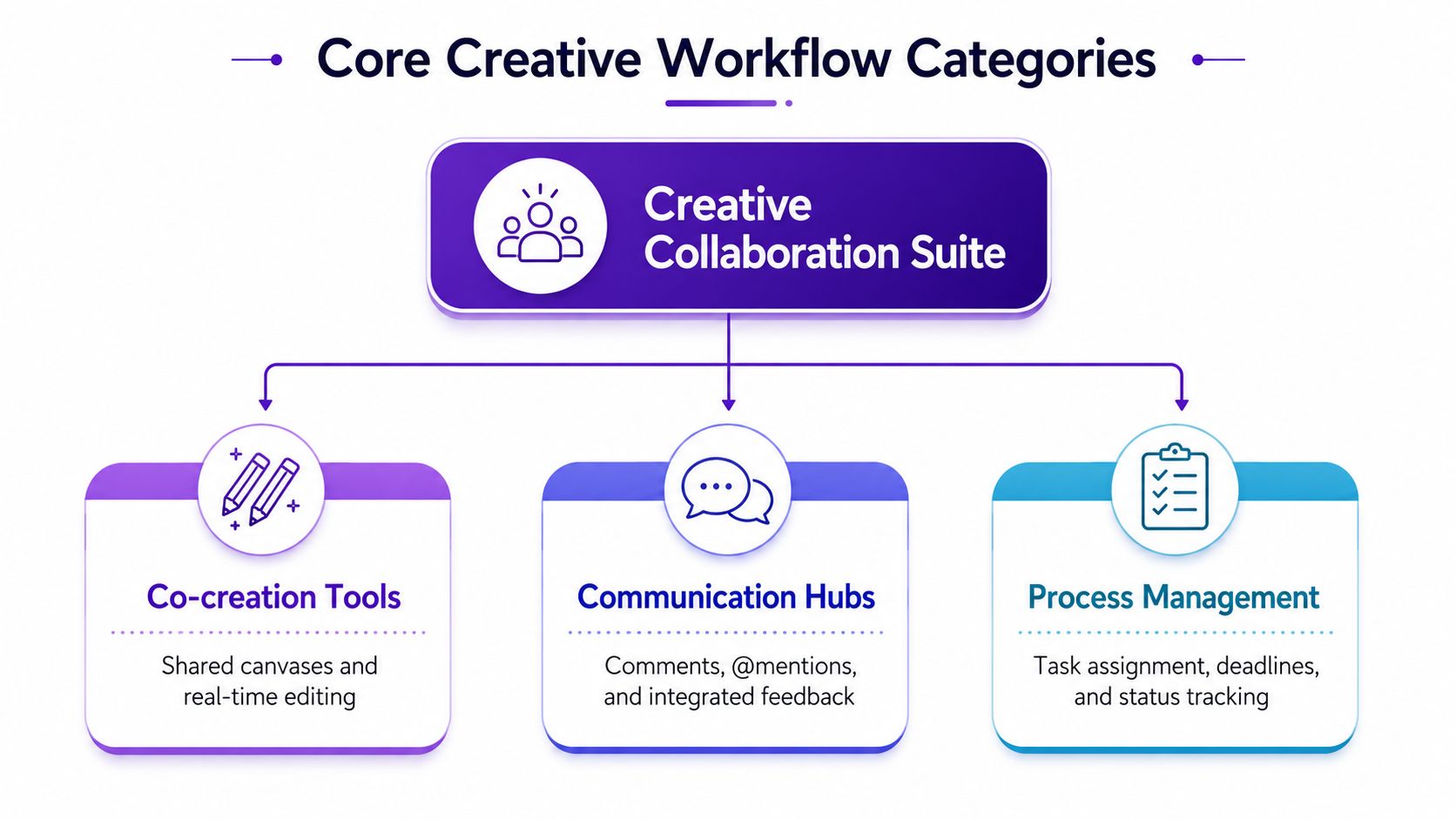
Access controls aren't administrative decoration. They establish the difference between someone who can inspect a draft, someone who can suggest a change, and someone who can approve the final asset. Role-based permissions reduce accidental edits and make it easier to answer a basic question: who was allowed to make this decision?
A useful permission model separates viewing, commenting, and editing. A client may need to annotate a design without changing the source. A copy editor may revise text but not alter the approved visual. A project owner may control final publication.
Version history records who changed what and when. Some tools support named versions for milestones, comparisons between revisions, and restoration of earlier files. A practical guide to real-time document collaboration and version history describes these functions as safeguards for messy drafts, accidental overwrites, recovery, and auditability.
Comments complete the loop when they attach feedback to a specific asset or element. A note pinned to a product image is more useful than “make the background warmer” in a general chat because the reviewer, creator, and future approver can see exactly what the note refers to.
A collaboration stack should follow the shape of the work, not the feature list in a sales page. A solo creator may need lightweight sharing and version control. A distributed campaign team may need structured review, ownership, searchable assets, and integrations with publishing or project management tools.
Real-time editing is valuable when people need to develop an asset together. It reduces the confusion caused by parallel files named “final,” “final-new,” and “final-approved.” The trade-off is that simultaneous access can create noise if contributors don't know which areas they own.
Comments and markup matter when feedback must refer to a specific visual detail. A reviewer can identify the exact product angle, character expression, text block, or background element that needs attention. Threaded replies and comment resolution keep the decision near the original note instead of scattering it across chat.
Version history protects experimentation. Creative teams should be able to try a risky direction without fearing that a useful earlier concept will disappear. Collection management in starryai is relevant to this problem because organized collections can help creators keep related visual work together rather than treating each generation as an isolated file.
Sharing controls determine whether a draft is private, reviewable, or ready for a wider audience. Permissions should match the stage of production. Broad edit access may feel collaborative, but it also makes ownership unclear and increases the chance that an approved asset changes without a deliberate review.
Team libraries address a different issue. They can hold brand elements, reference images, prompts, style presets, approved exports, and reusable templates. The benefit isn't merely tidiness. A shared library gives contributors a common starting point and reduces the chance that someone works from an outdated logo, prompt, or visual direction.
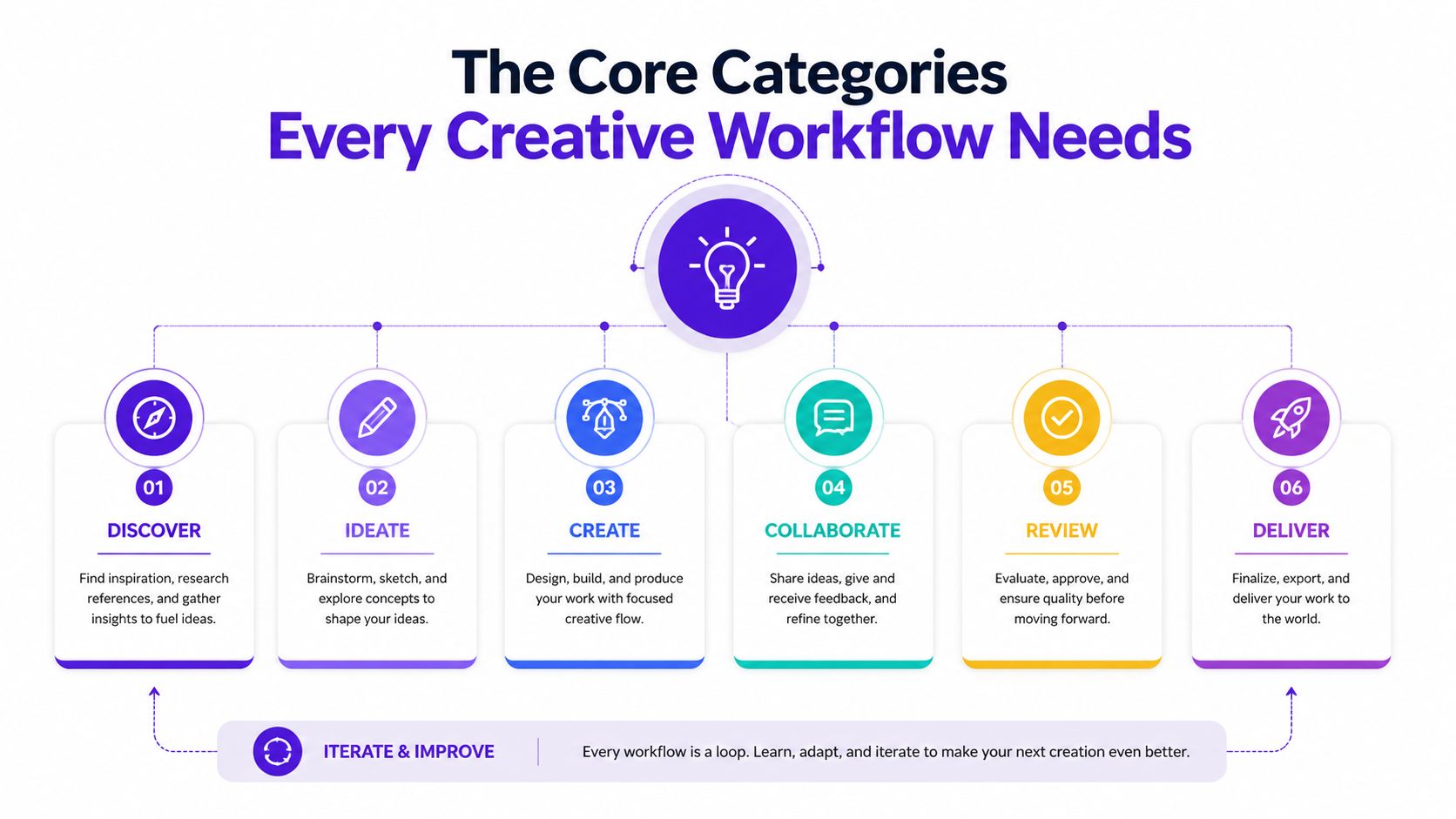
Task assignment, status tracking, deadlines, and approval routing turn feedback into action. A comment that nobody owns is only an observation. A comment assigned to a named person, with a clear state such as open, in review, or approved, becomes part of the production process.
Integrations can connect creative tools with project management, client review, scheduling, storage, or publishing platforms. They help when a team repeatedly transfers the same information between systems. They add unnecessary complexity when the team adopts them before defining the handoff they're supposed to support.
Research on collaboration modes identifies real-time, asynchronous, co-located, and distributed work as distinct needs. A Weizenbaum Institute synthesis of online collaboration tools also identifies document sharing and editing as especially prevalent, reinforcing a practical priority: durable, searchable artifacts usually matter more than adding another chat channel.
The right collaboration setup depends on the asset, the reviewer, and the cost of a missed approval. A creator publishing a trend-led video needs speed and a short feedback path. An author developing a cover needs traceability across many visual decisions. A marketer managing multiple channels needs organized access and dependable connections to scheduling and analytics workflows.
| Audience | Essential Features | Important Features | Optional Features |
|---|---|---|---|
| TikTok creators | Fast sharing, comments, version history | Approval status, audience feedback notes, reusable style references | Complex portfolio dashboards |
| Indie authors | Version history, controlled permissions, review comments | Asset collections, milestone naming, export tracking | Real-time co-editing for every draft |
| Etsy sellers | Client-facing markup, comments, approval steps | Shared asset libraries, revision ownership, automated reminders | Enterprise reporting |
| Gamers and tabletop RPG players | Shared asset libraries, permissions, version recovery | Prompt references, character collections, searchable tags | Formal approval chains for personal projects |
| Social media managers | Team access, comments, asset status, publishing handoff | Scheduling integrations, brand libraries, analytics connections | Co-editing when one owner handles production |
A creator working with a brand should separate ideation from approval. Store the candidate visuals in a reviewable collection, label the preferred direction clearly, and ask the reviewer to comment on the asset itself. This prevents a fast-moving concept from becoming a slow message thread.
Indie authors benefit from named milestones such as concept, shortlist, revision, and approved cover. Etsy sellers need a client-friendly review path, especially when a buyer requests changes to a mockup. Client collaboration workflows can include comments, markup, task assignment, automated approvals, reminders, and connections to project management tools, as described in PageProof's client collaboration workflow overview.
Gamers often need less formal approval and stronger retrieval. A shared library that keeps character concepts, poses, environments, and alternate versions together can be more useful than a meeting feature.
Social media managers rarely stop at asset generation. They need to connect the approved visual to a caption, channel, schedule, campaign, and performance review. A collaboration tool that handles visual feedback but leaves publishing ownership ambiguous still creates a gap.
The embedded video offers a useful visual reference for thinking about these priorities:
The decision should be driven by the most expensive failure in your workflow. Don't pay for complex portfolio controls if your real problem is unclear client feedback. Don't rely on a simple share link if multiple contributors need accountable review.
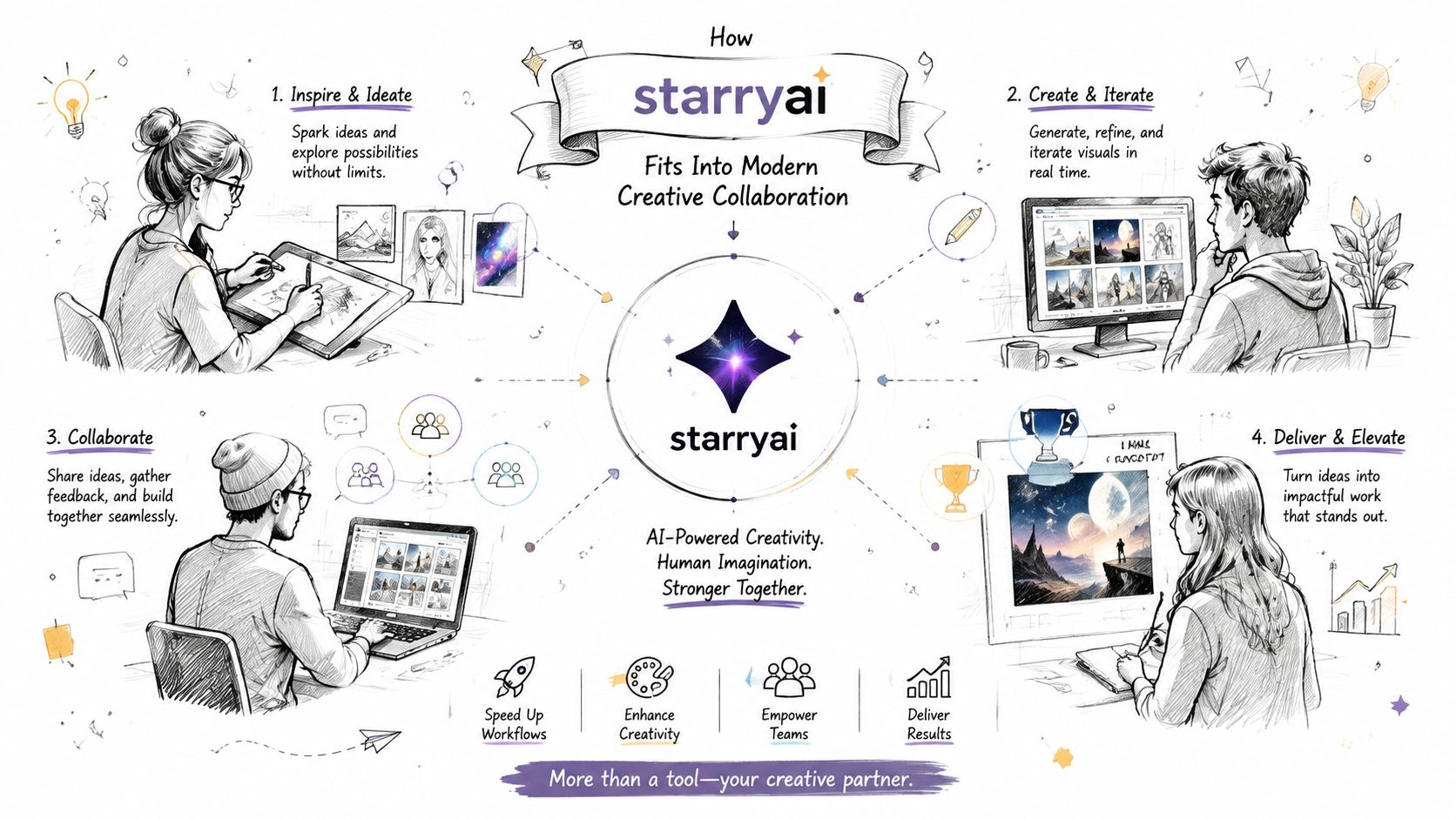
AI image generation changes the shape of a creative handoff. A team can move from a text prompt, selfie, or emoji to a visual direction quickly, but speed also creates a review challenge. More generated options mean more need for clear selection, useful naming, and an agreed approval point.
A social media manager might generate several on-brand visual directions, place them in a shared review space, and ask the team to comment on the preferred concept rather than discussing every option in a separate chat. An Etsy seller can develop product mockups, send a client the relevant variations, and keep revision notes attached to the design under review. A TikTok creator can produce a viral selfie transformation, share the candidate, and iterate after audience or brand feedback.
The useful workflow isn't “generate and send.” It's:
Sharing capabilities can support this exchange with team members, clients, and communities. starryai's sharing options provide a relevant reference for deciding how a creation should be presented to other people.
An image generator can support ideation, iteration, and delivery of visual assets. It won't automatically define who approves a campaign, which caption is final, whether a client has signed off, or when an asset should enter a publishing queue. Those decisions still need an operating process and, for larger teams, a dedicated project-management or approval system.
That limitation isn't a weakness. It clarifies the division of labor. Use the creative tool to reduce production friction, then connect the approved output to the system that owns tasks, deadlines, review records, and publication.
Implementation fails when teams start with software instead of a handoff. Before adding a workspace, map one real project from brief to delivery. Mark every point where someone waits, asks for clarification, duplicates an asset, or makes a decision without knowing whether the work is still current.
Choose a recurring process, such as client approval for an Etsy mockup or cover review for an indie book. Define the minimum states, for example draft, review, changes requested, approved, and delivered. Assign one owner to each transition so the team knows who moves the work forward.
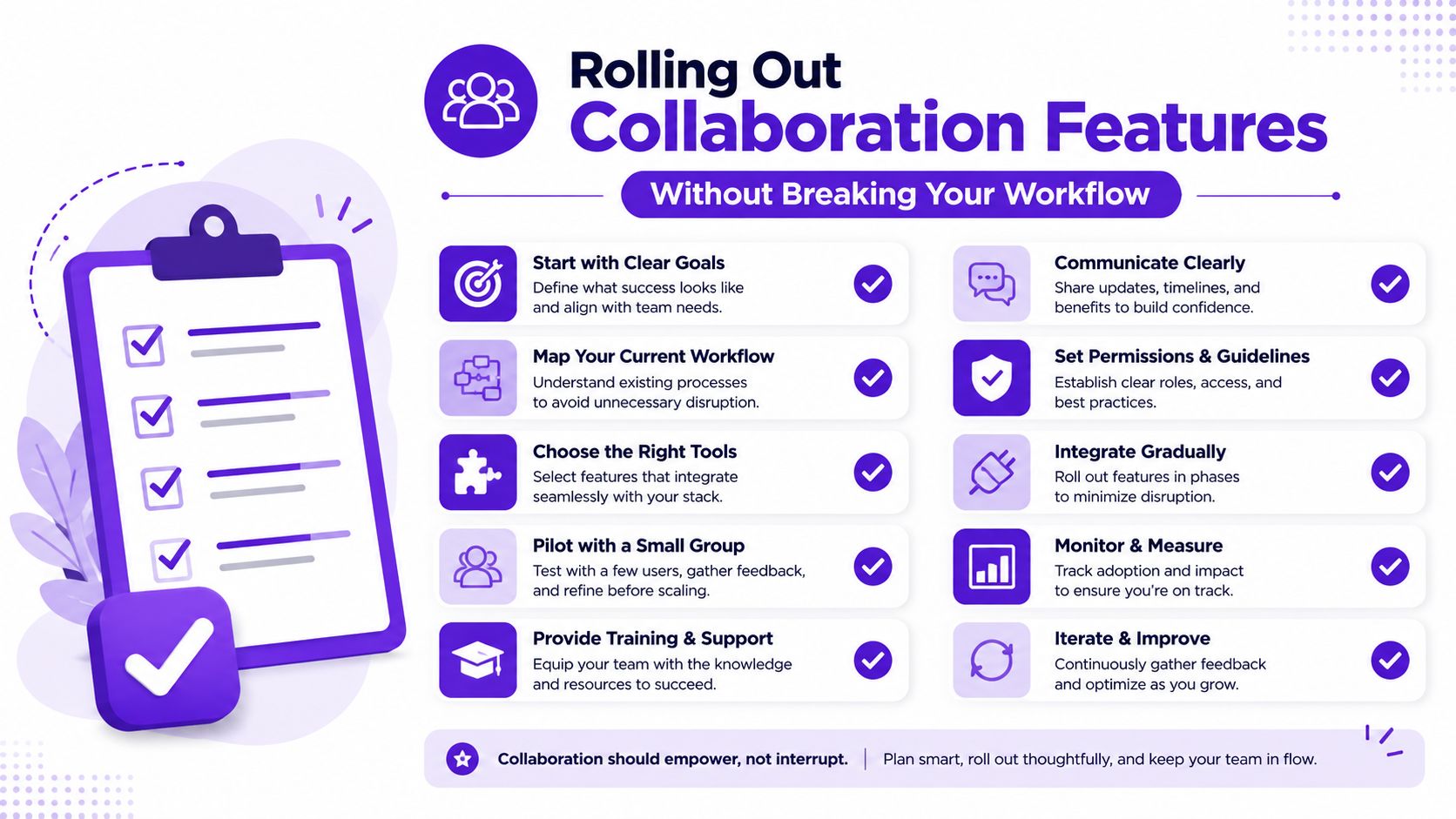
Set permissions before inviting contributors. Not everyone should receive edit access by default. A reviewer may need comment access, a client may need view and markup access, and the production owner may retain control of the source.
Use a naming convention that answers practical questions at a glance. Include the project, asset type, stage, and approval state. A consistent folder or collection structure matters just as much as the platform because people can't search their way out of ambiguous labels.
A small team doesn't need a bureaucratic approval board, but it still needs a final decision-maker. Define where feedback belongs, how unresolved disagreement gets handled, and what counts as approval. Use version history even for small projects because recovery is easier than reconstructing an overwritten draft.
For design and development teams, documented developer handoff best practices can help clarify the information that must travel with an asset, including specifications, ownership, and implementation context.
Direct contributors to a single source of truth, then measure adoption through observable behavior. Are people commenting on the asset or returning to scattered chat? Are approvals recorded? Are revisions being assigned? If the workflow creates extra clicks without preventing a known failure, simplify it.
A quality checkpoint also belongs in the process. Teams can use quality assurance processes to define what gets checked before delivery, rather than leaving quality to whoever happens to open the final file.
A TikTok creator sends three cuts for review, an Etsy seller updates a product image while a partner is writing the listing, or an indie author shares a cover before the title treatment is settled. Chat fills with opinions, but nobody can tell which file is current, whose feedback is final, or what should move into production. The failure sits in the handoff, not the feature count.
A 2026 global study reported that 55% of professionals see collaboration gaps as a bottleneck, while 62% of organizations have no defined handoff process for moving work into review, according to coverage of the study by CIO. Teams also use creative and AI tools in isolation, without a clear human-machine workflow or a reliable quality checkpoint.
A tool can show ownership and retain context. It cannot decide who approves a concept, what feedback takes priority, or when an asset is ready to leave review. Define those rules before configuring channels, folders, or integrations.
The handoff needs a visible state, such as draft, internal review, client review, approved, or returned. Comments should stay attached to the relevant asset, while resolved feedback and version history preserve why a change happened. That record matters when a creator revisits an earlier variation or a production partner questions an approval.
For larger organizations, capacity and governance become harder to manage. Forrester's 2025 guidance on collaborative work management tools emphasizes integration depth, data quality, and governance, while noting that collaborative work management tools are not substitutes for portfolio management at larger scale.
Set up starryai workflows around the asset rather than adding another chat stream. A creator can generate a concept, collect focused comments, record the approving person, and pass the selected version to production. Review the process after a live project exposes a missed owner, unclear status, or duplicated revision. The strongest setup makes ownership, feedback, approval, and recovery hard to misunderstand.
starryai turns selfies, text prompts, and emojis into shareable visual concepts that creative teams can review and refine through a defined handoff. Visit starryai to create a visual direction, organize review around the asset, and move approved work into production with less friction.


.svg)