

Written by Mo Kahn on
July 27, 2026


You build a character you like, run the same prompt again, and the next frame gives you someone who only vaguely resembles the original. The hair shifts, the jawline softens, the outfit changes color, and suddenly the whole series feels unstable. That's the day most creators run into character consistency AI, not as a theory, but as a workflow problem.
The fix isn't wishing for a better prompt. Diffusion-based generators don't keep a native identity state, so each output gets optimized on its own, which is why characters drift between scenes, shots, and generations. In practical terms, the work becomes repeatable only when you give the model a stable anchor, a fixed prompt order, and a production process that treats identity like a reusable asset.
The first version of a character usually looks close enough to fool you. The second version is where the trouble starts. One run gives you a sharp chin and narrow eyes, the next one rounds out the face, and a third version swaps the jacket for something you never asked for.
The core issue is simple. Diffusion models don't have a built-in sense of identity, so they don't “remember” a character the way a human artist does. They generate each image or frame independently, which is why a visually strong character can still drift in facial details, clothing, or proportions across outputs. That drift is especially obvious in AI video, where every frame competes to look plausible on its own instead of preserving one persistent identity.
Practical rule: if your character changes, assume the pipeline is missing an anchor before you assume the prompt is wrong.
Three forces usually push the result off target. Prompt variability introduces small wording shifts, algorithmic randomness changes the output path, and a missing visual anchor leaves the model too much freedom. That's why repeating the same idea with different wording often makes the character less consistent, not more.
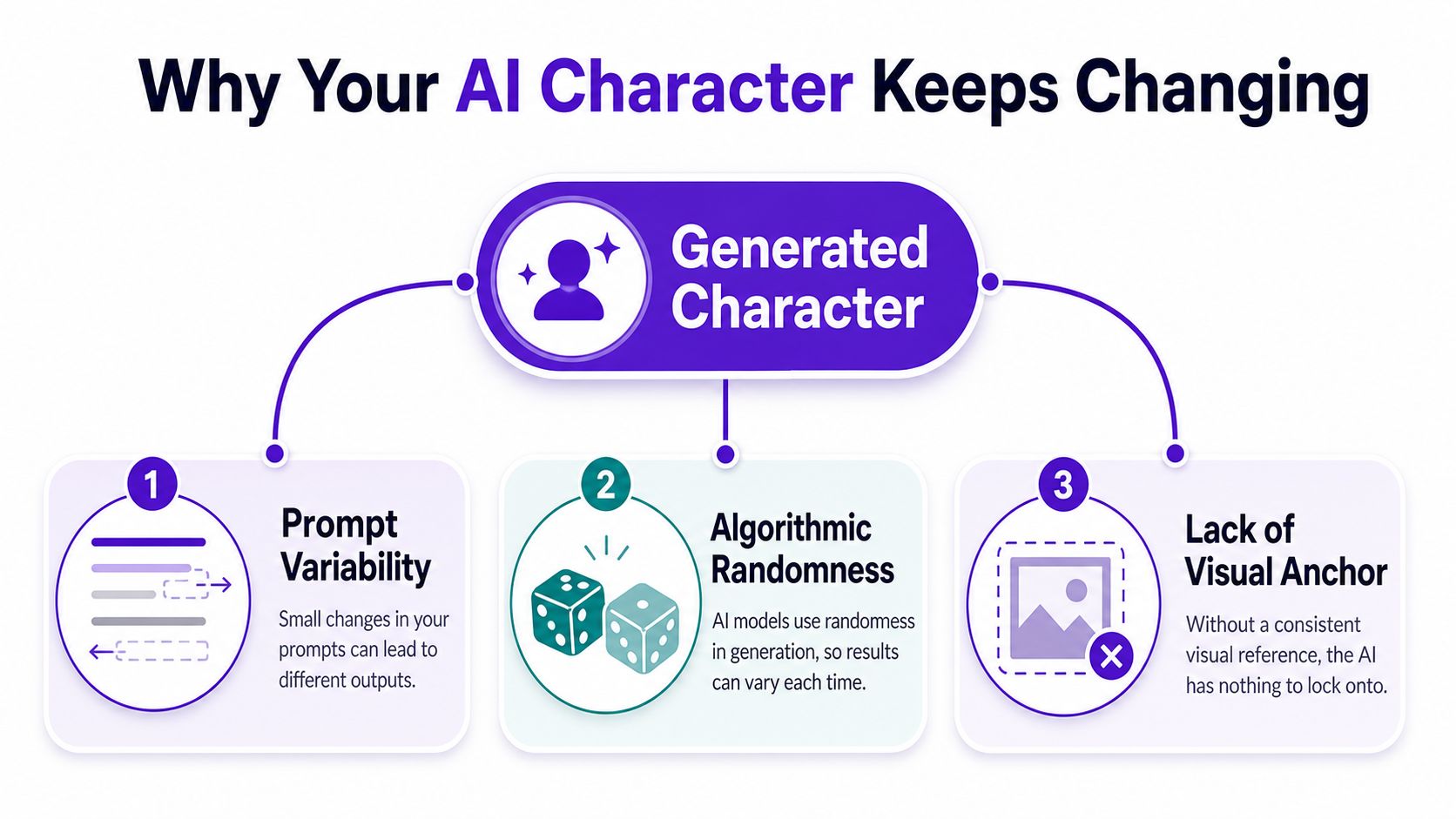
When I see drift in indie book art or short-form character posts, I don't start by rewriting the personality text. I check whether the character has a stable reference, whether the prompt order changed, and whether style words are crowding out the identity. That usually exposes the core problem fast.
A useful comparison is this. A one-off prompt works for exploration, but character consistency AI only settles down once the character has a repeatable path through the model. Industry workflows now recommend creating a character sheet first, then reusing the same reference image, the same descriptive keywords, and the same prompt order to reduce drift, along with seed locking or dedicated consistent-character modes where available. A good overview of that mindset appears in the guide to stable ai personalities from WSUP AI, which is worth reading if your results keep mutating from run to run.
For creators who ship repeated characters, that shift matters more than any single prompt trick. You stop asking, “How do I make this one image work?” and start asking, “What asset will keep this character recognizable across the next ten outputs?”
A character keeps changing when the written anchor is too soft. If the model has to guess the face from vague style language, it will fill the gaps with whatever is easiest to generate. Loose identity text is usually the first reason a character starts drifting.
A master character description should name the traits the model should not invent. That means age, gender, hair color, eye color, skin color, body type, signature clothing, and one or two personality cues that help the face and posture stay coherent. A character who is “confident” will read differently from one who is “guarded,” even if both wear the same jacket.
The cleanest structure uses a fixed prompt order, with identity first and style last. Keep this sequence every time, character description, action or pose, setting, then style and quality modifiers. That order matters because style words can crowd out identity words if they lead the prompt.
Keep the face in the first half of the prompt and the mood in the last half.
A practical template looks like this:
That same pattern works for indie book covers, TikTok character aesthetics, and tabletop RPG avatars. The point is not the example itself, it is keeping identity terms in the same order every time. If “silver hoop earrings” comes and goes depending on where you place it, the character is already less stable.
A master description also helps when you compare workflows across tools. The same idea shows up in the character prompt workflow for starryai, where the value comes from a disciplined description structure, not from piling on more adjectives. I use the same approach across generators because it makes drift easier to spot and easier to fix.
For indie authors, I usually write the description like a casting sheet. For TikTok creators, it becomes a visual persona card. For RPG players, it reads like a playable avatar brief. The format changes, but the anchor stays the same.
Text alone is too slippery for most characters. A reference image gives the model a visual target, and that's usually the fastest jump in consistency you can get without training anything. Once you have that anchor, the rest of the workflow becomes much easier to control.
A practical setup starts with a clean reference image that reflects the character you want to keep. Many guides recommend reusing the same anchor across sessions, because the model can match face shape, hair, and costume cues more reliably when it sees the same visual source every time. If your tool supports it, lock the seed too, especially when you're batch-generating close variations for social posts or storyboards.
The most useful habit is boring but effective. Generate one image, save it as the canonical version, screenshot it, and stop treating every new output as equally authoritative. Your anchor should become the source of truth for future prompts.
For quick portraits, a reference image plus a stable prompt often gets you far enough. For more demanding identity work, more advanced systems use identity embeddings or IP-Adapter-style reference guidance to pull visual traits directly from the source image. In plain English, those methods tell the model, “keep this face structure and this visual identity in view while you draw the next result.”
A useful prompt pair looks like this:
If the face is right but the pose keeps collapsing, the issue is usually not identity at all. It's pose control, which is where reference guidance and seed locking need help from a stronger structural tool like ControlNet, especially in more complex scenes.
The video flow below shows the kind of iterative generator behavior that makes anchor reuse so valuable in practice.
The point is not to force every output to look cloned. The point is to keep enough of the character intact that a viewer recognizes the same person across sessions, crops, and scene changes.
A character can look stable in a quick test and still fall apart once you reuse it across posts, merch mockups, and scene changes. That is why pipeline choice matters. A TikTok avatar, a merch mascot, and a long-running book protagonist all sit in different risk categories, so they do not need the same amount of machinery. Overbuilding slows production. Underbuilding leaves you cleaning up drift by hand.
For fast social work, the lightweight path is often enough. It usually means master description + reference image + fixed seed, with prompt order kept stable and style kept out of the identity block. That setup is fast, easy to version, and practical when the goal is a recognizable character in feed content rather than tight pose control.
The heavier path makes sense once continuity starts carrying real weight. LoRA identity modules, ControlNet for pose or depth, and IP-Adapter for face reference give you more control across outfits, angles, and scenes. The trade-off is real. More control means more setup time, more tuning, and more places for the character to drift if one part of the stack shifts.
| Approach | Best For | Setup Time | Consistency Strength | Trade-off |
|---|---|---|---|---|
| Lightweight prompt plus reference | Social posts, single portraits, quick iterations | Fast | Solid for close variations | Less control when pose or camera angle changes |
| Heavy pipeline with LoRA and ControlNet | Book series, recurring mascots, multi-scene continuity | Slower | Stronger identity lock | More setup and more tuning |
| Hybrid prompt plus adapter stack | Short arcs, campaign assets, reusable characters | Moderate | Flexible and stable | Requires more testing discipline |
If you are making one cover concept, the lightweight path is usually enough. If you are building a character you will reuse across a month of posts or a multi-chapter project, the heavier route starts to pay off. A structured training workflow with reference assets and identity modules fits better once the character becomes a repeatable brand asset instead of a one-off illustration.
For creators who want a deeper training path, the custom AI model training workflow in starryai sits in the same conversation about reusable identity, even if the final setup lives elsewhere. The useful split is simple. Decide whether the task needs a quick image or a maintained character system.
Start with the lighter stack. If the face holds but the body or pose fails, you have a clean read on where the pipeline needs more structure. If the character is already serving a longer story or a merch line, the extra setup is easier to justify because the saved corrections add up fast.
A character can stay visually consistent and still read wrong if the style keeps shifting underneath it. One image turns soft and painterly, the next turns sharp and photoreal, and the series starts to look like it came from three different projects. That is not just identity drift, it is prompt hygiene breaking down.
The cleanest way to keep style steady is to separate identity from presentation in the prompt. Define the physical traits first, then lock the visual mood, lighting, and palette in a separate block. If you mix painterly language with photoreal cues in the same session, the generator can split the difference in messy ways.
A style lock works best when it stays narrow. Choose one named look, then keep reusing it. If the project is supposed to feel like an illustrated noir series, do not let one run drift toward glossy 3D render language just because you wanted stronger highlights.
If you want a practical starting point, the character art prompt generator guide helps you build prompts that keep identity and style in separate lanes.
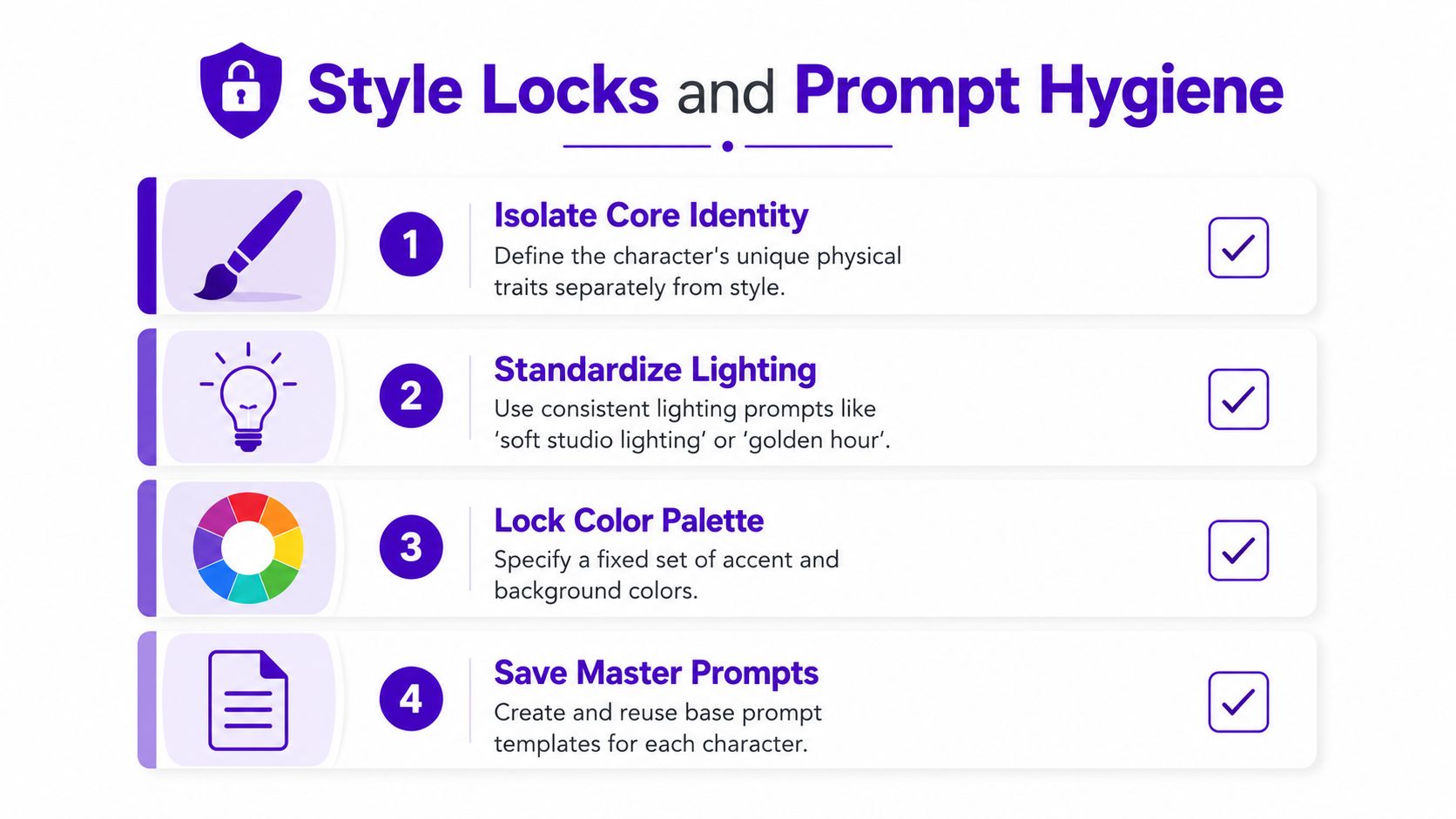
The workflow gets easier when you use the same notes every time:
That habit matters more than it sounds. In client work, I have seen the biggest visual wobble come from people changing the style sentence while insisting the character is “the same.” The face may survive, but the project stops feeling cohesive.
A useful way to work inside a tool is to keep a master prompt note off to the side, then paste in only the scene-specific details. Do that consistently, and your library starts behaving like a production system instead of a pile of random generations.
The moment a character gets used twice, it becomes an asset. That means it needs version control, a name, and a folder structure, or you'll lose track of which “Mara v3” was the one people liked. Treating it like a product is the only sane way to keep it reusable months later.
The bundle does not need to be complicated. It should include a master description, an anchor image, a style note, and a short list of approved poses or outfits. If you're doing merch art or a book series, that bundle can also hold rejected versions so you don't accidentally resurrect a drifted face because it “looked close enough.”
A practical naming system helps a lot:
The instinct to lock everything can backfire. In narrative work, a character doesn't need to look identical in every frame to feel consistent. A slight shift in expression, camera angle, or posture can make the scene feel more alive, while still keeping the same face shape, hairline, or signature accessory intact.
Consistency is a ceiling in some workflows, but in storytelling it can be a floor.
That's why editors often prefer an anchor-plus-edit approach over regenerating from scratch. You keep the identity stable, then let the scene breathe through a small amount of variation. For TikTok aesthetics, that can make a character feel less manufactured. For book covers, it can stop the art from looking stiff and over-repeated.
The useful discipline is to version the parts you trust and allow variation only where the story benefits. That balance is what keeps the character recognizable without making every image feel cloned.
Perfect sameness can be a trap. If every frame locks every feature, the character can start to look frozen, especially in book covers, short-form video, and ad creative where emotion matters as much as identity. A little controlled drift can make the character feel like they're moving through a story instead of sitting in a template.
The traits worth protecting are the ones readers use to recognize the character fast. Face shape, hairline, and a signature accessory usually matter more than a shoe style or the exact fold of a sleeve. If the scene needs more motion or emotional range, let the minor details flex.
For video-heavy workflows, the better move is often to generate a few clips, choose the closest match, and reuse that clip as a new anchor instead of expecting one prompt to solve every frame. That approach accepts that the model is good at variation and only partially good at persistence. It's also how you avoid the over-polished, uncanny repetition that can flatten a character into a logo.
When a character drifts, check the weak link in this order:
The clearest workflow is usually the least dramatic one. Preserve the few traits that make the character readable, and let everything else serve the scene. If you're shipping covers, merch concepts, or social character art, that balance gives you more usable outputs than a rigid attempt at perfect uniformity ever will.
If you're building recurring characters for books, merch, or social content, starryai gives you a simple place to turn prompts and references into repeatable visuals without overcomplicating the process. Use it to test a master description, lock a style, and save a reliable anchor, then visit starryai and try the same character across a few controlled variations today.


.svg)