

Written by Mo Kahn on
August 10, 2026


You've got the photo, the joke, and the vague idea that it should look “more like a caricature,” but the route from selfie to finished piece isn't one-size-fits-all. Some people want a fast avatar for a profile pic, some want a hand-finished gift, and some need a branded character that stays consistent across a whole campaign. The right choice depends less on taste than on how much speed, control, and polish you need.
A friend sends you a photo and asks for something funny for a birthday post. That is the moment the choice starts, because the app is only part of the result. You can go fast with AI, work hands-on with digital drawing tools, or hire a commissioned artist for a fully custom piece.
Each path serves a different goal. AI works well when speed matters and you need something ready for a social post today. Manual editing gives you control over the joke, the pose, and how far the features are pushed. Commissioning an artist makes more sense when the image needs to feel original, polished, and memorable, such as a wedding gift, a book-related mascot, or a brand character.
Practical rule: choose the method that fits the final use, not just the fun of making it.
Caricature has always balanced recognition and exaggeration. A brief history of caricature traces the form back to late-16th-century Italy, notes that the word comes from the Italian carico/caricare, and explains that major art-history references place it in Italian art around 1600, with the first recorded English use in 1748. Tate also links William Hogarth's 1748 satire O the Roast Beef of Old England with the style's rise in Britain, while the National Archives says it reached England in the 18th century through Grand Tour travelers.
That history still matters because the same basic trade-off shows up in every modern workflow. What caricature and cartoon mean in art history describes caricature as a deliberately distorted likeness used to satirize or ridicule, and the National Archives notes that political cartoons had become a recognized form of social and political commentary in Britain by the 18th century. The method changes, but the goal stays the same, keep the person recognizable while pushing one or two traits far enough to read clearly.
The source photo decides whether the caricature reads instantly or falls apart. Most consumer advice stops at “use a clear, well-lit, forward-facing photo,” but that only names the symptom, not the cause. What really matters is whether the image gives the artist or the software enough structure to exaggerate without losing the person.
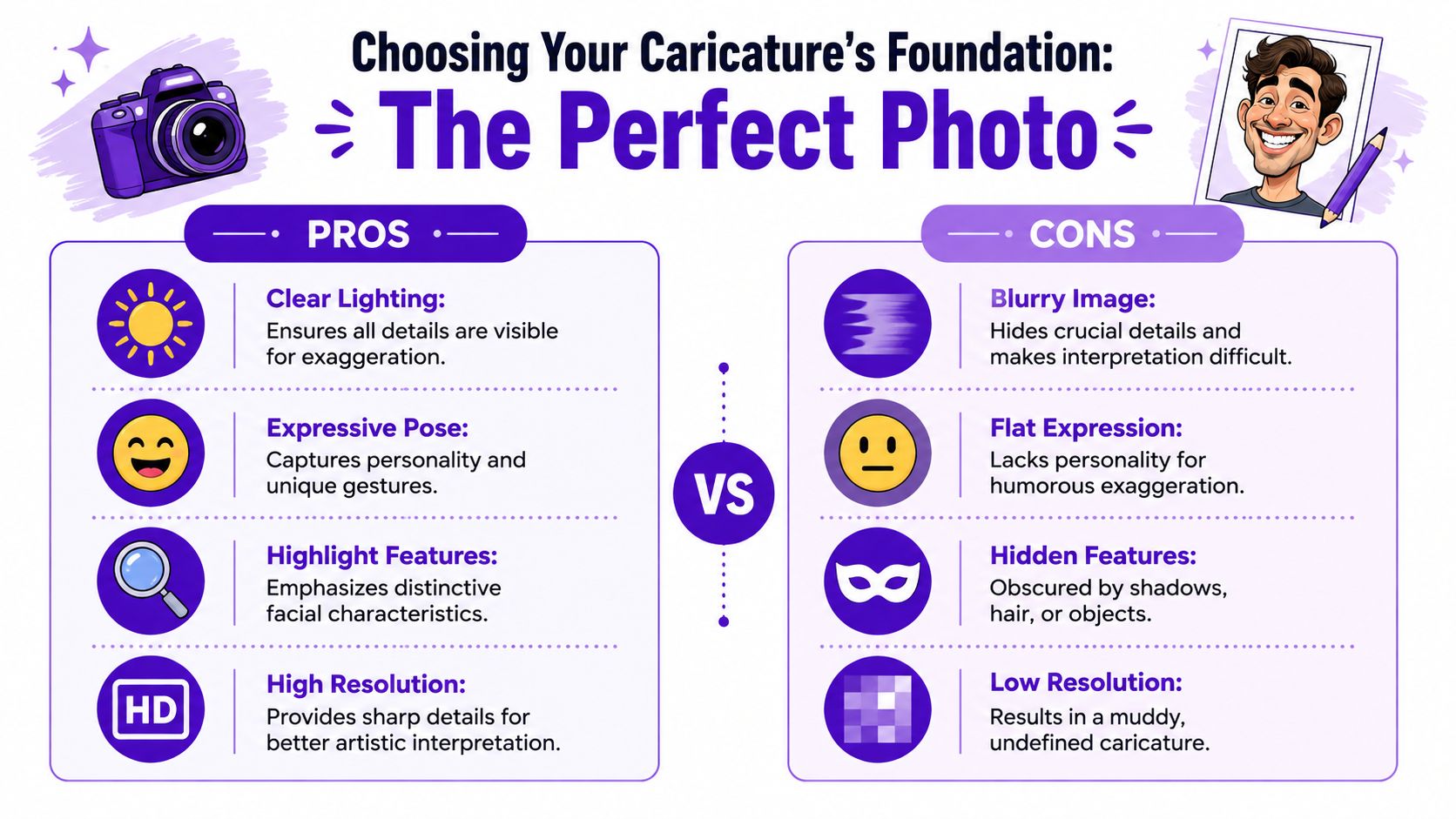
A caricature works by isolating the face's loudest traits, not by inventing them. If the jawline is hidden, the nose is blurred, or the face is turned so far that one cheek disappears, the exaggeration has nothing reliable to hold onto. That's why a three-quarter angle often performs better than a dead-on selfie, it shows more depth, more asymmetry, and more of the shape that makes someone recognizable.
Lighting matters for the same reason. Soft light reveals form, while harsh flash flattens the face and erases the small shadows that define the chin, brow, and nose. A strong source photo gives the caricature maker a map, and a bad one forces guesswork.
A good expression helps too. A raised eyebrow, grin, smirk, or slightly dramatic pose gives the final caricature more personality, because exaggeration lands harder when the face already carries a clear mood. That's also why group shots are awkward unless the subject can be cleanly isolated, the composition distracts from the one face you want to exaggerate.
Most consumer guides repeat the same generic advice, but they rarely explain why caricatures break down when the face is partially occluded, turned, or too blurry. The best results still depend heavily on image selection and feature visibility, and even advanced AI can struggle with poor source material. Why source photos make or break caricatures
Use this as a fast screen before uploading anything:
A photo that looks ordinary to you can still be perfect if it shows the features clearly. A dramatic-looking photo can still fail if the eyes, nose, or mouth are buried in shadow.
One practical way to think about it is this. The caricature should be immediately identifiable before you start adding jokes, props, or style. If you can't point to the person's defining traits in the source, neither can the tool.
If you want the quickest path from selfie to shareable image, AI is the easiest route. It's the one to use for a funny story post, a gaming avatar, a custom emoji, or a last-minute gift image that needs to exist today. A tool like starryai fits that speed-first mindset because it turns an uploaded photo into a cartoon-style image without any drawing setup.
Start with the best source photo you have, then upload it and use the prompt to tell the model how far to push the exaggeration. The trick is to describe the joke visually, not just the person. “Exaggerated caricature of a man with a big nose, comic book style, bold lines” gives the generator a clear target, while vague prompts usually produce generic cartoon faces.
Negative prompts help clean up the output by steering the model away from common mistakes. Phrases like -ugly, -blurry, -disfigured can reduce muddy rendering and strange facial artifacts. The point isn't to force perfection, it's to remove the failures that make an image look broken instead of intentionally stylized.
A useful mental model comes from the technical side of photo-to-caricature systems. Modern research splits the pipeline into geometric exaggeration and style or texture transfer, so the software can control face shape separately from the rendering style. That separation helps preserve identity while still allowing the face to be distorted in a readable way. SIGGRAPH overview of deep-learning caricature methods
If you're comparing tools, this AI image generator comparison is useful when you want to understand how different generators handle styles and prompt behavior. starryai's own AI image workflow also supports turning a photo into cartoon art, which makes it a straightforward option for casual caricature work.
Prompt strength matters because it controls how much the model listens to your photo versus your text. Higher prompt strength can push the result toward the caricature style you want, while lower settings can stay closer to the original face. That trade-off matters because the goal isn't just “funny,” it's recognizable and shareable.
Try a few prompt styles instead of one. A comic-book prompt produces bolder outlines, a hand-drawn prompt usually feels softer, and a sticker-like prompt can be cleaner for social media. If the first result goes too far, change the photo or pull back the exaggeration before you assume the tool can't handle it.
For people already making quick content, this AI for social media content creation guide is a handy companion because it frames AI around practical posting workflows rather than novelty alone.
A manual digital workflow gives you the most control over the final face, which matters when the caricature has to land a specific joke, keep a family resemblance, or look like a finished illustration instead of an automated interpretation. Photoshop, GIMP, and Procreate can all do the job, because the advantage stems from the process, not the app name. If you want a practical overview of how this sort of photo-to-art setup works in general, see our guide on how to turn a picture into an illustration.
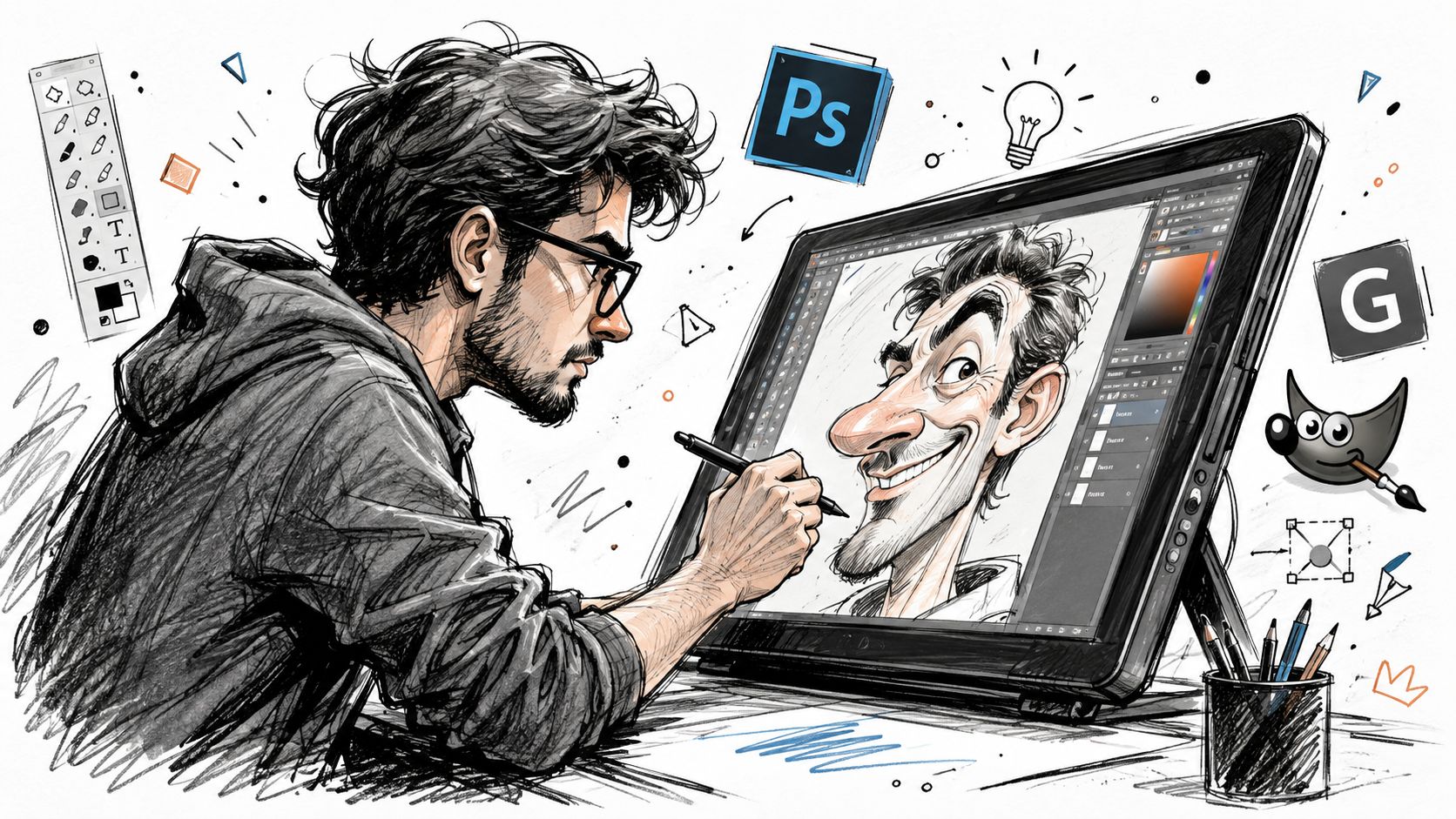
Start by separating the subject from the background, then create a fresh layer for the caricature work. That keeps the original photo intact while you reshape the face, body, and silhouette. A small body with a larger head usually reads faster, because the eye goes straight to the face and the joke lands sooner.
Use Liquify or Warp for the strongest traits, not for every detail at once. If the chin is the memorable feature, push the chin. If the hairstyle carries the likeness, stretch the outline there. If the eyes define the expression, enlarge them carefully and leave the rest of the face steadier so the drawing still feels like the same person.
Selective exaggeration works better than blanket distortion. If every feature gets pushed the same amount, the face loses the uneven proportions that make it memorable.
A useful comparison comes from how illustrators read facial structure. One tutorial on drawing caricatures from photos maps the face with landmarks such as the nose, ears, brow, philtrum, cheeks, chin, forehead, and eye sockets. That matters because a strong caricature depends on proportion and placement, not random cartoon styling. Structural landmarks in caricature drawing
After the main distortion, add highlights and shadows on separate layers so the caricature still has depth. If the warp stage leaves awkward edges around the jaw or hairline, clean them up with brush work instead of smoothing everything away. Too much smoothing turns a recognizable exaggeration into generic digital art, which weakens the face instead of helping it.
A working artist's photo-to-caricature process follows a steady rhythm, sketch, block in, then refine layer by layer. That same source notes that digital caricature uses the same basic mechanics as painting in oils, which is a useful reminder that the software is only the medium. Digital caricature workflow and layer refinement
For a practical reference point, the goal is still recognition. Guidance on photo caricature recommends isolating the subject, shrinking the body, enlarging the head, and then using warp or liquify tools to push the forehead, nose, or jaw while keeping the face easy to identify. If you are weighing whether to handle the art yourself or hand it off, the same decision shows up in ways to find a good design company, since the trade-off is always control versus outside execution. Photo caricature workflow basics
A commissioned caricature makes sense when the final image has to feel specific and hard to mistake for anything else. That covers wedding stationery, a gift that should outlast the joke, or brand art that needs to sit naturally inside a real identity system. You are not paying for speed here. You are paying for judgment, revision, and the artist's ability to decide what to push and what to leave alone.
A strong caricature artist knows the face is not a target for random distortion. Caricature depends on selective exaggeration, which means pushing a noticeable feature, such as a nose, chin, or hairstyle, while keeping the person easy to recognize. That balance matters most when the brief has nuance or the result needs to feel deliberate rather than automated.
Start with reference photos, and send more than one if you can. Different angles help the artist see the structure of the face, because they can only exaggerate details that are visible. Then spell out the finish you want, whether that is simple black-and-white line art, full-color illustration, or a more polished painted look.
The rest of the brief should explain the purpose of the piece. Say what joke, theme, props, clothing, or background need to be included, and call out any features that must stay recognizable. If the hairstyle or glasses are part of the identity, say so clearly. If the caricature is meant for a business card, a banner, a mascot, or another branded use, include that too, because the artist needs to know whether the image is meant to decorate, communicate, or support a larger visual system.
A practical way to judge an artist is to see how they present their process and client fit. This guide to finding a good design company is aimed at design agencies rather than caricature specialists, but the same basics apply, look for clear communication, portfolio consistency, and a workflow that matches the kind of result you need.
Commissioning is slower than AI and usually less convenient than editing the image yourself, but that trade-off makes sense when one-off quality matters. It also helps when the final piece has to stay visually consistent with other branded art, because a human artist can make deliberate choices across a series instead of improvising from one render to the next.
Automated tools still struggle with that kind of repeatability. For commercial work, the real question is not only whether a tool can make a caricature, it is whether it can keep the same character recognizable across multiple images. Production-grade consistency remains difficult for many automated tools, which is why commissioned art often fits branding better. Commercial consistency in caricature tools
A caricature can succeed on screen and still fail on paper if the export is wrong. A profile image for Instagram needs a clean, compact file that loads well on screens, while a print piece needs enough detail to hold up on paper, through size changes, and under closer viewing. JPG works for many web uses, PNG is better when transparency matters, and print usually calls for a high-quality export such as TIFF or PDF.
Resolution has to be handled before export, not after. This guide to image resolution for printing helps keep the file choice tied to the final use, rather than the source file alone. An image that looks sharp on a phone can still break down once it is enlarged for paper.
Commercial use adds a separate layer of caution. AI tool terms can vary, and commissioned work should make clear whether you're getting personal use only or broader rights for merchandise, marketing, or resale. For a business, consistency matters too, because the image may need to stay recognizable across multiple assets instead of living as a single standalone joke.
Commercial takeaway: if the caricature has to carry a brand, ask who controls the rights, how edits are handled, and whether the character can stay visually stable across formats.
For business use, the safest choice is usually the one that matches the asset's role. A quick social post can come from an AI tool, but a branded print run or recurring mascot often needs tighter control and clearer usage rights.
If the caricature is going into print, the export settings should match the physical size and the viewing distance. That is what separates a file that looks lively on a feed from one that still looks polished after it leaves the screen.


.svg)