


Written by Mo Kahn on
July 22, 2026


You've probably had this happen today. You typed a clear idea into an image generator, hit create, and got something technically polished but creatively wrong. The mood is off, the framing is generic, and the details that mattered in your head never made it onto the screen.
That gap usually isn't about imagination. It's about translation. Visual AI doesn't need more adjectives nearly as often as it needs cleaner instructions, better hierarchy, and a tighter feedback loop.
That's why AI prompt optimization matters. It's no longer a niche skill. The global prompt engineering market reached $6.95 billion in 2025, and prompt optimization is tied to reported 15% to 30% productivity improvement in creative and corporate settings, according to this prompt engineering market analysis. For image creators, that shift means one thing. Prompting works best when you treat it like design direction, not wishful typing.
A weak prompt usually sounds complete to a human. It often fails because it leaves too many visual decisions unresolved for the model.
Take this idea: “a cool fantasy portrait of a warrior.” That sounds usable, but the AI still has to guess the medium, camera distance, color palette, era references, lighting logic, and what “cool” means. Those guesses are where bland outputs come from.
A high-performing prompt gives the model a visual chain of command.

Think of a prompt as a creative brief compressed into one line. The most reliable versions usually include these building blocks:
| Component | What it answers | Example |
|---|---|---|
| Subject | What is the image about? | lone warrior, ceramic mug, wellness retreat scene |
| Medium | What kind of output should it resemble? | product photo, oil painting, anime illustration |
| Style | What aesthetic language should dominate? | gothic, minimalist, retro sci-fi |
| Composition | How should it be framed? | close-up portrait, top-down shot, centered product layout |
| Lighting | What creates mood and depth? | cinematic rim light, soft studio light, golden hour |
The fastest way to improve a vague prompt is to fill in the missing categories, not to stuff in more descriptive words.
Practical rule: If an output feels generic, the missing instruction is often composition or lighting, not “more detail.”
Some prompt words don't just decorate. They redirect the entire generation path.
“Concept art” tells the model to prioritize imaginative styling, dramatic atmosphere, and painterly interpretation. “Product photo” pushes it toward cleaner edges, commercial clarity, and object legibility. The same subject behaves differently under those two labels.
The same is true for lighting. “Cinematic lighting” usually invites shadow contrast and emotional drama. “Studio lighting” pushes toward controlled, commercial illumination. If you want something that looks sellable, “studio lighting” often does more work than five extra adjectives.
A useful reference for creators who want a basic prompting foundation is this prompt writing guide from starryai.
Many creators underuse negative prompts because they sound optional. They aren't. They're where you tell the model what would ruin the result.
Use them to block recurring problems such as:
That doesn't mean listing everything you hate. It means removing the few failure modes that keep showing up.
The best prompts don't describe everything. They prioritize what must be true and what must not appear.
Once you start thinking this way, prompting stops feeling mysterious. You're not pleading with the model. You're directing it.
Random edits waste time because they don't teach you what changed the result. A professional workflow has memory. Each version tells you something useful.
That matters because ambiguity is expensive. A structured prompt optimization workflow involves data collection of past prompts, baseline evaluation, applying optimization techniques, tracking performance across versions, and deploying the best-performing prompt. That method raised success rates from 41% to 85% by eliminating ambiguity, according to this prompt optimization workflow breakdown.
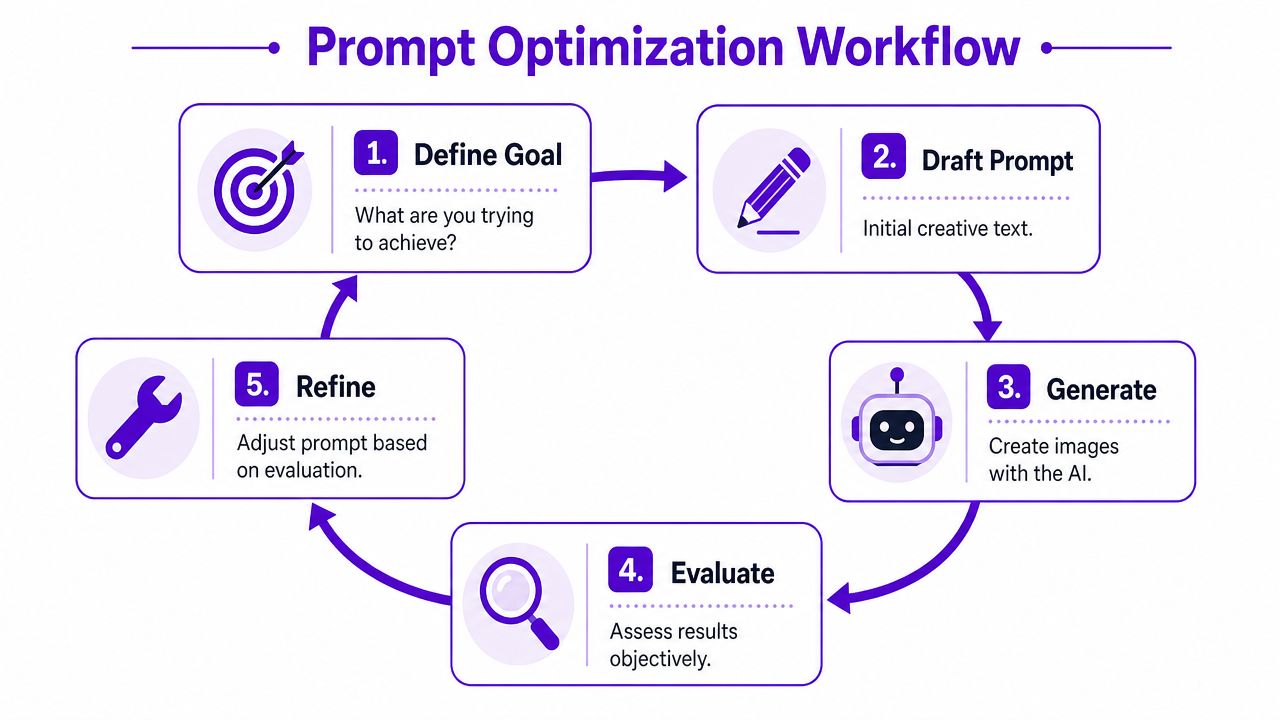
The most practical workflow for image prompting is a loop:
That sounds obvious, but many skip step four and rush to step five. They change three things at once, then can't tell what improved or broke the output.
If you're building your process from scratch, this beginner-friendly prompt engineering article from starryai is a useful orientation point.
Not all prompt edits have equal impact. I'd test them in this order:
Use two prompt versions at a time, not five. Keep everything else consistent and change one variable only.
For example:
| Version | Prompt change | What you're testing |
|---|---|---|
| A | “brooding sci-fi hero, cinematic lighting” | baseline mood |
| B | “brooding sci-fi hero, cinematic lighting, close-up portrait” | framing impact |
Then review the images with one question in mind: did that single change move the image closer to the goal?
Don't ask whether Version B is “better.” Ask whether it solved the exact problem Version A had.
Most prompt gains don't come from sudden genius. They come from accumulated pattern recognition.
A simple log can include:
This turns every failed image into usable training data for your future work.
Some habits look productive and almost never are:
The workflow that lasts is the one you can repeat under deadline. That usually means fewer variables, cleaner notes, and discipline about what you test next.
“I like it” isn't a reliable evaluation method. It's a reaction, not a system.
That becomes a problem fast when you're creating visuals for a shop, a campaign, a cover concept, or a character line-up. Your taste might like one image because it feels fresh, while the actual job requires clearer branding, more readable composition, or stronger emotional fit.

Advanced prompt engineering uses 6–8 quantified quality dimensions to improve reliability, and a 2025 APO study showed performance gains of up to 31% when vague instructions were rewritten into precise, data-backed rules, as discussed in this analysis of Automatic Prompt Optimization.
You don't need a giant scoring framework to benefit from that idea. Start with four or five dimensions that match your creative goal.
For visual work, a practical rubric might include:
Brand alignment
Does the image feel like your product, genre, or channel?
Subject clarity
Can someone understand the main focus instantly?
Emotional impact
Does the image create the mood you intended?
Detail quality
Are textures, facial features, props, and edges convincing?
Use-case fit
Would this work as a book cover draft, product mockup, post visual, or avatar?
Use a simple 1 to 5 scale for each dimension. That gives you a repeatable way to compare prompt versions.
| Dimension | Version A | Version B |
|---|---|---|
| Brand alignment | 3 | 4 |
| Subject clarity | 2 | 5 |
| Emotional impact | 4 | 4 |
| Detail quality | 3 | 3 |
| Use-case fit | 2 | 5 |
That table tells you more than “B looks nicer.” It shows why B wins.
A lot of prompt improvement comes from spotting what specifically went wrong.
If a concept image feels weak, ask:
A useful rubric doesn't make creativity rigid. It gives your taste a language.
Once you score a few batches this way, patterns emerge. You may notice that your prompts consistently nail mood but miss product clarity. Or that your character portraits look dramatic but drift off-brand. Those patterns tell you what to optimize next.
That's the moment prompting starts becoming operational instead of emotional.
Some visual briefs are straightforward. Others fail because the model doesn't understand the niche, the reference style, or the difference between what you mean and what the training data tends to assume.
That's where advanced techniques earn their place.
Few-shot prompting means giving the model clearer examples of the target behavior. In text workflows, that often looks like labeled input-output examples. In visual prompting, the practical equivalent is building a prompt that contains concise, pattern-rich references instead of broad creative language.
If you need a very specific type of image, don't say “make it stylish.” Define the style family through comparable attributes. For example, instead of “dark fantasy,” specify elements like weathered armor, muted steel palette, ash-filled atmosphere, worn fabric textures, and solemn facial expression.
That helps when the model lacks domain knowledge. For complex tasks, combining Few-Shot prompting with a reflective Meta-prompt can improve accuracy by up to ~200%, according to LangChain's prompt optimization benchmark.
Meta-prompting means asking the AI to improve the prompt before you use it for generation.
A simple version looks like this:
Rewrite this image prompt to make the subject clearer, reduce style drift, and prioritize cinematic portrait composition. Keep the tone brooding, realistic, and commercially usable.
That works because many first drafts fail at hierarchy. The prompt contains good ingredients, but the order is muddy and the instructions compete with each other.
Here's the practical split:
These methods can overshoot. If you feed too many examples or over-specify the target, the prompt can become narrow and repetitive. The output starts echoing the examples instead of generalizing from them.
That's why restraint matters. Give enough signal to guide the model, but leave room for it to synthesize.
A strong advanced prompt doesn't force every pixel. It prevents the common misread.
Visual prompting gets easier when you stop treating it like a sentence-writing exercise and start treating it like structured art direction. That matters on starryai because creators often want a fast result that still feels intentional, polished, and usable.
A good starting move is to shift from natural-language rambling to modular phrasing.
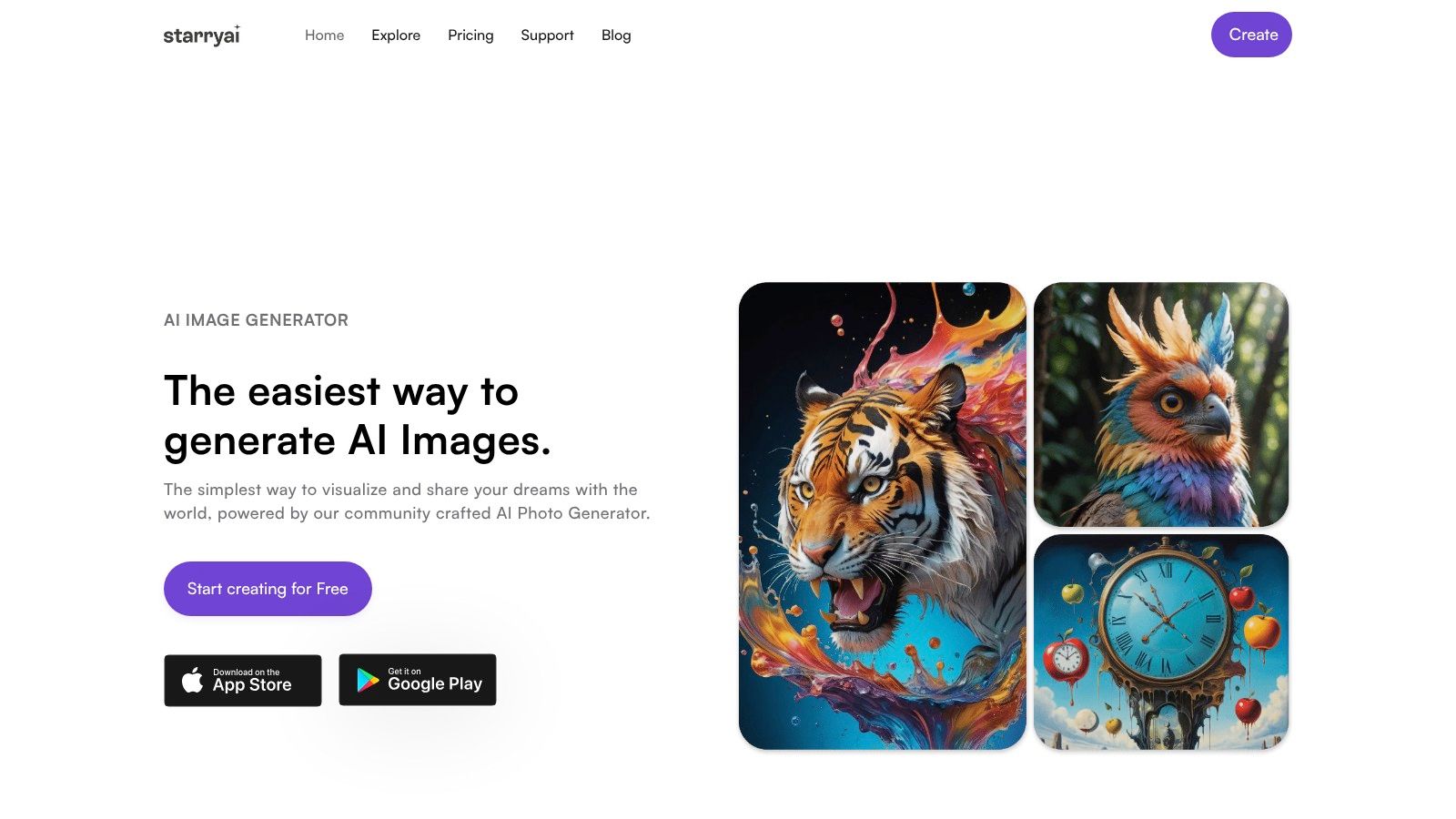
AI image models trained on structured prompts, including comma-separated modifiers like “photoreal, fantasy, oil painting,” achieved 32% higher user satisfaction scores than models using unstructured natural language, based on analysis of over 10,000 prompt-image pairs in this starryai prompt structure review.
That doesn't mean every prompt should look robotic. It means structure helps the model parse priority.
Here's how that looks in real creator scenarios.
Before
cute halloween ghost mug design for fall
After
cute ghost illustration, spooky season mug design, clean vector style, centered composition, orange and cream palette, playful expression, bold silhouette, minimal background, commercial merchandise look, no text, no clutter
Why the second one works better:
Before
brooding sci-fi hero standing in a dark city
After
brooding sci-fi hero, close-up character portrait, worn futuristic jacket, neon reflections, rain-soaked cyberpunk city background, cinematic rim lighting, realistic facial detail, moody blue and crimson palette, intense expression, shallow depth of field, no extra characters
This version narrows the camera distance, clarifies wardrobe, and tells the model where to spend detail.
Before
beautiful wellness retreat image for instagram
After
luxury wellness retreat, serene outdoor spa setting, natural stone textures, soft morning light, neutral beige and sage palette, editorial lifestyle photography, calm atmosphere, balanced composition, clean background, aspirational but natural
This kind of prompt works because it maps directly to a brand mood board.
If you create regularly, a few platform-aware habits make a big difference:
If you want prompt ideas quickly, this text-to-image prompt generator from starryai is useful for drafting variations you can refine manually.
Runtime affects quality in AI art workflows. Increasing runtime from 10 seconds to 30 seconds improved fidelity by 27%, with quality stabilizing at 45 seconds for most high-resolution tasks, according to this NVIDIA diffusion benchmarking summary discussed in a YouTube review.
Use that insight carefully. Runtime won't rescue a muddled prompt. It helps most after you've already clarified subject, composition, and style.
For creators juggling multiple tools, this roundup of AI tools for content creators is worth scanning because it helps place image generation inside a broader content workflow, especially if you're pairing visuals with scripting, editing, or social publishing tools.
A short walkthrough helps when you want to compare prompt phrasing in motion:
The practical takeaway is simple. For starryai, better prompts usually come from cleaner structure, stronger visual priorities, and deliberate testing, not longer descriptions.
Prompting becomes powerful when it stops being disposable. Most creators throw away useful prompts after a single project, then rebuild the same knowledge from scratch next week.
A better habit is to keep a prompt library. Save your strongest prompts by category: product mockups, fantasy portraits, seasonal merch, editorial lifestyle scenes, anime avatars, cover concepts. Then save the note that matters most: why each one worked.
Your best prompt library might include:
That collection becomes a creative asset. It also makes you faster because you aren't starting from zero.
When you see an image trend on TikTok, Instagram, or a marketplace listing, don't just admire it. Reverse-engineer it.
Ask yourself:
“Think like the model” is another way of saying “reduce ambiguity before you generate.”
That mindset changes everything. You stop asking for a vibe and start specifying the visual mechanics that create the vibe.
The strongest creators aren't the ones who discover one magic prompt. They're the ones who build a repeatable way to turn fuzzy intent into usable visuals.
That's why AI prompt optimization belongs in the same category as composition, art direction, and editing judgment. It's a creative skill. It compounds. And the more deliberately you practice it, the more your outputs start to look like your ideas instead of the model's defaults.
If you want a simple place to practice better visual prompting, experiment with starryai. It's a practical way to turn rough concepts, selfies, and style ideas into images quickly, then sharpen your process through structured iteration.


.svg)