

Written by Mo Kahn on
July 1, 2026


Staring at a text box and trying to think of the perfect prompt is a familiar creative bottleneck. You know the image you want. You can almost see it. But the second you start typing, the result turns into something generic, cluttered, or weirdly off-brand. That gap between the picture in your head and the one on your screen is why good AI picture prompts matter so much.
Prompting isn't a niche trick anymore. Adobe reports that more than four in five people have used AI to generate images, which tells you this is now a normal part of everyday creative work, not just an experimental side hobby. You can read that in Adobe's overview of how people write better AI image prompts. If you're making social posts, Etsy merch, book covers, or TikTok transformations, prompts are now part of the production workflow, much like captions, edits, and thumbnails. That's also why teams exploring how AI helps social media marketers keep running into the same reality. Better inputs usually lead to better creative options.
The shortcut isn't writing longer prompts. It's writing clearer ones. Across prompt guidance from Harvard and Meta, the pattern stays consistent: define the subject, add style, clarify composition, and tighten the mood or details. This guide puts that into action with 10 copy-paste-ready templates designed for mobile-first creation in starryai, where speed matters but polish still matters more.

You upload a plain selfie, add a few precise style cues, and the result looks like a film still, a beauty editorial, or a polished fan-cast portrait. That kind of fast visual shift performs well on TikTok because the idea reads in a second. It also works for Etsy sellers testing avatar packs, profile art, or printable wall portraits without commissioning custom shoots first.
Portrait prompts succeed when the model has a clear identity target and a clear art direction target. Aesthetic words alone are rarely enough. "Vintage" can mean studio glamour, faded family photo, pin-up styling, or muted editorial. The better move is to define the transformation in layers: subject, framing, beauty details, light, palette, mood.
For portrait prompting, the goal is control. This works because faces are sensitive to small prompt changes. One phrase like "soft studio key light" can clean up skin tone and shape. One phrase like "dramatic neon rim light" can push the image toward poster art instead of a natural portrait.
Practical rule: Start with the person, then name the era or aesthetic, then lock the lighting and mood.
A strong portrait template usually includes:
If you want more repeatable character styling after portrait tests, starryai has a useful guide on how to design a character using AI.
Celebrity-style edits and aesthetic swaps work best when the prompt tells the model what to preserve and what to change. Preserve the face structure and expression. Change the styling, camera treatment, and atmosphere. That balance keeps the result recognizable, which matters for social posts where the viewer should instantly connect the transformed image to the original selfie.
This is also why negative prompts matter more here than many beginners expect. Portrait generations often drift into waxy skin, uneven eyes, duplicate features, or overdone backgrounds. Cleaning that up in the prompt saves time on rerolls, especially in a mobile-first app where fast iteration matters.
Use this structure in starryai:
Prompt:
Transform my selfie into a [era or aesthetic] portrait, [camera framing], [hair and makeup details], [lighting style], [color palette], [mood], highly detailed, polished portrait, natural facial symmetry, realistic skin texture, expressive eyes, elegant composition
Style modifiers:
cinematic portrait, editorial beauty shot, soft-focus photography, retro glamour, digital painting
Negative prompt:
blurry, extra fingers, asymmetrical eyes, distorted face, duplicate features, messy background, low detail, bad anatomy, overexposed skin, waxy skin, blurred facial features
Example:
Transform my selfie into a glamorous 1950s Hollywood portrait, close-up framing, classic curls and bold lipstick, studio spotlight with soft shadows, warm sepia and champagne tones, confident and elegant mood, highly detailed, polished portrait, realistic skin texture, expressive eyes, elegant composition
Use this template when the goal is instant recognition plus a strong aesthetic shift. That combination tends to produce the clearest before-and-after content and the most reusable portrait assets.
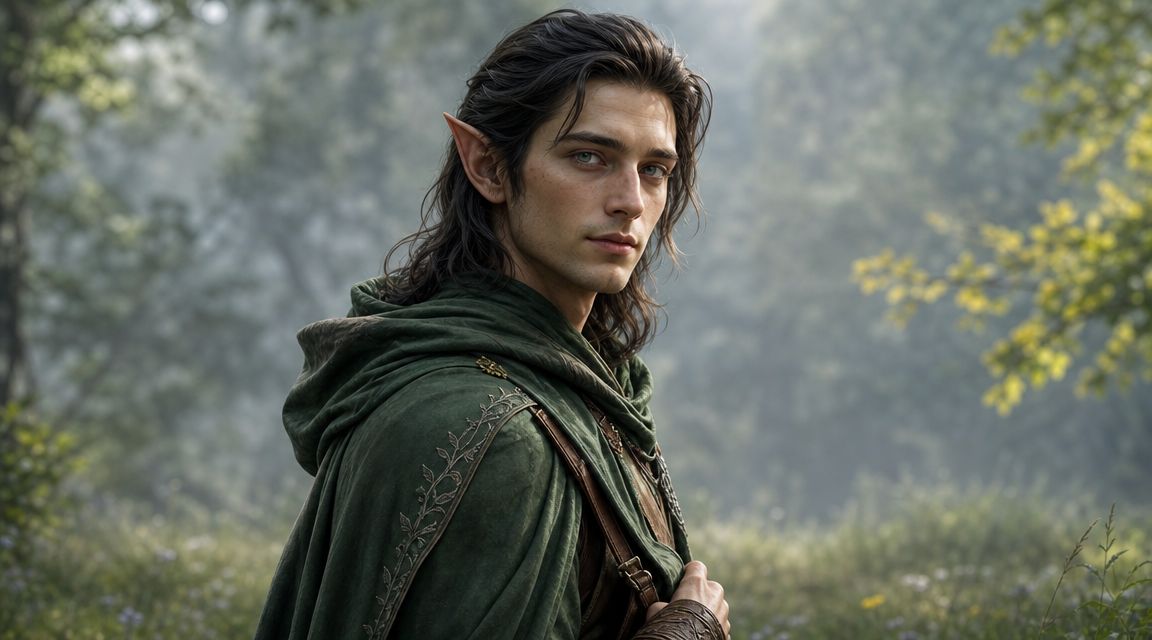
You open starryai on your phone to make a fantasy heroine for a book teaser or TikTok character reveal. The first result has great armor, the second has the right face, the third has the right mood, and none of them feel like the same person. That usually means the prompt described cool ingredients instead of a usable character brief.
Fantasy prompts work better when they read like design instructions for one specific role. Start with the character's function in the story or product. Then add the visual cues that support that role. A healer needs different shapes, colors, props, and lighting than a cursed knight or forest ranger. This works because image models respond well to hierarchy. Clear priorities produce cleaner silhouettes, more consistent rerolls, and characters you can reuse across Etsy sticker sets, indie book covers, game mockups, or short-form videos.
If you want a stronger process for refining the same character across multiple generations, starryai has a practical guide on how to design a character using AI.
Fantasy gives you a lot of room to add detail, which is exactly why prompts drift. If you stack horns, relics, glowing runes, layered fabrics, magical pets, and five competing colors into one short prompt, the model has no signal about what matters most.
The fix is simple. Keep the prompt in this order:
That structure gives the model a visual pecking order. It also makes iteration easier on mobile, because you can swap one field at a time instead of rewriting the whole prompt.
Use this when you need a fantasy character that stays recognizable across multiple generations.
Prompt:
[role], [species or identity], [defining facial and body traits], wearing [signature outfit and materials], holding [weapon, artifact, or tool], in [specific fantasy setting], [lighting style], [art medium], cohesive fantasy character design, clear silhouette, expressive pose, rich surface detail, character-focused composition
Style modifiers:
fantasy concept art, painterly illustration, dark fantasy, heroic character sheet, cinematic fantasy lighting
Negative prompt:
extra limbs, extra fingers, deformed hands, duplicate accessories, muddy costume details, cluttered background, flat lighting, bad anatomy, floating objects, inconsistent armor, warped face, low detail
Example:
Fae forest ranger, half-elf, silver eyes and a long ash-brown braid, wearing an emerald wool cloak over weathered leather armor, holding a carved yew bow and a satchel of herbs, in a misty forest clearing with ancient stone ruins, cool moonlight through fog, painterly fantasy concept art, cohesive fantasy character design, clear silhouette, poised stance, rich surface detail, character-focused composition
Use this template when the goal is consistency with personality. That is what makes a character useful beyond a single pretty image. It gives you artwork that can hold up across TikTok story posts, Etsy digital products, and repeat appearances in a larger visual world.
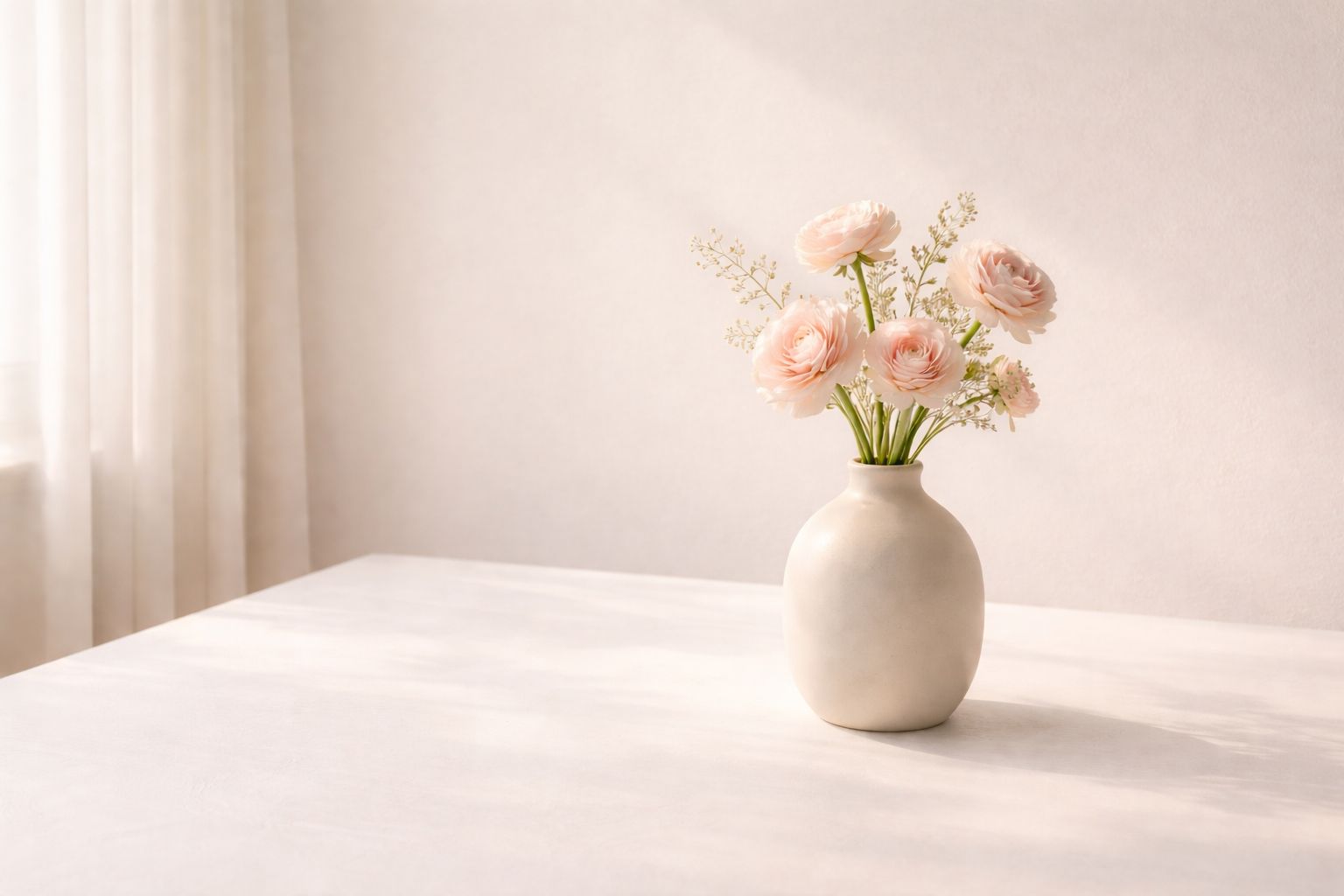
You open starryai to build a soft, polished visual direction for a launch. After a few generations, the images are all attractive, but they do not belong together. One feels editorial, one feels handmade, one looks like a stock photo. That usually means the prompt describes taste, but not a system.
Mood board prompts work best when they act like a mini creative brief. The goal is not one standout image. The goal is a repeatable visual language you can use across TikTok slides, Pinterest pins, Etsy shop graphics, or a product mood board for client approval.
Constraint does the heavy lifting here. A tight palette, a short list of objects or textures, one lighting condition, and one compositional rule give the model fewer ways to drift. This works because image generators are good at riffing within boundaries. They are less reliable when the brief is broad and purely descriptive.
I usually set four anchors. Color, material, light, and mood. If those stay stable, you can swap flowers for candles, fabric for paper, or ceramics for glass and still get a set that feels intentional.
Keep the prompt compact, but specific. High-signal wording usually beats a long sentence full of extra adjectives.
For creators building product imagery or branded visuals, the same disciplined prompt logic also helps with layout-driven assets. starryai's guide to mastering book cover design with AI technology is a useful example of how tighter art direction improves output.
Prompt:
[aesthetic name], [2 to 4 color cues], [3 to 5 objects, materials, or textures], [lighting type], [emotional tone], [composition rule], minimalist editorial styling, cohesive visual series, clean negative space, soft harmony, mobile-friendly framing
Style modifiers:
luxury lifestyle editorial, minimalist still life, dreamy photography, clean branding visual, social media aesthetic, muted palette, soft natural light
Negative prompt:
visual clutter, harsh shadows, oversaturated colors, chaotic composition, text, logo, distorted objects, inconsistent palette, crowded frame, muddy details, low contrast subject separation
Example:
Soft pastel aesthetic, cream blush and dusty rose tones, silk fabric, ceramic vase, handmade paper, delicate flowers, dreamy window light, calm romantic mood, centered composition with open space, minimalist editorial styling, cohesive visual series, clean negative space, soft harmony, mobile-friendly framing
Use this template when you need a set, not a one-off. That is the difference between pretty images and a usable content system. The structure gives you copy-paste-ready control, while the modifiers and negative prompt keep the output aligned enough for carousel posts, product collages, and Etsy branding assets.
An indie author tests two cover concepts on a phone. One has gorgeous detail but turns into visual noise at storefront size. The other has a single clear subject, strong contrast, and room for the title. The second one gets the click.
That is how book cover prompts should be built. A cover has to sell the premise in a split second, especially on TikTok, Kindle results, and Etsy mockups where the image often appears small first. This works because clear hierarchy gives the viewer one thing to understand immediately, then supports it with mood and genre cues.
Prompting for covers also works better when you treat it like art direction, not pure image generation. Set the focal subject. Reserve space for typography. Specify the aspect ratio and composition early. If you skip those constraints, you usually get a nice poster instead of a usable cover.
For hands-on cover workflow ideas, starryai has a practical post on mastering book cover design with AI technology. If you plan to turn a strong cover concept into matching author merch or companion shop graphics, their guide to AI art for print-on-demand creators helps connect the visual system across products.
Here's a useful visual reference before you write your prompt:
Prompt:
[genre] book cover illustration, [main focal subject], [setting], [mood], [genre color palette], strong central composition, clear negative space at top for title and bottom for author name, vertical cover layout, professional publishing aesthetic, dramatic lighting, thumbnail-friendly design
Style modifiers:
publishing standard cover art, cinematic illustration, literary fiction cover, paranormal romance cover, sci-fi thriller cover, high contrast focal hierarchy, clean typography space
Negative prompt:
tiny focal point, busy layout, unreadable composition, random text, watermark, weak contrast, distorted faces, muddy background, cluttered edges, multiple competing subjects, low-detail centerpiece
Example:
Sci-fi thriller book cover illustration, lone figure facing a neon cityscape, rain-soaked futuristic street, tense mysterious mood, teal magenta and deep black palette, strong central composition, clear negative space at top for title and bottom for author name, vertical cover layout, professional publishing aesthetic, dramatic lighting, thumbnail-friendly design
Use this template when the goal is marketable concept art, not just a pretty image. The structure improves title placement, keeps the focal point visible on mobile, and gives you cleaner starting assets for Amazon listings, BookTok promo posts, and Etsy author branding.
Merch is where "beautiful image" and "sellable design" are not the same thing. A shirt graphic needs shape clarity. A mug design needs readable contrast. A sticker needs edges that still make sense when printed small.
That's why merch prompts should be less cinematic and more deliberate. You're not trying to generate a poster with everything in it. You're creating a design that has to hold up on fabric, ceramic, paper, or tote bags. starryai also has a focused resource for AI art for print-on-demand creators.
Market research from Markntel Advisors estimates the global AI image generator market reached about USD 9.10 billion in 2024 and projects it could grow to USD 63.29 billion by 2030, with media and entertainment holding the largest share at around 34%. That matters for merch because social-first and visual product categories are where fast prompt-driven image creation already fits naturally. The figures appear in Markntel Advisors' report on the AI image generator market.
For Etsy sellers, the practical takeaway is simple:
Prompt:
print-on-demand merchandise design, [theme], [main graphic elements], [composition type], [color palette], clean edges, high contrast, bold readable shapes, decorative but print-friendly, isolated design look, vibrant commercial illustration
Style modifiers:
vector-style illustration, sticker design, apparel graphic, centered emblem, retro merch art
Negative prompt:
tiny details, muddy colors, thin lines, photo background, mockup, watermark, text artifacts, cluttered composition, low contrast
Example:
Print-on-demand merchandise design, cottagecore wildflower theme, blooming flowers and small cottage silhouette, centered square composition, pastel sage cream and soft pink palette, clean edges, high contrast, bold readable shapes, decorative but print-friendly, isolated design look, vibrant commercial illustration
Avatars have a different job than fantasy splash art. They need instant recognition at small size. That means silhouette, face, and attitude carry more weight than world-building detail.
If the image is for a profile picture, Discord icon, or tabletop character card, a clean bust or waist-up composition often works better than a full action scene. Save the huge background for separate concept art. Here, expression does the heavy lifting.
One of the biggest mistakes in avatar prompts is trying to show everything about the character at once. Players often write a biography into the prompt, then wonder why the face gets lost. Focus on role, standout trait, and visual gear. "Tiefling rogue, purple skin, crimson hair, sly grin, dark leather armor" is much stronger than a long backstory.
If the character wouldn't still read clearly as a tiny circle icon, the prompt probably needs simplification.
A few practical directions help:
Prompt:
gaming avatar portrait, [character type], [species or appearance], [signature colors], wearing [gear or outfit], [facial expression], square composition, clean background or subtle game-themed backdrop, detailed character art, strong silhouette, profile-picture friendly
Style modifiers:
anime avatar, realistic fantasy portrait, game splash art, stylized RPG portrait, character sheet illustration
Negative prompt:
busy background, small face, cropped head, extra limbs, distorted armor, duplicate weapons, low detail, flat expression
Example:
Gaming avatar portrait, tiefling rogue, purple skin and crimson hair, black and burgundy color scheme, wearing dark leather armor with silver buckles, mischievous expression, square composition, subtle shadowy backdrop, detailed character art, strong silhouette, profile-picture friendly
You are on your phone, a trend is moving fast, and typing a long prompt kills the idea. That is where emoji-led prompting earns its place. In starryai, a tight emoji string can set mood, genre, and color direction in seconds.
It works because emojis compress intent. A crescent moon, black heart, and sparkles already suggest tone before you write a single adjective. The limitation is control. Emojis rarely define composition, subject clarity, or what to leave out, so the strongest results come from pairing the emoji string with a few plain-language instructions.
For TikTok, this format is useful because viewers can screenshot the exact prompt and try it themselves. For Etsy sellers, it is a fast way to test aesthetic directions before committing to a product line, sticker set, or social graphic. Short prompts also fit the way people create on mobile. Quick input, quick variation, quick feedback.
A practical rule: let the emojis handle vibe, and let the words handle image structure.
Emoji prompts get messy when the symbols point in five directions at once. Too many mixed signals produce generic art or random objects. Keep the string focused on one theme, then anchor it with three things: subject, style, and palette. This works because image models respond better when mood and visual intent line up.
Use this format for:
Prompt:
[emoji string], [main subject], [1 to 3 descriptive words], stylized illustration, [color palette], clear focal point, simple composition, social-media-ready visual
Style modifiers:
emoji-core aesthetic, dreamy digital illustration, bold color grading, fantasy pop art, editorial social graphic
Negative prompt:
confusing symbolism, muddy colors, cluttered composition, text artifacts, random objects, weak focal point, low detail, unreadable subject
Example:
🧛♀️🌙✨🖤 gothic portrait, dark romantic, stylized illustration, black silver and plum palette, clear focal point, simple composition, social-media-ready visual
Seasonal content performs best when it feels timely without looking like a pile of holiday clichés. The fastest way to ruin a holiday prompt is to stuff every symbol into it. Snowflakes, ornaments, gifts, candy canes, reindeer, stars, bokeh, fireplaces, and stockings all at once usually create clutter.
Choose one seasonal story and commit to it. A snowy cottage with warm window light. A spooky but cute witch badge for Halloween merch. A luxe Valentine flat lay with roses and champagne. That restraint makes the visual feel more polished and easier to reuse across posts.
If you're batching content for TikTok, Etsy, or brand social channels, build prompts around reusable seasonal ingredients: palette, props, mood, and layout. Then spin versions for story posts, product images, banners, and thumbnails.
A practical pattern:
Seasonal content works best when the image suggests the holiday immediately, even before anyone reads the caption.
Prompt:
[holiday or season] themed visual, [main subject or scene], [signature props], [seasonal palette], [mood], [composition type], polished decorative art, platform-ready image, cohesive festive styling
Style modifiers:
holiday editorial, cozy seasonal illustration, festive social media art, print-ready seasonal graphic, elegant campaign visual
Negative prompt:
overcrowded layout, mixed holiday symbols, muddy palette, unreadable focal point, random text, weak lighting, low detail
Example:
Christmas themed visual, snowy cottage at dusk, pine garland and glowing windows, deep green ivory and warm gold palette, cozy elegant mood, square composition, polished decorative art, platform-ready image, cohesive festive styling
Environment art needs more than a cool setting name. "Cyberpunk city" isn't enough. The model still has to decide what goes in the foreground, where the light comes from, what architecture dominates, and what the atmosphere feels like.
When creators struggle with consistency in concept art, it's often because the prompt names the world but not the camera. Spatial direction matters. Foreground market stalls, middle-ground alley, towering skyline in the background, rain reflections on the pavement. That kind of wording gives the scene structure.
Available guidance on prompting suggests that wording placement can affect image results, and that angle, framing, and lens terms materially shape the output. What isn't well quantified is repeatability across batches, which is frustrating for anyone building a series of brand-safe assets or multiple world variations. That gap is discussed in a video analysis about how camera-angle wording changes image generation behavior.
For world-building, that means you should establish the essential elements early:
Prompt:
concept art environment, [world statement], [foreground details], [middle-ground action or structure], [background landmark], [time of day], [weather or atmosphere], [architectural style], immersive composition, cinematic lighting, detailed world-building art
Style modifiers:
environment concept art, matte painting, cinematic sci-fi vista, fantasy world illustration, immersive digital painting
Negative prompt:
flat scene, empty background, inconsistent scale, blurry architecture, random objects, weak perspective, low detail, washed-out lighting
Example:
Concept art environment, futuristic cyberpunk city, foreground street vendors and glowing puddles, middle-ground alley packed with neon signs, background towers and flying vehicles, midnight, steady rain and haze, brutalist-meets-neon architecture, immersive composition, cinematic lighting, detailed world-building art
A creator posts “coquette x dystopian racer” on TikTok, and the idea gets attention before the image even loads. That is the value of a good mashup. The concept is the hook.
The catch is control. Mashup prompts fail when they stack trends instead of assigning roles. One aesthetic needs to drive the image, while the second adds contrast through color, styling, props, or setting. This works because image models handle hierarchy better than equal-weight collisions. In practice, you get cleaner compositions, stronger thumbnails, and fewer weird details to fix on rerolls in starryai.
For social platforms, the best combinations are easy to explain in five words and easy to recognize at phone-screen size. For Etsy or merch testing, the same rule helps you spot what has commercial potential. If the concept reads fast, it usually performs better in listings, mockups, and short-form video covers.
Good examples:
The useful pattern is simple. Pick a base trend. Then choose one pressure point from the second trend: materials, palette, silhouette, texture, or tech details. That keeps the image current without turning it into visual clutter.
Prompt:
[aesthetic one] meets [aesthetic two], [main subject], [primary aesthetic as dominant visual system], [secondary aesthetic as accent details], [shared color logic], [setting or outfit focus], [clear mood phrase], polished trend-forward visual, strong focal point, mobile-first composition, clean readable styling
Style modifiers:
viral aesthetic mashup, editorial fashion fantasy, TikTok-friendly visual, hybrid subculture art, bold stylized illustration
Negative prompt:
style conflict, muddy palette, too many competing accessories, weak focal point, cluttered background, low detail, awkward anatomy, unreadable outfit design, mixed eras without logic
Example:
Dark academia meets cyberpunk, moody scholar as the main subject, dark academia as the dominant visual system, cyberpunk as neon interface accents and tech accessories, burgundy black and electric blue color logic, vintage coat and futuristic library setting, mysterious intelligent main-character mood, polished trend-forward visual, strong focal point, mobile-first composition, clean readable styling
| Template | 🔄 Implementation Complexity | ⚡ Resource Requirements / Efficiency | ⭐ Expected Outcomes & Impact 📊 | Ideal Use Cases | 💡 Key Advantages / Tips |
|---|---|---|---|---|---|
| Portrait Style Template: Celebrity/Aesthetic Transformation | 🔄🔄 Medium, needs prompt refinement and good source photos | ⚡⚡ Fast generation; best with high-quality selfies | ⭐⭐⭐⭐ High shareability and viral potential 📊 | TikTok creators, influencers, social managers | 💡 Specify era/style + lighting; use well-lit selfies |
| Fantasy Character Design Template | 🔄🔄🔄 Medium–High, detailed descriptors and iterations | ⚡⚡ Moderate, multiple passes for fidelity | ⭐⭐⭐ Strong concept art and merch-ready designs 📊 | Indie authors, RPG players, game devs | 💡 Start with archetype, specify medium and lighting |
| Aesthetic Mood Board Template | 🔄🔄 Low–Medium, requires clear palette and mood | ⚡⚡⚡ Efficient for batch content creation | ⭐⭐⭐⭐ Improves brand consistency and grid cohesion 📊 | Social media managers, marketers, creators | 💡 Use hex codes, generate 3–5 variations for grids |
| Book Cover Design Template | 🔄🔄 Medium, genre rules + layout for text | ⚡⚡ Moderate; final typography often requires external edit | ⭐⭐⭐ Good print-ready options; cost-effective for indie publishing 📊 | Indie authors, self-publishers | 💡 Leave clear title space; test thumbnails for readability |
| Merchandise Print-on-Demand Template | 🔄🔄 Medium, must consider multiple product formats | ⚡⚡⚡ Efficient for creating product lines with proper specs | ⭐⭐⭐⭐ Direct revenue potential; scalable to many SKUs 📊 | Etsy sellers, side-hustlers, merch creators | 💡 Design for square comps, avoid thin lines, request high-res |
| Gaming Avatar and Character Template | 🔄🔄 Medium, style-specific and consistency-challenging | ⚡⚡ Fast for single avatars; needs repeats for consistency | ⭐⭐⭐ Personalized avatars that stand out in communities 📊 | Gamers, GMs, virtual world users | 💡 Specify game/art style and square framing for avatars |
| Emoji and Text-Based Prompt Template | 🔄 Low, minimal prompting skill needed | ⚡⚡⚡ Very fast and mobile-friendly | ⭐⭐–⭐⭐⭐ Highly shareable but unpredictable results 📊 | Mobile-first creators, TikTok trend-hoppers, casual users | 💡 Use 3–5 related emojis + 1–2 keywords for direction |
| Seasonal and Holiday Campaign Template | 🔄🔄 Low–Medium, requires timely assets and updates | ⚡⚡ Efficient when planned in batches | ⭐⭐⭐⭐ Strong seasonal engagement; high short-term impact 📊 | Social media managers, e‑commerce, retailers | 💡 Plan 4–6 weeks ahead; produce elegant & playful variations |
| Concept Art and World-Building Template | 🔄🔄🔄 High, complex scenes and composition control | ⚡⚡ Moderate, needs detailed prompts and iterations | ⭐⭐⭐⭐ Immersive backdrops for games and stories 📊 | Game devs, visual artists, authors | 💡 Specify time/day, architectural style, and multiple angles |
| Viral Trend Mashup Template | 🔄🔄 Medium, requires trend knowledge and timing | ⚡⚡⚡ High efficiency if trends are tracked | ⭐⭐⭐⭐ Maximum short-term virality when timely 📊 | Trend-focused creators, TikTok/Instagram marketers | 💡 Combine 2–3 current aesthetics; monitor FYP and post early |
You open starryai on your phone with a clear goal. You need a TikTok visual that reads in a second, an Etsy design that prints cleanly, or a book cover concept that still looks strong at thumbnail size. The difference between a throwaway result and a usable asset usually comes down to prompt structure.
That is why these 10 templates work better than a loose idea. Each one is built around a specific use case, with style modifiers, framing cues, and negative prompts that push the model toward an outcome you can publish, test, or sell.
Good AI picture prompts act like a compact creative brief. They tell the model what to make, how it should feel, what to avoid, and where the image will live. A portrait prompt for TikTok needs instant readability and strong subject separation. A merch prompt needs cleaner shapes, fewer tiny details, and spacing that survives printing. A fantasy character prompt can hold more texture and costume detail because the viewer is there to explore the image.
Negative prompts help most when the concept is already solid. If starryai keeps adding extra fingers, warped faces, muddy backgrounds, duplicate accessories, or stray text, calling those problems out directly often improves the next round. It will not fix a vague prompt, but it does reduce cleanup and wasted generations.
Style modifiers matter just as much. One or two specific cues usually outperform a long stack of aesthetics fighting each other. "Editorial portrait lighting" gives a different result from "dreamy pastel illustration," and that difference affects whether the image fits a beauty Reel, a romance cover, or a sticker listing on Etsy.
Platform fit should shape the prompt from the start. Vertical compositions work better for TikTok, Reels, and Stories. Square framing makes avatar and profile prompts easier to crop. Centered layouts with clean edges tend to perform better for print-on-demand because they leave less room for awkward trimming.
That is also the practical advantage of using copy-paste-ready templates in a mobile-first app like starryai. You can start with a proven structure, swap in your subject, test a few style directions, and refine only the parts that are failing instead of rebuilding the whole prompt every time.
For creators building a wider workflow around content, visuals, and production speed, Gainsty's content creator AI guide is a useful companion read.
Use these templates as working drafts. Keep the parts tied to your goal, cut any decorative detail that muddies the image, and generate variations on purpose. Clear prompts produce clearer images. That is what makes them useful.
Want a simple place to test these templates? Try starryai to turn text prompts, selfies, and emojis into visual concepts you can refine for TikTok posts, book covers, avatars, and merch ideas.


.svg)