

Written by Mo Kahn on
July 1, 2026


You've probably seen it already. A friend posts an AI portrait that looks like a cinematic still, a dreamy anime frame, or a glossy editorial cover. Then you open your camera roll, stare at a few ordinary selfies, and wonder whether an AI image generator of you can make something that feels like you, not just a random pretty face with your haircut.
It can, but the difference between a scroll-stopping result and a forgettable one usually has less to do with the app than with your creative direction. The people getting strong results aren't only typing prompts. They're making art direction choices about mood, lighting, styling, lens feel, and emotional tone. That's the part most guides skip.
The appeal is simple. People want to see themselves in versions that everyday photography rarely delivers. Not just cleaner skin or a nicer background, but a whole mood. Retro film heroine. Neon antihero. Storybook romantic. Anime lead. Album-cover version of themselves.
That interest isn't a side hobby anymore. Grand View Research estimated the global generative AI market at USD 16.87 billion in 2024 and projected it to reach USD 109.37 billion by 2030, with 39.6% compound annual growth from 2025 to 2030. The same report said North America accounted for 36.8% of global generative-AI revenue in 2024, which points to strong adoption in the most digitally mature consumer markets, including portrait generation and visual creation tools. Those figures come from the cited market summary in this generative AI market overview.
The other reason this took off is access. The underlying tech moved from research milestones like GANs in 2014 into consumer tools that can produce polished personal portraits from a selfie, a text prompt, or both. You no longer need design software fluency to experiment with identity-based image creation.
The real shift isn't that AI can make art. It's that non-technical users can steer a personal visual identity in seconds.
That's why TikTok aesthetics matter here. A viral look isn't only a style label. It's usually a bundle of signals: color palette, camera language, emotional tone, and a recognizable cultural reference. If you're building portraits for profile refreshes, creator branding, or content hooks, it helps to study broader AI trend-spotting for TikTok so your output fits what people are already stopping to watch.
A strong AI image generator of you doesn't start at the prompt box. It starts with choosing what version of you the image should make believable.
Most weak outputs come from a weak photo set, not a weak model. If the tool doesn't get enough visual information about your face, bone structure, expressions, and lighting behavior, it fills the gaps with guesswork. That's when you get “sort of me” instead of “obviously me.”
For personalized results, a reliable setup uses about 10 to 15 selfies with variation in expression, scene, lighting, and angle, while keeping only one person in frame so the model learns your identity instead of someone else's face. That workflow is described in this guide to making AI pictures of yourself.
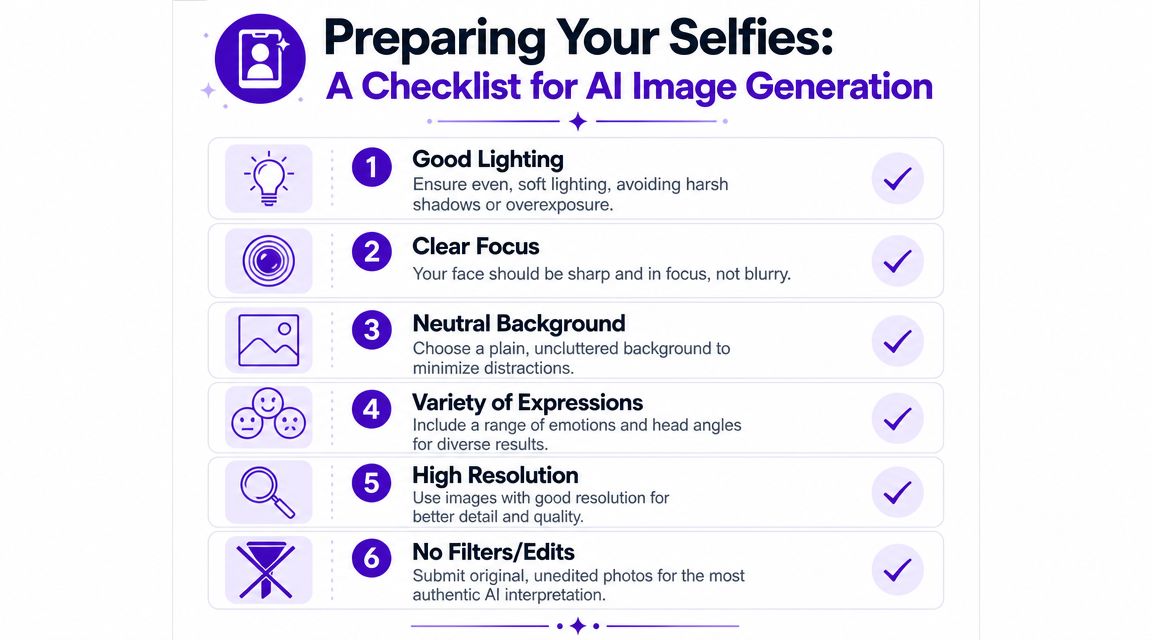
Think of your uploads as a casting packet, not a random dump from your camera roll. The model needs range, but it also needs consistency in who it's studying.
Use this checklist:
You don't need sterile passport photos. You do need to reduce confusion.
Skip these when possible:
Practical rule: If a stranger couldn't quickly describe your real features from the selfie, the AI probably can't either.
One more creative note matters here. If you want emotionally resonant portraits, don't upload only your “best” photos. Upload your most readable ones. The strongest generated portraits usually come from images where your facial structure is clear, your energy feels natural, and the model can separate you from the background without friction.
A prompt works better when it behaves like a mood board in one sentence. A common mistake is asking for a result instead of directing a scene. “Make me look cool” gives the model almost nothing useful. “Moody 90s film portrait, soft grain, green-brown color palette, candid expression, shallow depth of field, autumn city street at dusk” gives it something to stage.
A good formula is simple:
subject + aesthetic + medium or visual language + lighting + mood + composition cues
The subject can be plain: “portrait of me” or “close-up portrait based on my reference photo.” The primary influence begins after that. Style words should do specific jobs.
Here's how a prompt usually improves:
Weak prompt: “Turn me into a vintage portrait”
That's too broad. Vintage could mean old Hollywood glamour, faded 70s editorial, sepia family archive, or gritty 90s disposable camera.
Better prompt: “Portrait of me in a 1970s editorial style, warm film grain, amber window light, textured knit wardrobe, soft focus, intimate expression, muted earth tones”
That version creates a visual direction. It tells the model what era language to borrow, what palette to use, and what emotional temperature the image should carry.
For social posting, your prompt also needs platform awareness. Some looks perform because they read instantly on a small screen. High contrast, clear silhouette, strong lighting color, and one recognizable style cue usually beat cluttered complexity. If you're pairing polished visuals with growth tactics, creators often combine aesthetic consistency with distribution tactics such as engagement planning or services people compare alongside resources like buy instagram likes, but the visual itself still has to hold up without the boost.
If you want more phrase ideas and style vocabulary, starryai's own AI art prompts guide is a useful reference for expanding prompt language without turning it into word soup.
| Aesthetic | Core Prompt Elements |
|---|---|
| Cottagecore fantasy | soft natural light, wildflowers, linen textures, pastoral setting, romantic storybook mood, gentle color palette |
| Cyberpunk neon | magenta and cyan glow, rainy street reflections, futuristic fashion, dramatic contrast, cinematic night lighting |
| Vintage film portrait | analog grain, faded tones, candid framing, shallow depth of field, old camera feel, nostalgic expression |
| Ghibli-inspired animation look | hand-painted feel, whimsical environment, expressive eyes, soft natural colors, dreamlike atmosphere |
A few prompt habits improve results fast:
The best prompt for an AI image generator of you doesn't sound flashy. It sounds directed.
The generation stage works best when you treat it like a shoot, not a slot machine. You already chose your reference images and your visual direction. Now the job is to combine them in a way that protects likeness while still giving the model room to stylize.
Modern image tools got here through a fast technical shift. GANs opened a mainstream path for image synthesis in 2014, and OpenAI's DALL·E release in 2021 helped push text-to-image systems into broad public use, followed by diffusion-model tools that made high-quality portrait generation much easier for everyday users. Zapier's overview of the category notes those milestones in its AI image generator comparison.
Start with your clean reference set. Upload selfies that represent your face well across different conditions, but don't mix in novelty photos just because they look fun. If one image has sunglasses, one has theatrical makeup, and another has half your face hidden by hair, the generated identity drifts.
Then choose a style direction that fits your intended use. For example, a “vintage film” portrait for TikTok or an author headshot concept needs softer realism than a fantasy avatar. In tools that support a reference image workflow, pair the photo with a concise prompt instead of flooding the field with every adjective you know.
A practical sequence looks like this:
If you're new to the interface, the quick-start guide for the app helps with the basic flow and tool layout.
The model usually builds the image through iterative denoising. It starts from noise, predicts and removes that noise over repeated steps, and gradually forms an image aligned with the prompt and reference. In practice, that's why negative prompts, style tags, and multi-pass generation matter so much, as explained in this diffusion process walkthrough.
That technical process shows up creatively in a few settings:
Use the first round to find direction, not perfection. Then refine.
A short demo helps when you want to see pacing and output style in motion:
One workflow I like for social-ready portraits is to generate a small batch, choose the image with the strongest facial integrity, and then re-run that visual language with slight prompt adjustments. Change one thing at a time. Palette, angle, or mood. Not all three at once.
People often assume the right tool should deliver the perfect portrait on the first pass. That expectation causes more frustration than the model itself. AI portrait generation is closer to directing retakes than pressing a magic button once.
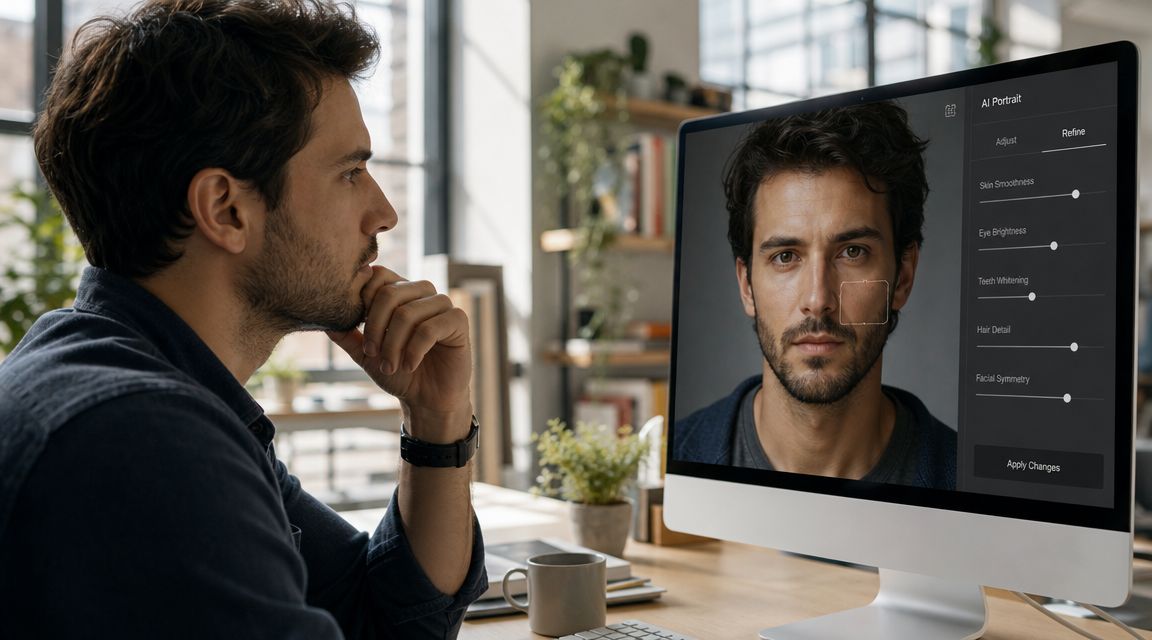
The most common failures are predictable. Hands get odd. Eyes drift slightly. Jewelry duplicates. Hairline shape changes between outputs. The image may be stylish but emotionally empty because the face looks generic.
Angle changes are another trap. Some tools now advertise multiple viewpoint generation from a single photo. GoStudio says it can create 12 camera angles from one photo, Higgsfield offers 12 angle options, and MagicShot advertises 6 viewpoints from one upload, according to this multiple-angle feature page. What those pages don't quantify is where the feature breaks, especially around hair, glasses, jewelry, and background continuity.
A dramatic angle shift can look impressive in the thumbnail and fall apart the moment you inspect the ears, jawline, or accessories.
When the result feels close but wrong, don't scrap everything. Diagnose the failure.
Identity consistency matters more when you're building a set of assets instead of one hero image. Krea's four-angle photo ID workflow emphasizes visible face, front-facing clarity, consistent views, and exportable grids for verification-style needs, which reflects a growing demand for reliable likeness across multiple outputs. That emphasis appears in its 4-angle photo ID workflow.
A practical mindset helps here. Treat every generation like a draft with one lesson attached to it. The people who get the strongest AI image generator of me results usually aren't luckier. They're better editors.
The fun part comes after the image works. Profile pictures, TikTok covers, mood-board posts, author branding, gamer avatars, merch mockups, and character concepts all make sense. But a responsible workflow matters, especially when the raw material is your face.
First, check the platform's usage rules before you post or sell anything. Personal use, commercial use, moderation limits, and restricted content policies vary by tool. If you're using the app for public or commercial-facing work, read the platform's content policy before you rely on the outputs.
Second, think about privacy before you upload reference photos. Use images you're comfortable storing with a third-party service. Avoid uploading photos that expose private environments, identifying documents, or other people in the frame.
Third, be honest about context when it matters. If you're using an AI portrait as stylized branding, that's usually obvious. If you're using one in a professional or representational setting, make sure it still reflects your likeness closely enough not to mislead people.
Good AI portraits don't replace your identity. They package it for a specific context.
The strongest use of these images is usually creative, not deceptive. Build a visual theme for your socials. Make a set of seasonal avatars. Create author-character variants. Design a merch test. Use the tool as a visual identity lab.
If you want a simple place to try selfie-based prompt generation, starryai lets you pair reference images and text prompts to create personalized portraits and stylized social visuals without a complex editing workflow.


.svg)