

Written by Mo Kahn on
August 19, 2026


You've found a product idea you're excited about, opened a blank design canvas, and then lost an evening trying to turn a rough concept into artwork that looks polished enough to sell. An AI image generator for Etsy can close that gap, but generation speed isn't the advantage that creates a durable shop. Generic images are easy to make, easy to copy, and increasingly difficult to distinguish.
The sellers who build stronger businesses use AI as part of a creative system. They develop a recognizable direction, edit aggressively, disclose their process, and connect every design to a specific buyer and use case. The result isn't just an AI image. It's a product with a reason to exist.
A digital-download seller might have a clear idea for a nursery print collection but lack illustration skills. A print-on-demand seller might understand a niche audience but struggle to produce enough visual variations for shirts, mugs, and wall art. In both cases, the bottleneck comes before the Etsy listing. The seller knows what the customer should feel, yet the visual execution takes too long or requires skills they haven't developed.
AI generation helps turn that early idea into something inspectable. You can explore several compositions, color directions, and visual moods before spending time on cleanup, formatting, mockups, or production. That makes the tool useful for iteration, not just output.
AI works particularly well when the product depends on visual variety or a strong concept:
The tool doesn't replace the part buyers value most, which is your judgment. You still choose the audience, reject weak generations, correct defects, define the collection, and decide whether the final file represents your shop.
Practical rule: Use AI to make more creative decisions visible. Don't use it to avoid making creative decisions.
A useful workflow starts with a commercial question. Is the buyer looking for a particular decorating style, occasion, profession, hobby, or emotional tone? A prompt that begins with “cute art” produces a broad result. A prompt built around a clear buyer and application gives you something you can position.
Before choosing a tool, compare features such as style controls, canvas sizes, editing options, commercial-use terms, and export quality. A curated overview of AI tools for content creators can help you compare the wider ecosystem without treating every generator as interchangeable.
AI also reduces the cost of testing ideas, but that doesn't guarantee sales. Etsy's marketplace still judges the finished offer through relevance, presentation, originality, and buyer trust. Generation is the beginning of the workflow, not proof that a product deserves a listing.
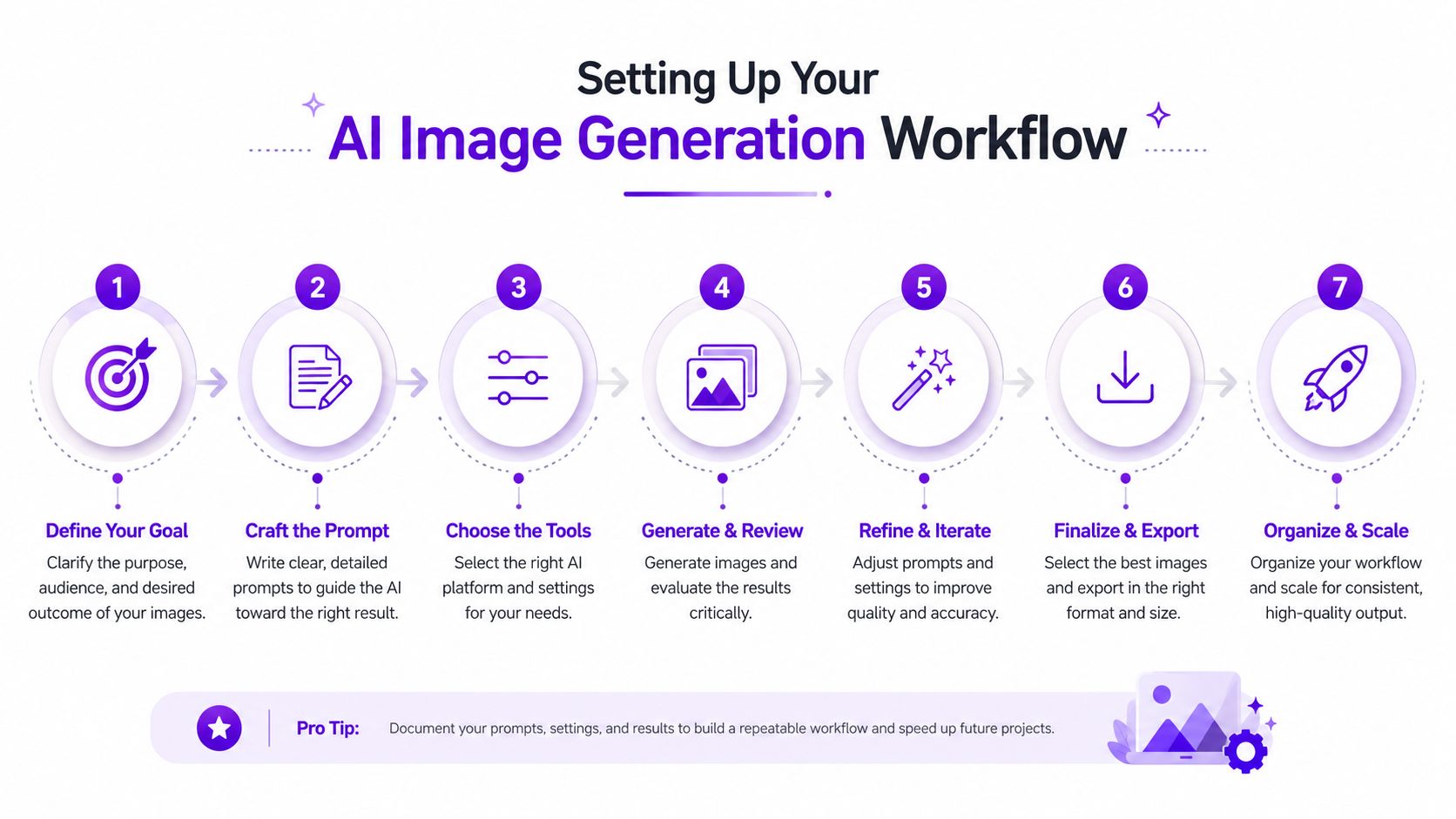
A dependable workflow starts with asset organization, not prompts. Create a folder for each product or collection, with separate locations for raw generations, selected files, edited masters, listing mockups, and final exports. Keep the original prompt beside the chosen image so you can reproduce a visual direction without guessing what produced it.
Choose settings based on the item's final use:
For commercial work, test one complete product from prompt to export before building a large collection. That test reveals whether the generator handles the subjects you sell, whether text needs to be added manually, and whether the output survives resizing.
Every selected image should pass a human inspection. Look for distorted hands, malformed lettering, inconsistent shadows, accidental logos, strange object relationships, and details that could mislead the buyer. AI can produce a convincing overall impression while damaging the exact feature that makes the product valuable.
Keep a short style brief for your shop. Record preferred palettes, line qualities, subject framing, background treatment, and the visual elements you'll avoid. Research into Samuel Woods' AI tool recommendations can add useful comparison points when you're deciding which tools belong in that workflow.
starryai is one option for creating visuals from text prompts, with style and canvas-size choices that can support exploratory Etsy artwork. Whichever generator you use, the commercial result depends on the review, editing, file preparation, and product positioning around the generated image.
Use this video as a practical visual reference while you map your own process:
A sellable prompt describes a product decision, not just an aesthetic. “Beautiful floral illustration” gives the generator too much freedom and gives you little control over differentiation. A useful prompt identifies the subject, audience, intended application, composition, palette, visual treatment, and exclusions.
For a botanical wall print, a stronger starting point might be:
Minimal botanical illustration of a single fern for a calm neutral nursery, centered composition, warm cream background, muted sage and terracotta palette, fine ink outlines, restrained editorial style, generous negative space, no lettering, no frame, no watermark.
For a sticker collection, change the structure to emphasize silhouette and consistency:
Friendly woodland mushroom character for a die-cut sticker collection, rounded silhouette, expressive face, limited earthy palette, bold clean outline, simple isolated background, consistent front-facing design, no text, no extra limbs, no shadows outside the character.
For apparel, think about the printing surface:
Vintage-inspired mountain hiking emblem for a dark cotton shirt, central badge composition, limited high-contrast ink palette, distressed but legible texture, bold readable silhouette, transparent-background artwork, no mockup, no brand names, no tiny details.
These examples aren't finished products. They're controlled starting points. Generate alternatives by changing one meaningful variable at a time, such as palette, framing, or subject treatment. If you alter everything at once, you won't know which decision improved the result.
Collections create stronger shop recognition than unrelated experiments. Choose a recurring shape language, palette family, border treatment, or character style. Then maintain those constraints while changing the subject or buyer use case.
Reference images can help establish composition or mood, but they don't remove the need for rights review. Avoid prompts that ask for a living artist's exact style, recognizable brand elements, copyrighted characters, or trademarked phrases. The safest direction is your own combination of subject, medium, palette, and design rules.
Use a prompt library with fields for:
The AI prompt optimization guide is a useful internal reference when a promising concept keeps producing inconsistent results.
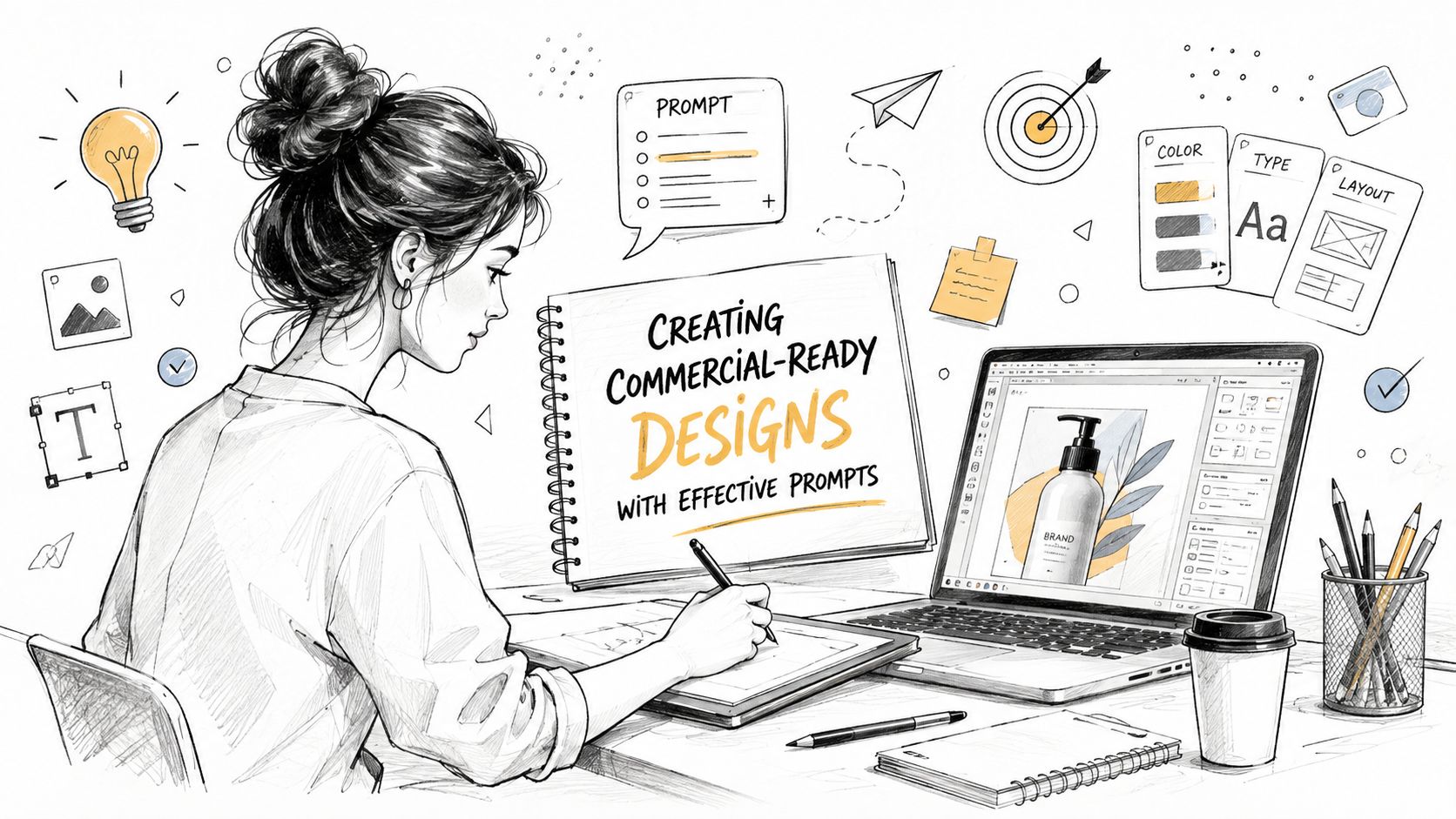
The final commercial pass should happen outside the generator. Redraw lettering, clean paths, remove artifacts, balance margins, test the design at its actual viewing size, and make sure the image still communicates clearly without the elaborate scene that inspired it. Buyers pay for a coherent result, not for the novelty of the prompt.
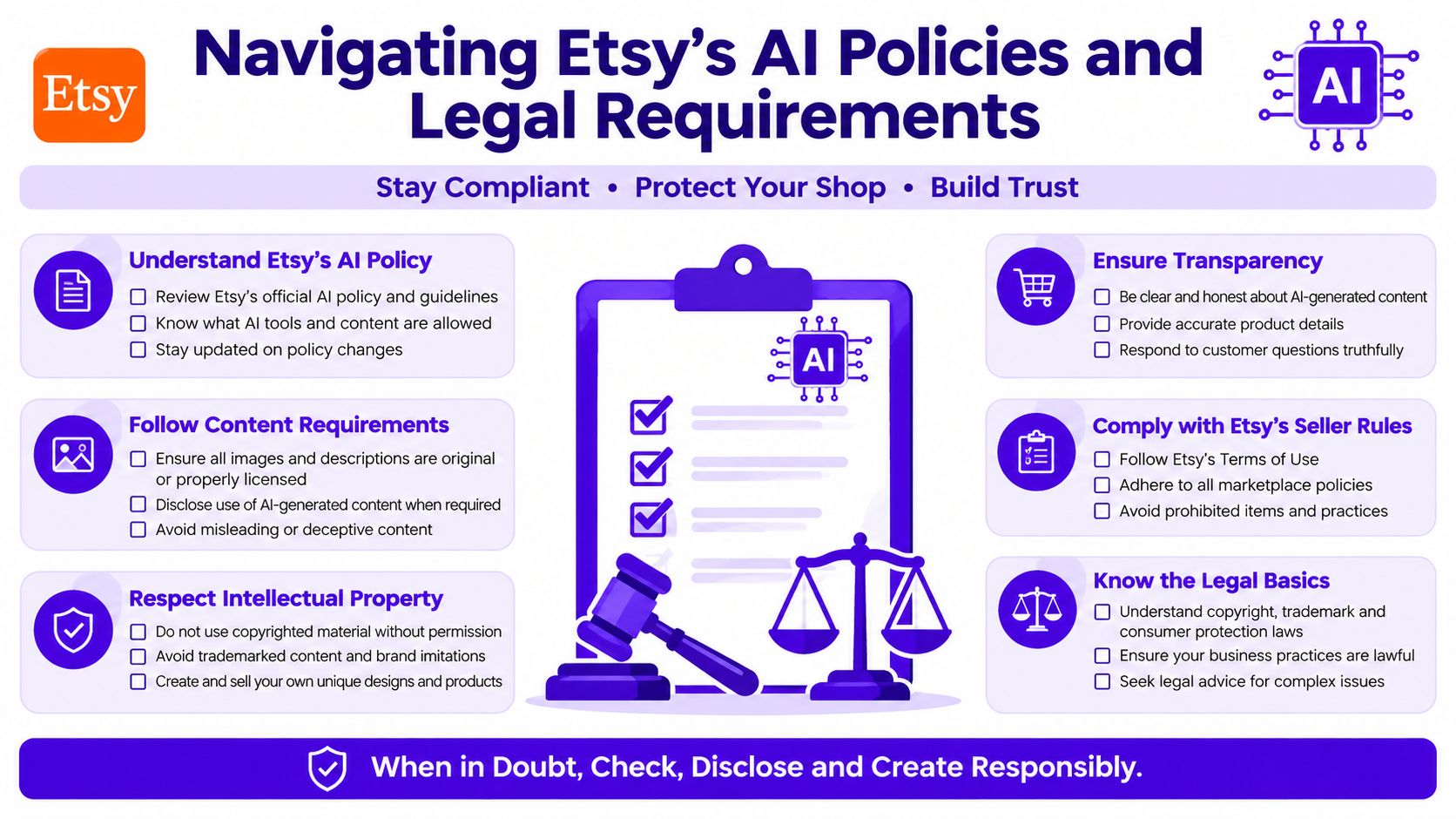
Etsy's rules make the seller's creative role and transparency central to AI-assisted products. Etsy formalized related seller requirements in July 2024, introducing creativity labels and requiring sellers to disclose AI use in listing descriptions. The policy also states that when an item is created through artificial intelligence, the seller must disclose that fact in relevant listings, and the requirement remained in the July 9, 2026 version of Etsy's Seller Policy. Etsy's Seller Handbook explains the disclosure framework.
Etsy's Creativity Standards recognize seller-prompted AI creations, meaning works generated by AI image tools from the seller's original prompts. That distinction matters. The seller's creative input must be part of the workflow, rather than the shop functioning as a channel for fully automated output. Etsy's guidance also ties permission to a clear creative role, transparency, and accurate presentation.
Independent coverage of the policy change reported that sellers may use their original prompts with AI tools to create artwork sold on Etsy, while selling AI prompts themselves is prohibited. The same coverage reported that Etsy removed four times the number of listings violating its Handmade Policy compared with the previous year, which signals a stricter enforcement environment around seller-made and AI-assisted products. TechCrunch details the policy change and enforcement context.
A compliant listing description should be direct, for example:
This design was created using an AI image tool from my original prompt and then selected, edited, and prepared by me for this product.
That wording isn't a substitute for checking the current listing fields or policy language. It does make the seller's role visible instead of implying that machine output was handmade without involvement.
Etsy's Intellectual Property Policy places responsibility on sellers to confirm that they have the necessary rights and aren't infringing third-party rights. AI generation doesn't clear copyright, trademark, publicity, or other legal concerns for you. Review Etsy's Intellectual Property Policy before listing designs that include recognizable symbols, names, characters, or references.
Keep records of original prompts, source assets, edits, and licensing terms. Don't use an AI output because it looks attractive. Remove anything that resembles a protected brand, copies a recognizable character, or makes an unsupported originality claim. Etsy's guidance on commercial-use rights for AI artwork can help you create a rights-review checklist, but platform policy and applicable law remain the final controls.
The central risk with AI-generated Etsy products isn't that the tool works too slowly. It's that the tool makes average ideas easy to produce. A generic celestial print, unedited fantasy portrait, or loosely themed quote graphic can look polished while offering buyers no reason to choose your version.
One independent market analysis reported that over 37% of new digital product listings on Etsy contained at least one AI-assisted visual element by early 2025, compared with 9% in 2023. That analysis describes the resulting saturation and brand-dilution risk. The figures point to a practical conclusion: speed alone is becoming a weak advantage.
A defensible product gives competitors more to copy than a prompt. It carries a specific point of view through the subject, editing, collection architecture, and buyer experience.
Consider two approaches to a printable art shop:
| Weak position | Stronger position |
|---|---|
| Broad “boho art” with unrelated images | Coordinated educational prints for a defined room and audience |
| One-off AI portraits | A consistent character world with recurring visual rules |
| Generic seasonal graphics | A focused gift collection built around a particular profession or hobby |
| Prompt output uploaded as-is | AI-assisted artwork with manual lettering, composition edits, and curated variations |
The stronger version doesn't need to be complicated. It needs to be coherent. Choose an underserved use case, then make every decision support it. A print for a specific room, event, or identity has a clearer sales argument than an attractive image with no context.
The image is replaceable. The creative system around it is harder to replace.
Curation is a commercial skill. Generate broadly, discard most of the obvious results, and keep only the images that fit your shop brief. Edit the survivors so they share proportions, color behavior, typography, and finish. Package them as a collection that answers a buyer's next question, such as what pairs with this print or which design fits another room.
Trust also becomes part of differentiation. Explain your creative process without making the listing sound like a software experiment. Show useful previews, accurate colors, and the final product in context. Buyers don't need a defense of AI. They need confidence that the item will match the description and that a real seller has taken responsibility for the result.
A strong design can still underperform if the listing makes shoppers work too hard. Use the first image to communicate the product clearly, then use supporting visuals to answer practical questions about scale, format, finish, and use.
For physical products, combine attractive context with accurate representation. Product-photography principles still matter, including clean lighting, visible details, and a useful sense of scale. Reddog Consulting Group's guide to product photography for Amazon offers transferable ideas for presenting an item clearly, even though the marketplace context differs.
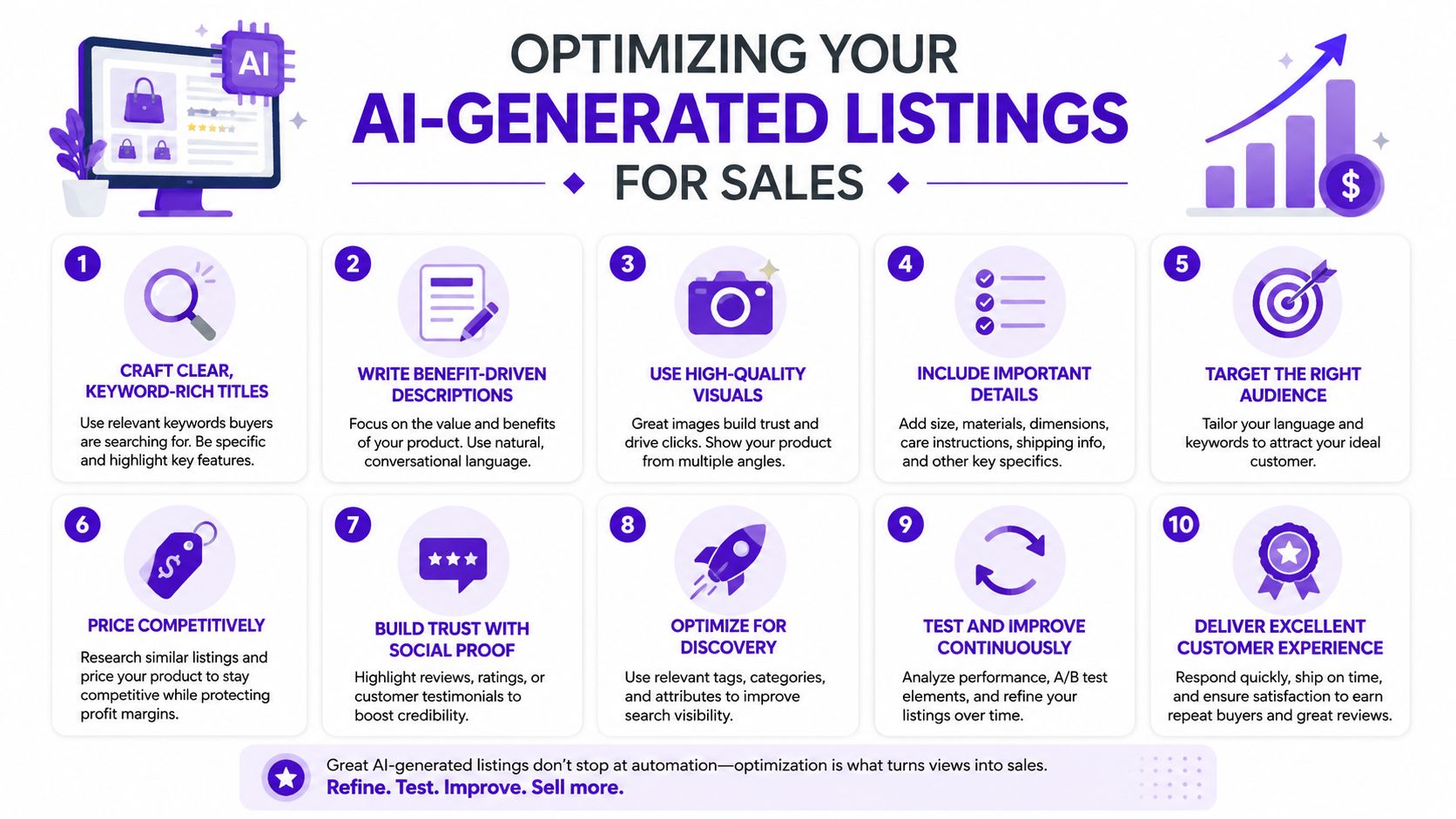
Titles should combine the product type, audience, style, and use case naturally rather than stacking vague adjectives. Descriptions should answer what the item is, who it suits, how it's delivered, and what role AI played. Price based on the finished product's value, editing, curation, licensing, customer support, and presentation, not on how quickly the first image was generated.
Ask buyers for the information they need. If someone questions whether a design was AI-assisted, answer transparently and explain the human selection and preparation involved. That kind of response reinforces the same promise your listing should make: the seller is accountable for the product.
starryai gives Etsy sellers a practical place to turn text prompts into visual concepts, explore styles and canvas sizes, and develop artwork or listing imagery for a broader workflow. Visit starryai to test a focused product concept, refine the strongest direction, and build a shop aesthetic that buyers can recognize.


.svg)