

Written by Mo Kahn on
July 1, 2026


You've probably done this already. You open three tabs, type the same prompt into three different image tools, and get three completely different results. One looks stunning but ignores half the prompt. One follows instructions but feels stiff. One gets close, then burns your time with retries.
That's why a useful ai image generator comparison in 2026 can't stop at “which one makes the prettiest image.” For most creators, the better question is simpler. Which tool gets you to a usable image fastest for the job you have? A TikTok transformation, a book character concept, a merch mockup, and a branded social post don't need the same generator.
A few years ago, AI image generation was still largely considered a novelty. OpenAI announced DALL·E 2 in April 2022, and by 2026 review platforms were already benchmarking image tools on image quality, generation time, and pricing in a structured way, as shown in Artificial Analysis' image model comparisons. That change matters because buying decisions now come down to workflow fit, not curiosity.
You have a campaign due today. One image tool gives you beautiful results after twelve retries. Another gets you close in two minutes but caps your control. A third fits neatly into your design stack but produces safer-looking work. That is the essential comparison.
The field is crowded, but the tools no longer compete on one axis. Current evaluations sort generators by use case, pricing, speed, and access model alongside image quality, as reflected in Artificial Analysis' image model benchmarks. That is more useful than chasing a universal winner, because creators rarely need the same thing from an image model.
A creator making moody concept art has a different job from a seller building product mockups or a social team turning around text-led promo graphics. The right choice changes with the brief. It also changes with the workflow. Discord suits creators who like iterative prompting in a community-style interface. A browser app, mobile app, or design-suite integration suits creators who need faster approvals and less friction.
Practical rule: Choose for the asset you need to ship, the amount of control you need, and how quickly you need a usable draft.
That is why this guide focuses on control and usable speed, not just artistic upside. Midjourney, DALL-E 3 through ChatGPT, Adobe Firefly, starryai, and similar tools all have strengths, but they solve different production problems. Some give you stronger style out of the box. Some make revision easier. Some help you get to a publishable image faster, which matters more than raw visual flair when the job is a thumbnail, ad variation, book cover draft, or marketplace mockup. If you want a clearer view of how these systems differ under the hood, this overview of generative AI image model types and trade-offs is a useful reference.
Before picking a tool, ask four practical questions:
Most creators do not need every feature. They need the right controls for the job in front of them. That is the difference between an image generator that looks impressive in a demo and one that earns a place in a real workflow.
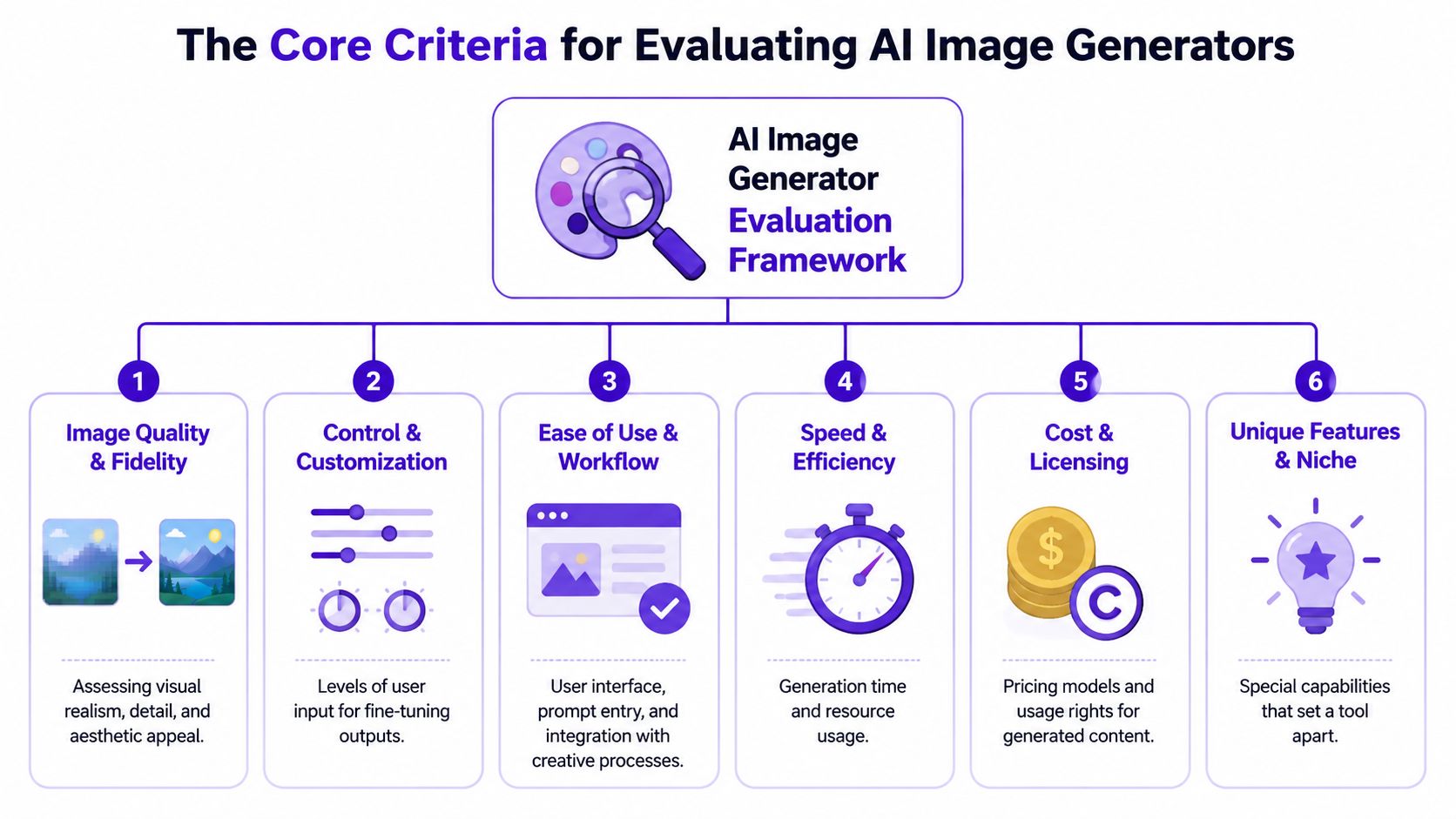
When people compare image tools casually, they usually start and stop with style. That's not enough. In practice, creators need a broader filter, especially when the image has to match a brief, survive revisions, and fit a channel.
A polished image that misses your instructions still fails. Technical evaluations show that the strongest model depends on the task. Some systems perform especially well at photorealism and long, complex prompt adherence, while others are better for text rendering or iterative editing, as noted in this technical discussion of image model performance.
That's why the first two criteria belong together:
Image quality and fidelity
Look at realism, lighting, texture, composition, and detail. Then ask the harder question. Did it fulfill the prompt?
Control and customization
Can you guide the result with references, revisions, edits, and variations? This matters more than people expect. If a tool produces attractive misses, you'll spend more time correcting than creating.
Prompt adherence
Many comparisons fall short here. A generator may produce beautiful outputs while dropping object counts, text requirements, or scene constraints.
If you want a deeper grounding in model behavior and why outputs vary so much by system, this overview of generative AI models is a useful companion.
The image that wins on social media isn't always the image that wins in production. Production needs repeatability.
The next criteria are less glamorous, but they shape day-to-day use.
Ease of use and workflow
A strong image model can still be annoying to use. The prompt box, editing loop, upscaling path, and export steps all affect whether you keep using it.
Generation speed
Speed isn't just about raw latency. It's also about how many retries it takes before you get something usable.
Cost and licensing
Subscription structure, free credits, and plan limits change who can use a tool casually and who can rely on it professionally.
Platform fit
Web app, mobile app, Discord, or embedded workflow each create different kinds of friction.
A creator making short-form social content will usually trade some top-end image quality for faster iteration. A design team producing branded assets may do the opposite. The smart comparison is the one tied to your actual publishing workflow.
A creator chasing a trend has maybe 20 minutes to get from idea to publishable image. A designer building a campaign mockup may spend longer, but needs cleaner control and fewer editing headaches. That is the useful way to compare image generators in 2026.
Pricing and access still matter, but they only matter in context. The better question is which tool gets you to a usable result fastest for the kind of work you do. Zapier's 2026 AI image generator roundup notes that ChatGPT image generation is available free with ChatGPT, with fewer restrictions on paid plans starting at $8/month, Google AI Plus starts at $7.99/month, Midjourney starts at $10/month for about 200 images per month, and Recraft offers 30 credits per day on its free tier with paid plans from $12/month.
| Generator | Best For | Ease of Use | Pricing Model | Key Feature |
|---|---|---|---|---|
| Midjourney | Stylized visuals, concept art, mood-heavy creative | Moderate learning curve | Paid subscription, starts at $10/month | Strong visual identity and style output |
| DALL-E 3 via ChatGPT | Fast ideation, general-purpose prompts, conversational edits | Easy | Free with ChatGPT, paid plans from $8/month with fewer restrictions | Chat-based revision flow |
| Adobe Firefly | Design production inside Adobe workflows | Easy for Adobe users | Subscription-based | Close connection to editing and layout tools |
| starryai | Social visuals, selfie transformations, quick mobile-first creation | Very easy | App-based access model | Fast path from prompt to shareable output |
For a broader view of current options, this guide to the best AI image generators for 2025 heading into 2026 pairs well with the table above.
Midjourney still wins a lot of first impressions. If the brief is "make it look striking," it often gets there fast. That makes it useful for album-style artwork, fantasy scenes, poster concepts, and moodboards where atmosphere matters more than strict instruction following.
Control takes more work.
I would choose Midjourney for exploratory visual development, not for jobs where the image needs to match a detailed production brief on the first few tries. It can produce beautiful results, but the path to a usable result is often slower if you need exact object placement, reliable text handling, or a very specific branded composition.
Use Midjourney when:
It is a weaker fit for fast-turn content pipelines and text-heavy creative.
DALL-E 3 works well for creators who develop ideas by talking through them. The chat interface reduces prompt friction. You can ask for changes in plain language, refine composition in steps, and keep momentum without learning a tool-specific workflow.
That convenience has a trade-off. The system is often easier to use than it is to direct with precision. For loose ideation, that is fine. For repeatable brand work or image sets that need tight consistency, it can feel less exact than the interface suggests.
This is a practical choice for:
If speed to first draft matters more than granular control, DALL-E 3 is usually a strong option.
Adobe Firefly is easiest to justify when generation is only one step in the job. If the output is heading into Photoshop, Illustrator, or a campaign layout, workflow fit matters as much as image quality.
That is Firefly's real strength. It reduces handoff problems between generation, editing, and production. A marketing designer can generate a background, adjust it in the Adobe stack, and move straight into asset prep without exporting across a patchwork of tools.
Workflow truth: The best generator for a designer is often the one that creates the fewest handoff problems.
Adobe Firefly fits well when:
It is less useful as a pure discovery tool for creators who want to spin through many stylistic directions quickly.
starryai fits short-cycle creative work. It is useful for creators who want to move from prompt, selfie, or rough concept to a usable image quickly, especially on mobile.
That matters for social content, profile visuals, trend-driven posts, and lightweight product or character mockups where speed beats perfection. The benefit is not maximum art-direction depth. The benefit is lower friction. You can test an idea, adjust it, and get something publishable without a long setup process.
For creators trying to ship consistently, that is a real advantage. A tool does not need to win an art contest to earn a place in the workflow. It needs to help you get usable outputs fast enough to keep publishing.
The wrong comparison question is “Which tool is strongest overall?” The right one is “Which tool removes the most friction from my kind of project?”
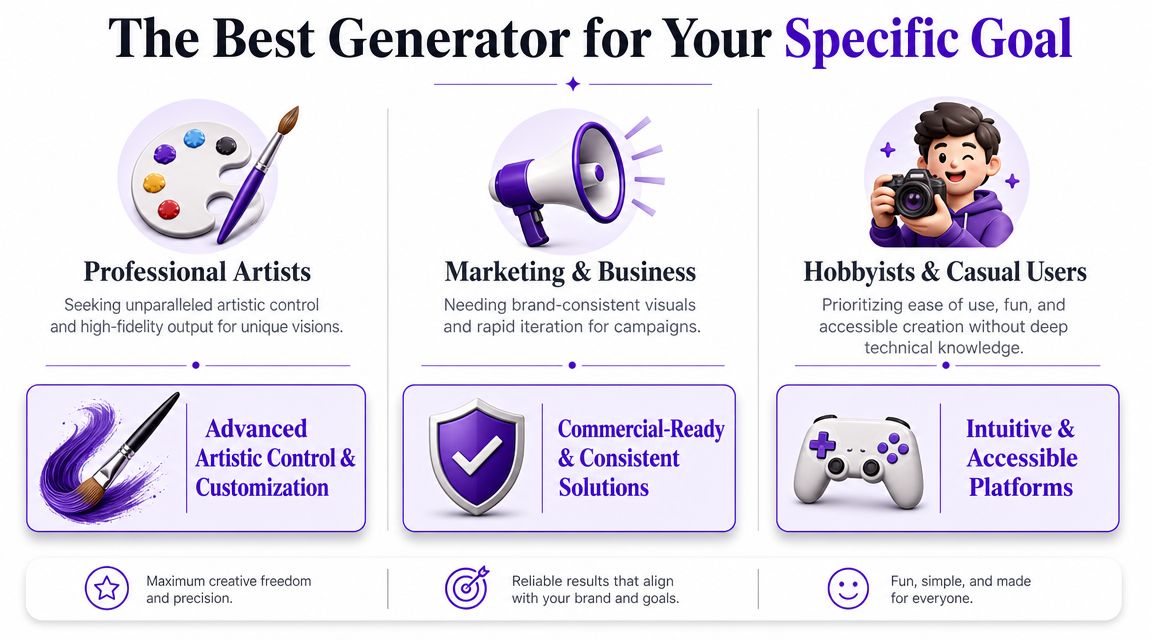
Speed matters more than theoretical image quality when you're chasing a trend window. You need a tool that gets you to a recognizable aesthetic fast, works well with selfie-based inputs or quick prompts, and doesn't demand desktop-heavy setup.
Good fit: a mobile-friendly generator with easy iteration and reference-based transformations.
Less ideal: a tool that creates gorgeous outputs but asks you to spend too long dialing in style language. Social content usually rewards momentum.
Authors usually need two things at once. Mood and consistency. A single striking image is useful, but repeatable character interpretation matters more if you're building a series, visual teasers, or cover concepts.
The better choice depends on whether you need painterly atmosphere or cleaner prompt adherence.
Etsy work exposes a common weakness in casual AI use. A pretty image isn't enough. You need something that can become a product. That may mean cleaner composition, easier revision, room for text placement, and visuals that adapt to multiple listings.
Here the practical concerns rise quickly:
A side-hustler often benefits from low-friction tools and flexible free access. A seller building a real catalog may prefer a paid option that gives more consistency and fewer do-overs.
Gamers usually want strong character identity. Not perfect realism. A custom avatar, party portrait, or RPG concept image succeeds when it captures class, mood, gear, and silhouette clearly.
That means your ideal generator should handle costume detail, fantasy prompts, and style consistency without making every character look generic. Midjourney often suits players who care about dramatic art. Simpler tools suit players who want fast custom portraits for Discord, streams, or campaign handouts.
If your image is meant for a profile, card, or campaign sheet, readability beats spectacle.
For most users in this group, the best tool is the one that lets them make another version quickly when the armor, hair, or pose comes out wrong.
The biggest blind spot in most ai image generator comparison articles is control for ordinary users. A lot of reviews still reward the most impressive single output. That misses how people create. Many creators need easy edits, repeated likeness, quick transformations, and a short path from idea to post.
A useful way to judge fit is to ask which model wastes the fewest retries for non-experts. That exact gap appears in this comparison discussion focused on controllability and creator workflows. It's especially relevant for TikTok transformations, character art, and merch visuals where consistency and iteration matter more than chasing the most cinematic render.
Some generators are powerful because they let skilled users steer extensively. Others are powerful because they reduce decisions. Those are not the same thing.
For creators who mostly work from a phone, start with selfies, or want fast visual experiments, simpler control often produces better real-world output. You spend less time diagnosing prompt wording and more time picking a result that is effective. If you want a quick primer on the product itself, this overview of what starryai is covers the basics.
That matters for creators working on:
A deeper look at how this style of tool behaves in practice helps here:
This kind of workflow isn't trying to replace every advanced art tool. It fits users who value a fast start, low friction, and straightforward iteration.
That includes social creators testing aesthetics, indie authors mocking up characters, and casual users who want polished visuals without learning a complicated prompt craft. For them, the advantage isn't maximum complexity. It's clarity.
When a tool gets you to a usable image quickly, you create more. That usually matters more than having the widest control surface on paper.
If you're still deciding, use a short filter instead of reading another giant comparison chart. The goal isn't to find a perfect tool. It's to find the one that matches your working style.
Ask yourself these questions in order:
What am I making most often?
Social posts, character art, cover concepts, branded graphics, or product mockups.
Do I care more about style or compliance?
If the image must follow a tight brief, choose for control. If mood and visual impact matter most, choose for aesthetics.
Where do I want to work?
If you prefer chat, choose a chat-based tool. If you live in a design suite, choose integration. If you create on your phone, choose a mobile-first workflow.
How patient am I with retries?
Some tools reward exploration. Others are better when you want a result quickly without much tuning.
What will I pay for convenience?
Price isn't just a budget issue. It's a workflow issue. A cheaper plan with more friction can cost more time than a paid tool that gets the job done faster.
Decision shortcut: If you enjoy crafting prompts, lean toward tools with deeper control. If you want quick usable output, lean toward tools with simpler interfaces and faster iteration.
That framework usually narrows the field fast. Many users don't need every feature. They need fewer failed attempts.
Sometimes, yes, but the answer depends on the tool and plan. Always check the terms for the specific product you're using, especially around commercial rights, public galleries, and uploaded reference images. If you're making products or client work, don't assume free-plan rules match paid-plan rules.
Start with plain language. Describe subject, setting, style, camera feel, and any must-have details. Then change one thing at a time. Most prompting problems come from trying to fix five variables at once.
A practical structure is:
Don't keep rerolling the exact same prompt. Simplify it. Reduce conflicting instructions, ask for a clearer pose, or use a tool with stronger editing controls. If the image is close, editing is often faster than regeneration.
Usually, the easiest tool is the one with the least workflow friction for your habits. If you think in conversation, a chat-based generator feels easier. If you create on your phone, a mobile-first app often feels easier. If you already edit in design software, built-in generation can be easier than switching tools.
Not always. Many creators end up with a small stack. One tool for style exploration, another for text or editing, and another for quick social content. The best setup is often a practical combination, not total loyalty to one model.
If you want a fast way to turn selfies, prompts, or simple ideas into polished visuals without a complicated workflow, try starryai. It's built for quick creation, easy experimentation, and social-ready image making.
Drafted with Outrank


.svg)