

Written by Mo Kahn on
October 4, 2026


You're scrolling through TikTok when a familiar face melts smoothly into another. The eyes stay locked on the camera, the smile arrives at exactly the right moment, and the result looks part visual effect, part uncanny dream. You might laugh, save the video, or wonder how anyone made it look so clean.
That effect is AI face morphing, and it sits at an interesting intersection of digital art, social media experimentation, and identity security. The same basic idea can create a playful avatar or a cinematic transition, but it can also weaken systems that use faces as proof of who someone is. Understanding both sides helps you experiment with the creative possibilities without treating a person's face, likeness, or identity as disposable material.
A viral face-morph video usually begins with something ordinary: two portraits, a short clip, or a selfie taken in similar lighting. Software analyzes both faces, identifies comparable features, and generates a visual transition between them. Instead of cutting from one image to the next, it creates the intermediate frames, so a nose can narrow gradually, a jawline can shift, and one expression can become another.
That makes face morphing different from a simple color filter. A filter may add makeup, adjust contrast, or place an effect over a face. An AI face morph changes the apparent structure and appearance of the face itself. It can blend facial geometry, skin texture, expression, hair, and lighting into a result that feels continuous, even though the source images may belong to different people.
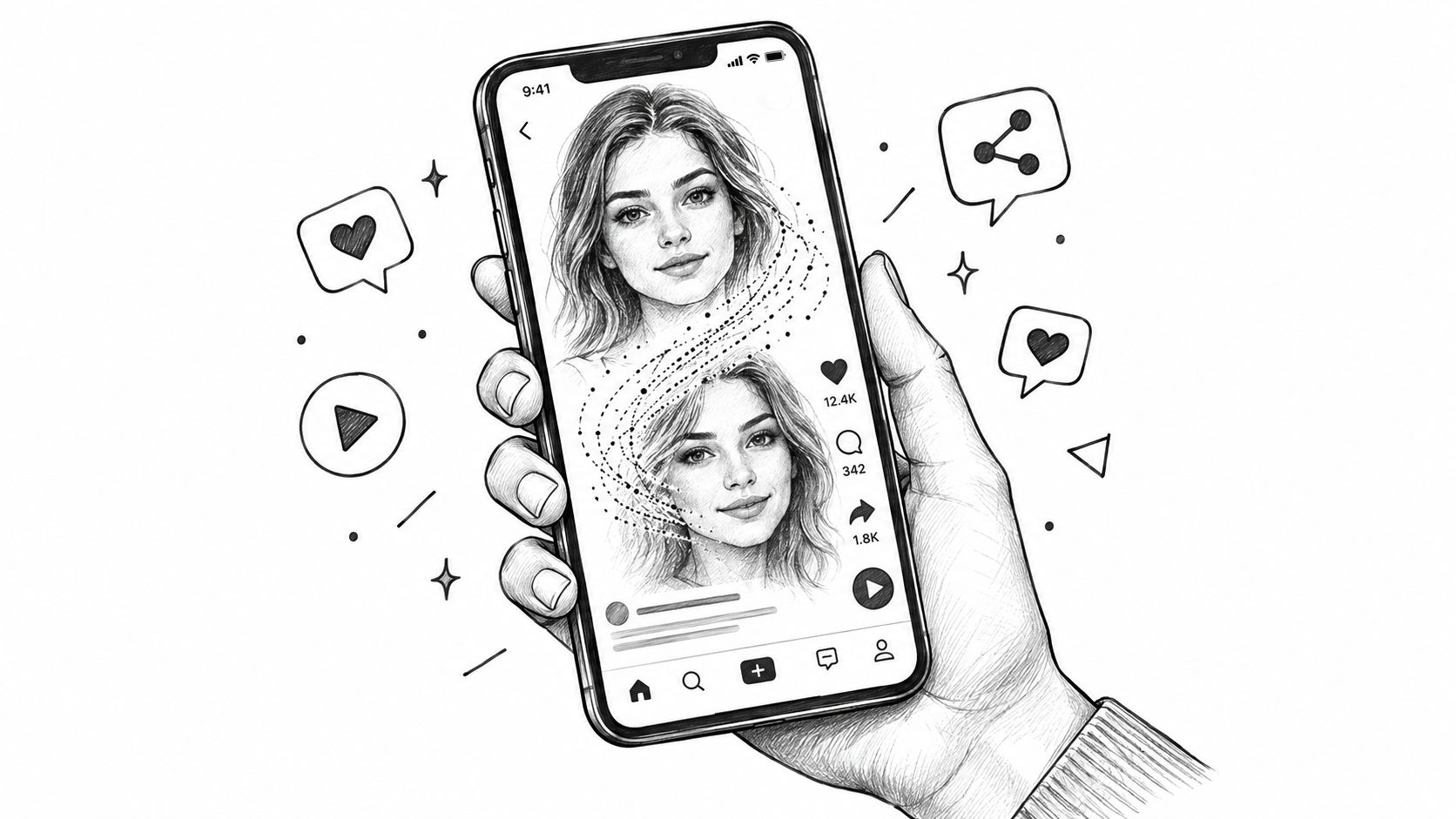
Human viewers are very sensitive to faces, but we don't consciously inspect every pixel. We recognize the overall arrangement of eyes, nose, mouth, cheeks, and jaw, then fill in the rest from context. A well-made morph takes advantage of that shortcut by keeping the main landmarks aligned while changing the visual details around them.
The result can be used for harmless entertainment, such as showing a gradual age transformation, creating a fantasy character, or turning a portrait into a stylized art piece. Creators also use morphs to build short-form transitions, compare two looks, or make an avatar that feels more expressive than a static profile photo.
A useful distinction: A face morph is a visual construction, not evidence that a person actually changed appearance.
The technology also benefits from the way social platforms reward visual novelty. A transformation that unfolds in a few seconds gives viewers an immediate reveal, works without much dialogue, and can be adapted to many themes. That makes it easy for one format to inspire countless variations.
If you enjoy the broader creative side of algorithmic images, this introduction to generative art provides useful context for how software can turn prompts and visual inputs into finished artwork. For playful experiments involving identity and transformation, Chameleon on OohYeah is another resource worth exploring, especially if you want to see how a face can become a starting point for a more imaginative visual concept.
The easiest way to understand face morphing is to think of a portrait as a flexible digital puppet. The software does not just place one photograph on top of another. It builds a map of the face, aligns corresponding points, and calculates how the appearance should change between those points.
First, an AI system locates the face in an image or video. It looks for landmarks such as the corners of the eyes, the bridge and tip of the nose, the edges of the lips, the chin, and the jawline. These points act like pins on a piece of fabric. Once the pins are known, the system can stretch or reposition the surrounding area without treating the entire image as a flat block.
The quality of the source material matters here. A front-facing portrait with a clear expression gives the system more useful information than a blurry image with heavy shadows. Differences in head angle, lighting, facial expression, and camera distance can produce strange transitions because the software has to make larger guesses.
Next, the system maps equivalent landmarks across the two faces. The left eye on one image is matched with the left eye on the other, the mouth is aligned with the mouth, and the outline of the face is approximated from both sources. You can think of this as placing two transparent mesh grids over separate portraits and gradually reshaping one grid until the important points line up with the other.
That alignment lets the software warp facial geometry. It can move pixels so that the first face begins to take on the proportions of the second while preserving a believable sense of continuity. The system isn't necessarily copying a complete face. It's combining structural and visual information according to the desired transition.
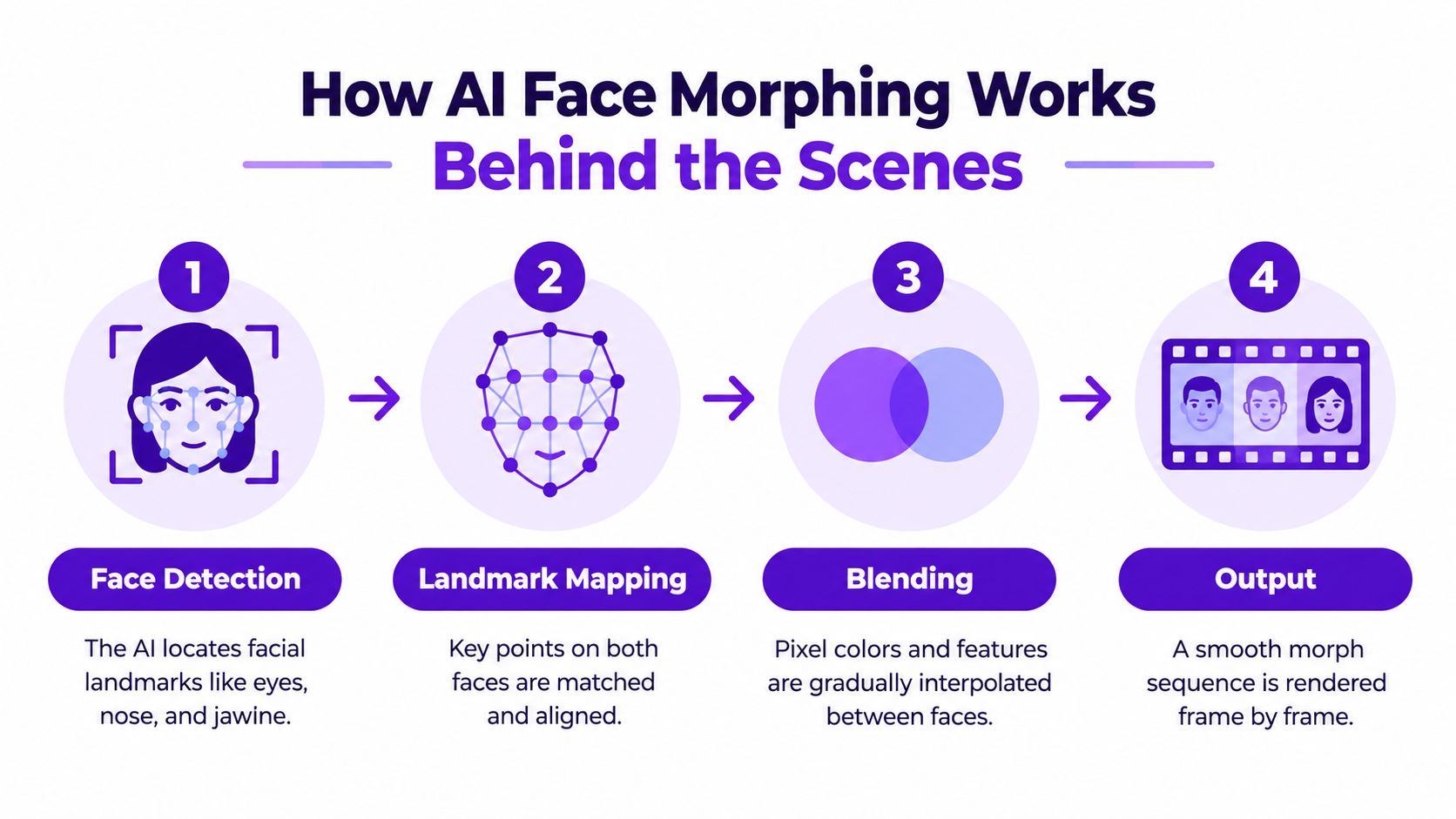
Once the geometry is aligned, the system blends image information. Skin tones, highlights, shadows, hair, and facial details may be interpolated so the change happens gradually rather than as a hard switch. In a video, the software renders a sequence of intermediate frames, each one slightly closer to the target appearance.
This explains why the best results feel smooth. The system coordinates shape transformation and texture blending instead of changing only one layer. It also explains why artifacts can appear around hairlines, teeth, glasses, earrings, or hands placed near the face. Those areas are harder to map consistently, particularly when the original images don't share the same angle or lighting.
A final rendering stage packages the frames into a video or produces a single blended image. The creative outcome may look effortless, but the process depends on careful alignment, good source images, and enough visual consistency for the software to make sensible decisions.
The same capability can support three very different activities. A creator might use it for a social trend, a designer might use it to develop a character, and an attacker might use it to interfere with identity verification. Calling all three “just filters” hides the important difference in intent and consequence.
For social content, the appeal is obvious. A face can transition into a fictional creature, a historical portrait, a stylized avatar, or another consenting participant in a collaborative video. The effect can add rhythm to a music edit, create a before-and-after reveal, or give a personal post a visual hook without requiring advanced compositing skills.
Professional creators use related techniques for concept development. An indie author might explore how a protagonist looks at different ages. A game designer might test facial directions for an avatar. An Etsy seller or marketer might create a character-led campaign that uses a consistent visual identity across posts. In these cases, the face is part of an artistic brief, and the creator can keep the process transparent by labeling generated or altered imagery.
The risk changes when a face morph enters a system that assumes a face is a reliable identity token. A morphed face is engineered to resemble more than one person, which can weaken biometric matching. A major survey describes face morphing as a severe security risk because even modern machine-learning face recognition can struggle to distinguish a genuine image from its morphed counterpart. The survey on face morphing attacks and biometric security explains why this isn't merely a question of whether an image looks realistic to a casual viewer.
The concern is especially relevant to identity documents and remote verification. Europol describes how a morph can combine the face of a legitimate passport holder with the face of someone seeking illegal access, increasing the chance that a forged document photo passes an identity check. It also points toward broader controls, including live video, random live actions, and stronger end-to-end authorization rather than relying on deepfake detection alone. The discussion of morphing threats and identity-verification controls puts the issue in that wider process context.
Practical boundary: Use someone's likeness with permission, label substantial alterations when context could confuse viewers, and never treat a generated face as a shortcut around an identity check.
The technology itself isn't automatically harmful. The important question is where the image will be used, who has consented, and whether another person or institution could mistake the output for proof of identity.
A good first project starts with a clear creative goal, not with the most dramatic prompt you can write. Decide whether you want a gentle blend between two portraits, a stylized character, a new expression, or a transition that feels designed for a short video. That choice will guide the images you upload and the amount of editing you need.
With starryai, you can begin from a source image and use the AI Edit workflow to adjust a portrait. Upload a photo with a visible face, then check the composition before changing anything. A well-lit image with a reasonably clear expression gives the editor more visual information to work with, while sunglasses, extreme angles, cropped features, and busy backgrounds can make the result less predictable.
Start with the face structure. Use the Edit tool to request a controlled change, such as a different expression, a softer jawline, or a blend with another consenting subject. Keeping the first instruction narrow makes it easier to tell which adjustment helped and which one introduced an artifact.
Then add the visual direction. A text prompt can describe the mood, setting, lighting, or medium, while a style reference can push the result toward a cinematic portrait, illustrated character, glossy editorial image, or another coherent look. Avoid combining too many unrelated instructions in the first attempt. If you ask for a new expression, a different age, a fantasy costume, a complex background, and a specific camera angle at once, you may not know which request caused an unwanted change.
A useful workflow looks like this:
For a more personal starting point, this guide to creating an AI image of yourself can help you think about source photos, prompts, and the difference between preserving a likeness and inventing a new character.
If the eyes look uneven, simplify the prompt and return to a cleaner source image. If the hairline breaks during the blend, try a tighter crop or a more consistent background. If the result looks like a pasted mask, reduce the contrast between the source faces and ask for a natural, gradual transition.
Don't judge the first generation as a final verdict. Treat it as a draft that reveals which visual ingredients are working. You can refine the expression, lighting, pose, or art direction until the image communicates the idea without depending on shock value.
A face-morphing tool may feel like a playful editing feature, yet the same capability can affect how identity systems decide whether someone is genuine. For a creator, blending two faces can produce a character, transition, or visual experiment. For an authentication workflow, a convincing blend may act like a forged key.
A 2019 study of deep morphed videos demonstrated the scale of that risk. In high-quality deep morphs from the DeepfaTIMIT database, VGG recorded an 85.62% false acceptance rate, while FaceNet recorded 95.00%. The study reported equal error rates of up to 95.00%. By comparison, a baseline detector that combined image-quality measures with an SVM detected high-quality deep morph videos with an 8.97% equal error rate. The 2019 deep-morphing study showed that morphing can target biometric pipelines directly, rather than only producing an image that looks strange to a viewer.

Human visual judgment is a weak security control. A 2024 systematic review of human deepfake detection examined 40 independent studies from 30 unique records. It cited morph-specific research in which automated detection reached 68.4% accuracy, compared with 64.0% for the best human participants. Another morphing study involved 500 participants and 108 manipulated images, with average human accuracy at 60.4%. The systematic review of human deepfake detection also describes a forensic dataset containing 60,000 videos and 17.6 million frames, illustrating how research has expanded beyond small demonstrations.
The detection problem also changes outside the lab. The NIST 2026 deepfakes challenge reports that current detection systems can lose 45% to 50% of their performance when they move from academic tests to operational deployment. NIST's deepfakes challenge explains why a detector that performs well on a controlled benchmark may struggle with unfamiliar compression, cameras, editing workflows, or attack methods.
The counterintuitive lesson: Better generation is only part of the problem. The gap between what people believe they can spot and what real workflows can verify reliably is widening too.
Benchmarking depends on clear error measures. BPCER is the share of genuine face images wrongly flagged as morphs. MACER is the share of morphs wrongly accepted as genuine. The FVC benchmark and MORPH evaluation platform test algorithms on unseen, sequestered data from 150 subjects across ethnicities, age groups, and genders. That design tests generalization instead of rewarding a system that recognizes only one morphing method. The FVC morph-attack detection benchmark explains these measures and testing conditions.
A NIST FRVT study found that, in a renewal scenario with multiple earlier genuine photographs already stored, the strongest morph classifier detected 83% of morphs at a threshold of only one false detection per 1,000 genuine searches, or BPCER=0.001. The NIST FRVT morph-detection study demonstrates both progress and trade-offs. Detection can help, while high-impact decisions still call for layered controls, consent procedures, liveness checks, and human review. For background on how swapping differs from morphing, see this guide to how to swap faces.
Abuse risks reach beyond identity checks. A 2026 WEF report evaluated 25 tools and found that moderate-quality face-swapping models, combined with camera-injection techniques, could deceive some biometric systems under specific conditions. The report also cites security research finding that 70% of face-swap apps lacked technical safeguards against generating nude images. The WEF report on deepfakes and digital identity verification connects the creative and harmful sides of the technology, including harassment, fraud, and non-consensual imagery.
AI face morphing deserves neither blind enthusiasm nor blanket panic. It's a flexible visual technique that can help creators explore characters, expressions, transitions, and new forms of self-presentation. It also changes the assumptions behind systems that use a face to represent a real person.
Responsible use begins with simple habits: get consent, protect source images, disclose meaningful alterations, and avoid presenting a generated face as identity evidence. On the security side, organizations should combine detection with liveness, process controls, and stronger authorization rather than expecting one model to separate every genuine image from every manipulated one.
The most useful mindset is creative curiosity with operational caution. Learn how the effect works, experiment within clear boundaries, and remember that a convincing image can still be fictional.
starryai offers an AI image generator and creative editing tools for turning selfies, prompts, and visual ideas into shareable artwork, including portrait transformations and face-focused edits. Explore the possibilities responsibly by visiting starryai, and use what you create to tell a clear story about imagination rather than impersonation.


.svg)